🛒 Best Price Today on Amazon
Prime members get fast, free shipping on everything above, plus member-only deals. New members get a 30-day free trial — cancel anytime.
- Best Monitors for 3D Artists Compared
- ASUS ProArt PA32UCXR — Best for HDR and VFX Work
- BenQ PD3225U — Best Balanced 32-Inch Monitor
- Dell UltraSharp U3225QE — Best for Workstation Connectivity
- ASUS ProArt PA279CRV — Best Compact 4K Choice
- BenQ SW272U — Best for Textures and Print Work
- How to Choose the Best Monitor for 3D Artists
- FAQ
- Conclusion
The best monitor for 3D artists should combine sharp 4K detail, dependable color, enough screen space for dense Blender, Maya, Cinema 4D, or ZBrush interfaces, and practical connectivity. This roundup focuses on creator displays that suit modeling, texturing, rendering, animation, and color-sensitive finishing rather than gaming-first speed. For most 3D workflows, resolution and color consistency matter more than extreme refresh rates. A 27- to 32-inch 4K panel gives more room for viewports, node editors, timelines, and reference windows while keeping menus and fine geometry crisp. Wide-gamut coverage also matters when rendered work moves into print, video, or client review.
Quick answer: For most people in 2026, the best monitor for 3d artists is the ASUS ProArt PA32UCXR — our #1 rated choice. See the full ranked comparison, alternatives and buying advice below.
Best Monitors for 3D Artists Compared
| Monitor | Panel / Resolution | Color Coverage | Refresh Rate | Best For |
|---|---|---|---|---|
| ASUS ProArt PA32UCXR | 32-inch IPS Mini-LED, 3840 x 2160 | 99% Adobe RGB, 97% DCI-P3 | 60 Hz | HDR, VFX, color-critical production |
| BenQ PD3225U | 31.5-inch IPS Black, 3840 x 2160 | 100% sRGB, 100% Rec.709, 98% P3 | 60 Hz | Balanced 32-inch creator workflow |
| Dell UltraSharp U3225QE | 31.5-inch IPS Black, 3840 x 2160 | 99% DCI-P3, 99% Display P3 | 120 Hz | Workstation connectivity and smooth UI |
| ASUS ProArt PA279CRV | 27-inch IPS, 3840 x 2160 | 99% DCI-P3, 99% Adobe RGB | 60 Hz | Compact 4K creator desk |
| BenQ SW272U | 27-inch IPS, 3840 x 2160 | 99% Adobe RGB, 99% P3 | 60 Hz | Texture, print, and still-render work |
ASUS ProArt PA32UCXR — Best for HDR and VFX Work
Best For: HDR rendering, VFX, look development, compositing, color-critical studio work
Key Features:
- 32-inch 3840 x 2160 IPS Mini-LED panel
- 99% Adobe RGB and 97% DCI-P3 coverage
- Delta E below 1 specification
- 1,600-nit HDR peak brightness
- Embedded colorimeter with self-calibration
- Thunderbolt 4 with 90 W power delivery
- HDR10, HLG, and Dolby Vision support
The ASUS ProArt PA32UCXR is the strongest fit here for HDR-heavy 3D, VFX, and finishing work. Its 32-inch 4K IPS Mini-LED panel combines wide color coverage with high peak brightness, while an embedded colorimeter supports self-calibration. That makes it especially useful in studios where repeatable color matters across long projects.
What Makes It Different: The built-in colorimeter and Mini-LED backlight distinguish the PA32UCXR from conventional IPS creator monitors. ASUS also provides multiple professional color spaces and hardware calibration support, allowing artists to maintain controlled viewing conditions without relying only on software-level adjustments.
Its main trade-off is that the PA32UCXR is a specialist 60 Hz production display rather than a high-refresh gaming monitor. The premium feature set is best justified when you need HDR reference capability, hardware calibration, Thunderbolt 4, and disciplined color management. Pure modelers can spend less without sacrificing core viewport sharpness.
Pros
- Mini-LED backlighting for serious HDR workflows
- Embedded hardware colorimeter
- Wide Adobe RGB and DCI-P3 coverage
- Thunderbolt 4 connectivity
- High HDR peak brightness
Cons
- Limited to 60 Hz
- Advanced HDR features may be unnecessary for basic modeling
- Larger and heavier than typical 27-inch creator monitors
Use Case: A VFX artist can keep Maya or Houdini on a 4K workspace while reviewing HDR renders and composited sequences on the same display.
Who It’s For: Professional 3D artists, VFX studios, colorists, and visualization teams producing HDR or color-sensitive deliverables.
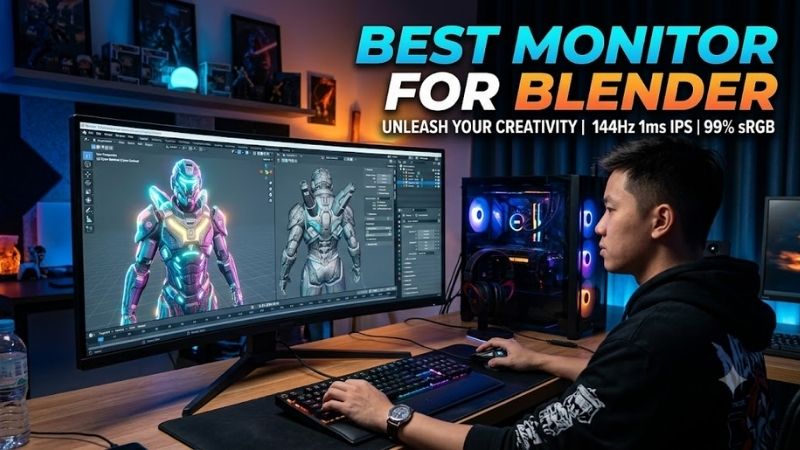
BenQ PD3225U — Best Balanced 32-Inch Monitor
Best For: Blender, Cinema 4D, Maya, product visualization, motion design, mixed creative workloads
Key Features:
- 31.5-inch 3840 x 2160 IPS Black panel
- 2000:1 native contrast
- 100% sRGB and Rec.709
- 98% P3 coverage
- HDR10 and VESA DisplayHDR 400
- CAD/CAM and Animation display modes
- Thunderbolt connectivity
The BenQ PD3225U is a balanced 32-inch option for 3D artists who want a large 4K canvas, strong contrast, and Mac-friendly connectivity. Its IPS Black panel, 98% P3 coverage, 100% sRGB and Rec.709 coverage, Thunderbolt connectivity, and creator presets make it practical for modeling, look development, motion work, and general design.
What Makes It Different: BenQ combines a large IPS Black workspace with modes aimed directly at creative applications. CAD/CAM mode emphasizes line detail, while Animation mode is designed to make darker image areas easier to inspect, giving modelers and animators additional viewing options beyond standard sRGB or P3 presets.
BenQ also includes CAD/CAM, Animation, Darkroom, and other color modes that can help when switching between geometry-heavy tasks and visual review. The limitation is its 60 Hz refresh rate and DisplayHDR 400 class, so it is better viewed as a productivity and color-work display than as a monitor for demanding HDR mastering.
Pros
- Spacious 31.5-inch 4K workspace
- IPS Black panel with 2000:1 native contrast
- Broad P3, sRGB, and Rec.709 coverage
- Useful CAD/CAM and Animation modes
- Thunderbolt-oriented creator connectivity
Cons
- 60 Hz refresh rate
- HDR capability is more limited than Mini-LED alternatives
- 32-inch footprint requires adequate desk depth
Use Case: A Cinema 4D or Blender artist can use the wider physical canvas for a large viewport while keeping material controls, references, and object management panels visible.
Who It’s For: Freelancers and professional 3D creators who want one large, color-aware 4K display for modeling, rendering, design, and everyday production.
Dell UltraSharp U3225QE — Best for Workstation Connectivity
Best For: Hybrid desktop-laptop setups, animation, multitasking, artists who value 120 Hz
Key Features:
- 31.5-inch 3840 x 2160 IPS Black panel
- 120 Hz refresh rate
- 3000:1 native contrast ratio
- 99% DCI-P3 and Display P3 coverage
- Thunderbolt 4 upstream and downstream
- Up to 140 W USB-C power delivery
- 2.5GbE and extensive USB connectivity
The Dell UltraSharp U3225QE suits artists who want one display to anchor a workstation, laptop, network connection, and peripherals. Its 31.5-inch 4K IPS Black panel runs at 120 Hz, while Thunderbolt 4, up to 140 W power delivery, 2.5GbE, USB expansion, and daisy-chain support can simplify a busy desk with several devices.
What Makes It Different: The U3225QE combines creator-oriented color coverage with unusually extensive docking features and a 120 Hz refresh rate. That combination suits artists moving between a powerful desktop and mobile workstation because the monitor can function as both the main display and the central connection point for peripherals.
That 120 Hz refresh rate makes panning, rotating, scrolling, and moving through dense interfaces feel smoother than on the 60 Hz creator displays in this list. Dell also specifies 99% DCI-P3 and Display P3 coverage. The trade-off is that it lacks the Mini-LED HDR system and built-in calibrator found on the higher-end ASUS model.
Pros
- 120 Hz at 4K
- 3000:1 IPS Black native contrast
- Extensive Thunderbolt and USB connectivity
- Up to 140 W laptop power delivery
- Integrated 2.5GbE networking
Cons
- No integrated hardware colorimeter
- Not designed as a Mini-LED HDR reference monitor
- Connectivity features may be excessive for a desktop-only setup
Use Case: An animator can use 120 Hz for smoother viewport navigation while connecting a mobile workstation, Ethernet, storage, input devices, and another display through a centralized setup.
Who It’s For: 3D artists who prioritize smooth interaction, workstation docking, and flexible connectivity alongside 4K resolution and wide-gamut color.
ASUS ProArt PA279CRV — Best Compact 4K Choice
Best For: Freelancers, smaller desks, dual-monitor setups, modeling and texturing
Key Features:
- 27-inch 3840 x 2160 IPS panel
- 163 pixels per inch
- 99% DCI-P3 and Adobe RGB
- Factory calibrated to Delta E below 2
- Calman Verified
- USB-C with 96 W power delivery
- DisplayPort daisy chaining
The ASUS ProArt PA279CRV is the compact choice for artists who want 4K resolution and wide-gamut color without moving to a 32-inch screen. Its 27-inch IPS panel covers 99% DCI-P3 and 99% Adobe RGB, is factory calibrated to Delta E below 2, and adds USB-C with 96 W power delivery for a clean single-cable laptop setup.
What Makes It Different: The PA279CRV places wide Adobe RGB and DCI-P3 coverage into a relatively compact 27-inch format. Its 4K resolution produces 163 PPI, while USB-C power delivery and DisplayPort daisy chaining make it practical for artists who want a second screen or pen display without dedicating most of the desk to one monitor.
At 163 pixels per inch, the PA279CRV renders fine UI text, wireframes, texture details, and reference imagery with strong pixel density. Its smaller panel is easier to fit beside a pen display or second monitor, but the workspace feels tighter than 32-inch alternatives. It remains a sensible fit for freelancers and compact studios.
Pros
- High pixel density at 27 inches
- 99% DCI-P3 and Adobe RGB coverage
- Factory color calibration
- 96 W USB-C power delivery
- Compact ergonomic design
Cons
- Smaller workspace than 32-inch displays
- 60 Hz maximum refresh rate
- HDR performance is not its primary strength
Use Case: A Blender artist working from a smaller studio can place the PA279CRV beside a drawing tablet or secondary reference screen without giving up 4K resolution.
Who It’s For: 3D freelancers, students, texture artists, and creators who need accurate color and high pixel density on a compact desk.
BenQ SW272U — Best for Textures and Print Work
Best For: Texture creation, product rendering, still visualization, print-oriented 3D workflows
Key Features:
- 27-inch 3840 x 2160 IPS panel
- 99% Adobe RGB and P3 coverage
- 100% sRGB and Rec.709
- Delta E of 1.5 or lower
- Hardware calibration
- 16-bit 3D LUT
- Shading hood included
- USB-C with 90 W power delivery
The BenQ SW272U is designed around color-managed photography, but its 27-inch 4K IPS panel also fits 3D artists who create textures, product renders, print assets, or still imagery. It covers 99% Adobe RGB and 99% P3, supports hardware calibration, includes a 16-bit 3D LUT, and ships with a shading hood for controlled viewing.
What Makes It Different: Hardware calibration, a 16-bit 3D LUT, uniformity technology, and extensive Adobe RGB support make the SW272U particularly relevant when digital renders will become physical prints or marketing assets. The supplied shading hood also helps reduce environmental light reaching the panel during critical visual evaluation.
Its strength is color workflow depth rather than interface scale or motion smoothness. The 60 Hz refresh rate and 27-inch size are less compelling for artists who mainly animate or keep many panels open, but the Adobe RGB coverage, hardware calibration, and uniformity controls are valuable when screen-to-print consistency is important.
Pros
- 99% Adobe RGB coverage
- Hardware calibration support
- 16-bit 3D LUT
- Included shading hood
- Useful for color-managed print workflows
Cons
- 60 Hz refresh rate
- 27-inch canvas is smaller for complex 3D interfaces
- Photography-oriented features may be unnecessary for basic modeling
Use Case: A product visualization artist can build and render packaging, furniture, or advertising assets while maintaining an Adobe RGB-oriented workflow for later print production.
Who It’s For: Texture artists, product visualization specialists, photographers using 3D tools, and creators whose rendered images regularly move from screen to print.
How to Choose the Best Monitor for 3D Artists
Resolution and Screen Size
For modeling and sculpting, prioritize resolution, panel size, and comfortable ergonomics. A 32-inch 4K screen gives more physical room for multiple Blender or Maya panels, while a 27-inch 4K screen gives higher pixel density in a smaller footprint. Either size works well, but desk depth and preferred UI scaling should decide the better fit.
Color Gamut and Calibration
For texturing, look development, and rendering, color gamut matters more. sRGB and Rec.709 cover common web and video workflows, while wider P3 or Adobe RGB coverage becomes useful for cinema, photography, and print-oriented work. A monitor is only one part of the chain, so color-managed apps and regular calibration still matter.
HDR Support
HDR capability is worth paying for only when your workflow actually targets HDR deliverables. High peak brightness, local dimming, and HDR formats matter to VFX and finishing artists, but they add little to basic modeling or SDR texture work. If most projects ship in SDR, spend first on resolution, color accuracy, and screen size.
Connectivity
Connectivity can change how clean and flexible a 3D workstation feels. USB-C or Thunderbolt can carry display data while powering a compatible laptop, and built-in USB hubs reduce cable clutter. Artists using desktops should also confirm DisplayPort or HDMI support, while multi-device users may benefit from KVM or daisy-chain features.
FAQ
Is a 4K monitor necessary for 3D artists?
A 4K monitor is not mandatory for 3D art, but it is highly useful. The extra desktop space helps keep the viewport, outliner, properties, node editor, and references visible at once, while fine geometry and texture details appear sharper. QHD can still work well when budget, GPU load, or desk size matters more than maximum workspace.
Is 27 inches or 32 inches better for 3D modeling?
A 32-inch monitor is usually better when you want more physical room for complex interfaces and large viewports. A 27-inch 4K monitor is better when you prefer higher pixel density, a smaller desk footprint, or a dual-monitor setup. Both sizes are suitable for professional 3D work, so workflow and viewing distance matter most.
Is OLED better than IPS for 3D artists?
OLED is useful for deep blacks and strong contrast, but it is not automatically the best panel type for every 3D artist. Static toolbars, timelines, and interface elements can remain on screen for hours, while IPS and Mini-LED creator monitors often offer broader productivity features. Choose OLED mainly when contrast-critical viewing matters most.
Does refresh rate matter for Blender and Maya?
Refresh rate matters, but it usually ranks below resolution and color for 3D production. A 120 Hz display makes viewport movement, scrolling, and UI motion look smoother, yet it does not make final renders more accurate. Modelers and animators may enjoy the extra fluidity, while texture and color work benefits more from gamut and calibration.
Conclusion
The best monitor for 3D artists depends on where your workflow spends its time. The ASUS PA32UCXR suits HDR and color-critical studios, the BenQ PD3225U balances 32-inch 4K productivity, the Dell U3225QE adds 120 Hz and workstation connectivity, while the PA279CRV and SW272U serve compact, color-focused setups.
Ready to decide? Our #1 pick for 2026 is the ASUS ProArt PA32UCXR.
Live price & availability on Amazon.