
🛒 Best Price Today on Amazon
Prime members get fast, free shipping on everything above, plus member-only deals. New members get a 30-day free trial — cancel anytime.

DisplayPort to Dual HDMI Adapter, 4K@60Hz DP to HDMI Splitter Extended Display, Double hdmi Adapter for 2 Monitors, hdmi Dual Monitor Adapter, DisplayPort MST Hub for Desktop Laptop Graphic Card
Included for 'Best HDMI Splitter for Dual Monitor: Top Picks for 2026' because the listing specifies 4K@60Hz DP to HDMI Splitter Extended Display and Double hdmi Adapter for 2 Monitors, details this guide uses to compare options.
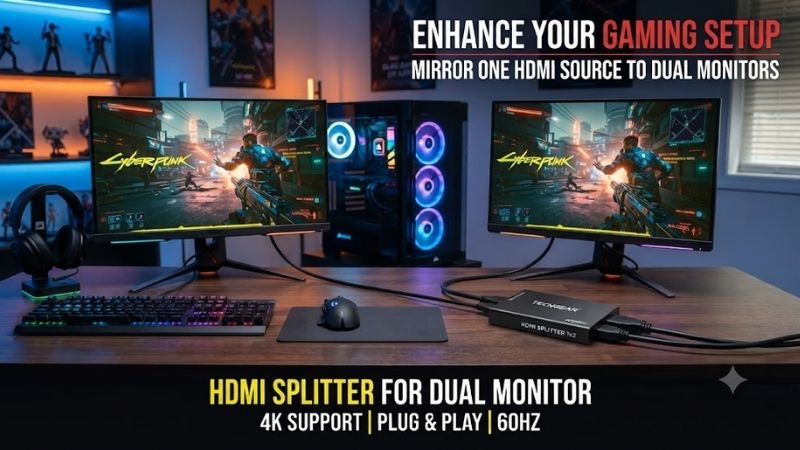
View on AmazonAn HDMI splitter for dual monitor setups duplicates one HDMI source across two displays, making it useful for mirrored presentations, gaming screens, TVs, classrooms, and digital signage. Most splitters do not create an extended desktop, so users who need separate content on each monitor should use multiple GPU outputs, a dock, or an MST-capable solution instead.
Best HDMI Splitters for Dual Monitors Compared
| HDMI Splitter | Best For | Maximum Video | Key Feature |
|---|---|---|---|
| OREI BK-102 | Best Overall | 8K 60Hz / 4K 120Hz | HDMI 2.1, downscaling |
| Monoprice Blackbird 4K60 Pro 1×2 | Best 4K Value | 4K 60Hz | 18Gbps, EDID control |
| AV Access 4KSP12-S | Mixed-Resolution Monitors | 4K 60Hz | Automatic downscaling |
| J-Tech Digital JTD-3181 | Easy 4K Dual-Monitor Mirroring | 4K 60Hz | EDID modes, downscaling |
OREI BK-102
Best For: Best overall HDMI splitter for modern gaming and high-refresh displays
The OREI BK-102 is a 1×2 HDMI 2.1 splitter designed for users who need far more bandwidth than a basic 4K 60Hz device. It supports video up to 8K at 60Hz and 4K at 120Hz, while its 48Gbps link capability makes it especially relevant for current gaming PCs, consoles, and high-refresh 4K displays.
This model mirrors one HDMI source to two screens rather than creating two independent desktops. OREI explicitly lists no MST extended-display support, which is important because many buyers assume a splitter can turn one HDMI port into two separate Windows displays. Both outputs receive synchronized content from the same source.
Key Features
- One HDMI input and two HDMI outputs
- HDMI 2.1 and HDCP 2.3
- Up to 8K 60Hz
- Up to 4K 120Hz
- Up to 1080p 240Hz
- 48Gbps FRL bandwidth
- HDR10, HDR10+, Dolby Vision, and HLG
- VRR and ALLM support
- EDID management
- 8K-to-4K and 4K-to-1080p downscaling
What Makes It Different
The biggest advantage is its gaming-oriented bandwidth. Many affordable splitters stop at 4K 60Hz, which becomes restrictive when a PC or console can output 120Hz. The BK-102 keeps higher refresh-rate support available, so it is a much better fit for mirroring a modern gaming signal to two compatible TVs or monitors.
Its downscaling system is also useful when the two displays are not identical. A high-resolution source can feed different display capabilities without forcing every screen to operate at the same maximum resolution. That makes the splitter more flexible in setups combining a primary gaming monitor with a secondary television or capture display.
Pros
- HDMI 2.1 bandwidth
- 4K 120Hz support
- 8K capability
- Advanced HDR support
- VRR and ALLM
- Downscaling
- Strong EDID options
Cons
- Does not extend the desktop
- More expensive than basic 4K splitters
- High-bandwidth modes require good HDMI cables
- Overkill for simple 1080p mirroring
Use Case and Who It’s For
The BK-102 is ideal for users mirroring a gaming PC, PlayStation, Xbox, media player, or other high-bandwidth source to two displays. It makes the most sense when 4K 120Hz matters or when the monitors have different resolution capabilities. Users who only need 1080p or 4K 60Hz can save money with a simpler model.
Monoprice Blackbird 4K60 Pro 1×2
Best For: Best value for full-bandwidth 4K 60Hz
The Monoprice Blackbird 4K60 Pro 1×2 provides one HDMI input and two HDMI outputs with support for 4K at 60Hz, 18Gbps bandwidth, HDR, and YCbCr 4:4:4 color. It is a strong choice for users who want a more traditional HDMI 2.0-class splitter without paying for HDMI 2.1 bandwidth they may never use.
Monoprice also includes automatic EDID detection and fixed EDID options, plus automatic 4K-to-1080p downscaling on the ultra-slim version. Those features matter when two connected displays have different capabilities, because EDID mismatches are a common cause of blank screens, reduced resolution, or lost audio in splitter setups.
Key Features
- One HDMI input
- Two HDMI outputs
- 4K 60Hz support
- 18Gbps video bandwidth
- HDR support
- 4:4:4 color support
- HDCP compatibility
- EDID management
- 4K-to-1080p downscaling
- Built-in signal equalization
What Makes It Different
The Blackbird is especially attractive for conventional desktop and home-theater use because 4K 60Hz remains enough for many workstations, media players, and productivity monitors. It avoids the complexity of newer HDMI 2.1 hardware while still supporting the full bandwidth expected from a capable HDMI 2.0 connection.
EDID control is another strong point. A splitter has to tell the source which video and audio format the displays can accept. When two screens report different capabilities, a poorly designed splitter may choose the wrong mode. Manual or automatic EDID options give users a better chance of maintaining a stable signal.
Pros
- Reliable 4K 60Hz target
- 18Gbps bandwidth
- HDR support
- EDID controls
- Downscaling
- Good fit for work and home theater
- Compact hardware
Cons
- No 4K 120Hz
- No independent extended desktop
- Higher-end gaming setups need HDMI 2.1
- Still requires external power
Use Case and Who It’s For
Choose the Blackbird if you want to mirror one 4K 60Hz computer, console, streaming box, or media source to two displays. It is particularly well suited to offices, classrooms, home theaters, and gaming setups where 60Hz is enough. Users buying 120Hz or 144Hz 4K monitors should move to a higher-bandwidth splitter instead.
AV Access 4KSP12-S
Best For: Dual monitors with different resolutions
The AV Access 4KSP12-S is a 1×2 HDMI 2.0b splitter with support for 4K 60Hz at 4:4:4, HDR, Dolby Vision, HDCP 2.2, and 18Gbps bandwidth. Its most useful feature is per-output downscaling, which allows a 4K source to feed a 4K display and a 1080p display at the same time.
That mixed-resolution capability makes it especially practical for dual-monitor mirroring where the displays are not identical. Instead of forcing the entire setup down to the lower resolution in every situation, the splitter can automatically scale the output for the lower-resolution screen while preserving the 4K signal for the compatible display.
Key Features
- HDMI 2.0b
- 18Gbps bandwidth
- Up to 4K 60Hz 4:4:4
- HDR support
- Dolby Vision support
- HDCP 2.2
- Individual downscaling
- EDID handling
- Metal enclosure
- HD audio passthrough
What Makes It Different
Many budget splitters work best when both monitors have the same native resolution and capabilities. The AV Access design is more forgiving when one monitor is 4K and the other is 1080p, which is common in offices, streaming setups, monitoring stations, and home systems that have been upgraded one display at a time.
Pros
- Excellent mixed-resolution support
- 4K 60Hz 4:4:4
- HDR and Dolby Vision
- 18Gbps bandwidth
- Automatic downscaling
- Strong choice for PC text clarity
Cons
- No 4K 120Hz
- Mirrors rather than extends
- Requires powered installation
- More specialized than basic splitters
Use Case and Who It’s For
The 4KSP12-S is best for users connecting two monitors that do not match. A 4K primary display can coexist with a 1080p secondary screen without making the installation unnecessarily complicated. It is especially useful in workspaces, streaming stations, retail displays, and presentation environments where different monitors are common.
J-Tech Digital JTD-3181
Best For: Easy 4K 60Hz dual-monitor mirroring
The J-Tech Digital JTD-3181 distributes one HDMI source to two displays and supports video up to 4K 60Hz with 4:4:4 color. It is HDMI 2.0 and HDCP 2.2 compliant and includes three EDID settings for automatic operation, EDID copying, and downscaling.
J-Tech explicitly notes that this splitter duplicates the source signal and does not create an extended desktop. Its 4K-to-1080p downscaling function allows a 4K display and a 1080p monitor to be used simultaneously, making it more flexible than simple splitters that force both outputs to one shared resolution.
Key Features
- One HDMI input
- Two HDMI outputs
- HDMI 2.0
- HDCP 2.2
- 18Gbps total video bandwidth
- 4K 60Hz support
- 4:4:4 color support
- Three EDID modes
- 4K-to-1080p downscaling
- Metal enclosure
What Makes It Different
The JTD-3181 focuses on straightforward compatibility rather than premium gaming features. Its EDID switch makes troubleshooting easier because users can choose how the splitter communicates display capabilities to the source instead of relying entirely on automatic behavior.
Pros
- 4K 60Hz 4:4:4
- Downscaling support
- Three EDID modes
- Compact metal housing
- Good for mismatched displays
- Straightforward installation
Cons
- No extended desktop
- No 4K 120Hz
- External power required
- Not designed for the newest high-refresh monitors
Use Case and Who It’s For
The JTD-3181 is a practical choice for offices, classrooms, streamers, and home users who want one image displayed on two monitors. It works especially well when one display is 4K and the other is 1080p. For competitive 4K 120Hz gaming, however, a newer HDMI 2.1 splitter is the better choice.
Does an HDMI Splitter Extend Dual Monitors?
A conventional HDMI splitter does not create an extended Windows desktop. It receives one video signal and sends a copy of that same signal to multiple outputs. This means both monitors normally show the same desktop, video, game, presentation, or application rather than acting as independent workspaces.
If your goal is to move windows from one monitor to another, the computer must generate two separate display streams. The easiest solution is using two outputs on the graphics card or motherboard. A laptop can use a compatible USB-C or Thunderbolt dock when the port supports multiple external displays.
How to Choose an HDMI Splitter for Dual Monitors
Check Resolution and Refresh Rate
Start with the highest resolution and refresh rate you need on both monitors. A 4K 60Hz splitter is sufficient for most productivity screens, televisions, and presentation setups. Gaming at 4K 120Hz requires an HDMI 2.1-class splitter with enough bandwidth throughout the complete signal chain.
Do not buy based only on a label such as 4K or 8K. Check the refresh rate and chroma mode supported at that resolution. A device that supports 4K at 30Hz can feel noticeably less smooth on a desktop than one that maintains 60Hz, while gamers may require 120Hz or more.
Look for EDID Management
EDID is the information a monitor sends to a source to describe supported resolutions, refresh rates, color formats, and audio modes. With two screens connected, the splitter has to decide which capabilities to report. Better models provide automatic, copy, or preset EDID modes to reduce compatibility problems.
EDID control becomes more important when the monitors are different. Two identical displays are generally easier to mirror because their capabilities match. A 4K HDR television paired with a 1080p office monitor creates a more complicated negotiation and benefits from a splitter with downscaling and configurable EDID behavior.
Consider Downscaling
Downscaling lets the splitter send a lower resolution to one output while maintaining a higher resolution on another. For example, a 4K source can stay 4K on the main monitor while the secondary 1080p display receives a compatible 1080p signal.
Without downscaling, a mismatched setup may fall back to the lowest common resolution. That can make the 4K display run at 1080p simply because the second monitor cannot accept 4K. Buyers using different display generations should therefore prioritize independent output scaling.
Match HDMI Version and Bandwidth
HDMI 2.0-class splitters generally provide up to 18Gbps, which is enough for common 4K 60Hz configurations. HDMI 2.1 devices can offer substantially more bandwidth and are needed for demanding modes such as 4K 120Hz with advanced HDR or gaming features.
HDMI Splitter vs HDMI Switch
An HDMI splitter takes one input and sends it to multiple outputs. An HDMI switch does the opposite: it accepts multiple source devices and selects one to send to a display. The terms are often confused because some products combine both functions.
Buy a splitter when one PC or console must appear on two screens at the same time. Buy a switch when several devices need to share one monitor or television. For a true extended dual-monitor desktop, neither a basic splitter nor a basic switch solves the problem unless the device includes a separate multi-display technology.
FAQ
Can I use an HDMI splitter for two monitors?
Yes, if you want both monitors to display the same HDMI signal. Connect the computer to the splitter input and each monitor to one output. Both displays normally show identical content, making this useful for presentations, demonstrations, mirrored gaming, monitoring, and digital signage.
Will an HDMI splitter extend my desktop?
Usually no. A standard HDMI splitter mirrors one source signal to two outputs and does not create two independent displays in Windows. For extended mode, use separate graphics outputs, a compatible USB-C or Thunderbolt dock, or hardware specifically designed to generate multiple independent display streams.
Does an HDMI splitter reduce picture quality?
A properly designed digital splitter should not intentionally reduce image quality when the source, cables, and displays all support the selected signal. Problems can occur when bandwidth is exceeded, cables are poor, or the two monitors have conflicting capabilities that force the source into a lower common format.
Can an HDMI splitter run two 4K monitors?
Yes, if the splitter explicitly supports the required 4K resolution and refresh rate. A 4K 60Hz splitter can mirror one 4K 60Hz signal to two compatible displays, while 4K 120Hz requires much higher bandwidth and a splitter specifically designed for that mode.
Do I need a powered HDMI splitter?
A powered splitter is generally preferable for reliable dual-monitor use because it actively processes and redistributes the HDMI signal rather than relying only on power from the source port. This is especially useful for 4K, HDR, long cable runs, or setups with two displays that have different capabilities.
What is the best HDMI splitter for gaming?
For high-refresh gaming, choose a model such as the OREI BK-102 that supports 4K 120Hz and modern HDMI 2.1 features. For 4K 60Hz gaming, Monoprice Blackbird, AV Access 4KSP12-S, and J-Tech JTD-3181 provide enough bandwidth for mirrored dual-display setups.
Conclusion
The best HDMI splitter for dual monitor use depends on resolution, refresh rate, and whether the displays match. OREI BK-102 is best for 4K 120Hz, Monoprice Blackbird is strong for 4K 60Hz value, while AV Access and J-Tech excel with mixed-resolution screens. Remember that standard HDMI splitters mirror rather than extend.









