
🛒 Best Price Today on Amazon
Prime members get fast, free shipping on everything above, plus member-only deals. New members get a 30-day free trial — cancel anytime.
- Analog keyboard primer
- Layout and build
- Actuation, Rapid Trigger, and opposing-direction features
- Polling-rate caveat: original Razer, not 8KHz
- Software and onboard control
- Acoustics: construction facts, not a sound test
- Tournament use
- Compact decision matrix
- Who should buy each keyboard?
- FAQ
- Sources
- Related Guides
Wooting 80HE vs Huntsman V3 Pro TKL
The Wooting 80HE and original Razer Huntsman V3 Pro Tenkeyless solve the same competitive-gaming problem in different ways. Both sense key position, let you tune actuation, and support a dynamic reset system commonly called Rapid Trigger. Wooting emphasizes deep configuration, a compact 80% layout, and true 8KHz scanning and polling. Razer counters with a conventional TKL arrangement, dedicated controls, a wrist rest, and useful adjustments that can be made directly on the keyboard.
The short verdict: choose the Wooting 80HE for the broader configuration system and its explicitly documented 8KHz implementation. Choose the original Huntsman V3 Pro TKL if a familiar TKL layout, physical dial, dedicated buttons, and computer-free actuation changes matter more. This comparison is specifically about the original Huntsman V3 Pro Tenkeyless, not the newer Huntsman V3 Pro Tenkeyless 8KHz.
As an Amazon Associate we earn from qualifying purchases at no extra cost to you.





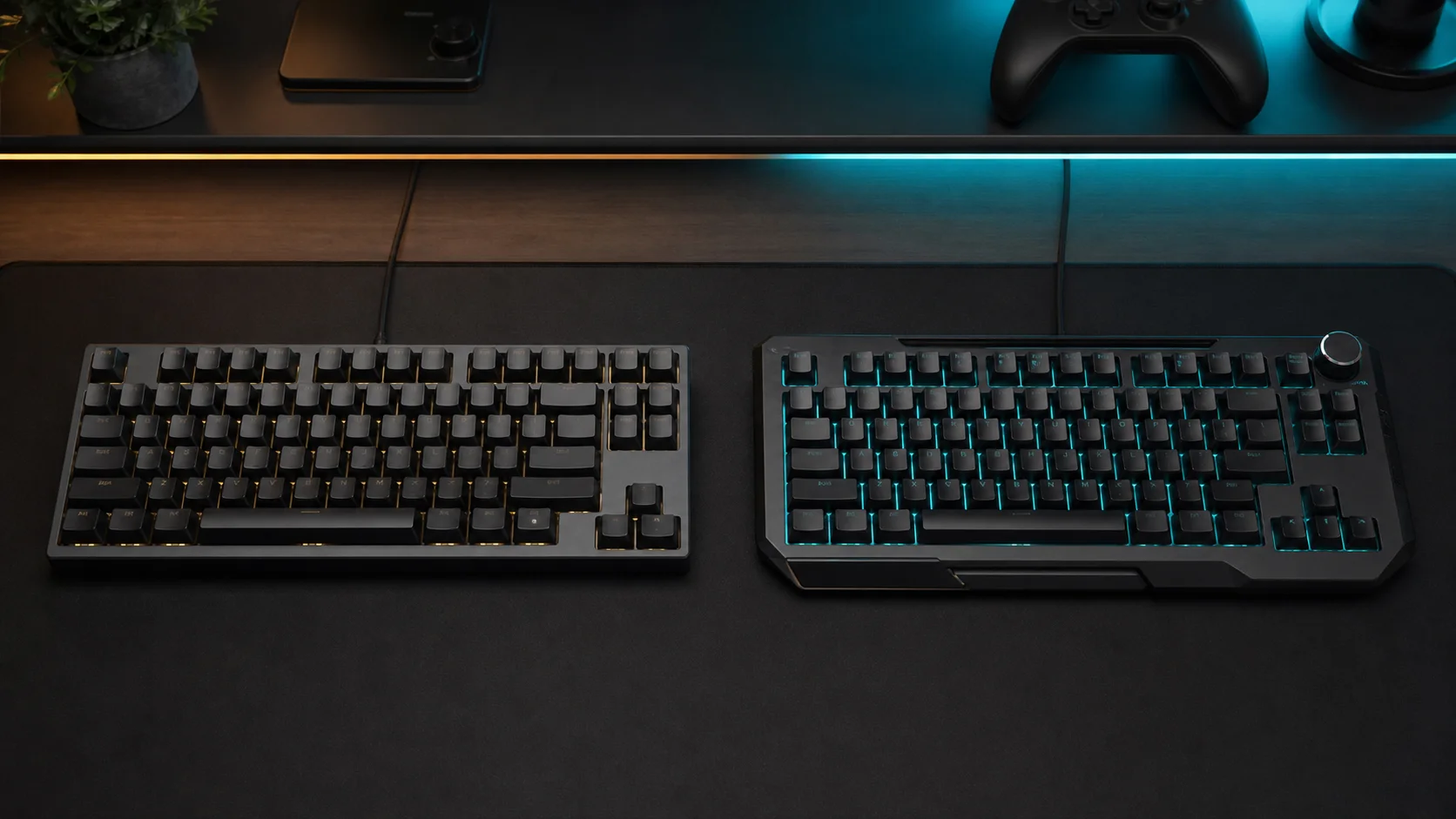
Analog-keyboard illustration; not product photography, polling validation, or tournament proof.
Analog keyboard primer
A conventional mechanical switch reports a key as off or on. An analog-capable switch also reports how far the key has moved. The Wooting 80HE product page describes Hall-effect sensing, which reads changes in a magnetic field. The original Huntsman V3 Pro Tenkeyless page specifies Razer Analog Optical Switches Gen-2, which use optical sensing.
That positional data enables adjustable actuation and Rapid Trigger. Adjustable actuation determines how far a key must travel before it registers. Rapid Trigger removes the traditional fixed reset point, allowing a key to reset as it moves upward and reactivate as it moves down again. These features provide configuration options; they do not guarantee better results for every player or game.
Layout and build
The 80HE is an 80% board measuring 346 by 142 mm according to Wooting. It keeps the function row and arrow keys but compresses the right-side navigation area and replaces part of the conventional cluster with a ten-segment LED bar. For a closer look at that arrangement, see our Wooting 80HE keyboard guide.
The Razer uses a more traditional tenkeyless layout: no number pad, but a distinct navigation block. It also has a multifunction digital dial and two dedicated buttons for media and macro duties. Its top plate is aluminum, its keycaps are textured doubleshot PBT, and a magnetic leatherette wrist rest is included in Razer’s product description.
Wooting offers the standard 80HE prebuilt with Lekker L60 V2 switches and either PCR ABS or zinc-alloy case options. It uses a polycarbonate switch plate, silicone gasket mount, and screw-in stabilizers. Do not confuse it with the separate TenZ Takeover edition, which changes the switches, plate, styling, and available layout. Wooting lists ANSI, ISO, and JIS for the standard model, but case, keycap, color, and layout combinations can vary by region and stock. Razer’s black, white, and localized keyboard availability can likewise differ between regional stores.
Actuation, Rapid Trigger, and opposing-direction features
Both keyboards officially support actuation adjustment from 0.1 to 4.0 mm. Wooting describes 0.1 mm adjustment precision on each key. Razer specifies the same overall range and says its Rapid Trigger reset sensitivity can go as low as 0.1 mm. Very shallow settings can make unintended inputs easier, so the minimum value is an option to tune—not an automatic recommendation.
Wooting’s software offers Rapid Trigger plus Rappy Snappy, Snappy Tappy, Dynamic Keystroke, Mod Tap, remapping, and analog controller output. Rappy Snappy compares the depth of a chosen key pair; Snappy Tappy can apply an opposing-direction priority rule. Razer’s corresponding feature is Snap Tap, which prioritizes the latest input between two selected keys. Razer says Snap Tap is off by default and can run alongside Rapid Trigger.
These are not identical implementations. Buyers who want to map multiple actions to press depth or experiment with analog controller output have clearer official support on Wooting. Buyers who mainly want actuation and Rapid Trigger control without opening software may prefer Razer’s dial-and-hotkey workflow. Our Wooting 60HE versus Huntsman Mini comparison explains the same underlying Hall-effect-versus-optical distinction in smaller layouts.
Polling-rate caveat: original Razer, not 8KHz
Wooting states that the 80HE scans every key and polls the host at 8,000Hz when Tachyon mode is enabled. That is a manufacturer specification, not an independent measurement in this article.
Razer’s official page for the original Huntsman V3 Pro Tenkeyless does not label it as an 8KHz model. Razer now lists a separate product named Huntsman V3 Pro Tenkeyless 8KHz, so specifications from that newer keyboard should not be transferred to the original. This article therefore does not assign an undocumented polling figure to the original board or turn the polling-rate difference into a measured latency claim. Firmware, USB setup, system load, and game behavior also affect how a high polling mode operates in practice.
Software and onboard control
Wootility runs as an installed app or in a compatible browser. It exposes per-key actuation, Rapid Trigger, advanced key behavior, remapping, RGB, and profile settings. Wooting says up to four profiles can remain on the keyboard, so saved configurations travel without Wootility running.
Razer Synapse provides the Huntsman’s deeper customization, but the keyboard can also adjust actuation and Rapid Trigger through hotkeys, the dial, arrow keys, and its LED array. Razer documents six selectable profiles: two fixed presets and four customizable profiles. Snap Tap, Rapid Trigger, and actuation settings can be stored onboard. Current capabilities may depend on firmware and Synapse versions; Razer specifically advises updating both. Wooting features can also evolve through Wootility and firmware, so confirm the current release before relying on a newer function.
Acoustics: construction facts, not a sound test
Wooting explicitly describes several sound-oriented construction choices. Its silicone gasket supports the plate and PCB, while the polycarbonate plate is intended to soften the typing character and reduce higher frequencies. Screw-in stabilizers are included. Those are design claims from the manufacturer, not proof of a particular volume or tone in every configuration.
Razer highlights its optical switches, PBT keycaps, and aluminum top plate but does not present an equivalent acoustic stack on the cited product page. That does not establish which keyboard is quieter or more pleasant. Switch sample, keycap set, desk surface, case variant, and recording method would need to be controlled for a defensible acoustic comparison. If conventional mechanical switch choices are a higher priority than analog control, our G915 X versus BlackWidow V4 Pro comparison covers a different class of premium gaming keyboard.
Tournament use
Both boards can store core competitive settings onboard, which is useful when event PCs do not permit configuration software. Razer’s physical adjustment modes are especially direct; Wooting’s four saved profiles make prepared setups portable.
However, Rapid Trigger, analog mappings, Dynamic Keystroke, Snap Tap, Rappy Snappy, and SOCD-style behavior are separate features with potentially different rules. Eligibility can vary by game, organizer, and event version. Check the current rules before play, disable any prohibited behavior, and keep a conservative onboard profile ready. Do not assume that a feature being available in firmware makes it tournament-legal.
Compact decision matrix
| Priority | Wooting 80HE | Original Huntsman V3 Pro TKL |
|---|---|---|
| Layout | Compressed 80% with LED bar | Conventional TKL navigation cluster |
| Switch sensing | Lekker L60 V2 Hall effect | Analog Optical Gen-2 |
| Actuation range | 0.1-4.0 mm, per-key tuning | 0.1-4.0 mm |
| Dynamic reset | Rapid Trigger | Rapid Trigger Mode |
| Direction handling | Rappy Snappy and Snappy Tappy | Snap Tap |
| Polling evidence | Officially stated true 8KHz | Original page makes no 8KHz claim |
| Configuration | Wootility app or web | Synapse plus extensive onboard adjustment |
| Onboard profiles | Up to four | Six total: two fixed, four customizable |
| Standout hardware | LED bar; ABS or zinc case | Dial, two buttons, wrist rest, aluminum top plate |
Who should buy each keyboard?
Buy the Wooting 80HE if:
- You want Wooting’s advanced per-key behaviors and browser-based configuration.
- An officially documented 8KHz scan-and-polling mode is a deciding specification.
- You prefer a compressed navigation area or want a choice between lighter ABS and heavier zinc-alloy cases.
- Analog controller output, Dynamic Keystroke, or deeper remapping is part of your intended setup.
Buy the original Razer Huntsman V3 Pro TKL if:
- You want a familiar TKL navigation block rather than Wooting’s compressed 80% arrangement.
- A physical dial, dedicated control buttons, and onboard adjustment are daily priorities.
- You value the included wrist rest and aluminum top plate.
- You already use Synapse and want six selectable onboard profiles, accepting that two are fixed presets.
FAQ
Is the original Huntsman V3 Pro TKL an 8KHz keyboard?
Razer’s cited page for the original model does not advertise 8KHz. The company separately lists a newer Huntsman V3 Pro Tenkeyless 8KHz, which is not the keyboard compared here. Verify the exact product name and SKU before buying.
Are magnetic Hall-effect switches automatically better than analog optical switches?
No. Both technologies can report key travel and enable adjustable actuation and Rapid Trigger. The more meaningful differences here are layout, configuration features, onboard controls, polling documentation, and the exact switch implementation.
Can these keyboards work without their software open?
Yes, for settings saved onboard. Wooting documents up to four onboard profiles. Razer documents four customizable profiles plus two fixed presets and provides direct adjustment modes. Initial setup, deeper customization, updates, and some feature changes still require Wootility or Synapse.
Which is better for tournaments?
Neither is universally safer or legal in every configuration. Both can carry onboard settings, but organizers may treat opposing-direction priority or multi-action features differently. Check the event rules and prepare a compliant profile before arriving.
Sources
- Wooting 80HE official product page
- Wooting 80HE product information
- Razer Huntsman V3 Pro Tenkeyless official product page









