
🛒 Best Price Today on Amazon
Prime members get fast, free shipping on everything above, plus member-only deals. New members get a 30-day free trial — cancel anytime.
- Configuration identity comes first
- OLED scale versus compact IPS with VRR
- Controls: integrated simplicity or detachable flexibility
- CPU caveat: match the chip before drawing conclusions
- Battery capacity and weight
- Xbox workflow favors the Ally X
- Desk use favors the Legion design
- Compact decision matrix
- Costs: compare complete configurations
- Who should buy each handheld?
- FAQ
- Sources
- Related Guides
- Top Pick: JSAUX Docking Station for ROG Xbox Ally X (2025)/ROG Ally X/ROG Ally/Steam Deck/Legion Go/Legion Go S, 6-in-1 Dock with HDMI 4K@120Hz, Gigabit Ethernet, USB A & USB C 3.2 Gen 1, 100W Charging – HB0609
- Best Value: JSAUX Docking Station for ROG Ally X/ROG Ally/Steam Deck/Legion Go, 7-in-1 ROG Ally X Dock with RGB Cooling Fan, HDMI 4K@120Hz, Gigabit Ethernet, Dual USB & USB C 3.0, 100W PD Charging – HB0705
- Premium Choice: ASUS ROG Xbox Ally – 7” 1080p 120Hz Touchscreen Gaming Handheld, 3-month Xbox Game Pass Premium included, AMD Ryzen Z2 A, 16GB RAM, 512GB SSD, White
ROG Xbox Ally X vs Lenovo Legion Go 2: Buyer Analysis
The ROG Xbox Ally X and Lenovo Legion Go Gen 2 8ASP2 are premium Windows handhelds with different priorities. ASUS and Xbox emphasize a console-like full-screen workflow, a fixed controller, and an 80Wh battery. Lenovo emphasizes a much larger OLED screen, detachable controls, and a built-in kickstand. Neither approach is universally better.
There is also an important naming trap: ROG Xbox Ally X identifies the Ryzen AI Z2 Extreme model discussed here, while Legion Go 8ASP2 is a product family that can be sold with different processors, memory capacities, and storage. Compare a retailer’s full machine type and specifications, not merely the words “Legion Go 2.”
As an Amazon Associate we earn from qualifying purchases at no extra cost to you.







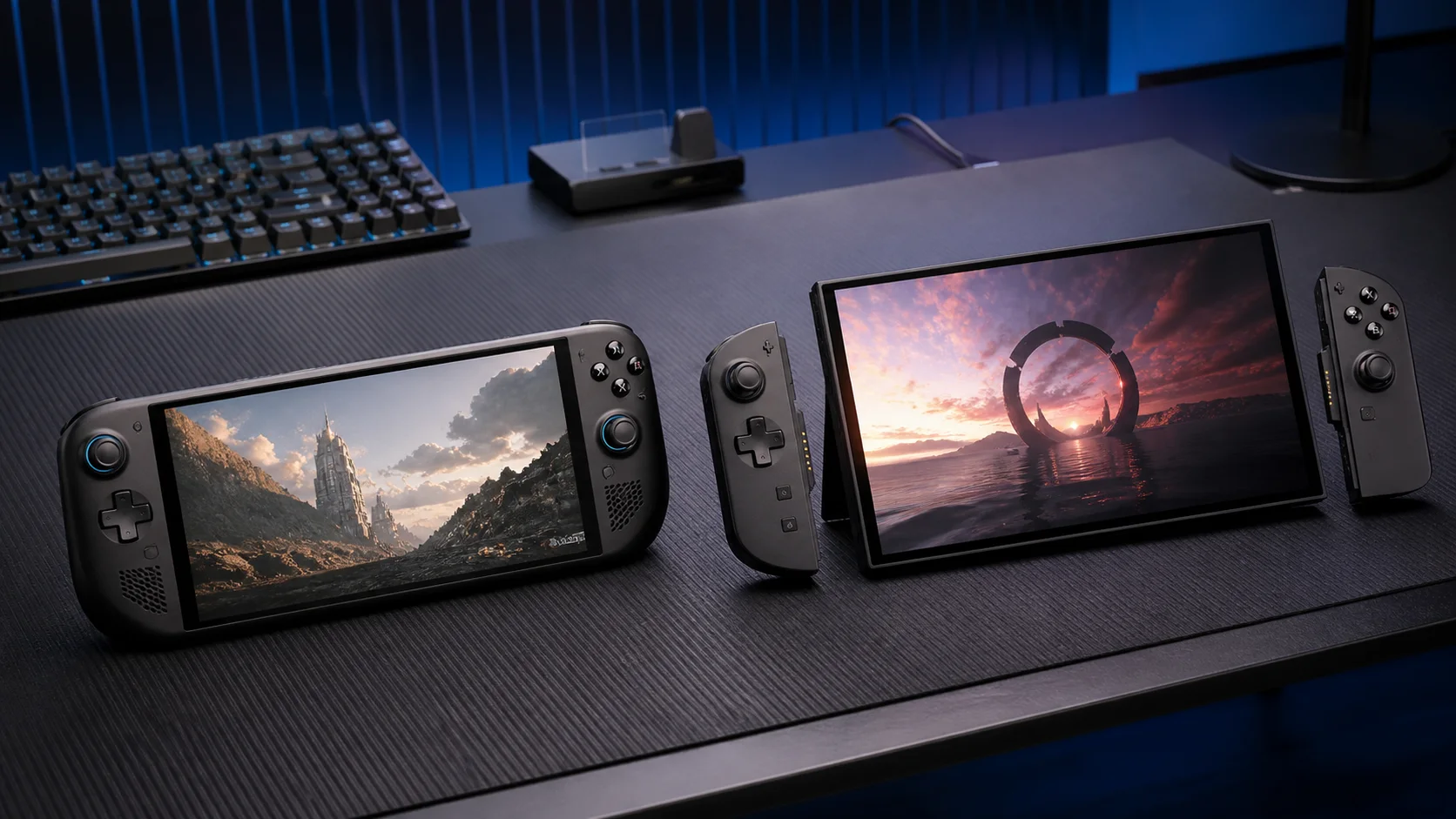
Premium-handheld editorial artwork; not device photography or controlled benchmark evidence.
Configuration identity comes first
The official ROG Xbox Ally page lists the Ally X with an AMD Ryzen AI Z2 Extreme, 24GB of LPDDR5X-8000 memory, and a 1TB M.2 2280 SSD. That is a reasonably clear baseline.
Lenovo’s 8ASP2 documentation allows more variation. The Legion Go Gen 2 product page should be read alongside the exact cart configuration, because listings and availability can differ. Lenovo’s 8ASP2 specification sheet describes Ryzen Z2 and Ryzen Z2 Extreme processor options, 16GB or 32GB LPDDR5X-8000 memory, and multiple SSD capacities up to 2TB, depending on model.
That means a 16GB Ryzen Z2 Legion is not the direct silicon equivalent of the Ally X. For the closest comparison, look for a Ryzen Z2 Extreme 8ASP2 and then verify memory and storage separately.
OLED scale versus compact IPS with VRR
Lenovo’s defining advantage is its 8.8-inch, 1920×1200 OLED touch display. The PSREF lists a 144Hz refresh rate, 500-nit rating, and variable refresh rate support. OLED can produce true blacks at the pixel level, while the large panel gives interfaces, strategy games, and small text more physical room.
The Ally X uses a 7-inch, 1920×1080 IPS-level touch panel rated at 120Hz and 500 nits, also with variable refresh rate. Its screen is smaller and lacks OLED’s per-pixel black level, but the lower pixel count gives the processor fewer pixels to render at native resolution. VRR on both machines matters because it can keep motion presentation more coherent when frame delivery varies.
Display preference is therefore not just OLED versus IPS. It is large 8.8-inch 16:10 OLED versus smaller 7-inch 16:9 IPS, with a corresponding trade between visual scale and physical bulk.
Controls: integrated simplicity or detachable flexibility
The Ally X has permanently integrated controls, full-size asymmetric sticks, triggers, bumpers, HD haptics, and two assignable rear buttons. Its layout makes the device one unit: pick it up, launch the interface, and play.
The Legion Go 2 has detachable TrueStrike controllers, a touchpad, rear and side inputs, and an FPS mode that lets the right controller operate in a mouse-like orientation with its controller base. The controllers can be removed while the display rests on its kickstand. That flexibility is valuable on a tray or desk, though it also creates more pieces and more operating modes to manage.
Neither specification sheet can establish which grip is more comfortable for a particular person. Hand size, preferred stick placement, and tolerance for device mass require personal evaluation.
CPU caveat: match the chip before drawing conclusions
Both products may appear in search results beside the phrase “Z2 Extreme,” but the exact names matter. The Ally X uses Ryzen AI Z2 Extreme. The comparable high-tier Legion configuration uses Ryzen Z2 Extreme, while other 8ASP2 units use Ryzen Z2.
Those labels do not justify an unsupported performance ranking. Power profiles, firmware, drivers, memory allocation, resolution, and the individual game all affect results. This comparison therefore does not infer FPS or battery runtime from processor branding. If performance is the deciding factor, use current, like-for-like testing for the exact firmware and power mode after confirming the SKU.
Battery capacity and weight
The Ally X has an 80Wh battery and an official listed weight of 1.58lb (715g). Lenovo lists a 74Wh battery for the 8ASP2. Its PSREF separates weights: the handheld with controllers starts at less than 920g, while the controller base adds weight when carried.
Battery capacity is not battery life. Screen size and brightness, refresh rate, processor load, frame caps, wireless activity, and power settings can change runtime substantially. The defensible conclusion is narrower: Ally X has the larger stated battery and lower listed starting handheld weight; Legion Go 2 provides the larger display and modular hardware.
Xbox workflow favors the Ally X
The Ally X ships around the Xbox full-screen experience for Windows, designed to reduce desktop friction and aggregate games from supported PC storefronts. It remains a Windows 11 handheld rather than a closed Xbox console, so game compatibility, launchers, anti-cheat, and updates still depend on the PC ecosystem.
Lenovo uses Windows 11 and Legion Space as its device and library layer. It can access the same broad category of Windows stores, but its identity is closer to a configurable miniature PC. Readers already leaning toward that ecosystem can compare the wider ROG Xbox Ally range before assuming the X is the only suitable Xbox-branded model.
Desk use favors the Legion design
On a desk, the Legion’s kickstand and detachable controllers materially change the setup. The screen can stand independently, the controls can come closer to the user, and FPS mode offers another pointer option. Dual USB4 ports also support flexible charging and accessory layouts.
The Ally X has two USB-C ports, including a USB4 connection, and can drive external accessories, but it needs a separate stand or dock to hold its screen upright. Its simpler integrated form is more coherent in the hands; Lenovo’s modular form is more adaptable on a surface. See the broader Lenovo Legion Go buying guide for the family context.
Compact decision matrix
| Priority | Better fit | Evidence-based reason |
|---|---|---|
| Larger display and OLED blacks | Legion Go 2 8ASP2 | 8.8-inch 1920×1200 OLED |
| Lower listed handheld weight | ROG Xbox Ally X | 715g versus Legion’s sub-920g starting figure |
| Detachable controls and kickstand | Legion Go 2 8ASP2 | Both are integrated into the design |
| Larger stated battery capacity | ROG Xbox Ally X | 80Wh versus 74Wh |
| Xbox-led full-screen workflow | ROG Xbox Ally X | Xbox full-screen experience is central to the product |
| Up to 32GB RAM or 2TB factory storage | Selected Legion configurations | Availability depends on the exact 8ASP2 SKU |
| One-piece controller simplicity | ROG Xbox Ally X | Controls are fixed to the chassis |
Costs: compare complete configurations
Prices are region-, retailer-, and promotion-dependent, and Lenovo’s configurable family makes a single headline comparison unreliable. Compare the Ally X against a clearly identified Legion CPU, RAM, and SSD combination. A lower-priced Ryzen Z2/16GB Legion should not be presented as though it were the Ryzen Z2 Extreme/32GB version.
Budget for the actual setup as well. The Legion includes its kickstand and detachable-control system; the Ally may need a stand or dock for equivalent desk positioning. Conversely, carrying separate accessories or a controller base can matter to a Legion buyer. Warranty terms, taxes, chargers, and regional bundles can also change the effective total. For a market-level shortlist, use the high-end handheld PC comparison before committing to either platform.
Who should buy each handheld?
Buy the ROG Xbox Ally X if you prioritize a lighter one-piece handheld, the larger 80Wh stated capacity, a compact 7-inch VRR screen, and an Xbox-oriented full-screen entry point. It is also the cleaner specification choice when you want a known 24GB/1TB configuration without navigating a broad Lenovo model matrix.
Buy a Lenovo Legion Go 2 8ASP2 if the 8.8-inch OLED, built-in kickstand, detachable controllers, touchpad, or FPS mode will change how you actually play. It is especially compelling for desk and tabletop use. Confirm whether the unit has Ryzen Z2 or Ryzen Z2 Extreme, then verify 16GB versus 32GB memory and the SSD size.
Wait or compare in person if weight, grip geometry, display size, fan character, or control feel dominates your decision. Official specifications cannot resolve those subjective factors. Also verify local warranty coverage and current software behavior, because regional SKUs, BIOS revisions, drivers, and Xbox, ASUS, or Lenovo firmware can change after publication.
FAQ
Is every Legion Go Gen 2 8ASP2 a Ryzen Z2 Extreme model?
No. Lenovo’s PSREF lists both Ryzen Z2 and Ryzen Z2 Extreme options. Retail availability varies, so confirm the processor in the exact machine type before comparing price or capability.
Does the Ally X have an OLED display?
No. The ROG Xbox Ally X uses a 7-inch 1080p IPS-level 120Hz VRR panel. The Legion Go 2 8ASP2 uses an 8.8-inch 1200p OLED panel rated at 144Hz with VRR.
Can both handhelds run non-Xbox PC stores?
They are Windows 11 PCs, so their scope is broader than one storefront. Actual game support can still depend on the launcher, anti-cheat system, drivers, input handling, and current software version.
Which one has better battery life?
The specifications alone cannot answer that. Ally X has the larger stated capacity, 80Wh versus 74Wh, but real runtime depends on workload and settings. Capacity should not be converted into a runtime claim without controlled testing.
Which is better for a monitor-and-keyboard setup?
Both can connect to USB-C accessories and displays. Legion’s built-in kickstand, detachable controllers, and two USB4 ports make it more self-sufficient on a desk; Ally X remains capable but generally needs a stand or dock for upright positioning.
Sources
- ROG Xbox Ally and Ally X official specifications
- Lenovo Legion Go Gen 2 product page
- Lenovo Legion Go 8ASP2 PSREF specification PDF











