🛒 Best Price Today on Amazon
Prime members get fast, free shipping on everything above, plus member-only deals. New members get a 30-day free trial — cancel anytime.
- Best Gaming Monitor Black Friday Deals by Budget
- Which Gaming Monitor Should You Target on Black Friday 2026?
- How to Choose a Black Friday Monitor Deal
- The Best Black Friday Gaming Monitors Reviewed
- Related Guides
- More Gaming Monitors Worth Watching on Black Friday 2026
- More Gaming Monitor Black Friday Deals Worth a Price Alert
- Panel Types: IPS, Fast-VA and OLED Compared
- Does the HDR Badge Matter on a Gaming Monitor?
- When to Buy: Early November, Black Friday or Cyber Monday?
- How to Tell a Real Gaming Monitor Black Friday Deal From a Fake One
- Gaming Monitor Deal Red Flags
- Pick X If… Which Gaming Monitor to Buy
- Setup Notes: Cables, Ports and OLED Care
- What Usually Drops And What Rarely Does During Black Friday
- Return Windows And Price Protection: What Changes After You Buy
- Pixel Defect And Warranty Policies: What’s Actually Covered
- VRR Certification Explained: VESA AdaptiveSync, G-Sync Compatible, and FreeSync Premium
- Doorbuster Listings: Limited Stock Is Not the Same as a Better Deal
- Frequently Asked Questions
- Final Thoughts
- More Black Friday Gaming Monitor Questions
- Related Articles
- Related Guides
Black Friday is prime time to grab a gaming monitor, when the panels that hover just above your budget all year suddenly slide into reach. But the sales season is also thick with clearance stock and thin discounts dressed up as bargains. Knowing which models are genuinely worth buying keeps you from being dazzled by a big percentage-off sticker on a mediocre screen.
As an Amazon Associate we earn from qualifying purchases at no extra cost to you.
We assembled the gaming monitors most worth watching during Black Friday, spanning budget FHD panels to premium OLED. Here are our picks and a buyer’s guide so you can spot a real deal the moment it appears.
Updated November 2026 — For black friday gaming monitor deals 2026, a 27-inch 1440p panel is the safest all-round target. The three models worth watching first are the ASUS ROG Strix XG27ACS for value, the Alienware AW2725DF for entry-level QD-OLED, and the ASUS ROG Swift OLED PG27AQDP for the best 1440p speed and picture.
Black Friday 2026 falls on Friday 27 November, with Thanksgiving on 26 November and Cyber Monday on 30 November. This guide does not quote live offers, because they change daily. Use the spec lines below to judge any listing you find.
| Model | Tier | Panel and resolution | Refresh rate | Best for |
|---|---|---|---|---|
| ASUS ROG Strix XG27ACS | Budget to mid | 27-inch Fast IPS, 1440p | 180Hz | Value all-rounder |
| Acer Nitro XV273U F5 | Mid to premium | 27-inch IPS, 1440p | 540Hz class | Competitive esports |
| Alienware AW2725DF | Mid to premium | 26.7-inch QD-OLED, 1440p | 360Hz | Entry-level OLED |
| ASUS ROG Swift OLED PG27AQDP | Premium | 27-inch OLED, 1440p | 480Hz | Fastest 1440p OLED |
| Gigabyte MO27U2 | Premium | 27-inch QD-OLED, 4K | 240Hz | Sharp 4K OLED |

Sceptre New 22-Inch Gaming Monitor, FHD 1080p, Up to 144Hz, HDMI, DisplayPort, Built-in Speakers, Machine Black (E225W-FW144 Series, 2026)
Included for '15 Best Gaming Monitor Black Friday Deals' as a representative gaming product in this roundup; selection reflects the product set returned for this topic.
View on Amazon
LG 24G411A-B 24-inch Ultragear Full HD (1920 x 1080) IPS Gaming Monitor, 144Hz (O/C), 1ms MBR, NVIDIA G-Sync Compatible, AMD FreeSync, HDR10, HDMI, DisplayPort, Slim Stand, Black
Included for '15 Best Gaming Monitor Black Friday Deals' as a representative gaming product in this roundup; selection reflects the product set returned for this topic.
View on Amazon
New! Sceptre 24-inch Prime Gaming Monitor DisplayPort x2 165Hz HDMI x2 165Hz Build-in Speakers, Machine Black 2027 (E248B-FW165T Series)
Included for '15 Best Gaming Monitor Black Friday Deals' as a representative gaming product in this roundup; selection reflects the product set returned for this topic.
View on Amazon
Samsung 27" Odyssey G3 (G30D) Series FHD Gaming Monitor | 1ms, 180Hz, AMD FreeSync, Adjustable Stand, Black Equalizer, Virtual Aim Point, Eye Saver Mode, Flicker-Free, LS27DG302ENXZA
Included for '15 Best Gaming Monitor Black Friday Deals' as a representative gaming product in this roundup; selection reflects the product set returned for this topic.
View on Amazon
Samsung 27" Odyssey OLED G6 (G61SH) QD-OLED, QHD (1440P) Gaming Monitor | 240Hz, 0.03ms, Glare-Free, Pantone Validated, HDR10, Height-adjustable stand, OLED Safeguard, 3 Yr Warranty (LS27HG612SNXZA)
Included for '15 Best Gaming Monitor Black Friday Deals' as a representative gaming product in this roundup; selection reflects the product set returned for this topic.
View on AmazonBest Gaming Monitor Black Friday Deals by Budget
The easiest way to shop gaming monitor Black Friday deals is to fix a budget first, then compare panels inside it. Each line below shows panel, resolution, refresh rate and the kind of player it suits, based on published specifications and reviewer coverage rather than our own bench numbers.
Best gaming monitor deals under $150
- LG 24G411A-B · 24-inch IPS · 1080p · 144Hz · G-Sync compatible · tight budgets and esports titles
- Samsung Odyssey G3 (G30D) 27-inch · 27-inch · 1080p · 180Hz · FreeSync · first high-refresh upgrade
- Sceptre E248B-FW165T · 24-inch · 1080p · 165Hz · built-in speakers · cheapest entry point
Best gaming monitor deals under $300
- ASUS TUF Gaming VG27AQ3A · 27-inch Fast IPS · 1440p · 180Hz · ELMB Sync · best all-round 1440p value
- ASUS ROG Strix XG27ACS · 27-inch Fast IPS · 1440p · 180Hz · USB-C · work and play on one screen
- Acer Nitro VG270K L1 · 27-inch IPS · 4K · dynamic refresh up to 144Hz · cheapest route to 4K
Best OLED gaming monitor deals from the mid tier upward
- LG UltraGear 27GX704A-B · 27-inch OLED · 1440p · 240Hz · G-Sync compatible · the OLED to watch first
- ASUS ROG Strix XG27AQDMGR · 27-inch glossy OLED · 1440p · 240Hz · OLED Care Pro
- MSI MAG 272QP QD-OLED X24 · 27-inch QD-OLED · 1440p · 240Hz · 0.03ms response
- Alienware AW2725DF · 26.7-inch QD-OLED · 1440p · 360Hz · the step up for fast shooters
If you want only three names to track, the ASUS TUF Gaming VG27AQ3A is the safest value target, the LG UltraGear 27GX704A-B is the OLED most likely to reach an attractive price, and the Alienware AW2725DF is the best QD-OLED for competitive players.
Which Gaming Monitor Should You Target on Black Friday 2026?
The best gaming monitor to target is the one your graphics card can fully drive. A 1080p screen suits entry-level cards and esports titles, 1440p suits RTX 5070 or Radeon RX 9070 class cards, and 4K makes sense only with an RTX 5080 or RX 9070 XT class card or better.
| GPU class | Sensible resolution | Refresh target | Notes |
|---|---|---|---|
| Entry (RTX 5060, RX 9060 XT class) | 1080p or budget 1440p | 144Hz to 180Hz | Skip 4K at this level |
| Upper mid (RTX 5070, RX 9070 class) | 1440p | 180Hz to 360Hz | Core 27-inch 1440p range |
| High end (RTX 5080, RX 9070 XT class and up) | 1440p high refresh or 4K | 240Hz | 4K OLED becomes realistic |
What to expect at each tier
- Budget: 1080p or 1440p IPS or VA panels at 144Hz to 200Hz, basic stands, limited HDR.
- Mid-range: 1440p Fast IPS up to 360Hz, plus the first QD-OLED models.
- Premium: 4K OLED, 480Hz class refresh rates, USB-C and better warranties.
- All tiers: the headline discount matters less than the real selling history of the model.
How to Choose a Black Friday Monitor Deal
- Know the regular price: A discount only means something against the real everyday price. Track a model for a few weeks so you recognize a true drop.
- Refresh rate and response: Prioritize the panel’s core gaming specs over bundled extras. A 144Hz+ display with low response time ages better than gimmicks.
- Panel technology: Deals make OLED and QD-OLED more attainable, but IPS and VA still offer excellent value, so match the tech to your use and budget.
- Resolution for your GPU: Don’t buy a 4K deal your graphics card can’t drive. Match the panel to the hardware you actually own.
- Warranty and returns: Confirm the deal includes a proper warranty and a fair return window, since clearance items sometimes cut these short.
The Best Black Friday Gaming Monitors Reviewed
Samsung Odyssey OLED G6 (G61SH) QHD
A QD-OLED QHD gaming monitor is the kind of premium panel that becomes far more tempting during Black Friday. The G6’s perfect blacks and blazing response make it the deal to watch for enthusiasts.
LG 24G411A-B 24″ FHD IPS
This 144Hz IPS panel with G-Sync compatibility and HDR10 is already great value and even better on sale. It’s a superb entry-level competitive monitor for tight budgets.
Samsung Odyssey G3 (G30D) 27″ FHD
The Odyssey G3 offers smooth high-refresh FHD gaming in a well-built package. It’s a dependable mainstream pick during sale season.
Sceptre E248B-FW165T 24″ Prime
With dual DisplayPort and HDMI at 165Hz plus built-in speakers, this Sceptre delivers a lot of connectivity and speed for very little money. Black Friday makes it an easy budget grab.
Related Guides
- Best 32 Inch OLED Gaming Monitor (2026)
- Computer Monitor Clip On Light (2026)
- Best 4K Gaming Monitor G Sync (2026)
- Best Gaming Monitor OLED (2026)
More Gaming Monitors Worth Watching on Black Friday 2026
These picks come from published specifications and independent reviewer coverage, not from our own bench measurements. None duplicates the models reviewed above.
ASUS ROG Strix XG27ACS — Best for Value 1440p

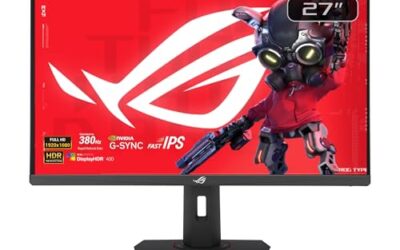
ASUS ROG XG27ACS 27 Inch 1440p 180Hz USB-C G-SYNC HDR Gaming Monitor | DisplayHDR 400, sRGB 133%, 1ms (GTG), Fast IPS, ELMB Sync, AI Gaming, Free Sync, for PS5 and Xbox
Included for '15 Best Gaming Monitor Black Friday Deals' as a representative gaming product in this roundup; selection reflects the product set returned for this topic.
View on Amazon27-inch · 2560×1440 · 180Hz · Fast IPS · USB-C · DisplayHDR 400
- Fast IPS panel with strong colour for the money
- G-SYNC compatible and a good match for RTX 5060 Ti or RTX 5070 class cards
- USB-C simplifies a shared laptop and desktop setup
Pros: Excellent value, fast response, no OLED care needed, flexible ports.
Cons: Blacks look grey in dark rooms, HDR 400 is basic.
Skip it if you want true blacks or a refresh rate above 240Hz.
Acer Nitro XV273U F5 — Best for Competitive Esports
Acer Nitro 27in QHD 2560x1440 IPS 540Hz DFR 1000Hz Gaming Monitor XV273U F5 | IPS, 0.5ms, AMD FreeSync Premium, NVIDIA G-Sync Compatible, DCI-P3 95%, 2xHDMI 2.1, 2xDP, VESA HDR600, Ergo Stand, Speaker
Included for '15 Best Gaming Monitor Black Friday Deals' as a representative gaming product in this roundup; selection reflects the product set returned for this topic.
View on Amazon27-inch · 2560×1440 · IPS · 540Hz class · FreeSync Premium
- Very high refresh IPS built for fast shooters
- G-SYNC compatible support is listed by the maker
- Gains depend on a strong CPU and low graphics settings
Pros: Extremely smooth motion, no OLED burn-in concerns, good for bright rooms.
Cons: Premium for a 1440p IPS, benefits are small without matching frame rates.
Skip it if you mostly play single-player games, where 240Hz to 360Hz is plenty.
Alienware AW2725DF — Best for Entry-Level QD-OLED

Alienware AW2725DF OLED Gaming Monitor - 26.7-inch Quantom-Dot WQHD (2560x1440) 360Hz 0.03Ms Display, AMD FreeSync Premium Pro, HDMI/DP/USB 3.2 Gen1, Height/Tilt/Swivel/Pivot Adjustability - Black
Included for '15 Best Gaming Monitor Black Friday Deals' as a representative gaming product in this roundup; selection reflects the product set returned for this topic.
View on Amazon26.7-inch · 2560×1440 · 360Hz · QD-OLED · 0.03ms response
- QD-OLED gives true blacks and wide colour
- 360Hz refresh with FreeSync Premium Pro
- Check the maker page for warranty and burn-in terms in your region
Pros: Near-instant response, deep contrast, strong motion clarity for shooters.
Cons: Lower full-screen brightness than IPS, needs standard OLED care habits.
Skip it if you work with static spreadsheets for hours or sit in a very bright room.
ASUS ROG Swift OLED PG27AQDP — Best for the Fastest 1440p OLED

ASUS ROG PG27AQDP 27 Inch 1440p 480Hz OLED Gaming Monitor | Custom Heatsink, 0.03ms, G-SYNC Compatible, WOLED, DisplayHDR 400, AI Assistant, True 10-bit, 99% DCI-P3, for PS5 and Xbox
Included for '15 Best Gaming Monitor Black Friday Deals' as a representative gaming product in this roundup; selection reflects the product set returned for this topic.
View on Amazon27-inch · 2560×1440 · 480Hz · OLED · custom heatsink · G-SYNC compatible
- One of the fastest 1440p OLED panels on the market
- Custom heatsink, so no active fan is needed
- Reviewer coverage places it near the top of 2026 OLED lists
Pros: Top-tier speed, true blacks, strong overall picture.
Cons: Costly unless a real markdown lands, OLED care applies.
Skip it if your graphics card cannot get near 480 frames per second.
Gigabyte MO27U2 — Best for Affordable 4K OLED

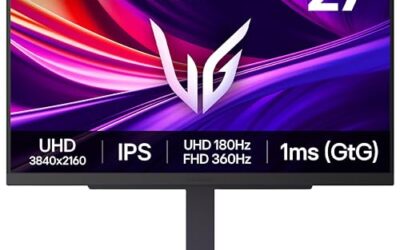
GIGABYTE MO27U2 27" QD-OLED UHD AMD Freesync Premium Pro Gaming Monitor | Black, UHD 3840x2160-4K, 240Hz, 0.03ms GTG, G-SYNC Compatible, HDMI2.1, DP1.4, Type-C, KVM, Height and Tilt Adjustable
Included for '15 Best Gaming Monitor Black Friday Deals' as a representative gaming product in this roundup; selection reflects the product set returned for this topic.
View on Amazon27-inch · 3840×2160 · 240Hz · QD-OLED · 0.03ms response
- 4K on a 27-inch screen gives very sharp text and detail
- 240Hz and FreeSync Premium Pro listed by the maker
- Needs a high-end GPU to use resolution and refresh together
Pros: Sharp image, deep contrast, competitive 4K OLED value.
Cons: Demanding on hardware, OLED care applies.
Skip it if you own a card below RTX 5080 or RX 9070 XT class.
More Gaming Monitor Black Friday Deals Worth a Price Alert
These five additions cover the budget 1440p, 4K and OLED ground that the earlier picks leave open. Specifications come from the listed product data and maker pages.
LG UltraGear 27GX704A-B — Best for a Mainstream 240Hz OLED

LG 27GX704A-B 27-inch Ultragear QHD (2650x1440) OLED Gaming Monitor 240Hz, 0.03ms, NVIDIA G-Sync Compatible, AMD FreeSync Premium Pro, VESA Display HDR TrueBlack400, HDMI 2.1, DisplayPort, Black
Included for '15 Best Gaming Monitor Black Friday Deals' as a representative gaming product in this roundup; selection reflects the product set returned for this topic.
View on Amazon27-inch · 2560×1440 · OLED · 240Hz · 0.03ms · G-Sync compatible and FreeSync
- OLED contrast and near-instant pixel response at a mainstream size and resolution
- 240Hz suits mid-range and high-end graphics cards at 1440p
- Works with both NVIDIA and AMD adaptive sync
- Good fit for dark-room single-player and competitive play alike
Pros: True blacks, fast motion, easy 1440p target for current cards, familiar brand.
Cons: Lower full-screen brightness than a bright IPS, normal OLED care applies, text is clean but not 4K sharp.
Skip it if your desk sits in direct sunlight or you leave static windows open all day.
ASUS ROG Strix XG27AQDMGR — Best for Glossy OLED Contrast

ASUS ROG XG27AQDMGR 27 Inch 1440p 240Hz Glossy OLED HDR Gaming Monitor | 0.03ms, OLED Care Pro, TrueBlack Glossy, Neo Proximity Sensor, ELMB Sync, DisplayHDR 400, DCI-P3 99%, for PS5 and Xbox
Included for '15 Best Gaming Monitor Black Friday Deals' as a representative gaming product in this roundup; selection reflects the product set returned for this topic.
View on Amazon27-inch · 2560×1440 · OLED · 240Hz · glossy coating · OLED Care Pro
- Glossy panel that keeps blacks deep in controlled lighting
- 240Hz with 0.03ms response listed by the maker
- OLED Care features aimed at reducing burn-in risk
Pros: Rich contrast, strong colour, fast response, a maker with a well-known warranty process.
Cons: Glossy finish shows reflections in bright rooms, OLED care habits still matter.
Skip it if you game in a room with uncontrolled daylight.
MSI MAG 272QP QD-OLED X24 — Best for QD-OLED Colour on a Budget

msi MAG 272QP QD-OLED X24 27-Inch WQHD Gaming Monitor, 2560 x 1440 Quantum Dot OLED Panel, 240Hz, 0.03ms, Adaptive-Sync, HDMI2.1, DP 1.4a, Tilt/Height Adjustable, Black
Included for '15 Best Gaming Monitor Black Friday Deals' as a representative gaming product in this roundup; selection reflects the product set returned for this topic.
View on Amazon27-inch · 2560×1440 · QD-OLED · 240Hz · 0.03ms · adaptive sync
- Quantum dot OLED panel for wide colour and deep blacks
- 240Hz refresh at WQHD, a good match for RTX 5070 class cards
- Competes directly with other 27-inch 240Hz OLED deals
Pros: Vivid colour, quick response, flexible for games and video.
Cons: Not the fastest OLED on the market, standard OLED care applies.
Skip it if you want 4K or a refresh rate above 240Hz.
ASUS TUF Gaming VG27AQ3A — Best for Cheap 1440p Fast IPS

ASUS TUF Gaming VG27AQ3A 27 Inch 1440p 180Hz G-SYNC Gaming Monitor | Fast IPS, ELMB Sync, 1ms, 130% sRGB, Built-In Speakers, FreeSync Premium, HDR10, for PS5 and Xbox, 3yr warranty
Included for '15 Best Gaming Monitor Black Friday Deals' as a representative gaming product in this roundup; selection reflects the product set returned for this topic.
View on Amazon27-inch · 2560×1440 · Fast IPS · 180Hz · 1ms · ELMB Sync · built-in speakers
- Fast IPS panel with a high refresh rate for a modest price tier
- Motion blur reduction mode (ELMB Sync) that can run with adaptive sync
- Good fit for RTX 5060 and RX 9060 XT class cards
Pros: Low cost for 1440p, fast IPS response, no burn-in concerns, simple setup.
Cons: HDR support is basic, contrast is typical of IPS, stand adjusts less than premium models.
Skip it if you want HDR that looks noticeably different from standard mode.
Acer Nitro VG270K L1 — Best for Budget 4K

Acer Nitro 27in 4K 3840x2160 IPS 72Hz DFR 144Hz Gaming Monitor VG270K L1 | 0.5ms, AMD FreeSync, DCI-P3 95%, 2xHDMI, DisplayPort, Speaker, VESA Mountable, Bluelight Filter, Flickerless Technology
Included for '15 Best Gaming Monitor Black Friday Deals' as a representative gaming product in this roundup; selection reflects the product set returned for this topic.
View on Amazon27-inch · 3840×2160 · IPS · 72Hz with dynamic refresh to 144Hz · 0.5ms · 2x HDMI · DisplayPort
- One of the cheapest ways to get 4K sharpness on a 27-inch screen
- The dynamic refresh feature raises the rate in a lower resolution mode
- FreeSync support and wide colour listed by the maker
Pros: Sharp text, low price for 4K, enough ports for a PC and a console.
Cons: Native refresh is far below high-end 4K panels, so check which refresh applies at which resolution.
Skip it if you want 144Hz or more at native 4K.
Panel Types: IPS, Fast-VA and OLED Compared
IPS offers consistent colour and wide viewing angles but weaker contrast. Fast-VA improves contrast but can smear dark transitions, so read reviewer response-time charts rather than trusting a one-millisecond claim. OLED delivers near-instant response and true blacks, with lower full-screen brightness and a burn-in question. Many leading makers now cover burn-in in their warranty, often for three years, but terms differ by model and region, so read the warranty text before buying.
Does the HDR Badge Matter on a Gaming Monitor?
Only when the hardware supports it. Basic HDR badges on edge-lit IPS panels often look no better than standard mode. OLED and mini-LED with many dimming zones are where HDR is noticeably better, so check independent peak brightness and contrast measurements.
When to Buy: Early November, Black Friday or Cyber Monday?
- Early November: some makers start sales weeks ahead, and popular models can sell out.
- Black Friday (27 November): best for headline models and bundles, with limited stock on the lowest offers.
- Cyber Monday (30 November): often a second chance on monitors, with some offers extended from the weekend.
- After the sale: previous-generation clearance can continue into December.
How to Tell a Real Gaming Monitor Black Friday Deal From a Fake One
A real deal beats the model’s recent selling range, not its list price. Many gaming monitors sit well below list for most of the year, so a “50 percent off” label can still be an average price.
- Set a target tier. Under $150 for 1080p, under $300 for 1440p IPS, and the mid tier for 240Hz OLED are sensible targets to watch.
- Check the exact model code. A cheaper “G3” or “Nitro” can be a different generation with a slower panel, so match the full model number such as G30D or VG27AQ3A.
- Read the refresh rate caveat. A dual-mode screen may list its top number only at a lower resolution.
- Confirm the warranty. OLED models differ on burn-in coverage by maker and region.
- Keep the return window in mind. Dead pixels, backlight bleed and stand wobble show up in the first week.
Reviewer deal trackers tend to show the same pattern each year: 1080p and 1440p IPS models drop first and furthest, while the newest OLED releases discount less. Sellers also use the sale to clear older stock, so a previous-generation OLED can be the better buy.
Gaming Monitor Deal Red Flags
- A “was” price that was never charged. Look at how the monitor has actually sold over several months.
- Bundles that pair a monitor with accessories you do not need, hiding a weak discount.
- Refresh rate quoted only at a lower resolution. Dual-mode monitors may list a high number that applies only at 1080p.
- Unclear panel type. If the listing does not name IPS, VA, QD-OLED or WOLED, find out first.
- Refurbished or open-box units with a short or unclear warranty, especially OLED.
- A short return window, since dead pixels and backlight issues show up in the first days.
Pick X If… Which Gaming Monitor to Buy
| Pick this | If you |
|---|---|
| ASUS ROG Strix XG27ACS | Want a no-fuss IPS with a mid-range GPU |
| Acer Nitro XV273U F5 | Play competitive shooters in a bright room |
| Alienware AW2725DF | Want OLED without flagship cost |
| ASUS ROG Swift OLED PG27AQDP | Want the best 1440p speed and picture |
| Gigabyte MO27U2 | Own a high-end GPU and want 4K OLED |
Setup Notes: Cables, Ports and OLED Care
High refresh rates at 1440p or 4K need the right cable and port. Use the DisplayPort cable supplied by the maker, and an HDMI 2.1 cable on consoles. For OLED, enable the maker’s pixel-refresh features, set a short screen-off timer, and avoid leaving static windows on screen for hours. Your model’s manual is the final authority.
What Usually Drops And What Rarely Does During Black Friday
Retail discounting during Black Friday is driven mostly by channel inventory, not generosity, so the deepest cuts tend to land on panels retailers are trying to clear rather than on whatever is newest. Previous-generation 1080p and 1440p panels, overstocked SKUs from a brand’s last refresh cycle, and monitors that have been on shelves for a full product cycle typically see the largest percentage cuts, because moving that stock before a new model arrives matters more to the retailer than defending margin on it.
Monitors that rarely drop much, even during the heaviest sale weekend, are new-generation OLED panels still in tight supply, any model that just launched in the prior month or two, and niche high-refresh competitive panels with limited production runs. Demand for these outpaces supply enough that retailers have little reason to discount them early in their life cycle; the better move for a display in that category is usually to wait for a later sales event once initial demand settles rather than expecting a steep cut on launch-season stock.
Return Windows And Price Protection: What Changes After You Buy
Most large retailers extend their standard return window for purchases made across the Black Friday period, typically pushing the deadline into late January rather than the normal 30-day window, which gives more time to test a monitor for dead pixels, backlight bleed, or scaling issues before the return option closes. That extension is not universal across every item, though: clearance-tagged stock, open-box units, and some bundle deals are often excluded from the extended window even when the retailer’s general holiday policy applies to everything else, so the return terms are worth checking on the specific listing rather than assumed from the general policy page.
Price protection, getting the difference refunded if the same model drops further after purchase, is a separate and less common policy, usually tied to a specific credit card’s purchase-protection benefit rather than the retailer itself. It is worth checking before the sale whether a card already used for the purchase offers this, since it is rarely offered automatically and almost never advertised next to the sale listing itself.
Pixel Defect And Warranty Policies: What’s Actually Covered
Most consumer monitors are built to the ISO 9241-307 standard, which defines how many stuck (“bright”) or dead (“dark”) sub-pixels are allowed before a unit qualifies for a warranty replacement. A panel meeting the common mid-tier class can ship with a small number of bright and dark defects and still be considered within spec, meaning a monitor with one or two stray pixels is not necessarily defective by the manufacturer’s own standard even though it is visually distracting.
Coverage differs noticeably by brand and product line rather than being uniform across the industry. Some premium lines carry a stricter zero-bright-pixel guarantee for the full warranty period, while standard consumer lines from the same brand follow the looser ISO baseline. Before relying on “it’s a reputable brand” as protection against a defective panel, it is worth checking that specific product line’s stated pixel policy, since the guarantee can vary within a single manufacturer’s lineup rather than applying company-wide.
VRR Certification Explained: VESA AdaptiveSync, G-Sync Compatible, and FreeSync Premium
All three labels describe validation of the same underlying technology, VESA’s Adaptive-Sync over DisplayPort, rather than three competing systems. G-Sync Compatible is Nvidia’s own validation that a monitor’s native Adaptive-Sync behaves well on Nvidia graphics cards, with no extra hardware module required and no mandated minimum refresh range. FreeSync Premium is AMD’s mid-tier badge, which adds a required Low Framerate Compensation feature and a minimum refresh range on top of base FreeSync certification.
VESA’s own “AdaptiveSync” certification, introduced after the other two, applies a larger battery of tests including pixel response time, and tags the certified display with a number matching the maximum refresh rate it passed at, such as 144 or 240. In practice a monitor can hold more than one of these three badges at once since they all ride on the same hardware feature, and cross-brand compatibility is common: a FreeSync-certified panel will usually still work with an Nvidia card and vice versa. The badge to prioritize is the one matching the GPU actually being paired with the monitor, not whichever name sounds most premium on the box.
Doorbuster Listings: Limited Stock Is Not the Same as a Better Deal
A listing marked as a doorbuster or early-access deal is usually signaling a small, capped quantity rather than a uniquely good discount, and retailers design these drops to create urgency around a specific unlock time rather than to clear the deepest inventory of the season. The depth of the cut on a doorbuster is frequently similar to, or only slightly better than, what the same model settles at later in the sale window once the capped batch sells out and regular stock takes over at the standard Black Friday price.
The practical read is to treat a doorbuster’s countdown timer and “while supplies last” framing as information about stock, not as proof the price will never be matched again that weekend. A monitor worth buying at a doorbuster price is also worth buying at the same or a similar price later in the sale if the doorbuster sells out, so there is rarely a reason to rush a decision on a monitor that was not already on a shortlist before the sale began.
Frequently Asked Questions
Is Black Friday the best time to buy a gaming monitor?
It’s one of the best, with premium panels like OLED becoming far more affordable. Just verify the discount against the real regular price.
How do I avoid fake Black Friday deals?
Track prices ahead of time and compare against historical lows. A genuine deal shows a meaningful drop, not a marked-up “original” price.
Should I buy OLED on sale?
If the discount is real, OLED offers unmatched contrast and response. Choose a model with modern burn-in protection for peace of mind.
What refresh rate should I look for?
144Hz is the practical minimum for gaming, while 165Hz to 240Hz deals suit competitive players wanting maximum smoothness.
Is a 27-inch 1440p monitor the best Black Friday gaming monitor deal?
For most gamers, yes. A 27-inch 1440p monitor runs well on mid-range graphics cards and gives sharper detail than 1080p, so it is the safest Black Friday target.
Are gaming monitor prices lower on Black Friday or Cyber Monday?
Prices are often similar. Black Friday has more headline models, while Cyber Monday can extend weekend offers or add late stock, so track a model across both days.
Is OLED worth it over a 180Hz IPS monitor on sale?
Choose OLED if you value contrast and motion clarity and can accept lower full-screen brightness and OLED care habits. Choose 180Hz IPS if the room is bright or the budget is tight.
What monitor size is best for gaming deals?
A 24-inch screen suits 1080p esports, 27 inches is the sweet spot for 1440p, and 4K works best at 27 to 32 inches with a strong graphics card.
Final Thoughts
The Samsung Odyssey OLED G6 is the premium deal worth waiting for, and the LG 24G411A-B is the best budget competitive buy.
More Black Friday Gaming Monitor Questions
When is Black Friday 2026?
Black Friday 2026 is Friday 27 November, after Thanksgiving on 26 November. Cyber Monday follows on 30 November, and many monitor sales begin earlier in November.
Is a 1440p or 4K monitor better to buy on Black Friday?
For most gamers, 1440p is better because it works with mid-range cards and keeps frame rates high. Choose 4K only with an RTX 5080 or RX 9070 XT class card or better.
Will OLED gaming monitors burn in?
Burn-in is possible on any OLED, mainly with static elements shown for long periods. Makers add pixel shifting and refresh cycles, and many cover burn-in in the warranty, so check the terms for your model.
Are HDR gaming monitors worth paying extra for?
Only with real HDR hardware such as OLED or many dimming zones. Basic HDR badges on edge-lit IPS panels add little.
What is a good budget gaming monitor?
A 27-inch 1440p Fast IPS at 180Hz or higher, such as the ASUS ROG Strix XG27ACS when it is marked down, is a strong target for this budget.