🛒 Best Price Today on Amazon
Prime members get fast, free shipping on everything above, plus member-only deals. New members get a 30-day free trial — cancel anytime.
- ASUS RT-N12 Specifications
- Design and Build Quality
- Wi-Fi Performance
- 2.4 GHz Only Connectivity
- Ethernet Performance
- Router Mode
- Access Point Mode
- Repeater Mode
- Coverage and Antennas
- ASUS RT-N12 for Gaming
- ASUS RT-N12 for Streaming
- ASUS RT-N12 for Smart-Home Devices
- Setup and Administration
- Security Considerations
- Power Consumption and Heat
- Who Should Still Use the ASUS RT-N12?
- Who Should Avoid It?
- ASUS RT-N12 vs Modern Wi-Fi Routers
- Pros and Cons
- FAQ
- Conclusion
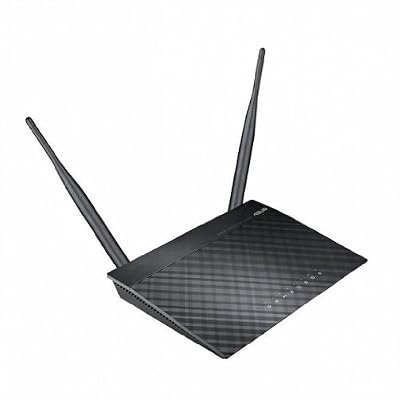
Asus RT-N12 D1 Wireless Router - IEEE 802.11n RT-N12/D1
Included for 'ASUS RT-N12 Wireless N Router Review: Is It Still Useful?' because the listing specifies IEEE 802.11n RT-N12/D1, details this guide uses to compare options.
View on Amazon
Asus SuperSpeedN RT-N12 Wireless Router - IEEE 802.11n (Renewed)
Included for 'ASUS RT-N12 Wireless N Router Review: Is It Still Useful?' because the listing specifies IEEE 802.11n (Renewed), details this guide uses to compare options.
View on Amazon
ASUS RT-N12 C1 - Wireless Router - 4-Port-Switch
Included for 'ASUS RT-N12 Wireless N Router Review: Is It Still Useful?' because the listing specifies Wireless Router and 4-Port-Switch, details this guide uses to compare options.
View on Amazon
ASUS RT-BE90U WiFi 7 Router - Tri-Band (6GHz), 9.4 Gbps, 2.5G WAN, Mesh | Coverage up to 2,500 Sq. Ft., Subscription Free Network Security, Parental Controls Included, 2.5G Port x4, VPN support
Included for 'ASUS RT-N12 Wireless N Router Review: Is It Still Useful?' because the listing specifies Tri-Band (6GHz) and 9.4 Gbps, details this guide uses to compare options.
View on AmazonThe ASUS RT-N12 Wireless N Router is an older Wi-Fi 4 model built for basic home and small-office networking. Its 2.4 GHz N300 wireless connection, external antennas, and multiple operating modes remain useful for simple networks, but limited Ethernet speeds and the absence of 5 GHz make it unsuitable for demanding modern setups.
ASUS RT-N12 Specifications
| Feature | ASUS RT-N12 |
|---|---|
| Wi-Fi Standard | Wi-Fi 4 / 802.11n |
| Wireless Band | 2.4 GHz |
| Maximum Wi-Fi Rate | Up to 300 Mbps |
| Wireless Configuration | 2×2 |
| Antennas | Two external antennas |
| Ethernet | 10/100 Mbps |
| Main Modes | Router, Access Point, Repeater depending on version |
| Security | WPA/WPA2 support |
| WPS | Supported |
| Best Use | Basic internet, IoT, secondary access point |
Design and Build Quality
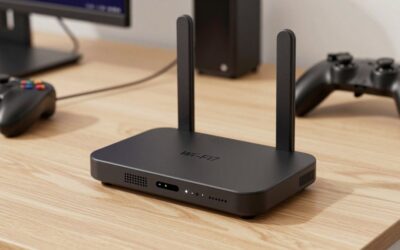
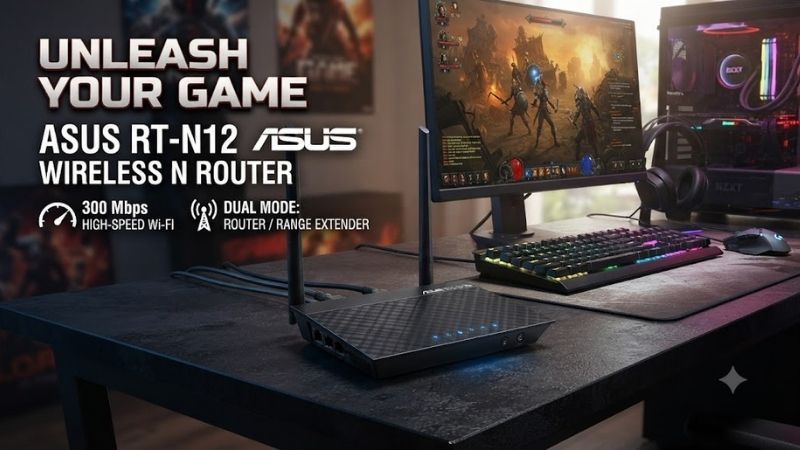
The ASUS RT-N12 uses a traditional compact router design with two external antennas positioned at the rear. Its lightweight chassis is easy to place on a shelf or desk, while status LEDs provide quick information about power, wireless activity, WAN connectivity, and wired devices without requiring the administration page.
The external antennas can be repositioned to improve orientation around the installation area, although antenna direction cannot overcome every wall or interference problem. Unlike modern routers filled with large internal antenna arrays, the RT-N12 remains physically simple and is easy to place in smaller apartments, offices, or secondary rooms.
Wi-Fi Performance
The RT-N12 belongs to the Wi-Fi 4 generation and provides up to 300 Mbps of theoretical wireless throughput through a 2×2 2.4 GHz connection. That number represents the wireless link specification rather than guaranteed internet speed, and real throughput is always lower because of protocol overhead and environmental conditions.
For web browsing, messaging, basic video streaming, smart-home devices, and ordinary office applications, the available wireless performance can still be usable. Problems become more obvious when transferring large files, downloading modern games, streaming very high-bitrate media, or connecting many active devices through the same 2.4 GHz radio.
2.4 GHz Only Connectivity
The biggest limitation is that the RT-N12 operates only on the 2.4 GHz band. This frequency offers useful range and wall penetration, but it is frequently crowded by neighboring routers, Bluetooth devices, smart-home products, and other wireless equipment, particularly in apartments and dense residential areas.
Modern dual-band routers let laptops, consoles, phones, and televisions move to 5 GHz while slower smart devices remain on 2.4 GHz. The RT-N12 cannot separate traffic this way. Every wireless device competes for the same band, which can make performance less predictable when several clients are active simultaneously.
Ethernet Performance
Ethernet capability is another important restriction. RT-N12 variants use Fast Ethernet rather than Gigabit Ethernet, so wired connections are limited to 100 Mbps-class networking. Even if the internet plan provides several hundred megabits per second, the router’s wired interface prevents a connected PC from accessing the full service speed.
This limitation matters considerably in a modern gaming setup. Ethernet is normally recommended for desktops and consoles because it offers stable latency, but a 100 Mbps port can become a bottleneck for game downloads, local backups, NAS transfers, and high-speed broadband even when actual online gameplay itself uses relatively little bandwidth.
Router Mode
In router mode, the RT-N12 connects to the internet connection through its WAN interface and creates a local wired and wireless network. This is the normal configuration for a basic home installation, where phones, computers, televisions, and other devices receive local addresses and share one broadband connection.
Router mode remains usable when internet speed is modest and the household has uncomplicated networking requirements. A small apartment with basic browsing and several 2.4 GHz devices may not need advanced hardware, but users with fiber connections or modern Wi-Fi clients will leave significant performance unused with an RT-N12.
Access Point Mode
Access Point mode is one of the more practical ways to reuse an RT-N12 today. Instead of acting as the primary router, it can receive a wired network connection from newer equipment and provide 2.4 GHz Wi-Fi in another area. This can be useful for legacy devices that do not need high throughput.
Using it this way avoids depending on the RT-N12 for the entire home network. A modern router can handle fast devices and internet routing while the older ASUS unit provides a secondary wireless area for smart plugs, older laptops, printers, or other equipment where Wi-Fi 4 performance remains perfectly adequate.
Repeater Mode
Some RT-N12 revisions also support repeater or range-extender operation. In this configuration, the router receives an existing wireless signal and rebroadcasts it to improve coverage in another area. This can solve a basic coverage problem without installing Ethernet, but wireless repeating involves performance compromises.
A repeater must communicate with both the main router and connected clients over wireless, potentially reducing practical throughput and adding another wireless hop. For basic browsing or IoT connectivity this may be acceptable, but gamers, video editors, and high-speed download users should prefer Ethernet-connected access points whenever practical.
Coverage and Antennas
The two external antennas and 2×2 MIMO configuration give the RT-N12 reasonable coverage for its generation. The 2.4 GHz frequency also travels through obstacles better than higher-frequency Wi-Fi in many situations, making the router capable of serving ordinary rooms when positioned centrally and away from major obstructions.
Coverage claims should never be interpreted as guaranteed performance throughout a specific home. Concrete walls, metal furniture, neighboring access points, microwave interference, and router placement can dramatically change results. A centrally positioned RT-N12 can outperform the same router hidden inside a cabinet at one end of the property.
ASUS RT-N12 for Gaming
The RT-N12 can technically handle online gaming because most game sessions consume relatively little bandwidth. A wired connection may deliver consistent latency when the internet service is below the Fast Ethernet limit, while a strong 2.4 GHz wireless signal can also work for casual multiplayer gaming in an uncrowded environment.
It is not a good gaming router for a modern household, however. There is no 5 GHz band, wired networking is limited, and several active wireless devices can compete for the same 2.4 GHz airtime. Game downloads will also take longer when broadband speed exceeds what the router can actually deliver to the gaming device.
ASUS RT-N12 for Streaming
Basic HD streaming is a realistic workload when the broadband connection and local wireless conditions are stable. One television or laptop watching conventional video should not place extreme demands on an N300 network, although simultaneous streaming across several devices can make the limitations of the single-band architecture much more noticeable.
High-resolution streaming combined with game downloads, video calls, and multiple connected devices is a different situation. Modern dual-band or Wi-Fi 6 routers provide far more wireless capacity and better device management. The RT-N12 should therefore be treated as basic networking equipment rather than a media-heavy household router.
ASUS RT-N12 for Smart-Home Devices
Smart-home equipment is one area where the RT-N12 can still be surprisingly useful. Many inexpensive plugs, bulbs, sensors, cameras, and appliances operate only on 2.4 GHz and transmit relatively small amounts of data, so they do not benefit greatly from modern high-speed 5 GHz or 6 GHz radios.
Using an older router as a separate access point for low-bandwidth devices can also reduce clutter on a primary wireless network. Users still need to think carefully about security, firmware support, and network configuration, especially when inexpensive IoT devices have internet access or interact with other equipment on the local network.
Setup and Administration
ASUS designed the RT-N12 for relatively straightforward home networking, with browser-based configuration for wireless settings, passwords, internet connections, operating modes, and other basic controls. The interface is more traditional than modern mobile-first router platforms, but the essential functions remain understandable for experienced PC users.
Before using an older RT-N12, owners should reset unknown configurations and verify that the newest firmware available for their exact hardware revision is installed. RT-N12, RT-N12 D1, RT-N12+, and RT-N12 VP variants are not identical, so firmware and specifications should always be matched to the exact model label.
Security Considerations
Security is one area where age matters more than raw wireless speed. The RT-N12 generation supports older Wi-Fi security capabilities and lacks several protections found on newer routers. Users should use the strongest WPA2 configuration available, disable unnecessary legacy options, and avoid leaving default administrator credentials unchanged.
For a primary home router in 2026, newer hardware with current firmware support and WPA3 capability is a better long-term choice. The RT-N12 makes more sense as secondary equipment on a controlled network where its limitations are understood than as the internet-facing foundation of a household containing sensitive personal devices.
Power Consumption and Heat
Because the RT-N12 is relatively simple hardware without multiple high-performance radios or powerful processors, its electrical requirements are modest compared with many flagship modern routers. The compact chassis also produces little operational distraction when placed in a home office or secondary networking location.
Low power use does not automatically make an old router worth keeping online indefinitely. Security, reliability, network speed, and compatibility should still drive the decision. Saving a small amount of electricity has little value if the router limits a fast broadband connection or requires awkward networking compromises.
Who Should Still Use the ASUS RT-N12?
The RT-N12 can still make sense for users with very basic internet requirements, a slow broadband connection, and mostly 2.4 GHz devices. It may also work as an inexpensive secondary access point for printers, smart-home equipment, test environments, or areas where maximum network speed is not important.
Owners who already have one may find more value in repurposing it than buying another basic access point. Someone purchasing networking equipment from scratch should generally choose newer dual-band hardware, because even affordable current routers provide faster Ethernet, better wireless capacity, and greater compatibility with modern clients.
Who Should Avoid It?
Users with internet plans faster than 100 Mbps should avoid using the RT-N12 as their main router because the Ethernet hardware becomes an obvious bottleneck. Households with several streaming devices, modern gaming PCs, NAS systems, cloud gaming, large downloads, or Wi-Fi 6 phones will also benefit greatly from newer equipment.
Apartment users dealing with crowded wireless environments should be especially cautious. Without 5 GHz, every wireless connection remains on the already busy 2.4 GHz band. A modern dual-band router provides another spectrum option that can dramatically improve practical performance even when the advertised internet speed remains unchanged.
ASUS RT-N12 vs Modern Wi-Fi Routers
Modern Wi-Fi 6 routers offer faster radios, improved efficiency with many connected devices, Gigabit or multi-gig Ethernet, stronger security options, and broader software features. Even an entry-level current router can therefore represent a substantial upgrade from the RT-N12 rather than merely providing a higher headline wireless number.
The old ASUS model still demonstrates an important point: not every network device requires the newest standard. A printer or smart plug may work perfectly through Wi-Fi 4. The problem is using old hardware as the central network bottleneck when high-speed computers and modern internet services are capable of far more.
Pros and Cons
Pros
- Simple 2.4 GHz wireless networking
- Up to N300 wireless specification
- External antennas
- Multiple operating modes on supported versions
- Useful as a secondary access point
- Suitable for legacy and IoT devices
- Compact design
- Straightforward administration
Cons
- No 5 GHz Wi-Fi
- Fast Ethernet instead of Gigabit
- Old Wi-Fi 4 technology
- Limited for modern gaming downloads
- Poor fit for fast fiber internet
- Not ideal for crowded apartments
- Newer security standards are absent
FAQ
Is the ASUS RT-N12 Still Good?
It remains usable for basic 2.4 GHz networking, older devices, IoT hardware, or secondary access-point duties. It is no longer competitive as a primary router for a modern high-speed household because it lacks 5 GHz connectivity and Gigabit Ethernet, while newer routers offer substantially more network capacity.
Does the ASUS RT-N12 Support 5 GHz?
No. The RT-N12 family is based on 2.4 GHz Wi-Fi 4 networking. This limits its ability to avoid interference in crowded environments and prevents modern clients from using faster 5 GHz connections. Users wanting dual-band networking should choose a router specifically supporting both 2.4 GHz and 5 GHz radios.
Is the ASUS RT-N12 Good for Gaming?
It can handle basic online gaming when the connection is stable, but it is not a strong modern gaming-router choice. The absence of 5 GHz and limited wired Ethernet speed restrict downloads and overall network capacity. A Gigabit dual-band or Wi-Fi 6 router is more appropriate for a current gaming PC.
Can I Use the RT-N12 as a Repeater?
Supported RT-N12 versions include repeater or range-extender operation, allowing the router to rebroadcast an existing wireless network. Performance will generally be lower than an Ethernet-connected access point because the device must receive and retransmit wireless traffic through the same network environment.
Can the RT-N12 Handle Fast Fiber Internet?
It is poorly suited to modern high-speed fiber plans because its Ethernet interfaces are limited to Fast Ethernet. Even if the ISP provides several hundred megabits or more, the router cannot deliver those speeds through a 100 Mbps-class wired connection. Newer Gigabit hardware is a better match.
Should I Buy an ASUS RT-N12 in 2026?
Buying one as a primary router is difficult to recommend when inexpensive modern dual-band routers provide Gigabit Ethernet and newer Wi-Fi standards. The RT-N12 still has value when already owned and repurposed for basic 2.4 GHz access, legacy hardware, or low-bandwidth secondary networking.
Conclusion
The ASUS RT-N12 Wireless N Router remains functional for basic 2.4 GHz networking, legacy devices, and secondary access-point duties, but its Wi-Fi 4 technology and Fast Ethernet ports are major limitations today. For a primary gaming or home router, modern dual-band Wi-Fi hardware with Gigabit Ethernet is the better long-term choice.