🛒 Best Price Today on Amazon
Prime members get fast, free shipping on everything above, plus member-only deals. New members get a 30-day free trial — cancel anytime.
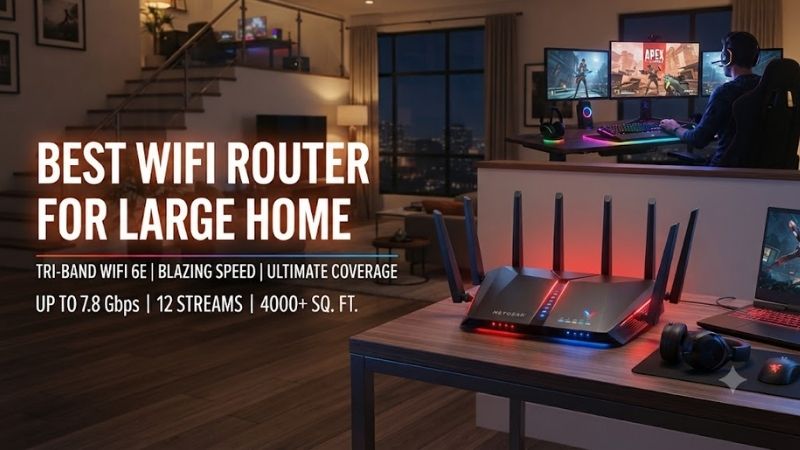
The best WiFi router for large home coverage should provide more than high theoretical speed. Large houses often have multiple floors, thick walls, long hallways, outdoor areas, and dozens of connected devices. For these environments, strong mesh backhaul, smart node placement, multi-gig Ethernet, and easy expansion matter more than simply buying the router with the highest advertised Wi-Fi number.
Quick answer: For most people in 2026, the best wifi router for large home is the Router — our #1 rated choice. See the full ranked comparison, alternatives and buying advice below.
Best WiFi Routers for Large Homes at a Glance
| Router | Best For | Wi-Fi Standard | Main Strength |
|---|---|---|---|
| ASUS ZenWiFi BQ16 Pro | Overall | Wi-Fi 7 | Premium whole-home mesh |
| NETGEAR Orbi 970 Series | Maximum coverage | Wi-Fi 7 | Strong wireless backhaul |
| TP-Link Deco BE85 | Best value premium mesh | Wi-Fi 7 | Multi-gig networking |
| Amazon eero Max 7 | Easy setup | Wi-Fi 7 | Simple app management |
| ASUS ROG Rapture GT-BE98 Pro | Gaming homes | Wi-Fi 7 | Powerful router controls |
| TP-Link Archer BE900 | Wired large homes | Wi-Fi 7 | Strong Ethernet connectivity |
ASUS ZenWiFi BQ16 Pro
Best For: Overall large-home coverage
The ASUS ZenWiFi BQ16 Pro is designed for large homes where one router cannot provide consistent signal in every room. Multiple units create a coordinated mesh network, allowing access points to be positioned closer to bedrooms, offices, televisions, gaming systems, and smart-home devices instead of forcing one router to penetrate the entire building.
Its multi-band Wi-Fi 7 architecture gives the system additional capacity for both client traffic and node-to-node communication. This is important because mesh performance depends heavily on backhaul. A satellite can show a strong local Wi-Fi signal while still performing poorly if its connection to the primary router is weak.
The BQ16 Pro also supports multi-gig wired networking, making it suitable for fast fiber plans, NAS systems, gaming PCs, and Ethernet backhaul. If the home already has network cabling between floors, wiring the mesh nodes provides a stable backbone and leaves more wireless capacity available for mobile devices.
ASUS software gives advanced users more control than many simplified mesh systems. Network security, VPN tools, guest networks, device prioritization, parental features, and AiMesh expansion can all be managed from the same platform, making the system attractive to users who want both convenience and customization.
Key Features
- Wi-Fi 7 mesh platform
- Multi-band wireless design
- 6 GHz support
- Multi-gig Ethernet
- Wired and wireless backhaul
- ASUS AiMesh
- Guest networking
- VPN functionality
- Device prioritization
- Advanced security features
What Makes It Different
The BQ16 Pro combines premium mesh hardware with deeper configuration options than app-only systems. It is especially suitable for large homes where users want strong coverage but also need detailed control over networking, security, and wired devices.
Pros
- Excellent whole-home coverage potential
- Strong mesh backhaul
- Multi-gig Ethernet
- Advanced settings
- Expandable AiMesh
- Good for many simultaneous devices
Cons
- Expensive
- Advanced settings can overwhelm beginners
- Wi-Fi 7 clients are required for maximum benefit
Use Case: Multi-story houses, large smart homes, gaming rooms, home offices, NAS storage, and multi-gig internet.
Who It’s For: Users who want one of the most complete premium mesh systems for a large home.
NETGEAR Orbi 970 Series
Best For: Maximum wireless coverage
The NETGEAR Orbi 970 Series is aimed at users who prioritize large-home coverage and wireless backhaul performance over price. The system uses a powerful multi-band architecture to maintain communication between the main router and satellites while also serving phones, laptops, televisions, consoles, and smart-home equipment.
This matters most when Ethernet wiring is unavailable. In a large property, the satellite in an upstairs bedroom or distant office still needs a strong connection to the primary router. Orbi’s architecture is designed to provide substantial bandwidth for that internal mesh communication rather than forcing all traffic through one crowded wireless band.
Multi-gig Ethernet also makes the Orbi 970 suitable for homes using fast fiber plans or local high-speed storage. Fixed equipment such as NAS devices, desktop PCs, switches, and gaming systems can use wired connections while the mesh handles mobile clients around the property.
The main disadvantage is cost. An Orbi system with multiple satellites can become one of the most expensive consumer networking solutions available. It makes the most sense in large houses where conventional routers or cheaper mesh systems have already failed to provide consistent coverage.
Key Features
- Wi-Fi 7
- Multi-band mesh
- Strong wireless backhaul
- 6 GHz support
- Multi-gig Ethernet
- Whole-home roaming
- App-based setup
- Guest networking
- Multi-node expansion
- Security features
What Makes It Different
Orbi places significant emphasis on maintaining a strong connection between mesh nodes. This makes it particularly useful when the house is too large for one router and Ethernet backhaul cannot be installed easily.
Pros
- Excellent coverage
- Strong wireless backhaul
- Multi-gig connectivity
- Good for many devices
- Simple expansion
- Strong premium performance
Cons
- Very expensive
- Some optional services add cost
- Unnecessary for smaller homes
Use Case: Very large houses, multiple floors, high-speed fiber, smart homes, streaming, gaming, and wireless-only mesh deployments.
Who It’s For: Buyers willing to pay more for maximum whole-home mesh performance.
TP-Link Deco BE85
Best For: Best premium mesh value
The TP-Link Deco BE85 offers a strong balance between advanced Wi-Fi 7 hardware and straightforward management. Multiple Deco units operate under one network name and coordinate coverage across the home, making the system easier to manage than a collection of unrelated routers or Wi-Fi extenders.
Its tri-band architecture includes 6 GHz capability, providing another high-capacity wireless band for compatible devices and mesh communication. This can be valuable in large houses where the backhaul must cross several rooms without Ethernet.
Multi-gig Ethernet is another important strength. The BE85 can work with fast internet plans, wired desktops, NAS systems, and Ethernet backhaul. In homes already wired with network cable, this allows each Deco node to act more like a high-performance access point rather than depending entirely on wireless communication.
The Deco app keeps setup relatively simple. Users can add nodes, manage connected devices, create guest networks, configure family controls, and check basic network status without navigating a complicated traditional router interface.
Key Features
- Wi-Fi 7
- Tri-band mesh
- 2.4 GHz, 5 GHz, and 6 GHz
- Multi-gig Ethernet
- Ethernet backhaul
- Wireless backhaul
- Deco mesh roaming
- App-based management
- Family controls
- Expandable coverage
What Makes It Different
The BE85 combines high-end mesh hardware with an easier setup process than many enthusiast systems. It provides enough performance for large modern homes without requiring users to manually tune every wireless parameter.
Pros
- Strong Wi-Fi 7 performance
- Easy mesh setup
- Multi-gig ports
- Good scalability
- Wired or wireless backhaul
- Strong overall value
Cons
- Still expensive
- Fewer advanced controls than ASUS
- Maximum benefits require newer clients
Use Case: Large family homes, remote work, multiple gaming systems, high-resolution streaming, and multi-gig internet.
Who It’s For: Users who want premium mesh performance but prefer simple management.
Amazon eero Max 7
Best For: Easy setup
The eero Max 7 is designed for users who want a high-performance mesh network without spending much time configuring advanced router settings. The app handles most setup and optimization automatically, making it one of the easiest choices for families who want reliable coverage rather than networking as a hobby.
Multiple eero units can be positioned throughout a large home to create one network. Devices can move between coverage areas without requiring users to choose different Wi-Fi names. This is particularly useful during video calls or streaming while walking between floors or rooms.
The system also supports multi-gig Ethernet, allowing wired backhaul between nodes. If the home already has Ethernet, using it can significantly improve consistency because the mesh no longer depends on wireless communication for all node-to-node traffic.
The trade-off is limited manual control. Enthusiasts who enjoy changing radio parameters, VLANs, detailed routing rules, or advanced VPN settings may prefer ASUS or dedicated networking hardware. Some additional eero features also depend on optional subscriptions.
Key Features
- Wi-Fi 7
- 6 GHz support
- Mesh networking
- Multi-gig Ethernet
- Ethernet backhaul
- Automatic optimization
- App-based setup
- Guest network
- Smart-home integration
- Expandable mesh
What Makes It Different
The eero Max 7 focuses on making powerful mesh networking approachable. It is ideal when the household wants reliable Wi-Fi but does not want to manage complex settings manually.
Pros
- Very easy installation
- Clean mobile app
- Wi-Fi 7 support
- Multi-gig Ethernet
- Simple expansion
- Good for non-technical households
Cons
- Limited advanced controls
- Optional subscription costs
- Premium pricing
Use Case: Large family homes, streaming, smart devices, work-from-home setups, and users who want minimal configuration.
Who It’s For: Buyers who value simplicity more than deep network customization.
ASUS ROG Rapture GT-BE98 Pro
Best For: Large gaming homes
The ASUS ROG Rapture GT-BE98 Pro is different from the mesh-first systems because it is an extremely powerful standalone router that can also become the center of an AiMesh network. This makes it useful for large homes where one strong central router may cover most rooms but additional nodes could be added later.
Its Wi-Fi 7 platform provides multiple wireless bands and substantial total capacity for gaming PCs, consoles, phones, laptops, televisions, and smart devices. High-capacity wireless does not automatically reduce internet ping, but it can reduce local congestion when many devices are active simultaneously.
The router also offers extensive multi-gig Ethernet, making it suitable for high-speed fiber and wired gaming systems. Desktop computers, NAS devices, network switches, and other demanding hardware can avoid Wi-Fi entirely while mobile devices continue using the wireless network.
ASUS gaming features include traffic prioritization and detailed network controls. These tools are most useful when several household members compete for the same connection. They cannot improve the ISP’s underlying latency, but they can help prevent background traffic from consuming excessive local bandwidth.
Key Features
- Wi-Fi 7
- Multi-band wireless
- 6 GHz support
- Multi-gig Ethernet
- Gaming traffic prioritization
- ASUS AiMesh
- VPN tools
- Guest networks
- Advanced security
- Extensive router controls
What Makes It Different
The GT-BE98 Pro combines gaming-router controls with the ability to expand into a mesh later. It is therefore more flexible than a standalone router that cannot grow with the home.
Pros
- Powerful Wi-Fi
- Excellent wired connectivity
- Strong gaming features
- AiMesh expansion
- Advanced configuration
- Good for high-speed fiber
Cons
- Expensive
- Large physical design
- One router may still leave dead zones
- More complicated than app-first mesh systems
Use Case: Gaming households, NAS storage, multi-gig fiber, multiple wired PCs, streaming, and future mesh expansion.
Who It’s For: Enthusiasts who want a powerful gaming router and may add mesh nodes later.
TP-Link Archer BE900
Best For: Large homes with many wired devices
The TP-Link Archer BE900 is a high-end Wi-Fi 7 router designed for users who need strong wireless coverage and extensive wired networking. It is particularly useful in houses where the main router acts as a central hub for Ethernet connections running to offices, bedrooms, media rooms, or network switches.
Its multiple wireless bands allow newer Wi-Fi 7 and 6 GHz devices to operate alongside older 5 GHz and 2.4 GHz clients. This is important because most large homes contain a mixture of generations, from new gaming laptops to older televisions, cameras, smart plugs, and appliances.
Multi-gig Ethernet support also makes the BE900 appropriate for NAS storage and high-performance desktop PCs. Users can move large files locally without depending entirely on wireless performance, while the router can also support faster-than-Gigabit internet connections.
Like every standalone router, physical barriers still matter. Large concrete houses or multi-floor layouts may require additional access points. The BE900 is therefore best viewed as a strong central router rather than proof that one device can always replace mesh.
Key Features
- Wi-Fi 7
- Multiple frequency bands
- 6 GHz support
- Multi-gig Ethernet
- High-speed WAN
- USB connectivity
- Guest networking
- Security features
- Strong routing hardware
- Mesh expansion capability
What Makes It Different
The Archer BE900 is especially useful when a large home already has substantial Ethernet infrastructure. It can act as a powerful wired and wireless core instead of relying entirely on satellites for coverage.
Pros
- Strong wireless capacity
- Excellent Ethernet options
- Good for NAS systems
- Suitable for many devices
- Multi-gig internet ready
- Strong central-router platform
Cons
- Expensive
- Additional access points may still be needed
- Excessive for slower internet plans
Use Case: Large wired homes, high-speed fiber, NAS storage, home offices, gaming PCs, and smart-home networks.
Who It’s For: Users who want a powerful central router and already rely heavily on Ethernet.
How to Choose the Best WiFi Router for a Large Home
Choose Mesh for Multiple Floors
One powerful router can work in an open home, but several floors and thick walls usually require multiple access points. Mesh systems place Wi-Fi closer to users instead of attempting to push one signal through every obstacle.
A two- or three-node system is a better starting point for large houses than an oversized standalone router when dead zones already exist.
Prioritize Backhaul
Backhaul is the connection between mesh nodes. Weak backhaul limits performance even when a phone shows full signal next to a satellite. Systems with strong dedicated wireless capacity or Ethernet backhaul generally perform better across larger properties.
If Ethernet exists between rooms, use it. Wired backhaul provides a predictable connection and frees wireless spectrum for phones, laptops, and other devices.
Consider Wi-Fi 7 Carefully
Wi-Fi 7 provides additional capacity and modern features, but older devices cannot use all of them. It makes the most sense for new premium installations, multi-gig internet, heavy local networking, and systems expected to remain in service for several years.
A good Wi-Fi 6 or Wi-Fi 6E mesh can still serve many households extremely well at lower cost.
Check Ethernet Ports
Do not look only at wireless specifications. Multi-gig Ethernet is important for NAS devices, desktops, gaming PCs, and internet connections above one gigabit.
A router advertised with huge Wi-Fi numbers can still become inconvenient if it includes too few high-speed wired ports for the equipment in the home.
Consider Building Materials
Concrete, brick, metal, mirrors, and multiple floors can dramatically weaken Wi-Fi. A large open-plan wooden house may need fewer nodes than a smaller concrete property.
Coverage estimates should therefore be treated as guidelines rather than guarantees. Actual placement and building construction matter more.
Place Mesh Nodes Properly
A satellite should not sit directly inside a dead zone. Place it somewhere between the main router and weak area where it still receives a strong backhaul connection.
Open shelves and elevated positions are generally better than floors, cabinets, or locations hidden behind televisions and large metal objects.
Avoid Excessive Nodes
More access points do not always mean better performance. Too many overlapping nodes can create unnecessary interference and roaming complexity.
Start with the minimum number required for good coverage, then add another only when testing reveals a genuine problem area.
Mesh Router vs Standalone Router
A standalone router is simpler and can provide excellent performance when installed near the center of a medium-size home. It also avoids the additional complexity and cost of multiple nodes.
Mesh becomes the stronger option for long houses, multiple floors, detached offices, or thick walls. Instead of increasing signal strength from one location, mesh moves access points closer to the devices that need them.
Wi-Fi 7 vs Wi-Fi 6
Wi-Fi 6 remains fast enough for streaming, gaming, video meetings, and most household internet connections. A well-designed Wi-Fi 6 mesh may provide better real-world coverage than a poorly positioned Wi-Fi 7 router.
Wi-Fi 7 provides more future headroom, especially for multi-gig networking and newer devices. Buyers planning a premium network for the next several years may find the added cost easier to justify.
FAQ
Is Mesh Wi-Fi Better for a Large Home?
Yes in most multi-room and multi-floor homes. Mesh places several access points around the property, providing more consistent coverage than relying on one router to penetrate every wall and floor.
How Many Mesh Nodes Do I Need?
Many large homes can begin with two or three units. The ideal number depends on layout, construction, and node placement. Adding too many access points can create interference, so more nodes are not automatically better.
Is Wi-Fi 7 Worth It?
It is worth considering for premium new installations, multi-gig internet, and users who plan to keep their network for several years. Wi-Fi 6 remains sufficient for many households and can offer better value.
Should I Use Ethernet Backhaul?
Yes whenever practical. Ethernet backhaul provides a stable connection between mesh nodes and leaves more wireless capacity for client devices. It is particularly useful for gaming, NAS traffic, and video conferencing.
Can One Router Cover a Large House?
Sometimes, but construction and layout matter more than advertised range. Thick walls and multiple floors can create dead zones even with premium routers. Mesh generally provides more predictable coverage in difficult properties.
Which Router Is Best for a Large Home?
ASUS ZenWiFi BQ16 Pro offers the strongest overall balance of coverage, advanced controls, and expansion. Orbi 970 is excellent for premium wireless backhaul, while Deco BE85 offers a simpler high-performance mesh experience at a more balanced cost.
Conclusion
The best WiFi router for large home coverage should match the building layout rather than simply offer the highest advertised speed. ASUS ZenWiFi BQ16 Pro delivers the strongest all-around mesh experience, Orbi 970 excels at wireless backhaul, Deco BE85 balances performance and simplicity, while eero Max 7, GT-BE98 Pro, and Archer BE900 suit more specific needs.
Ready to decide? Our #1 pick for 2026 is the Router.
Live price & availability on Amazon.