Console gamers are increasingly ditching the TV for a dedicated monitor, and it’s easy to see why. A good gaming monitor offers lower input lag, higher refresh rates, and a more focused experience for competitive play. With the PS5 and Xbox Series X supporting up to 120Hz and VRR, the right display genuinely levels up how your console feels.
- Watch: Best Monitors For Console Gaming — Video Review
- How to Choose a Console Gaming Monitor
- The Best Console Gaming Monitors Reviewed
- What to Look For in a Console Gaming Monitor
- Which One Should You Buy?
- Common Mistakes When Buying a Console Monitor
- Console Settings That Change the Picture
- Related Guides
- Frequently Asked Questions
- Final Thoughts
- Related Articles
Whether you want an affordable Full HD screen or a premium QD-OLED, the picks below are chosen to pair perfectly with today’s consoles and keep your games looking their best.



🎮 Get More From Your Setup — Free
Prime Gaming gives you free PC games every month, in-game loot, and a free Twitch channel sub — plus fast free shipping on all the gear above. New members get a 30-day free trial.
Watch: Best Monitors For Console Gaming — Video Review
How to Choose a Console Gaming Monitor
- HDMI 2.1: For 120Hz gaming on PS5 and Xbox Series X, HDMI 2.1 is ideal; at minimum ensure HDMI 2.0 for 60Hz.
- Refresh rate: 120Hz to 144Hz unlocks the smoothest console modes, while 60Hz suffices for casual and story-driven play.
- Resolution: 1080p is easiest to drive, 1440p adds sharpness, and 4K delivers maximum detail if your console supports it.
- VRR support: FreeSync or VRR eliminates tearing when frame rates fluctuate, keeping gameplay smooth.
- Built-in speakers: Handy if you won’t use a headset, though a dedicated audio setup always sounds better.
The Best Console Gaming Monitors Reviewed
Alienware AW2725DM
This 27-inch WQHD Fast IPS panel hits 180Hz with G-SYNC, 95% DCI-P3, and HDMI 2.1, making it a superb console companion. Rich color and smooth motion make it our premium all-rounder.
Samsung Odyssey G5 (G51F)
A 27-inch QHD panel with 180Hz, HDR10, and FreeSync, the G5 balances sharpness and speed at a friendly price. Its height-adjustable stand and gaming extras suit a dedicated console corner.
INNOCN 27″ QD-OLED 2780s
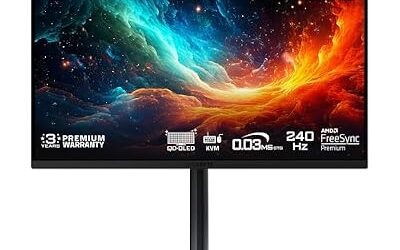
For the best image quality, this QD-OLED delivers perfect blacks, up to 280Hz, and a 0.03ms response with HDR400. It’s the pick for console gamers who want stunning contrast and motion.
Sceptre E225W-FW144
An affordable 22-inch Full HD monitor with up to 144Hz and built-in speakers, this Sceptre is a budget-friendly console entry. It’s a compact, no-fuss option for casual setups.
Sceptre E248B-FW165T
This 24-inch 165Hz display adds dual DisplayPort and HDMI plus built-in speakers at a low price. It’s a great value pick for gamers who want smooth motion without spending much.
What to Look For in a Console Gaming Monitor
Match the Monitor to the Console’s Output Modes
Consoles only have HDMI outputs, so DisplayPort and USB-C inputs on a monitor do not help. HDMI 2.0 offers about 18Gbps of bandwidth, which is enough for 1080p or 1440p at 120Hz. Full 4K at 120Hz needs an HDMI 2.1 input at up to 48Gbps. The Xbox Series X outputs 1080p, 1440p and 4K, and the PS5 gained 1440p output through a later system software update. Many 1440p monitors advertise 144Hz or higher that only applies over DisplayPort, so confirm the refresh rate you get specifically over HDMI.
Resolution, Size and Pixel Density
Pixel density decides how sharp text and game detail look at a desk distance. The numbers below follow directly from resolution and diagonal size.
| Size and resolution | Approx. pixels per inch | Typical use |
|---|---|---|
| 22 inch, 1920×1080 | 100 | Small desk, high frame rate |
| 17.3 inch, 1920×1080 | 127 | Portable, travel |
| 27 inch, 2560×1440 | 109 | The common balance for consoles |
| 32 inch, 2560×1440 | 92 | Larger view, softer image up close |
| 34 inch, 3440×1440 | 110 | Ultrawide, mostly PC use |
VRR, Refresh Rate and Panel Type
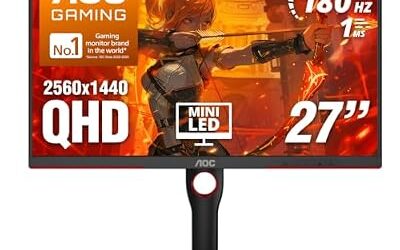
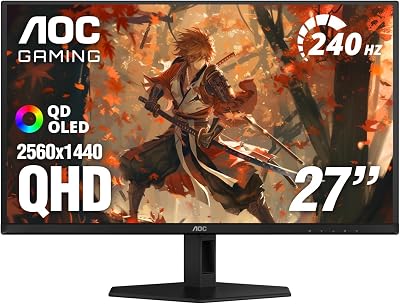
Variable refresh rate smooths out frame drops in games that run between 40 and 120 frames per second. Check that the monitor lists HDMI VRR or FreeSync over HDMI, because some panels only support it on DisplayPort. VA panels, like the AOC curved model, offer deep contrast but can smear dark scenes. IPS panels give wider viewing angles and consistent color. QD-OLED panels, as in the AOC Q27GAZD and INNOCN 2780s, have extremely fast pixel response and strong contrast, though static HUD elements are the usual reason owners worry about burn-in. Check the manufacturer’s warranty language on that.
HDR and Ultrawide Limits
On Xbox, HDR commonly works only at certain output modes, so some monitors force a choice between 4K HDR at a lower refresh rate and 1440p at 120Hz without HDR. Ultrawide screens like the CRUA 34 inch are also a mixed fit, since most console games render at 16:9 and show black bars on the sides.
Which One Should You Buy?
| If you… | Choose… |
|---|---|
| Want the fastest response and richest contrast for fast games | AOC 27 inch Q27GAZD QD-OLED or INNOCN 27 inch QD-OLED 2780s |
| Want a premium 1440p option from a gaming brand | Alienware AW2725DM |
| Want a larger curved screen at 1440p | AOC 32 inch CQ32G4VE |
| Want a budget 1440p-class screen with 144Hz or more | Samsung Odyssey G5 (G51F) |
| Have a very small desk and only play at 1080p | Sceptre E225W-FW144 or the Sceptre 22-inch 144Hz |
| Want to move the screen between rooms or take it travelling | ASUS ROG Strix XG17AHP |
| Play mostly on PC and sometimes on console | CRUA 34 inch ultrawide |
Common Mistakes When Buying a Console Monitor
- Trusting the headline refresh rate. Confirm it applies over HDMI at the resolution your console outputs.
- Paying for 4K without HDMI 2.1. Without it, 4K is capped at 60Hz from a console.
- Ignoring built-in audio. Many monitors have weak or no speakers, so plan on a headset or a separate speaker.
- Buying a portable screen without checking power. Some need a USB-C source that supplies video and power, which most consoles do not provide.
- Choosing ultrawide for console-only play. Most games will not fill the screen.
- Skipping the stand. Tilt-only stands force a bad neck angle. A VESA mount adds flexibility.
Console Settings That Change the Picture
- Set the console’s video output to the monitor’s native resolution, such as 1440p, rather than leaving it on automatic.
- Turn on 120Hz output in the console’s video settings, and confirm the game offers a 120Hz or performance mode.
- Enable VRR in the console menu and in the monitor’s on-screen display, since some monitors ship with adaptive sync off.
- Choose the HDMI port that supports the highest bandwidth, because monitors often mark only one port as HDMI 2.1.
- Use the cable that came with the console or a certified Ultra High Speed cable for 4K at 120Hz.
If the picture flickers or the screen shows no signal at 120Hz, lower the output mode to 60Hz first, then step up again. A weak cable is a more common cause than a faulty monitor.
Related Guides
- Portable 3 Monitor Setup (2026)
- Best 32 Inch OLED Gaming Monitor (2026)
- Monster LED Duo Monitor Light Bars Reviews (2026)
- Omen OLED Monitor (2026)
Frequently Asked Questions
Do I need HDMI 2.1 for my console?
For 120Hz gaming on PS5 or Xbox Series X, yes. HDMI 2.0 still works fine at 60Hz, which is plenty for many single-player games.
Is a monitor better than a TV for console gaming?
Monitors typically offer lower input lag and a more focused experience, which competitive players prefer. TVs win on screen size for couch multiplayer and cinematic games.
What refresh rate can consoles output?
Current consoles support up to 120Hz in compatible games. A 120Hz or higher monitor lets you take full advantage of those performance modes.
Should I get 1080p, 1440p, or 4K?
1080p is easiest to run at high frame rates, 1440p balances sharpness and performance, and 4K offers the most detail for supported games if your console can drive it.
Final Thoughts
The Alienware AW2725DM is our top pick for its blend of speed, color, and HDMI 2.1 support, while the INNOCN QD-OLED is the choice for image-quality enthusiasts. Budget-conscious gamers should look at the Sceptre 24-inch 165Hz for excellent value.