🛒 Best Price Today on Amazon
Prime members get fast, free shipping on everything above, plus member-only deals. New members get a 30-day free trial — cancel anytime.
Players look for a DeathAdder alternative for a few clear reasons: they love the ergonomic right-handed shape but want a different sensor, a lighter shell, more buttons, or a brand outside the Razer ecosystem. Some want the same palm-filling feel with a lower weight, others want the same shape with a button layout built for MMOs, and a few want to know what else exists before buying another DeathAdder. The real decision is which part of the DeathAdder you want to keep, because no single alternative matches it on every trait.


This guide is for palm-grip players who want an ergonomic right-handed mouse from another brand, for DeathAdder owners who want a lighter or button-heavier version of the same idea, for players who tried the DeathAdder and found it too long or too heavy, and for anyone comparing ergonomic mice by shape first. Every product below was chosen from its Amazon product title and listed specifications, so sensor, weight, battery life and button counts come from the listing itself.
Quick Picks
As an Amazon Associate we earn from qualifying purchases.
| Product | Best for | Key spec from title |
|---|---|---|
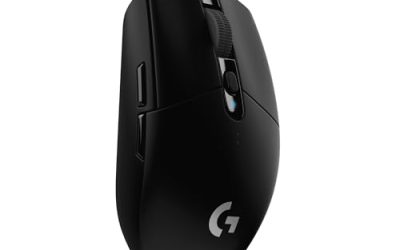
| Logitech G502 X Plus | DeathAdder fans who want many more buttons | HERO 25K sensor, 13 buttons, infinite scroll toggle |
| BenQ ZOWIE EC2-CW | A classic ergonomic shape with no software | Wireless ergonomic, enhanced receiver, 24-step scroll wheel |
| ASUS ROG Keris II Ace | A lighter ergonomic shell with a high DPI ceiling | 54g, tri-mode connectivity, 42K DPI |
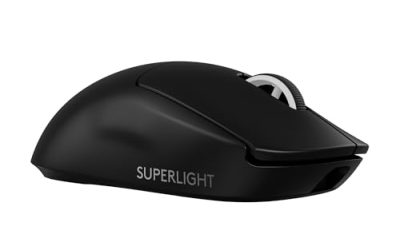
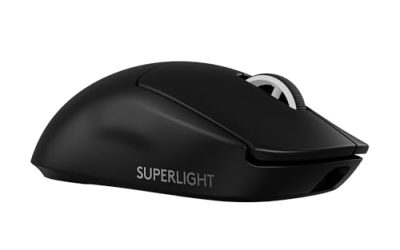
| Logitech G PRO X Superlight 2 DEX | Superlight performance in an ergonomic shell | 60g, right-handed ergo shape, 44k DPI sensor |
How to Choose
Decide Which DeathAdder Trait Matters Most
The DeathAdder is really three ideas in one mouse: an ergonomic right-handed shell, a light weight for its size, and a clean sensor with few distractions. An alternative can match one or two of those ideas but rarely all three, so rank them before you shop. Players who care most about the shell should look at the ZOWIE EC2-CW or the ROG Keris II Ace, players who care most about weight should look at the Superlight 2 DEX, and players who want more controls should look at the G502 X Plus. Knowing your priority keeps you from buying a mouse that is different in the wrong way.
Compare the Shape, Not Just the Specs
Ergonomic mice look similar in photos but feel very different in the hand. The DeathAdder has a flared right side and a gentle palm slope, while the EC2-CW has a shorter body with a higher rear hump and the Keris II Ace sits somewhere between them. Check the listed length, width and height against a mouse you already own, and pay attention to where the side buttons sit relative to your thumb. A shape that forces your thumb to stretch for the side buttons will annoy you in every match, no matter how good the sensor is.
Check Weight Against the DeathAdder You Know
The DeathAdder V3 Pro weighs 63 grams, which is light for an ergonomic mouse, and older DeathAdders were far heavier. Alternatives in this guide range from 54 grams to 106 grams, so the weight spread is wide enough to change how the mouse feels during long sessions. A lighter mouse makes flicks and lifts easier, while a heavier mouse can feel steadier when you hold an angle. If your current DeathAdder feels right, look for an alternative within ten grams of it rather than chasing the lightest number available.
Count Buttons and Check the Software
The DeathAdder keeps its button layout simple, with two side buttons and a DPI control, which suits shooters but not games with many binds. The G502 X Plus offers thirteen programmable controls for players who want a button for every action, while the EC2-CW keeps the layout minimal and needs no software at all. Decide whether you want a companion app for remapping and DPI tuning or a driverless mouse that works the same on any computer, because the software experience is part of the purchase even when it is free.
The 4 Best Options
Logitech G502 X Plus
The G502 X Plus is the DeathAdder alternative for players who want the ergonomic idea with far more controls. Its right-handed shape fills the palm like a DeathAdder, but thirteen programmable controls, a DPI-shift button and a dual-mode scroll wheel turn it into a tool for MMOs, RPGs and loot-heavy shooters. The HERO 25K sensor tracks accurately at any DPI a player will use, and the wireless link stays dependable. It is heavier than any DeathAdder, but players who use the buttons will trade the weight gladly for the layout.
Specs
- HERO 25K sensor, 100 to 25,600 DPI
- LIGHTFORCE hybrid optical-mechanical switches
- LIGHTSYNC RGB with 8 LED lighting
- 13 programmable controls
- 106 g weight
- Up to 120 hours of battery life, 37 hours with RGB on
- POWERPLAY wireless charging compatible
- Removable and reversible DPI-Shift button
Best for: DeathAdder fans who want an ergonomic shell with a full button layout for complex games.
Watch out for: At 106 g it is much heavier than the 63 g DeathAdder V3 Pro, so low-sensitivity players who lift the mouse often should check the weight first.
BenQ ZOWIE EC2-CW
The EC2-CW is the closest thing to a classic ergonomic alternative, with a shape refined over years of competitive play and no software to install. Its right-handed shell suits palm and relaxed claw grips, the enhanced receiver keeps the wireless link stable, and the driverless design means it works identically on any computer. The 24-step scroll wheel gives precise weapon switching, and the matte coating keeps the grip consistent as hands warm up. It is the pick for players who want the DeathAdder feel with a shorter body and a simpler philosophy.
Specs
- Wireless ergonomic gaming mouse for esports
- Enhanced receiver for stable wireless connection
- 24-step scroll wheel
- Driverless design with no software required
- Matte black coating
- Medium size, asymmetrical right-handed shape
Best for: Players who want a proven ergonomic shape and a driverless setup without leaving the ergonomic idea.
Watch out for: The listing does not state a sensor model or weight, so players who choose strictly by sensor numbers should compare the other picks here first.
ASUS ROG Keris II Ace

The Keris II Ace is the DeathAdder alternative for players who want the same ergonomic idea in a lighter, more modern package. At 54 grams it undercuts the DeathAdder V3 Pro by a clear margin, the AimPoint Pro sensor reaches 42,000 DPI, and tri-mode connectivity covers wireless, Bluetooth and wired play. The included polling rate booster lifts wireless polling above the standard rate, and the right-handed shape supports palm and relaxed claw grips. It is the pick for players who like the DeathAdder shape but want newer hardware and a lighter hand.
Specs
- AimPoint Pro optical sensor with up to 42,000 DPI
- 54 g weight
- Tri-mode connectivity: 2.4 GHz wireless, Bluetooth and wired
- Up to 107 hours of battery life
- ROG Polling Rate Booster included
- Optical micro switches
- SpeedNova wireless technology
- Right-handed ergonomic shape
Best for: Players who want a lighter ergonomic mouse with a high DPI ceiling and flexible connectivity.
Watch out for: The software setup takes longer than the simpler Logitech and ZOWIE options, so allow time to configure DPI steps and polling before your first match.
Logitech G PRO X Superlight 2 DEX

The Superlight 2 DEX is the DeathAdder alternative for players who want flagship performance in an ergonomic shell without leaving Logitech. It takes the Superlight 2 internals, including the HERO 2 sensor and LIGHTSPEED wireless, and puts them in a right-handed asymmetrical body with a thumb rest and palm slope. At 60 grams it is lighter than the DeathAdder V3 Pro, and the battery lasts up to 95 hours. Players who liked the DeathAdder shape but wanted a lighter mouse with a more modern sensor will find this version hard to beat.
Specs
- HERO 2 sensor with up to 44,000 DPI
- Up to 8 kHz polling
- LIGHTSPEED wireless connection
- 60 g weight
- Right-handed asymmetrical ergonomic shape
- 5 programmable buttons
- Up to 95 hours of battery life
- USB-C charging
Best for: Players who want Superlight performance and a light ergonomic shell as a DeathAdder replacement.
Watch out for: The right-handed shape rules it out for left-handed players, and it has only five programmable buttons for players who want a dense layout.
Which One Fits Your Situation
You Want the Same Feel With More Buttons
Choose the Logitech G502 X Plus. Its ergonomic shell fills the palm like a DeathAdder, while thirteen programmable controls and a DPI-shift button cover games the DeathAdder layout cannot. Accept the extra weight as the cost of the button layout, and use the scroll wheel modes to speed up inventory work.
You Want the Same Feel With No Software
Choose the BenQ ZOWIE EC2-CW. Its driverless design works the same on any computer with no setup, and the classic ergonomic shape has been refined over years of competitive play. It suits players who value consistency and simplicity over extra features. The 24-step scroll wheel gives precise weapon switching, and the matte coating keeps the grip steady as hands warm up.
You Want the Same Feel But Lighter
Choose the ASUS ROG Keris II Ace or the Logitech G PRO X Superlight 2 DEX. Both undercut the DeathAdder V3 Pro on weight while keeping an ergonomic right-handed shell, and both use modern sensors with high polling rates. Pick the Keris II Ace for tri-mode connectivity or the DEX for the lightest Logitech ergonomic option.
You Are Leaving Razer Entirely
Choose the Logitech G PRO X Superlight 2 DEX for flagship performance or the Logitech G502 X Plus for a button-heavy setup. Both use Logitech’s LIGHTSPEED wireless and companion software, so switching ecosystems means learning one new app rather than rebuilding your whole setup around an unfamiliar brand. The DEX keeps the weight low and the sensor modern, while the G502 X Plus covers games that need many binds.
Common Mistakes
- Buying an alternative by brand alone, when the shell shape matters far more than the logo for an ergonomic mouse.
- Assuming every ergonomic mouse fits like a DeathAdder, when length, hump height and side button placement vary widely.
- Choosing the heaviest alternative for low-sensitivity flick play, then discovering the weight tires the wrist within an hour.
- Ignoring the software question, and ending up with a mouse that needs an app you did not want or lacks the tuning you expected.
- Replacing a DeathAdder you liked for a symmetrical mouse, then missing the palm support that made the original comfortable.
Frequently Asked Questions
What is the best DeathAdder alternative?
The best DeathAdder alternative depends on what you want to keep. The Logitech G PRO X Superlight 2 DEX is the closest match for a light ergonomic shell and flagship sensor, the BenQ ZOWIE EC2-CW is the closest for a classic shape with no software, and the Logitech G502 X Plus is the best choice when you want far more buttons. Compare shape and weight first, then the sensor.
Is the Logitech G502 X Plus a good DeathAdder alternative?
Yes, the G502 X Plus is a good DeathAdder alternative for players who want an ergonomic right-handed shell with many more controls. It shares the palm-filling shape idea but adds thirteen programmable controls, a DPI-shift button and a dual-mode scroll wheel. It is heavier than the DeathAdder V3 Pro, so low-sensitivity flick players should weigh that trade-off before choosing it.
Are there ergonomic gaming mice lighter than the DeathAdder?
Yes, several ergonomic mice are lighter than the 63 gram DeathAdder V3 Pro, including the 54 gram ASUS ROG Keris II Ace and the 60 gram Logitech G PRO X Superlight 2 DEX in this guide. A lighter shell makes flicks and lifts easier during long sessions, though the shape and grip fit still matter more than a few grams either way.
Do DeathAdder alternatives need Razer software?
No, alternatives from Logitech, ASUS and BenQ use their own software or none at all, so leaving Razer also means leaving its companion app behind. Logitech mice use G HUB for DPI and button settings, ASUS mice use Armoury Crate, and the ZOWIE EC2-CW needs no software. Check whether the mouse saves settings to on-board memory if you move between computers.