🛒 Best Price Today on Amazon
Prime members get fast, free shipping on everything above, plus member-only deals. New members get a 30-day free trial — cancel anytime.
Minecraft looks gentle, but the mouse work is anything but. Competitive PvP rewards players who can click quickly and consistently, builders place thousands of blocks in long sessions, and everyone leans on the number row or side buttons to move through the hotbar under pressure. A good Minecraft mouse is therefore a specific thing: light enough to flick without fatigue, with main buttons that register rapid clicks cleanly, and with enough programmable inputs that your thumb can handle sprint, perspective or inventory duties.
This guide rounds up four mice that cover the main Minecraft play styles. There is a wired specialist built around very fast optical switches and drag clicking, a featherweight wireless all-rounder, a long-battery wireless mouse that doubles as an everyday desk mouse, and a button-heavy wired model for players who bind half the keyboard to their mouse. Every pick is a true gaming mouse with a proper optical sensor, so tracking quality is never the weak point.
As an Amazon Associate, we earn from qualifying purchases.
Quick Picks
| Product | Best for | Key point |
|---|---|---|
| Bloody A70 Light Strike Gaming Mouse | Drag clicking and high click speeds in PvP | Optical Light Strike switches with a 0.2 ms response time |
| Glorious Model O Wireless (Matte Black) | Lightweight wireless play for PvP and survival | 69 g shell with a 19,000 DPI sensor and long battery life |
| Logitech G305 Lightspeed (Black) | Wireless value with very long battery life | HERO sensor and up to 250 hours from a single AA battery |
| Logitech G502 HERO (Wired) | Hotbar-heavy players who want many buttons | 11 programmable buttons and an adjustable weight system |
How to Choose
Click style decides the shortlist. Minecraft is unusual because clicking technique matters as much as aim. Normal clicking suits casual play, butterfly clicking raises your click rate by alternating two fingers on one button, and drag clicking produces very high click counts per second by pulling a finger across a textured button surface. Not every mouse supports these techniques equally: switch type, button texture and the debounce behaviour in the firmware all play a part. If drag clicking is your goal, pick a mouse whose maker designs for it, like the Bloody A70 below. If you click normally, any pick here will serve you well.
Weight shapes your whole session. Minecraft sessions run long, and PvP involves constant small flicks to track strafing opponents. A mouse in the 60 to 70 g range feels effortless for that style and reduces wrist fatigue over hours of building. Heavier mice around 100 g and up feel calmer for precise block placement and suit players who rest their whole hand on the shell. Neither is wrong, but the difference is noticeable within a single evening, so choose by the way you actually play.
Buttons are hotbar shortcuts. The default hotbar uses the number keys, which pulls fingers away from movement keys at the worst moments. Side buttons and extra top buttons can carry sprint, crouch, perspective toggle, offhand use or a specific hotbar slot, and every one of those binds makes you faster in a fight and smoother while building. Two side buttons are the minimum worth having; players who bind aggressively should look at the G502 HERO and its 11 programmable controls.
Sensor numbers beyond a point stop mattering. Minecraft runs at modest sensitivity for most players, and every mouse here tracks flawlessly at those settings. Treat headline DPI as headroom rather than a target. What matters more is a sensor with no smoothing surprises at low DPI, a shape you can grip for hours, and feet that glide evenly on your pad.
Wired or wireless is now a comfort choice. Modern 2.4 GHz wireless mice match wired latency for this game, so the decision comes down to cable drag and charging habits. Wired picks never need power and tend to cost less for the same clicking hardware. Wireless picks free your flicks from cable pull, which many PvP players prefer, at the cost of watching a battery indicator.
Best Options
Bloody A70 Light Strike Gaming Mouse

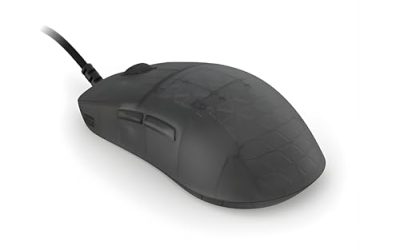
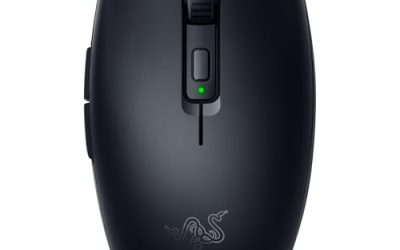
The A70 is the specialist in this roundup, built by Bloody around one idea: registering clicks as fast as physics allows. Its main buttons use Light Strike optical switches, which actuate with a beam of light rather than a metal contact, and Bloody quotes a response time of 0.2 ms. In practice the benefit for Minecraft is consistency at high click rates, with none of the contact bounce that makes some mice double-register or miss inputs when you butterfly or drag click.
The textured main buttons are the other half of the design. Drag clicking depends on friction between fingertip and button, and the A70 surface is made to grip a dragging finger so each pass produces a stream of clicks. Players chasing high click counts in Bed Wars or bridging practice will find this the most purpose-built tool in the guide. It is wired, which keeps it light in the hand and removes any battery concern during long sessions.
Specs
- Wired USB connection; Light Strike optical switches with 0.2 ms response time; optical sensor up to 4,000 CPI; textured main buttons designed for drag clicking; metal gliding feet; onboard memory for saved settings
Best for: Drag clicking and high click speeds in PvP
Watch out for: The wired cable will not suit players who dislike any cable pull, and the aggressive clicking focus is wasted if you only play relaxed survival
Glorious Model O Wireless (Matte Black)

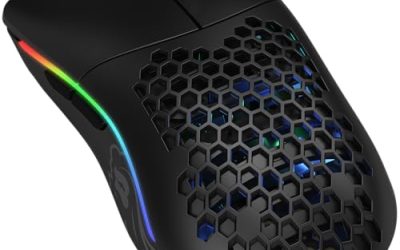
The Model O Wireless takes the lightweight honeycomb formula and cuts the cable. At 69 g it is the lightest wireless pick here, which makes it a natural fit for PvP flicks and for long building sessions where a heavy mouse slowly tires the wrist. The BAMF sensor, developed with PixArt, reaches 19,000 DPI and tracks cleanly at the low settings most Minecraft players actually use.
Battery life is quoted at up to 71 hours, so a week of evening sessions between charges is realistic, and the mouse keeps working over its USB-C cable while it charges. Six buttons, including two thumb buttons, cover the essential hotbar and sprint binds without overwhelming a small shell. The honeycomb shell is a taste question: it keeps weight down and airflow up, but players who dislike the texture under the palm should consider the solid-shell picks instead.
Specs
- 2.4 GHz wireless with wired USB-C play while charging; BAMF optical sensor up to 19,000 DPI; weight 69 g; battery life up to 71 hours; 6 programmable buttons; PTFE feet; honeycomb shell in matte black
Best for: Lightweight wireless play for PvP and survival
Watch out for: The honeycomb shell collects dust over time and is not for players who prefer a solid palm feel
Logitech G305 Lightspeed (Black)

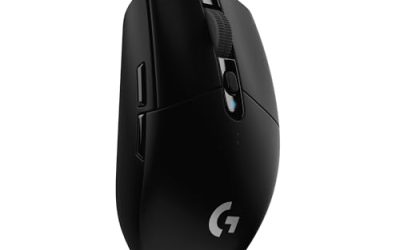
The G305 is the practical wireless pick: a compact, no-frills mouse whose HERO sensor delivers 12,000 DPI tracking while sipping power. Logitech quotes up to 250 hours of play from a single AA battery, which changes the ownership experience completely compared with rechargeable mice. You swap a battery a few times a year and otherwise never think about power.
At 99 g it sits in the middle of the weight range, heavy enough to feel planted for careful building, light enough for general PvP. The shape is a safe, egg-like design that suits small and medium hands in claw or fingertip grips, and the six programmable buttons cover the standard Minecraft binds. There are no extras here, no RGB and no honeycomb, just a dependable wireless mouse that also happens to be an excellent everyday desk mouse when the game closes.
Specs
- Lightspeed 2.4 GHz wireless with USB receiver; HERO optical sensor up to 12,000 DPI; weight 99 g; battery life up to 250 hours on one AA battery; 6 programmable buttons; receiver storage inside the shell
Best for: Wireless value with very long battery life
Watch out for: It uses a replaceable AA battery rather than a rechargeable cell, and larger hands may find the compact shell cramped in a palm grip
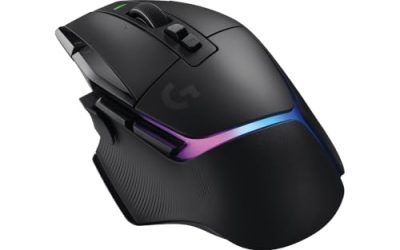
Logitech G502 HERO (Wired)

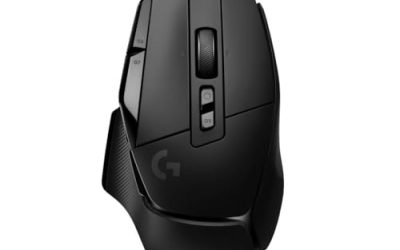
The G502 HERO is the button lover’s Minecraft mouse. Eleven programmable buttons include the two standard thumb buttons, a sniper-style thumb clutch, extra index-finger buttons beside the left click, and a dual-mode scroll wheel that switches between notched and free-spinning movement. For Minecraft, that layout lets you move several hotbar slots, sprint and perspective controls onto the mouse and keep your keyboard hand purely on movement.
The HERO 25K sensor reaches 25,600 DPI, far beyond anything this game needs, and tracking is impeccable at everyday settings. The trade is weight: the shell is around 121 g before you add any of the included tuning weights, and the wired cable adds a little drag. For creative building, redstone work and hotbar-heavy survival play, that planted feel is often a plus. For high-click-rate PvP techniques, the lighter picks above are better tools.
Specs
- Wired USB connection; HERO 25K optical sensor up to 25,600 DPI; 11 programmable buttons; adjustable weight system with included tuning weights; dual-mode hyper-fast scroll wheel; onboard memory for profiles
Best for: Hotbar-heavy players who want many buttons
Watch out for: The heaviest pick in this guide by a wide margin, and the button layout rewards players who will actually program it
Which One Fits
- Choose the Bloody A70 if your Minecraft time centres on PvP and clicking technique. Its optical switches and drag-friendly buttons are built for exactly that job.
- Choose the Glorious Model O Wireless if you want the lightest wireless option for mixed PvP, survival and building, with a shape that disappears under your hand.
- Choose the Logitech G305 Lightspeed if you want wireless freedom without charging cables in your life, and a mouse that doubles as a reliable everyday pointer.
- Choose the Logitech G502 HERO if you bind heavily, play hotbar-intensive modes, and prefer a substantial wired mouse with a button for everything.
Common Mistakes
Buying for DPI alone. A 25,600 DPI ceiling does not make anyone better at Minecraft, where most players run between 400 and 1,600 DPI. Shape, weight, buttons and click behaviour change your game far more than sensor headroom you will never use.
Ignoring server rules on clicking. Some servers and minigame networks treat extreme click rates and certain drag clicking patterns as unfair play. Before you build your whole setup around maximum clicks per second, check the rules of the servers you actually play on.
Forgetting the mouse pad. Fast clicking and fast flicks both suffer on a worn or dirty pad. Every pick here glides better and tracks more consistently on a clean, even surface, and a fresh pad is the cheapest upgrade in this entire guide.
Binding nothing to the side buttons. Players often leave thumb buttons on their default browser functions for months. Ten minutes in the software, moving sprint and one hotbar slot to the mouse, pays back in every single fight and building session.
FAQ
What click speed do you need for Minecraft PvP?
There is no single required number, and normal clicking in the range most players manage is fine for survival and casual play. Competitive minigames reward higher, consistent rates, which is where technique-friendly mice like the Bloody A70 help. Consistency matters more than a peak number you can only hit once.
Is a lightweight mouse better for Minecraft?
For PvP and long sessions, usually yes. A lighter mouse is easier to flick and reposition hundreds of times without wrist fatigue. Players who mainly build or play slowly paced survival often prefer the planted feel of a mid-weight mouse like the G305 or the heavier G502 HERO.
Do you need side buttons for Minecraft?
Need is too strong, but they help a great deal. Sprint, perspective toggle and one or two hotbar slots are the classic mouse binds, and they free your keyboard hand to concentrate on movement. Every pick in this guide has at least two thumb buttons.
Can a wireless mouse keep up with wired for this game?
Yes. Current 2.4 GHz gaming wireless, including the Model O Wireless and the G305 in this guide, has latency low enough that Minecraft cannot expose a difference. Choose wired for zero battery management, or wireless for freedom from cable drag.
Final Verdict
The Bloody A70 is the clearest specialist pick: if clicking technique is your game, nothing else here is built so directly for it. The Glorious Model O Wireless is the best all-round answer for players who mix modes and want the lightest wireless feel, while the G305 wins on sheer convenience with its months-long battery life. The G502 HERO serves the binders and builders. Match the mouse to the way you play Minecraft, and any of the four will feel like a genuine upgrade over a generic office mouse.