🛒 Best Price Today on Amazon
Prime members get fast, free shipping on everything above, plus member-only deals. New members get a 30-day free trial — cancel anytime.
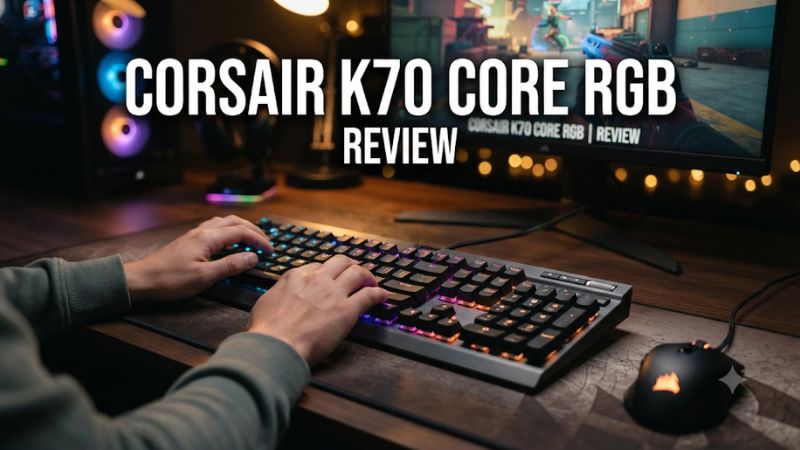
ưThis Corsair K70 Core RGB keyboard review finds the full-size board a good fit for players who want light linear switches, a numpad, and a volume dial. Its fixed cable and standard actuation keep it simple. Check the exact switch revision and palm-rest bundle before buying, especially if you are comparing used units.
Corsair K70 Core RGB verdict and specifications
The K70 Core RGB makes sense when you want one full-size wired keyboard for PC gaming and everyday work. It keeps real arrow keys, a separate navigation block, and a numpad. The volume dial is easy to find while you play. The stock linear switches and case dampening make it appealing for someone who wants a mechanical board without a sharp tactile bump or intentional click.
The compromises are straightforward. Its cable stays attached, its switch actuation is fixed, and the switches are soldered. A player who wants to change switch types, adjust key depth, or reclaim desk space should choose a keyboard built for that purpose. If you already know you like a full-size layout and light linears, the Core offers the more relevant features without the complexity of a higher-tier board.
| Feature | Full-size Corsair K70 Core RGB |
|---|---|
| Layout | Full-size with dedicated arrows, navigation block, and numpad |
| Connection | Wired USB-A with an attached cable |
| Switches | Corsair MLX Red linear mechanical family |
| Report rate | 1,000 Hz |
| Lighting | Per-key RGB |
| Media controls | Multifunction dial and a separate media control |
| Configuration | Corsair iCUE and onboard profiles |
| Switch replacement | Soldered switches |
| Palm rest | Check the exact bundle |
Which K70 Core RGB is covered here?
This is the original full-size wired K70 Core RGB layout, sold under names that can look very similar to related Corsair boards. The K70 Core TKL removes the numpad, and wireless models are separate purchases. The K70 Max adds adjustable magnetic switches. Check the full name, the photo of the right side, and the SKU if a store combines several models on one product page.
Corsair’s current full-size pages can use both MLX Red and MLX Red v2 wording. Some independent reviews tested early MLX Red samples. If you are buying because you prefer a particular switch revision, ask the seller what is in the selected unit. A review of an early sample can explain the board’s layout and general character, while the exact switch and package may vary.
The palm rest is another bundle detail worth checking independently. If you use one at your current desk, compare the price of the complete package. A listing without it can still be a good buy if you already have a rest you like.
Who benefits most from the full-size layout?
The Core is strongest for someone who fills spreadsheets, enters numbers frequently, or binds separate commands to the numpad in a game or simulator. You keep all those inputs without managing a separate keypad. The navigation block also makes Delete, Home, End, and Page keys easier to locate without looking down.
The same width becomes a cost in a low-sensitivity mouse setup. To check your desk, place your current keyboard where your left hand rests naturally and measure the mouse travel you use during a wide turn. If the mouse regularly approaches the numpad, a TKL board may solve a more immediate problem than changing switches. Moving a full-size board left can work if you can still type comfortably.
A numpad you use daily justifies the space more easily than one you keep for a possible future use. If you only enter numbers occasionally, try living without that section for a workday before making a full-size purchase.
Typing feel, sound, and build
MLX Red switches suit a light linear preference
The MLX Red switch travels without a tactile bump. That steady feel is useful for movement keys held over several seconds and for players who prefer an uninterrupted press. The same light feel can lead to accidental input if your fingers rest heavily on nearby keys. The board gives you a predictable fixed threshold, so the fit depends on how you type and hold your hand over the keys.
Published reviews describe different impressions of the switches. PC Gamer liked the damped mechanical feel, while RTINGS found some scratchiness and noted the potential for more typos with a light switch. These observations can coexist. Slow deliberate presses expose friction that you may barely notice while moving quickly through a game.
If possible, type a paragraph, then play a few minutes using your most frequent movement and modifier keys. Notice whether you hit Shift, Control, or a neighboring letter unintentionally. That test tells you more about the switch choice than the fact that it is marketed as a gaming linear.
The foam helps with case noise, while larger keys still vary
Corsair uses two sound-dampening layers. These can reduce some of the hollow resonance you might hear from an undamped case. There is still sound from bottoming out, the return stroke, the keycaps, and the stabilizers on larger keys. Your desk surface and typing force can change what someone else hears in the room.
Listen to ordinary letters first, then try the spacebar, Enter, Backspace, and both Shift keys. Large keys can be the most noticeable element in a shared room even when ordinary switches sound restrained. Put the board on the surface you normally use. A review recording may have been made on a different desk mat or with a different microphone distance.
If a quiet workspace is important, compare at your normal typing force. A light demonstration rarely recreates an hour of work or game chat. Make the decision by how it sounds where you will use it.
The frame is practical, with budget-oriented details
The board has an aluminum top plate and a more conventional lower construction. Its stock ABS keycaps and attached cable show where Corsair kept the package simple. Double-shot legends can remain legible as the top surface develops shine. Gloss on a frequently used key is generally a cosmetic change. It has little bearing on whether the switch registers consistently.
The attached cable is worth checking if your desk has a cable tray, an under-desk tower, or a tight route around a monitor. Since the cable is fixed at the keyboard, arrange enough slack to move the board without straining the exit point. A detachable cable is more convenient if you move between desks or carry the board in a bag.
You can change the keycaps with a compatible set. Check key sizes and regional legends before ordering. Replacing switches is a different job because the Core is built around soldered switches. Buy it for the stock switch feel if you expect to keep the board as delivered.
Try the keyboard at the height you actually use
Start with the board flat. Then test the rear feet if you prefer a steeper angle. A comfortable typing position is one where your wrists and fingers can move without constantly leaning into the front of the case. Raising the rear can make the upper rows easier to reach for some people and increase wrist extension for others.
Try a rest only if it helps you maintain your usual position. Give the arrangement time to settle. A rest that feels good in a short typing test can make the mouse transition awkward, particularly when the keyboard takes up most of your desk. The volume dial’s location also feels different depending on how far back you sit.
Repeat the fit check during both gaming and work. You may press long modifiers and hold movement keys in one session, then navigate and type rapidly in the next. The right desk position should cover both without forcing you to change your grip or posture every time.
Gaming performance and everyday controls
A 1,000 Hz report rate is practical for this board
Corsair specifies 1,000 Hz for the K70 Core RGB, and RTINGS measured an effective update rate matching that specification. The nominal report interval is 1 ms. End-to-end feel also depends on switch travel, matrix processing, the game, and the display. The board’s actual feel is better judged by whether you can make the inputs you intend than by comparing the polling number alone.
Try a game that asks for short movement corrections and another that uses several modifiers together. The Core supports full n-key rollover, so supported key combinations can register at once. Use your real binds. Testing an arbitrary row of keys tells you less than checking the combination you use during a jump, crouch, or inventory action.
If your current board already registers those combinations reliably, the most tangible upgrades may be sound, layout, or media access. A high refresh rate or expensive mouse does not automatically make a full-size keyboard’s report rate the weakest link in your setup.
The dial is more useful than a long shortcut list
The rotary dial defaults to a familiar volume function and can be configured for other jobs, such as scrolling or zooming, subject to the supported mode and software. Start with volume if you frequently adjust a game or party. It stays useful without asking you to learn a different shortcut for every app.
The Core’s control layout is compact for a full-size board. A dedicated volume control matters because you can find it in a dark room without feeling across several function keys. If you also need separate physical buttons for play, pause, and track changes, compare the K70 RGB Pro’s dedicated media row. The benefit is clearer when you regularly change more than volume.
Test your preferred behavior once outside iCUE if you expect to use the board on a second computer. App-specific assignments and hardware features have different dependencies. A setting you can verify before moving the keyboard is easier to rely on than one you assume will travel with it.
Set iCUE profiles around actual tasks
Start with a default typing profile and one gaming profile. Add lighting or remaps only where they make a real difference. A simple color on frequently used keys can help when you are learning a layout. If you play with the room dark, reduce brightness until you can read the legends without seeing distracting reflections on the monitor.
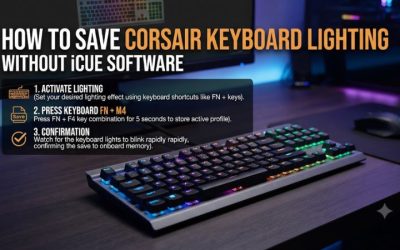
Corsair documents onboard profiles on the full-size board. Check that the changes you care about save to device memory and work after you exit iCUE. Test the correct profile after disconnecting and reconnecting the keyboard. Some app-linked behavior depends on iCUE running, while supported saved settings can be useful on another computer.
If you already use other Corsair hardware, one software suite can be convenient. If your priority is a keyboard that behaves consistently as a standard USB device, establish the base layout first and use software only when it adds something you need.
Check repeated characters before blaming your game or operating system
Corsair publishes a support path for K70 Core double typing. If you see unintended repeated characters, test brief isolated taps in a plain text editor. Try the same keys in another app and, if available, another computer. Then run the firmware check in iCUE for the exact board.
Compare a short tap with a deliberate hold. A character repeating after a sustained hold can be normal operating-system behavior. Two characters appearing from a brief tap on one key is a different symptom. If it occurs only in a specific profile, temporarily restore a plain mapping and test again before concluding that the switch is at fault.
If the problem persists after the firmware steps, keep the serial and lot information from the board and contact Corsair support. Corsair differentiates some cases by lot number. Confirm the current support route for your unit. A used buyer can also ask the seller to demonstrate the relevant keys with isolated taps before agreeing to the purchase.
Match your game to what fixed actuation can do
A fixed-actuation board works well when you use deliberate presses and consistently release your keys. That covers most game genres. In a shooter, pick a familiar movement sequence and check for unwanted presses from your resting hand. In a platform game, try alternating short jumps and directional inputs. Good control should feel repeatable after a long session as well as a fresh one.
If you are buying for adjustable actuation or Rapid Trigger, the Core is the wrong hardware for that job. Software remapping can change what a key sends. It does not change how far the physical switch travels before registering. Compare a magnetic or analog optical model if press and release thresholds are the feature you want.
The Core is often the better fit for a player who wants the same threshold in games and work. It gives you fewer settings to revisit and leaves the decision centered on switch feel, reset behavior, and the desk space the layout needs.
Value and buying checks
When the Core is better value than the RGB Pro
Choose the Core if you want a full-size layout, light linear switches, and direct access to volume. Those are the features you will notice in every session. The RGB Pro adds a removable cable, a dedicated media row, more switch choices depending on the SKU, and higher advertised polling. The difference is worth paying for when at least one of those benefits changes your routine.
For a shared desk, compare the Core’s damped stock sound with the particular Cherry MX switch in the Pro. A clicky Pro, a linear Pro, and a Core can sound and feel different. Judge the exact switch version instead of assuming the more expensive board will suit every environment.
If the two cost nearly the same, check the Pro configuration first. The Core can still win if you prefer its feel or dial. If there is a clear discount, the Core works well for buyers who already know they want MLX Red and can live with an attached cable.
When a different layout or switch is worth paying for
A TKL is a better use of your budget if the numpad regularly limits mouse movement. A hot-swappable board makes more sense if you expect to change switch springs or sound. A magnetic or analog optical keyboard serves players who specifically want to tune the behavior of movement or rhythm keys. These priorities are easier to evaluate before choosing among Corsair model names.
Try borrowing or testing a different layout for a full evening. Notice whether you miss the numpad, whether the new board changes your shoulder position, and whether media controls move somewhere inconvenient. A compact layout that frees space can still create extra steps in your work, so keep the number of times you reach for the missing keys in mind.
Compare on the functions you actually use: physical size, switch feel, connections, and controls. The Core’s value comes from providing them in a relatively direct full-size package. It is less compelling when you are already planning to work around one of its hardware limits.
What to verify on a discounted or used unit
Check the label and layout first. Confirm the palm rest if it is promised. Inspect the attached cable where it exits the chassis and verify that ordinary movement does not interrupt input. Try the dial in both directions and use the game and work keys that are most difficult for you to replace.
Test isolated taps across the board, including the numpad. Use a normal pace rather than hammering a key repeatedly. If something appears twice, compare a second app or system and note the affected key. Check that Num Lock and the navigation cluster behave the way you expect before assuming a mapping is faulty.
Finally, look at the stock caps and stabilizers. Shine is usually cosmetic. A key that binds, never returns properly, or drops inputs deserves more attention. A meaningful discount should reflect any missing accessory or wear you will have to live with because the board is straightforward to use and less straightforward to modify.
Conclusion
Buy the Corsair K70 Core RGB if you want a full-size wired board with light MLX Red linears, a numpad, and an easy-to-reach volume dial. Its 1,000 Hz implementation and damped construction make it a practical gaming and work keyboard. Verify the switch wording and palm-rest bundle for your exact unit. Choose another layout if the numpad costs you mouse space, or a different switch platform if you need adjustable actuation or hot-swap.