🛒 Best Price Today on Amazon
Prime members get fast, free shipping on everything above, plus member-only deals. New members get a 30-day free trial — cancel anytime.
In Ryzen 7 7800X3D vs Ryzen 7 9700X for strategy games, the right chip depends on what slows you down. Choose the 7800X3D when matching tests show a cache benefit. Give the 9700X a close look for Stellaris, where it finished a published simulation test faster, and for games with similar benchmark results.
Choose by the type of slowdown you want to fix
Pick the 7800X3D when your main games have demonstrated gains from its larger L3 cache, especially in the simulation or gameplay metric you care about. Pick the 9700X when your most-played titles perform similarly on both or favor Zen 5 in a relevant test. The best answer for a late-game Stellaris save can differ from the best answer for a busy real-time battle.
| What feels slow | What to measure | How to choose |
|---|---|---|
| End-turn waits | Seconds to complete a defined turn or turn sequence | Favor the CPU that is faster in the same game and late-game scenario |
| A late-game galaxy or factory | Simulation time, ticks, or updates per second | Compare the same save, game version, and settings |
| Large real-time battles | Average FPS, slower frames, and frame-time spikes | Compare representative battles rather than menus |
| Camera movement at high visual settings | Frame time and GPU behavior | Rule out a GPU limit before paying a CPU premium |
| Autosaves or loading screens | Save or load duration and storage activity | Measure that step separately from simulation |
| Several strategy titles and other work | A weighted mix of the tests you actually repeat | Buy for the performance you will use most |
A graphics benchmark might report a fast average while every late turn still takes a long time. A timed simulation benchmark might show a CPU improvement while the on-screen camera remains GPU-limited. Decide which part of the experience matters first.
Compare the architecture and cache without assuming the winner
| Specification | Ryzen 7 7800X3D | Ryzen 7 9700X |
|---|---|---|
| Architecture | Zen 4 | Zen 5 |
| Cores and threads | 8 cores, 16 threads | 8 cores, 16 threads |
| Published maximum boost | Up to 5.0 GHz | Up to 5.5 GHz |
| L3 cache | 96 MB | 32 MB |
| Default TDP | 120 W | 65 W |
| Socket and memory | AM5, DDR5 | AM5, DDR5 |
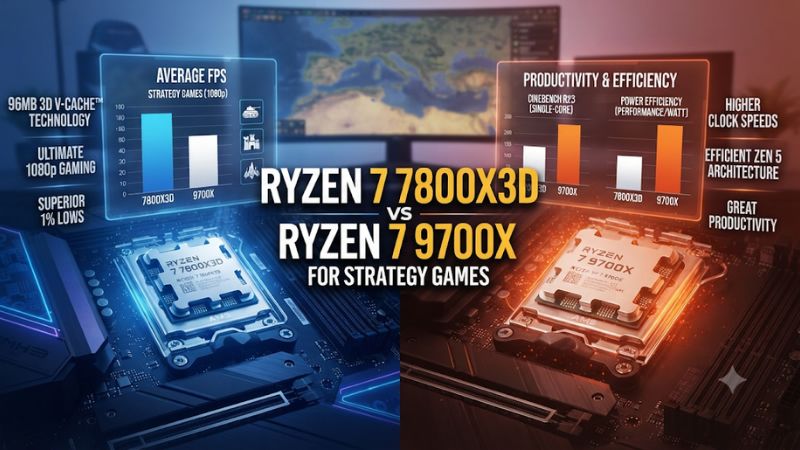
The 7800X3D has a much larger L3 cache. A game or simulation that can reuse a lot of data may benefit when more of that working set stays close to the cores. The 9700X has a newer core architecture and higher advertised peak clock. A workload that responds more to core throughput than cache can favor it.
You cannot tell the full difference from the spec sheet. A large factory, formation of units, or populated galaxy can change the engine’s working set. Two phases of the same game can even favor different parts of the system. Look for measurements that test the phase you spend time in.
The TDP figures are design ratings. A 120 W label alone does not establish that the 7800X3D draws more power or makes more noise in a particular game. If cooling matters, compare game power and acoustics in a relevant workload. Include the cooler you intend to install in the purchase price.
Read strategy benchmarks by what they measure
Use the Stellaris result for the workload it represents
In GamersNexus’s published Ryzen 7 9700X review, the 9700X completed its Stellaris simulation test in about 3.9% less time than the 7800X3D. The test timed simulation, so lower was better. It is a useful result for a reader who cares about the time a familiar galaxy takes to advance.
The margin is modest. It is strongest evidence for that reviewer’s game version, save, settings, and method. A heavily modded campaign, a larger galaxy, or a later patch may change the ranking or size of the gap. Use the result to put the 9700X on the shortlist. If Stellaris is your only reason for buying a CPU, find the closest available match to your own campaign.
Translate percentages into useful time. A 4% reduction in a hypothetical 60-second workload would save about 2.4 seconds. Across many visits to the same slow phase, that may matter. In a workload that takes only a few seconds, a similarly sized percentage can have little effect on your enjoyment. These are illustrative times, separate from the published test.
Read Factorio data using the same save and game version
Factorio is a useful example of why you should compare updates per second or time per update instead of camera FPS. A factory can render smoothly while the engine struggles to advance it at the target simulation rate. A large save can reveal differences that an early base barely exercises.
AnandTech found the 7800X3D particularly strong in its Factorio test against the CPUs available in that review. That establishes the value of the chip on that test configuration. A launch-era chart without the 9700X leaves this exact pair unmeasured there. Use a direct same-map comparison for the two processors when you can find one.
For community results, check the map, game build, expansions, mods, OS, and memory information. A lightly loaded factory and a large train-heavy map ask different questions. Avoid pooling submitted results from unrelated saves to declare a winner. Look for the same map and version or run the same benchmark locally on both systems.
Even a large headroom difference can be small in daily use while a factory remains below the point where simulation slows. If your base runs at its intended update rate, consider whether an upgrade will help a planned expansion. Keep a copy of a mature save as your benchmark so the next purchase has a realistic target.
Distinguish end-turn tests from map-rendering FPS
In Civilization or another turn-based strategy game, end-turn time includes the work the engine does before it hands control back. Map rendering determines how the camera feels while you scroll and inspect the board. One test can expose AI work and another can expose GPU effects or draw-call pressure.
If a title offers a built-in AI or turn-time benchmark, use it to compare CPU-side work. A test that reports frames per second while the camera flies across the map answers the graphics-side question. Check which metric every chart actually reports, including whether a time figure is per turn or for a whole series.
Save a representative late-game campaign if you are doing your own test. Measure the same turn or sequence, with the same number of players and active expansions. Write down whether autosaves are included. If you want to know how long you really wait, include autosave in one pass. For a CPU comparison, record it separately so a faster SSD does not get credited to the CPU.
Test large battles with frame times and a realistic replay
For real-time battles, average FPS is useful. The slowest periods during unit movement, physics, effects, or pathfinding are often what you feel. A reproducible replay can keep battle size and camera position closer across runs than two unrelated matches.
Choose an equivalent sequence from start to finish. Test a fixed ground-level or overhead view and a moving camera if both matter to you. Keep the same graphics preset, resolution, replay speed, and capture time. Some replays differ in what the engine has to simulate compared with a live battle, so validate the result in an ordinary match when practical.
If lower render resolution helps the battle a lot without changing unit counts, the GPU is a meaningful part of the original bottleneck. If performance stays similar, check for a frame cap and compare CPU behavior and simulation settings. A scene can shift between CPU and GPU limits as effects, units, and camera position change.
Build your own test around a save you actually play
Make the simulation comparison repeatable
Copy the same mature save and write down the exact game version, expansions, and mod list. Open it, choose a fixed starting point, and define what counts as finished. For a turn-based game, that can be the moment you regain control after an end-turn click. For a real-time simulation, it can be the elapsed wall time to advance a fixed number of in-game ticks or days.
Use a consistent speed and keep camera position close if the game renders while simulating. Disable unrelated background loads during the comparison. If changing the game’s autosave interval is necessary for a particular test, restore it afterward. Keep a typical play session separate from the controlled measurement.
Run several trials and report a median or range. If a difference is smaller than the normal spread, treat the processors as effectively tied for that test. The goal is to find a repeatable improvement that matters to your campaign. A one-time fast result can come from background conditions, caching, or a different action by the game.
If you only own one of the CPUs, establish your current baseline anyway. It lets you tell whether the problem shows up in simulation, rendering, or both. Then compare published test conditions with your own instead of relying on an aggregate gaming chart.
Capture three kinds of behavior
Use an early or light scene, a mature save, and the most demanding scene you can reproduce. A processor upgrade may help only the last case. That can still make it valuable if the mature campaign consumes most of your play time.
| Test | Record | Why it matters |
|---|---|---|
| Early campaign or small map | Simulation time and frame rate | Establishes ordinary behavior |
| Late-game turn or fixed simulation interval | Median seconds or updates per second | Shows whether the CPU improves the wait you care about |
| Busy battle or crowded camera path | Average FPS and frame-time trace | Shows whether the visual experience improves |
| Save or map transition | Time and storage behavior | Helps isolate loading and file operations from the simulation |
If you play multiple strategy games, repeat your most important measurement in each. A broad average can hide a meaningful difference in one favorite title. Use a list of the games you actually spend time in and weight results accordingly. A game that already runs smoothly does not need the same influence as one that slows down every late campaign.
Rule out GPU, RAM, and storage limits
Keep simulation settings fixed and run the visual test again with less GPU load. Record the result with the same save. If scrolling or battles improve while end-turn time hardly changes, the higher GPU load explains part of the visible slowdown. It also shows why a CPU upgrade may address the wait and leave the camera experience unchanged.
Check RAM capacity with the original save and mods active. A large game plus browser and chat can consume more memory than a clean benchmark setup. If the machine regularly runs short and uses storage for paging, an upgrade in memory capacity may improve consistency. Measure before buying so you do not confuse a capacity problem with the benefit of extra L3 cache.
Also inspect storage and saving behavior. If the long pause happens exactly when a large autosave is written, compare that step separately. A faster CPU can change how quickly the engine advances, while the SSD and file operations can still control part of the delay. Record these as distinct results.
Put the price difference in context
Choose the 7800X3D for demonstrated cache-sensitive gains
The 7800X3D is a sensible choice when a strategy game you play shows a substantial advantage with its larger cache and the complete system price is reasonable. The case is strongest when the gain appears in the same kind of game phase where you struggle. A faster stopwatch result in a late-game simulation or better slower frames in a large battle can each qualify.
If a relevant chart shows a tie but a general gaming average favors the 7800X3D, decide how much you play the other titles that produce the difference. A gaming-first build can still favor the X3D chip when it helps outside strategy. Weight that evidence separately from the benchmark used to choose for your favorite campaign.
Check your motherboard and cooling plan, including BIOS support for the exact processor. Reuse a compatible cooler if it works well in the intended case. Compare installed cost and support terms. A substantial premium on an older X3D listing deserves measured benefits, especially when you already have a compatible AM5 system that runs well.
Choose the 9700X for comparable games or useful throughput elsewhere
The 9700X fits a build where measured simulation performance is close or better in the games that matter, or the CPU is meaningfully cheaper after cooling. It is a legitimate candidate for a Stellaris-focused machine based on the controlled published comparison. A buyer who also does desktop or production work should compare those workloads directly.
For mixed use, keep the default 65 W configuration in mind when reading results. A benchmark produced with a different power mode or enhanced board settings can give a different sustained result. If quiet operation matters, compare accomplishment per task and noise rather than assuming the lower TDP label settles the question.
If you already own a 9700X, check the problem in your actual saves before changing over to a 7800X3D. A single high-level gaming ranking cannot establish a worthwhile upgrade for your case. Likewise, a 7800X3D owner with a smooth library has little reason to swap purely because one published timed test favors the 9700X.
Calculate the cost per improvement you actually want
Suppose both CPUs meet the desired visual frame rate. One also saves several seconds per late turn in a repeatable version of your campaign. Compare how often you experience those waits, the confidence of the benchmark, and the price difference. An improvement that saves meaningful time every session can have more value than an extra few FPS in an already smooth scene.
If the only comparable result is a small simulation difference and one CPU costs significantly less, the lower-priced deal may be the better system choice. Use that budget where another part measurably affects the experience. Examples include additional RAM for heavy mods, a healthier SSD, or a stronger GPU for higher-resolution battles. Confirm what limits your PC before allocating the savings.
Keep the evidence tied to the decision: what game, which save, which metric, and how much the configuration costs. That record also makes the choice easier to verify after a patch or a later hardware change.
Conclusion
Choose the Ryzen 7 7800X3D when comparable tests show a worthwhile cache benefit in the strategy games and saves you play. Choose the Ryzen 7 9700X when results are close, its installed cost is lower, or a relevant simulation test favors it, as GamersNexus’s Stellaris test did. Compare turn time, simulation speed, and battle frame times separately before paying a premium.