🛒 Best Price Today on Amazon
Prime members get fast, free shipping on everything above, plus member-only deals. New members get a 30-day free trial — cancel anytime.
In Ryzen 7 5700X3D vs Ryzen 7 5800X3D on used AM4, the 5700X3D is the better value when it costs meaningfully less. Both have eight cores and 96 MB of L3 cache. The 5800X3D adds higher clocks, so pay extra only when your games benefit or the deal includes better condition, testing, or return terms.
Pick the 5700X3D for value and the 5800X3D for a close deal
If you already own a working AM4 motherboard and DDR4, the 5700X3D is the first chip to price. It gives you the same core count and L3 cache capacity as the 5800X3D. The faster model is an easy choice when the deals are otherwise equal. A large premium deserves evidence from the games you actually play.
| Your situation | What to buy or compare |
|---|---|
| The tested 5700X3D costs noticeably less | Choose the 5700X3D and keep the savings |
| Both chips are tested and cost nearly the same to install | Choose the 5800X3D for its higher stock clocks |
| The 5800X3D is untested or has weaker return terms | Favor the verified 5700X3D unless the price accounts for the risk |
| You already own a stable 5700X3D | Keep it unless a specific benchmark justifies the swap |
| You also need a motherboard, memory, or a cooler | Compare complete AM4 and AM5 costs |
| Your current setup is GPU-limited at the settings you use | Test the graphics bottleneck before paying an X3D premium |
This comparison is most valuable when you are keeping an AM4 system. If you are buying every component used, the affordability of the CPU alone can hide the cost of an older board, missing accessories, or a cooler that needs replacement.
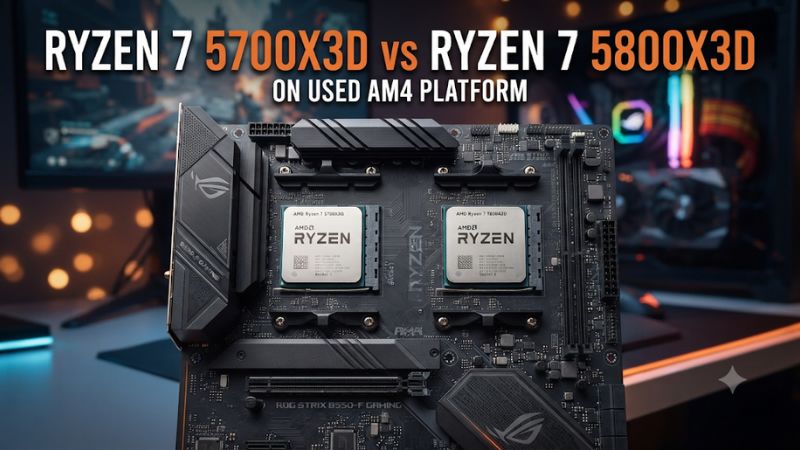
Compare the specifications that affect the upgrade
| Specification | Ryzen 7 5700X3D | Ryzen 7 5800X3D |
|---|---|---|
| Architecture | Zen 3 | Zen 3 |
| Cores and threads | 8 cores, 16 threads | 8 cores, 16 threads |
| Base clock | 3.0 GHz | 3.4 GHz |
| Maximum boost | Up to 4.1 GHz | Up to 4.5 GHz |
| L3 cache | 96 MB | 96 MB |
| Socket and memory | AM4, DDR4 | AM4, DDR4 |
| CPU PCIe capability | PCIe 4.0, with actual link depending on the board | PCIe 4.0, with actual link depending on the board |
| Default TDP | 105 W | 105 W |
| Integrated graphics | None | None |
The 400 MHz difference between the advertised boost ceilings is a clear specification difference. Real clock behavior depends on the workload and operating conditions. Two games can react differently because one benefits more from clock speed and the other spends more of its time waiting on memory, graphics, or another part of the system.
Both chips require a graphics card for a normal gaming display. If you are replacing a Ryzen G-series APU and your monitor is plugged into the motherboard, plan for that before removing the working CPU. The HDMI port can still be physically present even though the replacement processor has no integrated graphics to drive it.
The shared 105 W TDP is a thermal design specification. To decide whether your cooler is adequate, look at the actual sustained workload, cooling performance, and noise. Identical TDP ratings alone tell you little about temperatures in two different cases.
Use the benchmark gap at the settings you play
Start with a same-system comparison
In a 14-game TechSpot retest using its Medium settings, the 5700X3D averaged about 5% behind the 5800X3D. That helps put the stock clock difference into perspective. Read the individual charts before applying the average to one game. The margin depends on what limits each test.
An earlier 12-game comparison from the same outlet also placed the two chips close overall. In its Baldur’s Gate 3 test, the AM4 X3D models ran at roughly the same average. The 5800X3D was approximately 6% ahead of the 5700X3D in that outlet’s Assetto Corsa Competizione test. Those examples illustrate how two games can reward the same upgrade differently.
Look for results collected with the same graphics card, memory setup, game version, and test sequence. A fast GPU at moderate settings can reveal differences between processors. The same difference can shrink when you use a slower card or a heavier preset. That makes a CPU review useful for understanding the potential ceiling, while the performance of your own PC still needs to be considered.
Check the slow frames that affect how the game feels
For a high-refresh shooter or a crowded racing grid, inspect frame-time consistency alongside average FPS. A 1% low is a summary of slower frame delivery, and reporting methods differ by tool and review. Compare those values within the same test suite and look at a frame-time plot when available.
Use a replay, built-in benchmark, or repeatable route near the problem. Running alone on an empty track tells you little about a full starting grid. An early-game area can also be a weak substitute for a busy city or a long multiplayer session. The more closely a benchmark matches what you play, the easier it is to justify a premium.
A large L3 cache can help certain workloads on both processors. If your current non-X3D chip stutters in a game that favors cache, the important comparison may be the jump from your current CPU to either X3D model. The additional step from 5700X3D to 5800X3D can be much smaller than that first upgrade.
Find out whether your GPU hides the CPU difference
Run a representative scene at the resolution and settings you use. Note frame rate, frame-time spikes, and GPU behavior. Then lower the render resolution while leaving CPU-heavy settings, such as crowd or simulation detail, as close as possible to the first run.
- Performance rises noticeably. Graphics workload is likely an important limit at your normal settings.
- Performance changes little. Check frame caps, CPU-side work, engine limits, and other bottlenecks.
- Only the first run hitches. Repeat after shader compilation or asset loading settles.
- Loading and gameplay are both unreliable. Check RAM use, storage, and stability before buying a CPU to address both symptoms.
At 1440p or 4K with a graphics-heavy preset, a GPU-limited system may show little difference between these processors. A competitive title at reduced settings can expose more CPU headroom. Test the game you care about in the condition you actually plan to use.
Confirm the old AM4 board can run the new chip
Look up the exact model and BIOS revision
Read the motherboard manufacturer’s CPU support list for the exact board model and revision. Check the 5700X3D and 5800X3D independently. A board that received support for the older X3D model may need a later BIOS for the 5700X3D. Chipset and socket are useful starting information, while the board’s support list tells you which firmware is required.
If the old CPU currently boots, verify the installed BIOS before removing it. Some boards can update using a dedicated USB Flashback feature, and others need a working supported CPU. Follow the manufacturer’s update path, including any required intermediate version. An OEM prebuilt may have different support from a retail board that looks similar.
Capture the relevant BIOS settings before updating. Note memory, boot, storage, and cooling settings you rely on. Have your recovery key available if the system uses device encryption or BitLocker. Use the manufacturer’s supported procedure and check the version after the update.
Check the cooler and motherboard under the real load
Inspect the existing cooler’s mount and fan, then decide whether it suits the upgrade. If it has been in the system for years, verify that the bracket is intact and there is room for clean airflow. A working cooler from your previous CPU can reduce the total cost if it handles the new chip at a noise level you accept.
On an older or basic motherboard, consider the workload the PC will run. Gaming and long all-core work can load the CPU and power delivery differently. Check case airflow around the socket area, especially if an old case or radiator arrangement leaves the motherboard with little airflow. After installation, observe sustained clocks and temperatures before assuming a performance difference is entirely due to the model.
Keep the first test simple. Start with a supported memory configuration and ordinary CPU settings. Verify that the system boots consistently, sees the full memory capacity, and runs an ordinary game. If you later restore a memory profile or change fan behavior, do it in a separate step so you can trace any new instability.
Calculate what you will actually reuse
An AM4 upgrade can make sense because the board, RAM, storage, and case already work. Write down what you will keep and what you would replace soon anyway. Some parts on the list represent little real savings if they need immediate attention.
For example, an AM4 PC with a healthy B550 board, two suitable DDR4 sticks, and a graphics card you want to keep needs a much smaller change than an old system with an unreliable board and one memory module. If the latter also needs a new cooler and additional memory, price those parts before choosing the used X3D CPU. Compare with a new-platform build after accounting for the parts each option genuinely reuses.
Remember the available future upgrades. AM4 can still meet the games and frame rates you want. Moving to a newer socket may make more sense when you need a board with different connectivity or want a later CPU upgrade. Put a value on the features you will use and the cost of replacing hardware now.
Inspect the used chip and check the real purchase cost
Verify the exact CPU and its physical condition
Ask to see the full model name in UEFI or a hardware information utility. For a loose CPU, ask for clear images of the heat spreader markings and pins. AM4 processors have pins on the chip itself. Check the rows from more than one angle for damage, bent pins, corrosion, or heavy residue.
A demonstration helps if the CPU is still installed. Ask for a normal boot, identification of the board and memory, and a short game or sustained workload. Look for a completed run, stable operation, and reasonable cooling. A brief demonstration establishes that the chip worked in that setup during the test. It will not expose every intermittent fault.
If you are buying remotely, consider shipping protection and return terms. A proper CPU carrier matters for an AM4 chip. A checked processor with clear recourse can be worth more than a marginally cheaper listing whose seller cannot show whether it boots. Confirm the seller’s coverage directly, especially when the original warranty paperwork belongs to someone else.
Compare the anniversary edition with an ordinary used 5800X3D
AMD also lists a 10th Anniversary Edition of the 5800X3D bundled with a Carbice Ice Pad. Its processor specifications match the standard 5800X3D. Treat the edition as another offer to compare on condition, seller, included thermal material, and coverage. The special packaging is separate from the chip’s performance specification.
If used prices rise close to a verified new offer, compare the actual delivered cost and terms. A listing described as sealed or new should identify who handles returns and warranty claims. Inspect what is included instead of assuming a complete cooler is part of the package. The included thermal interface material serves a different purpose from a heatsink and fan.
A new or reliable retail option can also set a ceiling for used listings. The old flagship’s reputation does not establish a fair used price. Compare it with the 5700X3D and with the full cost of a compatible alternative platform you would genuinely buy.
Price the performance difference in dollars
Add the CPU, delivery, required cooling, and any service cost to arrive at the price of each working configuration. Use the same method for both offers. If a cooler is bundled, count only the cost you would otherwise spend on a suitable cooler.
Suppose a verified 5700X3D costs $140 delivered and a comparable 5800X3D costs $180. The faster chip carries a roughly 29% CPU price premium. A 5% average gaming gap in a published test is a weak reason to spend the extra $40 by itself. That money may matter more for a cooler, a better graphics card, or simply keeping the upgrade within budget. These prices illustrate the calculation.
The calculation changes when the final prices are closer. If a tested 5800X3D is only slightly more expensive and both have similar terms, the higher clocked chip is attractive. If the faster deal comes with better evidence or usable extras, compare the effective costs. If it comes with unknown condition and no practical way to return it, discount its value accordingly.
Decide whether either chip solves your actual problem
Upgrade from older Ryzen when CPU performance is the issue
If you have an older six-core Ryzen and your GPU already has headroom in the affected games, either X3D chip can be a meaningful drop-in option where supported. Start with one or two repeatable games where the current system falls short. Save average FPS, lower-percentile performance, and a frame-time recording before changing the processor.
After the upgrade, repeat those games with the same GPU and settings. Then test any settings you intended to raise. The first pass shows the benefit of the CPU change. The second tells you how to use the new headroom. Keep thermal and memory changes in mind so you can explain any result you did not expect.
If you already own a 5700X3D, use a much higher bar for moving sideways within AM4. The 5800X3D can raise clocks while preserving the same eight-core cache configuration. For a more substantial improvement, identify the real constraint and price a larger move. If nothing you play feels limited, the current CPU already does the job.
Use a final check before committing to the deal
A worthwhile used AM4 upgrade should pass four checks:
- The board supports the exact CPU on a firmware version you can install.
- Your cooler and graphics card fit the final configuration.
- The seller has enough evidence of condition for the proposed price.
- A benchmark or a test of your own games supports the performance you expect.
The last check is especially useful when the price gap is large. Put the needed improvement into words, such as fewer slow frames in a replay or higher FPS at a particular quality setting. A specific target is easier to verify once the system boots.
Conclusion
Buy the Ryzen 7 5700X3D when it gives you a verified, significantly cheaper upgrade for an AM4 system you can keep. Choose the Ryzen 7 5800X3D when the effective prices are close or same-game evidence shows enough benefit to justify the difference. Check BIOS support, cooling, and used condition first. If the upgrade needs a board and memory too, compare complete platform costs.