🛒 Best Price Today on Amazon
Prime members get fast, free shipping on everything above, plus member-only deals. New members get a 30-day free trial — cancel anytime.
- Sound Card vs Audio Interface: What Changes for Recording
- Best Sound Cards for Recording and Home Studio: Quick Comparison
- How ASIO Latency Works: Best ASIO Sound Cards Explained
- Preamps and Phantom Power: What to Look For
- Best Sound Cards for Music Production by Tier
- Budget Interfaces
- Mid-Range Interfaces
- Upper-Tier Interfaces
- Best Sound Cards for Voice Acting and Audio Editing
- Best Sound Cards for Pro Tools
- Pick X If… Decision Table
- Alternatives to a Standard USB Audio Interface
- Setting Up an Interface for the First Session
- Fit and Compatibility Notes
- Frequently Asked Questions
Updated November 2026 – For the best sound cards for music production, most home producers should skip gaming PCIe cards and buy a USB audio interface: the Focusrite Scarlett 2i2 (4th Gen) suits most people, the Behringer UMC202HD and Audient EVO 4 cover tight budgets, and the MOTU M2 and Universal Audio Volt 2 suit producers who care about metering and tone.
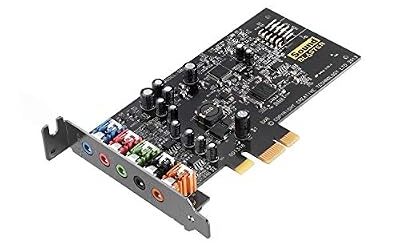
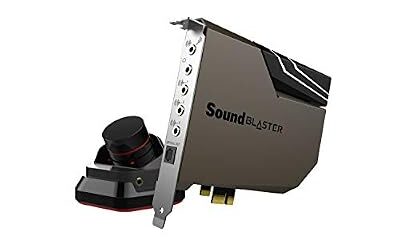
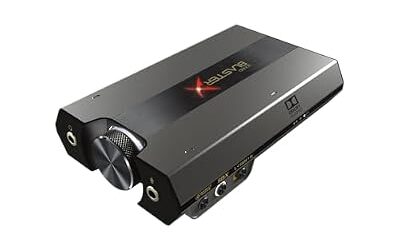
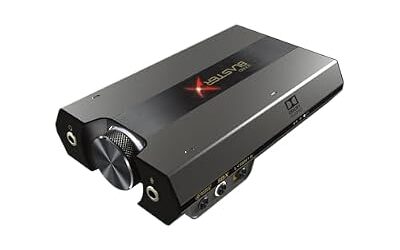
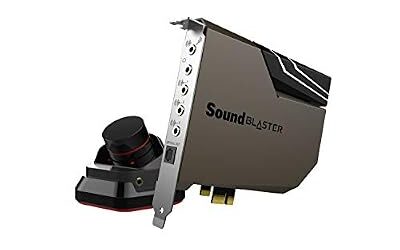
A gaming sound card such as a Sound Blaster is built to play audio well, with virtual surround and a headphone amplifier. Recording is a different job. It needs clean microphone preamps, phantom power for condenser microphones, instrument inputs and drivers that deliver low latency to your recording software. That is why “sound card” in a recording context almost always means an audio interface. This guide covers the interfaces reviewers most often name for home studios, how ASIO latency works, and which one matches voice acting, guitar, podcasting or full band tracking.
Sound Card vs Audio Interface: What Changes for Recording
An internal gaming sound card usually offers a line input and a basic microphone input. It typically lacks balanced XLR inputs, 48V phantom power and gain stages designed for studio condenser or dynamic microphones, so it rarely makes sense for serious vocal or instrument work. An audio interface adds those pieces in a small box that sits on your desk, away from the electrical noise inside a PC case.
The interface also converts audio in both directions. Analog-to-digital converters turn your microphone signal into data for your digital audio workstation (DAW), and digital-to-analog converters send playback to your monitors and headphones. Most current USB interfaces in this class list 24-bit conversion at sample rates up to 96 kHz or 192 kHz, which is more than most home recording needs.
- Internal gaming sound card: best for games, movies and headphone gaming. Weak fit for microphones that need XLR and phantom power.
- USB audio interface: best for recording vocals, guitar, podcasts and voice work, plus monitoring on speakers and headphones.
- Onboard motherboard audio: fine for casual playback, not suited to latency-sensitive recording.
Best Sound Cards for Recording and Home Studio: Quick Comparison
| Model | Tier | Best for | Key stated features | Limits |
|---|---|---|---|---|
| Behringer UMC202HD | Budget | First interface, podcasts | Two mic/line inputs, phantom power, USB | Basic software bundle |
| Focusrite Scarlett Solo (4th Gen) | Budget | Solo vocalist or guitarist | One mic preamp, one instrument input, Auto Gain | Only one mic input |
| Audient EVO 4 | Budget | Beginners | Two inputs, Smartgain, compact desktop design | Two inputs, modest I/O |
| PreSonus Studio 24c | Budget | MIDI users on a tight plan | Two preamps, MIDI in/out, LED metering | Less polished software |
| Focusrite Scarlett 2i2 (4th Gen) | Mid-range | All-round home studio | Two inputs, Auto Gain, Clip Safe, Air mode | Not much routing flexibility |
| Universal Audio Volt 2 | Mid-range | Vocals with analog character | Two inputs, 610 preamp mode, USB-C | Plugin bundle needs registration |
| MOTU M2 | Mid-range | Metering and monitoring | Two inputs, color meters, MIDI I/O | Gain set manually, lean bundle |
| Audient iD4 MKII | Upper tier | Solo recording quality | Single console-style mic preamp, headphone out | One mic input |
| SSL 2+ | Upper tier | Producers wanting more preamp character | Two inputs, 4K-style listen mode as listed by the maker | Costs more than mid-range options |
How ASIO Latency Works: Best ASIO Sound Cards Explained
ASIO is a Windows driver standard that lets recording software talk to your audio hardware directly, skipping the general Windows mixer. The result is lower and more stable latency, which is the delay between playing a note and hearing it back. When people search for the best ASIO sound cards, they are really looking for hardware with a dedicated ASIO driver from the maker, or a class-compliant device that works through a reliable generic driver.
Latency depends on buffer size. A smaller buffer reduces delay but demands more from your CPU, and if it is set too low you may hear clicks and crackles. A common approach is to track with a small buffer, then raise it while mixing when you no longer need instant monitoring. Many interfaces also offer direct monitoring, where the input is routed to your headphones inside the interface with essentially no delay, so a singer can hear themselves without any DAW round-trip.
- Install the maker’s driver before you plug the interface in, and select it as the audio device in your DAW.
- Start with a buffer around 128 samples for tracking and raise it if you hear dropouts.
- Use a USB port directly on the motherboard rather than a front-panel header or an unpowered hub.
- Close browsers and background apps while recording.
Makers publish their own driver pages for Windows and macOS. Linux users should look for class-compliant support and check the maker’s driver page and community forums before buying.
Preamps and Phantom Power: What to Look For
The preamp raises a quiet microphone signal to a usable level. Gain range matters most if you use a low-output dynamic microphone. One roundup reports that the Scarlett 2i2 (4th Gen) preamps offer enough gain to drive a demanding dynamic microphone like the Shure SM7B without an inline booster, though that is a reviewer statement, so confirm gain figures in the maker’s specifications if you plan to use hard-to-drive microphones.
Phantom power, usually labeled 48V, is a small voltage sent down the XLR cable to power condenser microphones. Dynamic microphones do not need it. Ribbon microphones can be damaged by phantom power if wired or used incorrectly, so read the microphone’s manual before switching it on. Always lower the volume before enabling phantom power to avoid a loud pop through monitors or headphones.
Best Sound Cards for Music Production by Tier
Budget Interfaces
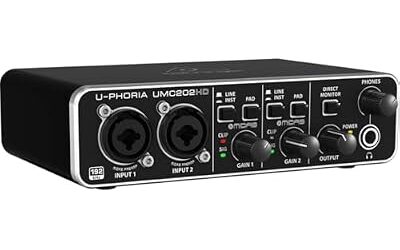
Behringer UMC202HD – Best for the Tightest Budget
Two mic/line inputs · phantom power · USB bus power · Midas-designed preamps as listed by the maker
The UMC202HD is the budget option reviewers mention most often. It gives two XLR/quarter-inch combo inputs, so you can record a vocal and a guitar at once. Reviewers describe it as a solid starter, with the caveat that the converters and preamps are not at the level of pricier models. It suits podcasts, streaming voice and beginner songwriting.

Behringer UMC202HD Audiophile 2x2, 24-Bit/192 kHz USB Audio Interface with Midas Mic Preamplifiers | For Recording Microphones and Instruments
Included for 'Best Sound Cards and Audio Interfaces for Music Production and Recording' as a representative home product in this roundup; selection reflects the product set returned for this topic.
View on AmazonFocusrite Scarlett Solo (4th Gen) – Best for Solo Vocalists and Guitarists
One mic preamp · one instrument input · Auto Gain · USB-C
The Solo is a compact interface for one person recording one source at a time. Its Auto Gain and Clip Safe features, listed by the maker, help set levels automatically. If you will ever record two microphones together, such as a duet or a stereo pair, step up to the 2i2.

Focusrite Scarlett Solo 4th Gen USB-C Audio Interface | 1 XLR Mic Preamp, 1 Hi-Z Instrument Input, 24-Bit/192kHz, 120dB Dynamic Range, Air Modes, PC/Mac/iPad Compatible
Included for 'Best Sound Cards and Audio Interfaces for Music Production and Recording' as a representative home product in this roundup; selection reflects the product set returned for this topic.
View on AmazonAudient EVO 4 – Best for Absolute Beginners
Two inputs · Smartgain level setting · desktop-friendly layout · USB
Roundups recommend the EVO 4 to newcomers because setup is simple. Its Smartgain function adjusts input levels for you. The small size and straightforward controls make it a sensible fit for a bedroom desk, though routing options are limited compared with larger interfaces.

Audient EVO 4 USB Audio Interface
Included for 'Best Sound Cards and Audio Interfaces for Music Production and Recording' as a representative home product in this roundup; selection reflects the product set returned for this topic.
View on AmazonPreSonus Studio 24c – Best Budget Pick with MIDI
Two preamps · MIDI in/out · LED metering · 24-bit conversion
The Studio 24c lists XMAX-L preamps and five-pin MIDI ports, handy if you connect a keyboard or hardware synth without a separate MIDI interface. It also bundles PreSonus recording software at the maker’s discretion, so check what ships with the current version.

PreSonus Studio 24c 2x2, 192 kHz, USB Audio Interface with Studio One DAW Recording Software
Included for 'Best Sound Cards and Audio Interfaces for Music Production and Recording' as a representative home product in this roundup; selection reflects the product set returned for this topic.
View on AmazonMid-Range Interfaces
Focusrite Scarlett 2i2 (4th Gen) – Best Overall for Most Home Studios
Two inputs · Auto Gain · Clip Safe · Air mode · USB-C
Most roundups name the 2i2 their top pick for home studios. It handles two sources at once, makes level-setting easy and has wide software and driver support. Producers who want a bit more routing control or physical metering may prefer other models, but for most recording, voice-over and streaming setups it is the safe default.

Focusrite Scarlett 2i2 4th Gen USB-C Audio Interface | 2 Mic Preamps, 2 Hi-Z Instrument Inputs, 24-Bit/192kHz, 120dB Dynamic Range, Auto Gain, Clip Safe, Air Modes
Included for 'Best Sound Cards and Audio Interfaces for Music Production and Recording' as a representative home product in this roundup; selection reflects the product set returned for this topic.
View on AmazonUniversal Audio Volt 2 – Best for Analog Character on a Budget
Two inputs · 610 vintage preamp mode · USB-C · UAD software offer
The Volt 2 includes a built-in mode that emulates a classic tube-style preamp sound, which suits vocals and guitars where you want warmth. The maker pairs it with a plugin bundle through its own software account, so factor in registration time. It tracks well for singer-songwriters.

Universal Audio Volt 2 USB Audio Interface | 2x2 USB-C interface with 610 tube emulation and MIDI for musicians, podcasters and streamers
Included for 'Best Sound Cards and Audio Interfaces for Music Production and Recording' as a representative home product in this roundup; selection reflects the product set returned for this topic.
View on AmazonMOTU M2 – Best for Metering and Monitoring Accuracy
Two inputs · full-color meters · five-pin MIDI I/O · ESS Sabre-class DAC as listed by the maker
Reviewers praise the M2 for its on-device metering and clean monitoring. Gain is set manually with no auto-gain feature, and the bundled software is thinner than rivals. Pick it if you want to see exact input and output levels at a glance.

MOTU M2 USB-C Audio Interface
Included for 'Best Sound Cards and Audio Interfaces for Music Production and Recording' as a representative home product in this roundup; selection reflects the product set returned for this topic.
View on AmazonUpper-Tier Interfaces
Audient iD4 MKII – Best for a Single High-Quality Mic Preamp
One console-style preamp · one instrument input · headphone output · USB-C
The iD4 MKII is aimed at solo vocalists and instrumentalists who only need one microphone input but want better preamp character and build quality. It lacks a second mic channel, which matters if you record duets.

Audient Audio Interface iD4 MKII, Class A Console Microphone Preamp (High Speed USB-C, Monitor Mix and Monitor Panning Function, 2 Headphone Outputs, Mac/PC/iOS Compatible), Black
Included for 'Best Sound Cards and Audio Interfaces for Music Production and Recording' as a representative home product in this roundup; selection reflects the product set returned for this topic.
View on AmazonSSL 2+ – Best for Producers Wanting More Preamp Character
Two mic/line inputs · two headphone outputs · 4K-style mode · USB
Some reviewers rate the SSL 2+ and the MOTU M2 as measurably stronger on preamp performance for demanding work. The extra cost buys character and build quality, but it will not turn poor microphone technique into great recordings. Consider it if you already own good microphones and a treated room.
Best Sound Cards for Voice Acting and Audio Editing
For voice acting, the interface matters less than the microphone, the room and the preamp gain. A single clean preamp, such as the Scarlett Solo, Audient iD4 MKII or UMC202HD, is usually enough, and a dynamic microphone in a quiet, soft-furnished room can beat a condenser in an echoing one. Choose an interface with enough gain for your microphone, a reliable headphone output and low-latency monitoring.
For audio editing alone, any interface with a quality headphone output and a stable ASIO driver works. You do not need multiple inputs if you only edit and mix. A DAC with a good headphone amplifier is the real requirement, and even many cheap interfaces meet it.
Best Sound Cards for Pro Tools
Pro Tools works with audio interfaces through ASIO on Windows and Core Audio on macOS, and Avid also sells its own hardware. Compatibility depends on your Pro Tools version, so look at Avid’s compatibility page and the interface maker’s driver notes before you buy. Focusrite, MOTU, PreSonus, Audient and Universal Audio each publish driver pages for current Windows and macOS releases. If you work in a shared studio, matching the interface to the one used by collaborators avoids routing surprises.
Pick X If… Decision Table
| Pick this | If you |
|---|---|
| Behringer UMC202HD | Want the cheapest working recording setup and accept basic extras |
| Scarlett Solo (4th Gen) | Record one voice or one guitar at a time |
| Audient EVO 4 | Are brand new and want simple setup |
| PreSonus Studio 24c | Need MIDI ports and a low-cost bundle |
| Scarlett 2i2 (4th Gen) | Want a dependable all-rounder with broad support |
| Universal Audio Volt 2 | Like a warm vintage-style preamp sound for vocals |
| MOTU M2 | Value visible metering and clean monitoring |
| Audient iD4 MKII | Need one top-quality preamp and compact size |
| SSL 2+ | Want more preamp character and have a treated room |
Alternatives to a Standard USB Audio Interface
- USB microphone: simple for podcasts and streaming, but you cannot upgrade the microphone or preamp separately.
- Gaming PCIe sound card with line input: usable for playback and line-level sources, though not designed around XLR microphones and phantom power.
- Larger multi-input interface: if you record drums or bands, look at four or eight preamp models from the same makers once you outgrow two inputs.
Setting Up an Interface for the First Session
- Install the maker’s driver and software, restart if prompted, then connect the interface by USB.
- In your DAW, choose the interface as both input and output device and, on Windows, select its ASIO driver.
- Connect your microphone with an XLR cable, enable 48V only for condenser microphones and set the gain so peaks stay below clipping.
- Turn on direct monitoring if the interface offers it, and set headphone volume low before you start.
- Record a short test, check for clicks, and raise the buffer size if you hear them.
Fit and Compatibility Notes
- USB-C vs USB-A: many current models use USB-C. Use the cable supplied by the maker and plug into a motherboard port.
- Bus power: most desktop interfaces in this class draw power over USB. Laptops with weak ports may need a powered hub, per the maker’s guidance.
- Driver support: confirm Windows ASIO, macOS and Linux notes on the maker’s driver page.
- Monitors: outputs are usually balanced quarter-inch or RCA, so match your studio monitors’ inputs and use proper cables.
Frequently Asked Questions
What are the best sound cards for recording?
For recording, the best choice is a USB audio interface rather than a gaming sound card. The Focusrite Scarlett 2i2 (4th Gen) is the most commonly named all-rounder, with the MOTU M2 and Universal Audio Volt 2 as popular alternatives. Choose by input count and microphone needs.
What are the best sound cards for a home studio?
Most home studios do well with a two-input interface such as the Scarlett 2i2, Volt 2 or MOTU M2. Add a pair of studio monitors and closed-back headphones. Upgrade to more inputs only if you record multiple sources at once.
Are the best ASIO sound cards all internal cards?
No. ASIO is a driver standard, and most good ASIO hardware today is external USB. Look for a maker-supplied ASIO driver and stable low-latency performance reported by users in your DAW.
What is the best sound card for Pro Tools?
Any interface that Avid lists as compatible with your Pro Tools version is a safe choice. Many Focusrite, MOTU, PreSonus and Audient interfaces work through ASIO or Core Audio. Confirm on Avid’s compatibility page before purchasing.
What is the best sound card for voice acting?
A single clean preamp with enough gain for your microphone is enough. The Scarlett Solo, Audient iD4 MKII and Behringer UMC202HD are common single-voice options. Room treatment and microphone choice affect results more than the interface.
Do I need phantom power?
Only if your microphone is a condenser type. Dynamic microphones do not need it, and ribbon microphones need care, so read the microphone’s manual. Turn monitor volume down before switching 48V on or off.