🛒 Best Price Today on Amazon
Prime members get fast, free shipping on everything above, plus member-only deals. New members get a 30-day free trial — cancel anytime.
- What Onboard Audio Is and Why It Is Usually Enough
- Dedicated Sound Cards vs USB DAC/Amps: The Three Options
- When a Dedicated Sound Card or DAC Helps
- When You Do Not Need One
- Best Sound Cards for Computer: By Situation
- Best Motherboard Built-In Sound Cards
- Best Dedicated Sound Cards
- Sound Cards on Linux and Mac
- Safety and Setup Notes
- Frequently Asked Questions
Updated November 2026 – Do you need a sound card? For most PC gamers, no: modern motherboard audio built on Realtek codecs such as the ALC1220 or ALC4080 handles typical 32 to 60 ohm gaming headsets well. A dedicated card or USB DAC/amp only pays off with high-impedance headphones, a noisy onboard output, or a need for optical out and extra inputs.
The rest of this guide explains what onboard audio actually is, what a dedicated sound card or external DAC adds, the situations where it makes an audible or practical difference, and the situations where it is wasted money. It also covers driver support on Windows, macOS and Linux, and gives a table by situation so you can decide in a minute. Nothing here is a benchmark: it summarizes what makers list and what reviewers and enthusiast forums commonly report.
What Onboard Audio Is and Why It Is Usually Enough
Onboard audio is the sound hardware built into your motherboard. At its center is a codec chip, most often from Realtek, such as the ALC1220 on many mid-range boards or the ALC4080 USB-based codec used on many newer boards. The codec contains the digital-to-analog converter (DAC) that turns game audio into the analog signal sent to your headphone or speaker jacks, plus the analog-to-digital converter for the microphone input.
Board makers usually place this circuitry on an isolated section of the board with separate ground layers and audio-grade capacitors, to keep interference from the CPU and graphics card out of the signal. Reviewers generally agree that for everyday gaming, Discord chat, streaming video and music, this is clean enough that most people cannot tell it apart from a dedicated card in casual listening.
- It costs nothing extra because it is already on the board.
- It supports stereo and, on most boards, analog 5.1 or 7.1 jacks.
- It does not affect frame rates in any meaningful way, and a sound card will not raise your FPS or lower your input lag.
Dedicated Sound Cards vs USB DAC/Amps: The Three Options
There are three ways to get audio out of a PC, and each suits different needs.
| Option | What it is | Strengths | Limits |
|---|---|---|---|
| Onboard audio (Realtek ALC) | Codec chip on the motherboard | Free, simple, enough for most headsets | Varies by board; limited drive power for demanding headphones |
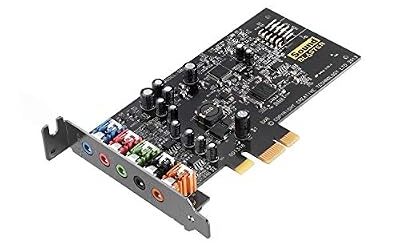
| Dedicated PCIe sound card | Internal card such as a Sound Blaster | Headphone amp modes, optical out, extra inputs, surround features | Sits inside the case; needs a slot; driver software varies |
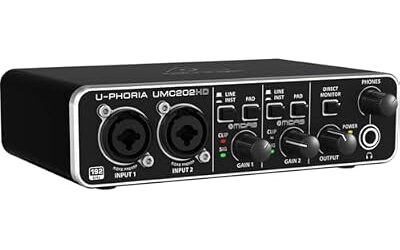
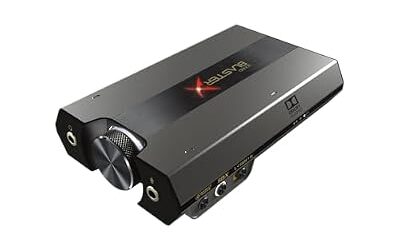
| USB DAC/amp | External box or dongle | Away from case noise; portable across devices; plug and play | Another device on the desk; headphone amp strength varies by model |
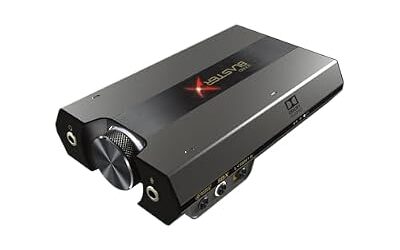
A reviewer-recurring point is that an external USB DAC/amp is often the better choice over an internal card. Because it sits outside the case, it is isolated from the electrical activity near the graphics card, and it works with laptops, consoles and phones as well. Enthusiast guides commonly name entry-level units from FiiO, such as the K3, and more powerful ones such as the K5 Pro for demanding headphones. Treat those as examples of the category, and read the maker’s specification page for output power before you buy.
When a Dedicated Sound Card or DAC Helps
High-Impedance Headphones
Impedance is measured in ohms and describes how much electrical resistance a headphone presents. Typical wired gaming headsets list roughly 32 to 60 ohms, which a basic motherboard output can drive without strain. Studio-style headphones rated at 150 ohms or more need more voltage, and sources disagree on where the line falls: some guides say 80 ohms and above, others say 150 ohms and above. If your headphones are in that range and sound quiet or flat with Windows volume pinned near maximum, a headphone amplifier is the fix.
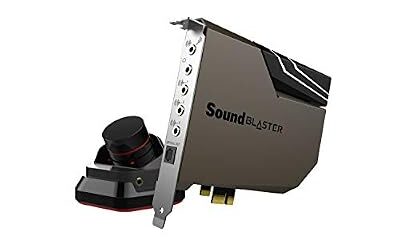
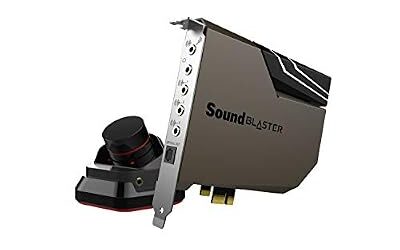
Some cards address this directly. Creative lists a high-gain headphone mode on the Sound Blaster AE-9 aimed at 150 to 600 ohm headphones, and reviewers cite it as a main reason to choose that card. Check the maker’s page for the exact mode names and any power-header requirement, since the AE-9’s control module needs extra power from the PC.
Noisy Microphone or Hissy Output
If your onboard output produces a buzz that changes when you move the mouse or when the graphics card is under load, an external DAC avoids the problem by moving the conversion outside the case. A dedicated microphone interface or a USB microphone does the same for a noisy mic input, bypassing the motherboard’s microphone jack entirely.
Optical Out and Extra Connections
Some boards omit an optical S/PDIF output. A dedicated card can add one for connecting a receiver or soundbar, and some Sound Blaster models list Dolby Digital Live or DTS Connect encoding over optical. If your speakers or receiver only accept optical or coaxial digital, this is a legitimate reason for a card. If your GPU can output audio over HDMI to the receiver, you may not need one at all.
Surround and Software Features
Cards from Creative offer virtual 7.1 for headphones and software control panels with equalizers and profiles. Reviewers who like these features describe them as taste-dependent, and some players prefer to leave audio processing off and use the game’s own settings.
When You Do Not Need One
- You use a USB or wireless headset. These contain their own DAC and amplifier and never touch the motherboard audio. A sound card adds nothing.
- You use standard 32 to 60 ohm headphones. Onboard audio is typically adequate.
- You want better FPS. Audio hardware does not meaningfully change frame rate.
- You use HDMI or DisplayPort audio to a monitor or TV. The audio is handled by the display or receiver.
A practical check from enthusiast guides: if Windows volume sits at 90 to 100 percent and the sound is still weak or compressed, you likely need more amplification. If volume is comfortable at normal levels, a new card will not transform what you hear.
Best Sound Cards for Computer: By Situation
| Situation | Best route | Why |
|---|---|---|
| Wired 32 to 60 ohm gaming headset | Onboard audio | Enough drive power; no extra cost |
| USB or wireless headset | Nothing extra | Headset has its own DAC and amp |
| 250 ohm studio headphones | USB DAC/amp or card with high-gain mode | More voltage headroom |
| Interference or buzz from onboard output | External USB DAC | Moves conversion outside the case |
| Receiver or soundbar needing optical | Card with optical out, or HDMI audio | Adds digital output if the board lacks it |
| Laptop or console too | USB DAC/amp | Portable and works across devices |
| Recording with XLR microphones | Audio interface | Preamps and phantom power |
Best Motherboard Built-In Sound Cards
People searching for the best motherboard built sound cards usually want to know which onboard audio is good enough. The practical answer is to look at the codec and the isolation features the board maker lists. Realtek ALC1220 and the USB-based ALC4080 appear on many current boards, and makers often add separate audio PCB layers, audio capacitors and a headphone amplifier on higher-end models. Marketing names differ between brands, so read the board’s specification sheet and the manual for the audio section. If you plan to use demanding headphones, look for a board that lists a front-panel headphone amplifier, and still treat an external DAC as the safer route.
Best Dedicated Sound Cards
For a dedicated card, the products reviewers most often name are from Creative. The Sound Blaster AE-9 lists an ESS SABRE-class 9038 DAC, 129 dB dynamic range, 32-bit/384 kHz PCM and DSD64 playback, both optical in and out, and a removable control module. The Sound Blaster AE-7 lists a 127 dB dynamic range DAC from the SABRE class, discrete 5.1 output and virtual 7.1, and optical out with Dolby Digital Live and DTS Connect encoding. Older Sound Blaster Z-series and ASUS Xonar cards are previous generation, so buying new stock is uncertain and you should rely on the maker’s current lineup. These are specifications from the makers, not measured results.
Sound Cards on Linux and Mac
Best sound cards for Linux: most onboard Realtek codecs work through the standard Linux audio stack, and USB DACs that follow the USB Audio Class standard are typically plug and play. Creative’s PCIe cards and their control software are built for Windows, so Linux support for advanced features is not something to assume. Read the maker’s driver page and community reports for your distribution before buying.
Best sound cards for Mac: Macs generally use USB DACs and audio interfaces rather than internal cards. Class-compliant USB DAC/amps work with macOS without extra drivers in most cases, though a few makers provide optional control software. Check the maker’s driver page for your macOS version, and note that PCIe cards are not an option on most Macs.
| System | Onboard | PCIe card | USB DAC/amp |
|---|---|---|---|
| Windows | Realtek driver from the board maker | Maker driver and control app | Usually plug and play; some offer an app |
| macOS | Built-in audio | Generally not applicable | Class-compliant models usually work |
| Linux | Common codecs generally supported | Check maker and community notes | Class-compliant models usually work |
Safety and Setup Notes
- Power down and unplug the PC before installing a PCIe card, and ground yourself before touching internal components.
- If a card needs a power header, use the correct connector from your power supply per the maker’s manual. Never open a power supply.
- Keep volume low when switching between high-gain and normal modes, and when plugging in sensitive headphones, to protect your hearing.
- If you disable onboard audio in the BIOS, the menu name varies by motherboard maker, so consult the board manual.
Frequently Asked Questions
Do you need a sound card for PC gaming?
No, not for most players. Onboard Realtek audio drives standard gaming headsets well, and USB or wireless headsets bring their own DAC. A card or DAC matters mainly for high-impedance headphones, interference, or missing optical output.
What are the best dedicated sound cards?
Reviewers most often name Creative’s Sound Blaster AE-9 and AE-7 among current internal cards. The AE-9 targets demanding headphones, while the AE-7 is the lower-cost option with similar features. Confirm current stock on the maker’s page.
Is a USB DAC better than a sound card?
Often it is the more practical choice. A USB DAC/amp sits outside the case, away from interference, and also works with laptops, consoles and phones. A PCIe card offers internal installation and extra features like optical connections.
Will a sound card improve FPS or reduce lag?
No. A sound card changes audio quality and connections, not graphics performance. Any gain in frame rate from offloading audio processing is too small to rely on.
What are the best sound cards for Linux and Mac?
Class-compliant USB DAC/amps are the safest choice on both. Most internal gaming cards are designed around Windows software. Check the maker’s driver page and user reports before buying.
How do I know if my headphones need an amplifier?
Look at the impedance rating in ohms. Headphones above roughly 80 to 150 ohms, depending on the source, may sound quiet from onboard audio. If volume is near maximum and the sound is still weak, an amplifier or DAC/amp is worth considering.