🛒 Best Price Today on Amazon
Prime members get fast, free shipping on everything above, plus member-only deals. New members get a 30-day free trial — cancel anytime.
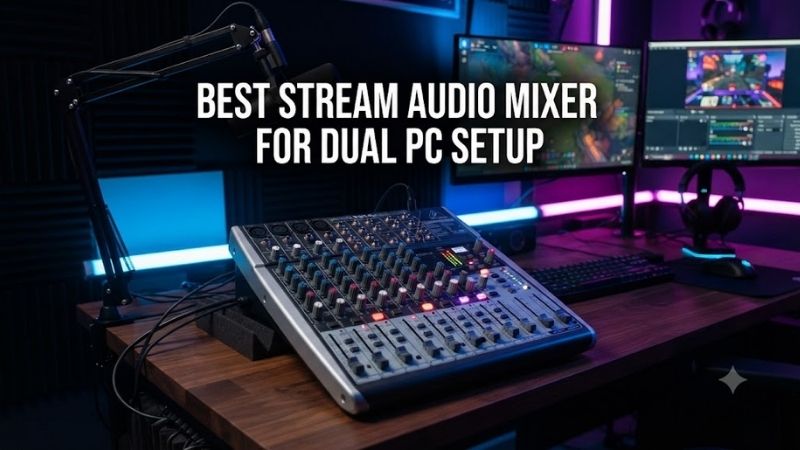
The best stream audio mixer for dual PC setup builds must manage audio between a gaming computer and a separate streaming computer without producing echoes or complicated monitoring problems. Dedicated dual-USB mixers simplify this process, while traditional mixers can use analog or network connections. This guide compares six audio mixing solutions and explains which connection arrangements actually work.
Quick Verdict
Best Overall: RØDECaster Duo. Its two USB-C interfaces make it an especially practical choice for gamers who want direct audio connectivity to both computers.
Best Audio and Video Integration: Roland BRIDGE CAST X. The device combines dual-computer audio routing with HDMI capture functionality and dedicated stream-monitoring controls.
Best Premium Production Mixer: RØDECaster Pro II. Four physical faders, sophisticated routing, and multiple audio inputs suit streamers who also record podcasts or interviews.
Best for Analog Second-PC Routing: Yamaha AG08. This approach makes sense when one computer connects through USB and the second through an appropriate analog audio feed.
Quick Comparison Table
| Product | Second PC Connection | Main Advantage | Best For |
|---|---|---|---|
| RØDECaster Duo | Second USB-C interface | Direct dual-host audio | Best overall |
| Roland BRIDGE CAST X | Dual USB-C plus HDMI | Audio and video integration | Gaming streams |
| RØDECaster Pro II | Second USB-C interface | Advanced production routing | Premium setups |
| Yamaha AG08 | Analog stereo input | Physical faders and DSP | Analog dual-PC |
| Mackie DLZ Creator | NDI/network workflow | Advanced production mixer | Network studios |
| Yamaha ZG01 | Analog source plus USB host | Compact gaming control | Simple hybrid setups |
The last three options do not provide two equivalent simultaneous USB audio interfaces. Their additional PC routes require the connections and software described in the individual sections.
How We Selected These Mixers
We prioritized products that can support a workable audio path between two separate computers.
Direct dual-USB capability received particular attention because it can simplify routing compared with analog cable combinations.
However, a single-USB mixer can still work in a dual-PC setup when its analog or network inputs support the required signal.
We evaluated routing flexibility, monitoring controls, microphone support, physical faders, software integration, and the ability to avoid duplicated or echoed audio.
The recommendations do not assume that connecting cables alone automatically produces a correct streaming configuration.
Detailed Product Recommendations
1. RØDECaster Duo — Best Overall
Best For: Gamers using one PC for gameplay and another for OBS streaming.
Why We Picked It: The RØDECaster Duo includes two USB-C audio interfaces, extensive channel routing, and compact physical controls.
Key Specifications
-
Two USB-C interfaces
-
Four physical faders
-
Three additional virtual faders
-
Two XLR/TRS combo inputs
-
Two independent headphone outputs
-
Programmable SMART pads
-
APHEX audio processing
-
Integrated touchscreen
Features and Benefits
The two USB connections are the key advantage.
One computer can provide game audio while the other handles streaming software, microphone processing, or communication.
The mixer can route these signals through configurable channels.
This reduces dependence on separate analog sound cards and extra conversion cables.
Its physical faders also allow immediate volume adjustments during a livestream.
Performance and Practical Use
The RØDECaster Duo can create separate monitoring and streaming arrangements, but these must be configured correctly.
For example, microphone audio should reach the intended streaming mix without being fed back into the gaming computer’s communication return.
This may require a mix-minus configuration or appropriate custom routing.
The Duo is also suited to creators who record commentary, interviews, or podcasts.
Pros
-
Two USB-C host connections.
-
Flexible digital routing.
-
Physical and virtual faders.
-
Microphone processing.
-
Compact desktop form.
Cons
-
Requires learning its routing configuration.
-
More expensive and sophisticated than a basic analog mixer.
Buy If: You want direct two-computer audio integration with extensive stream control.
Skip If: You only need one microphone and a simple line-level audio feed.
2. Roland BRIDGE CAST X — Best Audio and Video Integration
Best For: Dual-PC gaming streams requiring coordinated audio control and HDMI capture.
Why We Picked It: Roland provides a documented two-computer configuration using USB I, USB II, and HDMI connectivity.
Key Specifications
-
Two USB-C computer connections
-
Two HDMI inputs
-
HDMI passthrough
-
USB video capture output
-
Dual audio buses
-
XLR microphone input
-
Hardware DSP effects
-
Six assignable control pads
Features and Benefits
The BRIDGE CAST X is unusual because it combines a streaming audio mixer with video capture.
A gaming PC can connect through one USB interface and an appropriate HDMI path, while the streaming PC receives the intended audio and video signals.
The dual-bus design allows separate mixes for the player and stream audience.
This is valuable because stream viewers may need different music or voice levels from the player.
Performance and Practical Use
The HDMI capture function has specific supported input modes.
It should not be assumed to capture every resolution or refresh rate supported by modern graphics cards.
Roland’s documented dual-PC setup uses defined HDMI and USB connections, along with its driver and application.
Pros
-
Native dual-computer integration.
-
Audio mixing and video capture.
-
Independent monitoring and stream buses.
-
Dedicated gaming audio effects.
Cons
-
More complicated than an audio-only interface.
-
HDMI input and capture format restrictions.
Buy If: You want one device managing much of your two-PC gaming production.
Skip If: You already have a capture card and only need basic audio distribution.
3. RØDECaster Pro II — Best for Advanced Streaming Production
Best For: Streamers combining dual-PC gaming with multiple microphones, guests, and complex audio routing.
Why We Picked It: The Pro II provides the dual-USB capability of the RØDECaster ecosystem with additional physical microphone inputs and production controls.
Key Specifications
-
Two USB-C computer interfaces
-
Four XLR/TRS combo inputs
-
Nine individually assignable channels
-
Six physical faders
-
SMART pads
-
APHEX processing
-
Multitrack recording support
Features and Benefits
The Pro II is well suited to creators who produce more than gaming streams.
Its additional microphone inputs can support multiple speakers without requiring an external microphone preamp for every guest.
The mixer also provides substantial routing flexibility for separating game audio, communication applications, music, and microphone channels.
This can simplify post-production when individual tracks are recorded separately.
Performance and Practical Use
The additional capabilities come with a larger physical footprint and more extensive configuration options.
A streamer who only needs two computers and one microphone may not benefit from all the additional channels.
Pros
-
Dual USB-C interfaces.
-
Four microphone inputs.
-
Physical faders.
-
Extensive production and recording features.
Cons
-
Larger and more complex than the Duo.
-
Potentially excessive for a basic gaming stream.
Buy If: You want a versatile production console for gaming, podcasts, and interviews.
Skip If: You need only a simple two-source mixer.
4. Yamaha AG08 — Best for Analog Dual-PC Routing
Best For: Streamers who prefer physical faders and can connect the second PC through analog audio.
Why We Picked It: The AG08 offers several audio input channels, streaming-oriented controls, and onboard processing.
Key Specifications
-
USB-C computer audio interface
-
Multiple analog audio inputs
-
Eight-channel mixing arrangement
-
Physical faders
-
Onboard audio processing
-
Programmable sound pads
-
Streaming-oriented output configuration
Features and Benefits
The AG08 is a practical option when the gaming PC provides audio through a suitable analog output and the streaming computer connects through USB.
It allows the user to manage several audio sources using physical controls.
The mixer is also useful for integrating music, microphones, and external sound sources.
Performance and Practical Use
The important limitation is that the AG08 does not provide two independent equivalent USB host interfaces.
A dual-PC configuration requires the appropriate analog connection and routing.
Analog cables can also introduce ground-loop noise when connecting two separately powered computers.
Correct gain staging and suitable cable arrangements are important.
Pros
-
Several physical control channels.
-
Dedicated streaming functions.
-
Useful analog inputs.
-
Audio processing.
Cons
-
Not native dual-USB.
-
Second-PC analog connection may require troubleshooting.
Buy If: You want physical mixing controls and are comfortable with analog routing.
Skip If: You specifically want both PCs connected through separate USB audio interfaces.
5. Mackie DLZ Creator — Best for Network-Based Production
Best For: Advanced streamers using OBS and NDI-compatible network workflows.
Why We Picked It: The DLZ Creator supports sophisticated digital mixing alongside network-based audio integration.
Key Specifications
-
Digital touchscreen mixer
-
Multiple microphone inputs
-
USB audio interface
-
NDI connectivity
-
Physical faders
-
Onboard audio processing
-
Multitrack recording functions
Features and Benefits
The DLZ Creator suits studios that already use networked audio or video production.
Instead of relying entirely on multiple USB host connections, a second computer can be incorporated through a properly configured network workflow.
This is especially useful when a production environment includes additional computers or network-capable streaming software.
Performance and Practical Use
NDI setup requires supported software, network connectivity, and correct audio routing.
It is not equivalent to connecting a second USB cable.
Users should confirm that their specific OBS and NDI software versions support the intended input and output arrangement.
Pros
-
Sophisticated production controls.
-
Network audio possibilities.
-
Multiple microphone inputs.
-
Useful for broader content production.
Cons
-
Complex configuration.
-
Requires network infrastructure and compatible software.
-
Not a native dual-USB-host solution.
Buy If: Your streaming studio already uses NDI or other network production workflows.
Skip If: You want the simplest possible two-PC audio connection.
6. Yamaha ZG01 — Best Compact Hybrid Gaming Mixer
Best For: Gamers who need a compact gaming-focused audio mixer with an additional source path.
Why We Picked It: The ZG01 includes dedicated gaming audio controls, HDMI audio handling, microphone connectivity, and a USB-C computer interface.
Key Specifications
-
USB-C computer audio interface
-
Two HDMI inputs and one HDMI output
-
HDMI passthrough up to 4K 60Hz
-
XLR/TRS microphone input
-
Analog auxiliary connectivity
-
Gaming-oriented DSP
-
Dedicated chat and game controls
Features and Benefits
The ZG01 is primarily designed for gaming audio rather than general studio mixing.
It provides a convenient way to manage game audio, microphone levels, and communication applications.
For a two-computer setup, an additional source can be introduced through an appropriate analog or HDMI arrangement.
However, the ZG01 does not provide two independent USB host audio interfaces.
Performance and Practical Use
Its compact format is appealing for smaller streaming desks.
The main limitation is connection architecture.
Users should map the intended audio path before buying because HDMI passthrough does not automatically provide a complete second-PC streaming workflow.
The ZG01 also does not capture HDMI video.
Pros
-
Compact gaming design.
-
Dedicated audio controls.
-
USB and HDMI connectivity.
-
Onboard effects.
Cons
-
Not a dual-USB mixer.
-
HDMI passthrough limited to 4K 60Hz.
-
Additional routing setup required.
Buy If: You want compact gaming audio controls and have a compatible second-source arrangement.
Skip If: You need native dual-PC USB connectivity.
Buying Guide: Configuring Audio for Dual-PC Streaming
Choose Between USB, Analog, and Network Routing
Dual-USB mixers connect both computers through separate supported audio interfaces.
Analog mixers rely on line-level outputs and inputs.
Network mixers use software and network infrastructure to exchange audio.
The most appropriate method depends on how much configuration complexity you can tolerate.
Understand Mix-Minus
Mix-minus prevents a participant from hearing their own voice returned through the communication system.
In a two-PC streaming setup, incorrect routing can cause duplicated microphone audio or echo.
A mixer with configurable buses can help solve this, but the routing must be set correctly.
Separate Monitoring From Streaming Audio
The player may need loud gameplay and voice chat.
The audience may require louder commentary and quieter gameplay.
A useful streaming mixer should support those different priorities.
Hardware offering independent monitoring and stream mixes is particularly valuable.
Watch for Ground Loops
Connecting two grounded computers using analog audio cables can create unwanted noise.
Balanced connections, appropriate line-level routing, and genuinely suitable audio isolation may help.
Do not remove protective electrical grounding to eliminate hum.
Configure OBS Carefully
Verify that OBS receives the intended final mix once.
Avoid capturing the same game audio through both an HDMI capture device and a mixer output unless duplicate signals are intentionally managed.
Perform a local recording and inspect the result before streaming publicly.
Frequently Asked Questions
Do I need a mixer with two USB ports for dual-PC streaming?
No. A single-USB mixer can work with additional analog or network connections, but a dedicated dual-USB model often simplifies routing.
Can I hear both PCs through one headset?
Yes, when the mixer is configured to monitor audio from both computers.
Can I send microphone audio to both computers?
Many advanced mixers can route microphone audio to two computers, but the exact configuration depends on available buses and interfaces.
Does the Roland BRIDGE CAST X replace a capture card?
It provides HDMI video capture functionality for supported formats, but it does not replace every high-end capture-card capability.
Why does my stream echo?
Common causes include duplicated capture paths, microphone monitoring feedback, or an incorrectly configured communication return.
Conclusion
The RØDECaster Duo is the most balanced recommendation among the best stream audio mixer for dual PC setup options because it offers two USB-C interfaces, flexible routing, and manageable desktop controls. The Roland BRIDGE CAST X is ideal for combining audio and video production, while the RØDECaster Pro II suits larger streaming operations. Yamaha and Mackie alternatives can work through analog or network routing, but their additional configuration requirements should be considered before purchasing.