🛒 Best Price Today on Amazon
Prime members get fast, free shipping on everything above, plus member-only deals. New members get a 30-day free trial — cancel anytime.
- Best Sound Cards at a Glance
- Do You Need a Sound Card at All?
- Internal vs External: Which Type Should You Choose?
- Best Sound Cards for Computer: Internal Picks by Tier
- Best USB Sound Cards and External DACs
- Best Sound Cards for Windows 10 and Windows 11
- Best Motherboard Built-In Sound Cards: When Onboard Is Enough
- Best Dedicated Sound Cards by Use
- Specs Explained: SNR, DAC Chip, Amp, ASIO and Surround
- Pick X If… Decision Table
- Fit and Compatibility Notes
- Alternatives Worth Knowing
- Frequently Asked Questions
Updated November 2026 – For most desktop gamers the best PC sound cards start with the Creative Sound Blaster AE-7 (internal, balanced), the Sound Blaster AE-9 (internal flagship) and the Sound Blaster AE-5 Plus (internal, value), while laptop and console-and-PC players are better served by the Creative Sound BlasterX G6 or a FiiO K11 desktop DAC.
The best PC sound cards fall into two camps: internal PCIe cards that sit inside a desktop, and external USB sound cards and DACs that sit on the desk and work with any computer. Which camp suits you depends on whether you have a free slot, which headphones you own, and whether you need microphone inputs for recording or streaming. This guide walks through both camps, names the models that reviewers still cover in 2026, and states what each maker lists. Outlets cited are affiliate-style roundups in several cases, so treat their opinions as one input and read the maker pages for exact specifications.
Best Sound Cards at a Glance
| Model | Type | Best for | Key stated specs | Limits |
|---|---|---|---|---|
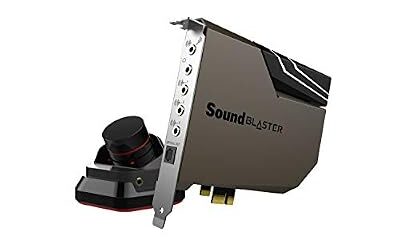
| Sound Blaster AE-9 | Internal PCIe + control module | Flagship quality, high-impedance headphones | 129 dB dynamic range, ESS SABRE-class 9038 DAC, 16-600 ohm headphone support | Needs a 6-pin power connector and a PCIe slot |
| Sound Blaster AE-7 | Internal PCIe | Best all-round internal pick | 127 dB DNR reported, up to 600 ohm headphones | Needs a free slot, desktop only |
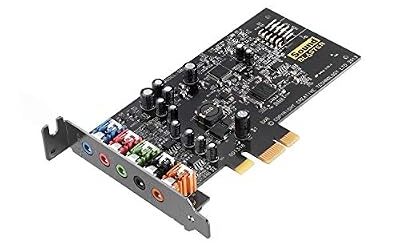
| Sound Blaster AE-5 Plus | Internal PCIe | Value gaming card with RGB | 122 dB DNR, Dolby Digital Live and DTS Connect encoding reported | No desktop volume module reported |
| Sound Blaster AE-X | Internal PCIe | Newer entry reported by 2026 roundups | 130 dB DNR reported by one outlet | Weakly sourced, read the maker page |
| ASUS Xonar SE | Internal PCIe | Budget upgrade over onboard audio | Stereo and 5.1 class card | Fewer outputs than Sound Blaster cards |
| Creative Sound BlasterX G6 | External USB | Laptops, consoles and PC | 130 dB DNR, 32-bit/384 kHz, 16-600 ohm Xamp | MicroUSB on the original, USB-C variant exists |
| FiiO K11 | External USB DAC/amp | Music-first desk setup | 1400 mW balanced reported, 4.4 mm and 6.35 mm outputs | No game-style surround features |
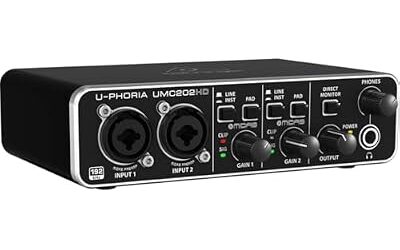
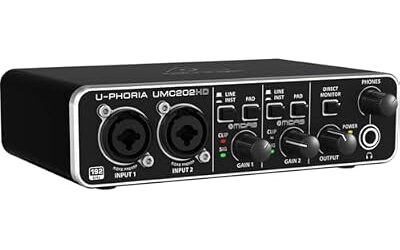
| Focusrite Scarlett Solo (4th Gen) | External audio interface | Recording vocals or guitar | XLR and 6.3 mm input, balanced monitor outputs | An interface, not a gaming sound card |
Do You Need a Sound Card at All?
Most modern motherboards ship with a decent onboard codec, so you only need a dedicated card when something specific is missing. Common reasons are a headphone amplifier strong enough for 250 or 600 ohm headphones, a lower noise floor, optical output, more outputs for a 5.1 or 7.1 speaker set, or a proper microphone input. A sound card does two jobs: it converts digital audio to analog with a DAC, and it amplifies the signal. Moving the DAC away from the noisy electrical environment of a motherboard is the main argument for an add-in or external unit.
If your headphones are low-impedance gaming headsets and you only game, the difference may be small, and a USB headset with its own DAC already bypasses the motherboard. If you own studio-style headphones or a good pair of open-backs, a dedicated DAC and amp is where reviewers most often report a clear improvement.
Internal vs External: Which Type Should You Choose?
Internal PCIe cards
Internal cards plug into a PCIe slot and use the case for power and shielding. They usually offer more outputs, such as separate front, rear and center/sub jacks plus optical, and they cost less per feature than external gear. The tradeoffs are that they work only in a desktop, take a slot that may be hidden under a large graphics card, and some, like the AE-9, need an extra power cable from the power supply.
External USB sound cards and DACs
External units connect by USB, work on laptops, and keep audio electronics away from the case heat and electrical noise. Many have a volume knob on the desk, which is handy. Their downside is cost per feature and the need for a spare USB port. Reviewers also note that bus-powered models can be limited in headphone power compared with units that use a wall adapter.
Best Sound Cards for Computer: Internal Picks by Tier
Premium tier
Creative Sound Blaster AE-9 – Best for flagship internal audio
The maker lists 129 dB dynamic range, an ESS SABRE-class 9038 DAC with PCM up to 32-bit/384 kHz and DSD64, a 1 ohm headphone output impedance and support for 16 to 600 ohm headphones. Outputs include stereo RCA, rear and center/sub 3.5 mm jacks, TOSLINK optical, and 3.5 mm and 6.35 mm headphone outputs on the external Audio Control Module. It uses a PCIe interface with a 6-pin power connector and lists Windows 8, 8.1, 10 and 11 support, with ASIO supported. Tech4Gamers describes it as aimed at gamers, audiophiles and content creators, and the cons reviewers cite are cost and the power cable. The maker’s driver page is the place to check recognition issues with your recording software.
Specs: 129 dB DNR · ESS SABRE-class 9038 · 16-600 ohm · PCIe with 6-pin power · ASIO
Mid-range tier
Creative Sound Blaster AE-7 – Best for most internal buyers
PropelRC and other roundups name the AE-7 the best overall internal card, crediting a 127 dB dynamic range, quad-core audio processing and a headphone stage that drives high-impedance headphones. Technize also lists it as the pick for buyers who want an internal card without paying for the flagship. It includes a desktop control module in many reviews, but read the box contents on the maker page before buying.
Specs: 127 dB DNR reported · up to 600 ohm headphones · quad-core processing · PCIe

Creative Sound Blaster AE-7 Hi-Res PCIe Gaming Sound Card and ACM | Hi-res, PCIe DAC, Headphone Amp, Xamp, Audio Control Module, Hi-Res Audio, Sound Card
Included for 'Best PC Sound Cards in 2026: Internal and External Options Compared' as a representative home product in this roundup; selection reflects the product set returned for this topic.
View on AmazonCreative Sound Blaster AE-X – Best for the newest internal card
Technize and SoundMavericks list the AE-X as a new 2026 card, with Technize citing 130 dB dynamic range. It is the least documented entry here, so rely on the maker’s own specification sheet rather than roundups for its outputs and supported systems.
Specs: 130 dB DNR reported · PCIe · new for 2026

Creative Sound Blaster AE-X Hi-Res PCIe Sound Card for PC | Hi-Res, PCIe Sound Card, 32-bit/384kHz, Hi-Res Audio, PC Audio, Desktop App Support
Included for 'Best PC Sound Cards in 2026: Internal and External Options Compared' as a representative home product in this roundup; selection reflects the product set returned for this topic.
View on AmazonBudget tier
Creative Sound Blaster AE-5 Plus – Best for value and RGB
Reviewers list 122 dB dynamic range, the same type of Xamp headphone amplifier rated for up to 600 ohms, Dolby Digital Live and DTS Connect encoding for sending surround over optical, and RGB lighting. SoundMavericks notes that it has no desktop volume module, so volume is controlled in software. Ofzen and Computing calls it the best balance of performance, features and value for most PC users.
Specs: 122 dB DNR · up to 600 ohm amp · Dolby Digital Live and DTS Connect · RGB · PCIe

Creative Sound BlasterX AE-5 Plus SABRE32-class Hi-res 32-bit/384 kHz PCIe Gaming Sound Card and DAC with Dolby Digital and DTS, Xamp Discrete Headphone Bi-amp, Up to 122dB SNR, RGB Lighting System
Included for 'Best PC Sound Cards in 2026: Internal and External Options Compared' as a representative home product in this roundup; selection reflects the product set returned for this topic.
View on AmazonASUS Xonar SE – Best for a cheap upgrade over onboard
Roundups mention the Xonar SE as a budget internal card. It suits someone who wants cleaner stereo and basic surround without paying for a flagship. Expect fewer outputs and less amplification than the Sound Blaster AE series, and read ASUS’s page for the exact headphone impedance range.
Specs: budget PCIe · stereo and 5.1 class · fewer outputs than AE series
Best USB Sound Cards and External DACs
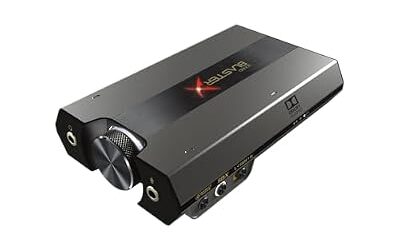
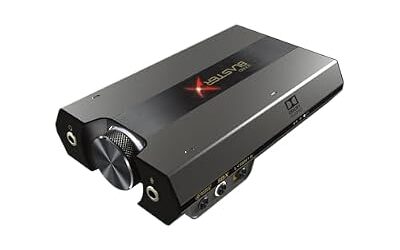
Creative Sound BlasterX G6 – Best for laptops and consoles
Several 2026 guides name the G6 the most consistent external gaming DAC. Reviewers list 130 dB dynamic range, 32-bit/384 kHz playback, the Xamp headphone amplifier supporting 16 to 600 ohms, and compatibility with PS4, PS5, Xbox and Switch. A common complaint is the microUSB port on the original; a USB-C variant is listed by at least one guide, which also says some console features rely on optical and there is no physical analog 7.1 output.
Specs: 130 dB DNR · 32-bit/384 kHz · 16-600 ohm Xamp · USB bus powered · consoles supported

Sound BlasterX G6, Hi-Res Gaming DAC, Headphone Amp, 7.1 Surround, Dolby | Hi-Res DAC, 130dB SNR, 7.1 Surround, Dolby Digital, Console Support, Headphone Amplifier, Portable
Included for 'Best PC Sound Cards in 2026: Internal and External Options Compared' as a representative home product in this roundup; selection reflects the product set returned for this topic.
View on AmazonFiiO K11 – Best for music-first desk setups
The K11 is the most frequent top pick among desktop DACs in 2026 roundups. Reviewers report 1400 mW balanced output, 4.4 mm and 6.35 mm headphone outputs, and enough drive for 350 ohm headphones. It has no virtual surround, so it suits players who value stereo imaging and music.
Specs: 1400 mW balanced reported · 4.4 mm + 6.35 mm outputs · 350 ohm drive reported · USB DAC

FiiO K11 DAC and Headphone Amplifier for Home Audio or PC, 6.35mm and Balanced 4.4mm, RCA, Coaxial, Optical, 1400mW, 384kHz/24Bit DSD256 (Black)
Included for 'Best PC Sound Cards in 2026: Internal and External Options Compared' as a representative home product in this roundup; selection reflects the product set returned for this topic.
View on AmazonFocusrite Scarlett Solo (4th Gen) – Best for recording
This is an audio interface rather than a gaming card. Roundups list one XLR and one 6.3 mm input, Air modes, balanced monitor outputs and a capable headphone output. Choose it if you record vocals, a microphone podcast or guitar, and treat any gaming use as a bonus.
Specs: XLR + 6.3 mm input · balanced TRS outputs · headphone out · USB interface

Focusrite Scarlett Solo 4th Gen USB-C Audio Interface | 1 XLR Mic Preamp, 1 Hi-Z Instrument Input, 24-Bit/192kHz, 120dB Dynamic Range, Air Modes, PC/Mac/iPad Compatible
Included for 'Best PC Sound Cards in 2026: Internal and External Options Compared' as a representative home product in this roundup; selection reflects the product set returned for this topic.
View on AmazonBest Sound Cards for Windows 10 and Windows 11
Support for Windows 10 is broad. The maker lists the AE-9 for Windows 8, 8.1, 10 and 11, and most external USB DACs use class-compliant drivers that work without a vendor installer, although vendor control software unlocks features like surround and EQ. Windows 7 and older machines should be treated as unsupported for new cards, and Linux and macOS support varies by model, so check the maker’s driver page before buying if you run either.
Best Motherboard Built-In Sound Cards: When Onboard Is Enough
Many people ask about the best motherboard built sound cards. Onboard codecs on current boards from the major makers are good enough for speakers, USB headsets and basic headphones. They fall short when you drive hard-to-power headphones, hear electrical noise at silence, or need extra outputs. Before spending money, test your onboard output with the volume at a normal level; if you hear no hiss and your headphones reach comfortable volume, an upgrade is unlikely to change much.
Best Dedicated Sound Cards by Use
For competitive gaming
Look for low latency, a simple driver, and a reliable microphone path. A bus-powered DAC like the G6 or an internal AE-5 Plus covers this without extras.
For music and audiophile listening
A desktop DAC and amp like the FiiO K11 or an AE-9 gives more power and lower noise. Balanced outputs and enough power for your headphone impedance matter more than surround features.
For streaming and recording
Choose a unit with a real microphone input and ASIO support. The Scarlett Solo is an interface designed for this, while the AE-9 lists ASIO support and a microphone input on its control module.
Specs Explained: SNR, DAC Chip, Amp, ASIO and Surround
Makers quote signal-to-noise ratio or dynamic range in decibels; higher means a lower noise floor, but differences above about 110 dB are hard to hear in a normal room, so treat the numbers as a tiebreaker rather than a verdict. The DAC chip matters less than the analog output stage around it. The headphone amplifier rating matters more: check the impedance range the maker lists and whether the output impedance is low, as the AE-9 page states at 1 ohm.
ASIO is a low-latency driver standard used by recording software. If you record or monitor live, choose a card where the maker lists ASIO support, and read the driver page for known issues with your software. Optical output lets you send encoded surround, such as Dolby Digital Live or DTS Connect on cards that offer them, to a receiver or soundbar. For 5.1 and 7.1 speaker sets, look for separate front, rear and center/sub jacks, as on the AE-9.
Operating system support differs by maker. Windows is the main target for Sound Blaster cards, and Linux or macOS support often depends on class-compliant USB behavior, with advanced features missing. If you run something other than Windows, prefer an external DAC with a standard USB audio class and read the maker’s compatibility notes first.
Pick X If… Decision Table
| Pick this | If you |
|---|---|
| Sound Blaster AE-9 | Want the strongest internal card and use demanding headphones |
| Sound Blaster AE-7 | Want strong internal audio without paying flagship money |
| Sound Blaster AE-5 Plus | Want gaming features, optical surround and RGB on a budget |
| Sound BlasterX G6 | Use a laptop or switch between PC and console |
| FiiO K11 | Care mostly about music and balanced headphones |
| Scarlett Solo | Record a microphone or instrument |
| Motherboard audio | Use low-impedance headsets and hear no noise |
Fit and Compatibility Notes
- Check that a free PCIe slot is not blocked by a large graphics card, and that the card fits your case.
- Cards with a 6-pin connector, like the AE-9, need a free power lead from the power supply.
- Switch off the motherboard audio in the BIOS or the sound settings if the card is added, to avoid duplicate devices. BIOS changes can cause instability, so make them one at a time.
- Power the PC down and unplug it before opening the case; never open a power supply.
Alternatives Worth Knowing
- Sound Blaster X5 and G8: roundups list the X5 as a full desktop hub and the G8 for a dual-DAC design.
- FiiO K7: reviewers report dual AK4493SEQ DACs and 2000 mW of THX AAA output for more power than the K11.
- USB-C dongle DACs: small adapters like the FiiO KA11 suit a phone or modern laptop on a tight budget.
Frequently Asked Questions
What are the best sound cards for gaming?
Reviewers most often name the Sound Blaster AE-7 for internal use and the Sound BlasterX G6 for external use. The AE-5 Plus is the value choice. Pick based on whether you have a free PCIe slot.
Is an internal or external sound card better?
Neither is universally better. Internal cards offer more outputs for the money but need a desktop slot, while external units work on laptops and keep electronics away from the case. Choose by setup, not by label.
Does a sound card improve FPS or latency?
It does not raise frame rates. Some card features offload audio processing, but the effect on performance is small. Pick a card for sound quality and features rather than speed.
Do I need a sound card for Windows 10 or 11?
No, Windows works with onboard audio and USB DACs without extra hardware. A dedicated card only helps if you need better amplification, extra outputs or lower noise. Check the maker’s driver page for your Windows version.
Can a sound card drive high-impedance headphones?
Many can. The maker lists the AE-9 for 16 to 600 ohm headphones and reviewers report the G6 at the same range. Always compare your headphones’ recommended impedance and sensitivity against the amplifier’s stated output.
Are USB sound cards as good as internal ones?
For most listening, yes. A good USB DAC offers comparable specified noise levels and adds portability. Internal cards win on number of outputs and price per feature, while USB units win on flexibility.