🛒 Best Price Today on Amazon
Prime members get fast, free shipping on everything above, plus member-only deals. New members get a 30-day free trial — cancel anytime.
- Best OLED Gaming Monitor Black Friday Deals: What to Target
- OLED Gaming Monitor Comparison Table
- QD-OLED vs WOLED: Which Is Better for Gaming?
- Mid-Range OLED Gaming Monitors
- Premium OLED Gaming Monitors
- Which Size Should You Choose: 27, 32 or Ultrawide?
- GPU Pairing for OLED Gaming Monitors
- OLED Features Worth Looking For
- Console Gaming on an OLED Monitor
- Burn-In Warranty: Compare Before You Buy
- Text Clarity, Brightness and Room Lighting
- Care Habits to Reduce Burn-In Risk
- When to Buy: Early vs Black Friday vs Cyber Monday
- Deal Red Flags
- Pick X If… Decision Table
- Frequently Asked Questions
Updated November 2026 – The best OLED gaming monitor Black Friday deals 2026 are most likely to be the Alienware AW2726DM or Samsung Odyssey OLED G6 for mid-range 27-inch 1440p, the ASUS ROG Swift OLED PG27AQDP for the best overall, the ASUS ROG Swift OLED PG32UCDM or MSI MPG 322UR X24 for 32-inch 4K, and the Alienware AW3423DWF or LG UltraGear 45GX950A for ultrawide.
If you are hunting for the best OLED gaming monitor Black Friday deals, the main decisions are panel type (QD-OLED or WOLED), size and resolution (27-inch 1440p, 32-inch 4K, or 34 to 45-inch ultrawide), and the burn-in warranty. Black Friday 2026 is Friday 27 November, Thanksgiving is 26 November, and Cyber Monday is 30 November. This guide avoids live pricing, because offers change daily: compare any listing against the spec lines here.
Best OLED Gaming Monitor Black Friday Deals: What to Target
Tom’s Hardware names the ASUS ROG Swift PG27AQDP, a 27-inch QHD OLED at 480Hz, its best OLED, and the Alienware AW2726DM its best-value monitor. PC Gamer’s top overall pick is the MSI MPG 322UR X24 QD-OLED. RTINGS puts the ASUS ROG Swift OLED PG32UCDM Gen3 at the top for 4K. These picks show a pattern: OLED has moved from niche to mainstream, and the question is which size and tier suits you.
OLED Gaming Monitor Comparison Table
| Model | Tier | Size and resolution | Panel and refresh | Best for |
|---|---|---|---|---|
| Alienware AW2726DM | Mid-range | 27-inch 1440p | QD-OLED, 240Hz | Best-value OLED per Tom’s Hardware |
| Samsung Odyssey OLED G6 | Mid-range | 27-inch 1440p | QD-OLED, 360Hz | Fast OLED value |
| LG UltraGear 27GS95QE | Mid-range | 27-inch 1440p | WOLED, 240Hz | Brighter rooms |
| LG UltraGear 27GX790A | Premium | 27-inch | OLED | Responsiveness per Tom’s Hardware |
| ASUS ROG Swift OLED PG27AQDP | Premium | 27-inch 1440p | QD-OLED, 480Hz | Best overall OLED |
| Gigabyte MO27U2 | Mid-range | 27-inch 4K | QD-OLED, 240Hz | Lowest-cost 4K 240Hz |
| ASUS ROG Swift OLED PG32UCDM | Premium | 32-inch 4K | QD-OLED, 240Hz | RTINGS best 4K |
| MSI MPG 322UR X24 | Premium | 32-inch 4K | QD-OLED | PC Gamer’s top pick |
| Alienware AW3423DWF | Mid-range | 34-inch ultrawide | QD-OLED | Best curved per Tom’s Hardware |
| ASUS ROG Swift OLED PG34WCDN | Premium | 34-inch ultrawide | OLED | RTINGS best ultrawide |
| LG UltraGear 45GX950A | Premium | 45-inch ultrawide | OLED | Tom’s Hardware best ultrawide |
QD-OLED vs WOLED: Which Is Better for Gaming?
QD-OLED uses a quantum-dot layer to produce wider colour and brighter HDR highlights, according to one reviewer. WOLED uses a white OLED layer with colour filters, and another reviewer says it handles bright ambient light better, with no purple-black tint in lit rooms that QD-OLED can show. The practical rule is this: in a dim room, QD-OLED often looks richer, and in a bright room, WOLED can look cleaner. Neither wins in every situation, so choose by room lighting and the model’s own reviews.
Mid-Range OLED Gaming Monitors
Alienware AW2726DM – Best for Entry-Level QD-OLED
27-inch · 2560×1440 · 240Hz · QD-OLED
Tom’s Hardware names it its best-value gaming monitor. Dell and Alienware are reported to carry a three-year warranty explicitly covering burn-in on OLED models. It is the first model to look for if you want OLED without paying flagship rates.
Samsung Odyssey OLED G6 – Best for 360Hz Value
27-inch · 2560×1440 · 360Hz · QD-OLED
Monitor Maven describes it as the best-value OLED, with a 27-inch 1440p 360Hz QD-OLED panel. It suits competitive players on strong CPUs. Compare its sale listing with the AW2726DM, since the extra refresh rate matters only if your system can reach it.

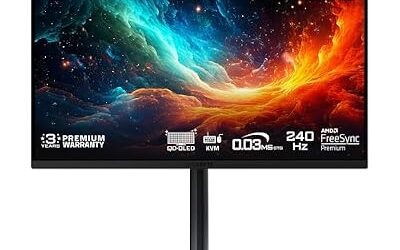
Samsung 27” Odyssey OLED G6 (G60SD) Series Gaming Monitor with QHD & QD-OLED, 360Hz 0.03ms, AMD FreeSync Premium Pro, Anti-Glare, Sleek Design, Cooling System, 3 Year Warranty, LS27DG602SNXZA
Included for 'Best OLED Gaming Monitor Black Friday Deals 2026' because the listing adds cooling or gel-infused layers, which is the attribute this article compares.
View on AmazonLG UltraGear 27GS95QE – Best for Bright-Room WOLED
27-inch · 2560×1440 · 240Hz · WOLED · two-year burn-in warranty reported
Monitor Maven picks this WOLED. It is a good match for players who keep the lights on, and the two-year warranty is shorter than the three-year terms reported for some rivals. Weigh the warranty against the price when comparing.

LG 27GS95QE 27-inch Ultragear OLED Gaming Monitor QHD 1440p 240Hz 0.03ms DisplayHDR True Black 400 AMD FreeSync Premium Pro NVIDIA G-Sync HDMI 2.1 DisplayPort Tilt/Height/Swivel Stand Black
Included for 'Best OLED Gaming Monitor Black Friday Deals 2026' as a representative home product in this roundup; selection reflects the product set returned for this topic.
View on AmazonGigabyte MO27U2 – Best for Low-Cost 4K 240Hz OLED
27-inch · 3840×2160 · 240Hz · QD-OLED
A retailer roundup lists it as the cheapest 4K 240Hz QD-OLED it carries. A 27-inch 4K screen is very sharp and helps with text clarity, but demands an RTX 5080 class GPU for modern games at high frame rates.

GIGABYTE MO27U2 27" QD-OLED UHD AMD Freesync Premium Pro Gaming Monitor | Black, UHD 3840x2160-4K, 240Hz, 0.03ms GTG, G-SYNC Compatible, HDMI2.1, DP1.4, Type-C, KVM, Height and Tilt Adjustable
Included for 'Best OLED Gaming Monitor Black Friday Deals 2026' as a representative home product in this roundup; selection reflects the product set returned for this topic.
View on AmazonAlienware AW3423DWF – Best for Curved Ultrawide Value
34-inch ultrawide · QD-OLED · curved
Tom’s Hardware names it the best curved gaming monitor. As an older model it is a prime candidate for clearance, and it suits racing, flight and immersive single-player games.

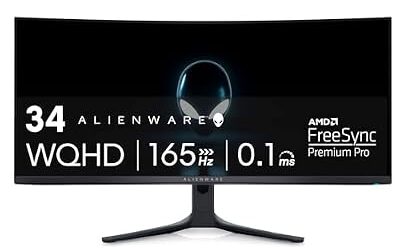
Alienware AW3423DWF Curved QD-OLED Gaming Monitor - 34-inch Quantum Dot, 0.1Ms 165Hz 21:9, 99.3% DCI-P3 Color Gamut, VESA DisplayHDR, 400, AMD FreeSync Premium Pro - Black
Included for 'Best OLED Gaming Monitor Black Friday Deals 2026' as a representative home product in this roundup; selection reflects the product set returned for this topic.
View on AmazonPremium OLED Gaming Monitors
ASUS ROG Swift OLED PG27AQDP – Best for Overall OLED Performance
27-inch · 2560×1440 · 480Hz · QD-OLED
Tom’s Hardware ranks it best overall and best OLED. ASUS ROG OLED monitors are reported to carry a three-year warranty covering burn-in. At 480Hz your CPU, not your GPU, is usually the limit.

ASUS ROG PG27AQDP 27 Inch 1440p 480Hz OLED Gaming Monitor | Custom Heatsink, 0.03ms, G-SYNC Compatible, WOLED, DisplayHDR 400, AI Assistant, True 10-bit, 99% DCI-P3, for PS5 and Xbox
Included for 'Best OLED Gaming Monitor Black Friday Deals 2026' because the listing lists an explicit depth/thickness, which is the attribute this article compares.
View on AmazonASUS ROG Swift OLED PG32UCDM – Best for Large 4K OLED
32-inch · 3840×2160 · 240Hz · QD-OLED
RTINGS names the Gen3 version its best 4K gaming monitor and best 240Hz monitor. One mid-2026 roundup says it relies on OLED Care+ with no burn-in term stated, while another lists three-year cover, so read the maker’s warranty page for your region.

ASUS ROG PG32UCDM 32 Inch 4K 240Hz OLED Gaming Monitor QD-OLED | UHD, Custom Heatsink, 0.03ms, G-SYNC Compatible, USB-C 90W, True 10-bit, Graphene Film, 99% DCI-P3, for PS5 and Xbox
Included for 'Best OLED Gaming Monitor Black Friday Deals 2026' because the listing lists an explicit depth/thickness, which is the attribute this article compares.
View on AmazonMSI MPG 322UR X24 – Best for PC Gamer’s Top Pick
32-inch · 4K · QD-OLED
PC Gamer names it the top gaming monitor in its 2026 roundup. The same roundup notes that MSI states no burn-in term for this model, whereas MSI’s other OLED monitors are reported to have three-year burn-in cover. Confirm the terms on the product page before buying.

MSI MPG 322UR QD-OLED X24 32 Inch 4K UHD Gaming Monitor - 3840 x 2160 Penta Tandem OLED Panel, 240Hz / 0.03ms, 99% DCI-P3, ΔE≤2, DisplayHDR True Black 400, KVM, RGB DP 2.1a, HDMI 2.1, USB Type-C 98W
Included for 'Best OLED Gaming Monitor Black Friday Deals 2026' because the listing lists an explicit depth/thickness, which is the attribute this article compares.
View on AmazonLG UltraGear 27GX790A – Best for Responsiveness
27-inch · OLED · responsiveness-focused
Tom’s Hardware names it the best OLED for responsiveness. LG UltraGear OLED monitors are reported at two-year burn-in cover.
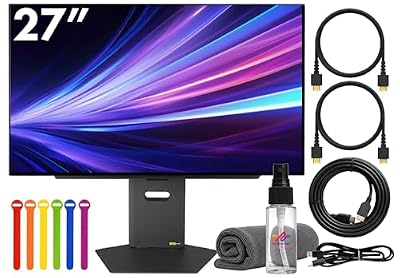
LG Ultragear 27GX790A-B 27" QHD (2560×1440) Gaming Monitor | 480Hz OLED Display, 0.03ms Response, HDR, NVIDIA G-SYNC Compatible, FreeSync Premium, HDMI & DisplayPort + HDMI Cable + Cable Ties + More
Included for 'Best OLED Gaming Monitor Black Friday Deals 2026' as a representative home product in this roundup; selection reflects the product set returned for this topic.
View on AmazonASUS ROG Swift OLED PG34WCDN – Best for 34-Inch Ultrawide
34-inch ultrawide · OLED · curved
RTINGS names it the best ultrawide and best curved gaming monitor. If you play on an ultrawide, you will need more GPU performance than at 16:9 at the same height.

ASUS ROG PG34WCDN 34 Inch 1440p 360Hz Ultrawide RGB OLED Gaming Monitor | Tandem RGB QD-OLED, RGB Stripe Pixel, OLED Care Pro, DisplayHDR 500 True Black, USB-C 90W, 0.03ms
Included for 'Best OLED Gaming Monitor Black Friday Deals 2026' because the listing lists an explicit depth/thickness, which is the attribute this article compares.
View on AmazonLG UltraGear 45GX950A – Best for Large Ultrawide
45-inch ultrawide · OLED
Tom’s Hardware’s best ultrawide pick. A 45-inch screen is a desk-filling purchase, so measure first.

LG 45GX950A-B 45-inch Ultragear 5K2K WUHD (5120 x 2160) OLED Curved Gaming Monitor, Dual-Mode, 165Hz, 0.03ms, NVIDIA G-Sync, AMD FreeSync Premium Pro, HDR True Black 400, USB Type-C 90W, DP2.1
Included for 'Best OLED Gaming Monitor Black Friday Deals 2026' as a representative home product in this roundup; selection reflects the product set returned for this topic.
View on AmazonWhich Size Should You Choose: 27, 32 or Ultrawide?
A 27-inch 1440p OLED is the practical default for most players. It pairs with RTX 5070 and RX 9070 class graphics cards, keeps frame rates high, and sits at a comfortable distance on a normal desk. A 32-inch 4K OLED gives a larger, sharper picture and suits cinematic single-player games, but it needs an RTX 5080 or RX 9070 XT class card to hold high frame rates, and it asks for more desk depth. Ultrawide models at 34 and 45 inches add immersion in racing, flight and open-world games, but not every game supports the wider aspect ratio properly, so check support for your favourite titles before buying.
Pixel density also matters for text. A 27-inch 1440p panel and a 32-inch 4K panel have different densities, and reviewers generally describe the 4K models as giving cleaner text on OLED because the extra pixels hide subpixel fringing. If you read a lot on the screen, weigh that benefit against the higher GPU demand.
GPU Pairing for OLED Gaming Monitors
| GPU class | Best OLED format | Reason |
|---|---|---|
| RTX 5060 Ti / RX 9060 XT class | 27-inch 1440p at 240Hz | Keeps frame rates reachable without upscaling tricks |
| RTX 5070 / RX 9070 class | 27-inch 1440p at 240Hz to 360Hz | The core OLED fit for this class |
| RTX 5070 Ti / RX 9070 XT class | 1440p up to 480Hz or 34-inch ultrawide | Strong frame rates at 1440p and wide formats |
| RTX 5080 class and up | 32-inch 4K at 240Hz | Enough power for 4K with sensible settings |
Dual-mode 4K OLED monitors, such as several ASUS and LG 32-inch models, add a 1080p mode at up to 480Hz for competitive play. That flexibility is useful if your graphics card cannot hold 4K frame rates in every game.
OLED Features Worth Looking For
- Burn-in cover in writing: A warranty that names burn-in is more useful than a general parts and labour term.
- Adaptive sync support: G-SYNC Compatible and FreeSync both work on most OLED monitors, but flicker in dark scenes at fluctuating frame rates can occur on some panels, so read reviewer notes.
- Connectivity: DisplayPort for the highest PC refresh rates and HDMI 2.1 for consoles. Count the ports if you share the screen.
- Heatsink and cooling design: Passive designs avoid fan noise, which reviewers sometimes flag on older models.
- Anti-glare or glossy coating: Glossy coatings give deeper blacks but reflect lamps and windows, while matte or semi-matte coatings lift blacks slightly in bright rooms.
Console Gaming on an OLED Monitor
PlayStation 5 and Xbox Series X output up to 4K at 120Hz over HDMI 2.1, and a 4K OLED monitor displays that with fast response and deep blacks. A 27-inch 1440p OLED works with consoles too, but consoles generally output 4K or 1080p, so the picture is scaled. For a console and PC on one screen, look for a model with two HDMI 2.1 ports and read the port specification on the maker page.
Burn-In Warranty: Compare Before You Buy
| Brand | Reported burn-in cover | Note |
|---|---|---|
| Dell / Alienware | Three years, explicitly includes burn-in | Confirm for your region |
| MSI | Three years on several models | One roundup says the MPG 322UR X24 states no burn-in term |
| ASUS ROG | Three years reported | Sources differ on the PG32UCDM; OLED Care+ is mentioned |
| LG UltraGear | Two years reported | Shorter than several rivals |
TFTCentral notes that most leading makers include burn-in cover, typically for three years, but not universally. Newer monitors differ from older ones, regions differ, and terms change. One retailer listing showed a monitor with a one-year parts and labour warranty and no stated burn-in cover. Always read the warranty page of the exact model and check that imported or open-box units are covered.
Text Clarity, Brightness and Room Lighting
OLED pixel layouts differ from standard RGB stripes, so small text can look slightly fringed on some panels. Higher resolutions such as 4K at 27 or 32 inches reduce the effect. Windows text tuning can help. OLED monitors also limit full-screen brightness through automatic brightness limiting, so a white desktop is dimmer than on a bright IPS. For HDR highlights in games, OLED does very well, but in a sunlit room a brighter IPS or mini-LED may be easier to see.
Care Habits to Reduce Burn-In Risk
- Let the monitor run its pixel refresh routine when prompted, and do not interrupt it.
- Set a short screen-off timer and avoid leaving static windows or taskbars on screen for hours.
- Use a dark theme and auto-hide the taskbar if the monitor is also your work screen.
- Do not max brightness for desktop work.
- Follow the maker’s manual, because features differ by model.
When to Buy: Early vs Black Friday vs Cyber Monday
- Early November: Some makers start sales early. Buy if the price is already at the model’s lowest.
- Black Friday (27 November): The widest range of OLED offers, with limited quantities on the best ones.
- Cyber Monday (30 November): Another round, helpful for models that did not clear.
- December: Previous-generation OLED models can continue to fall as new models arrive.
Deal Red Flags
- A claimed original price that does not match long-term price history.
- OLED listings that omit the panel type or burn-in terms.
- Third-party sellers with unclear warranty cover, since burn-in claims need the maker’s warranty.
- Maximum refresh rate quoted for a lower resolution mode only.
- Refurbished OLED units with short warranties.
- Bundles that hide a small monitor discount.
- A short return window, which matters for uniformity defects or dead pixels.
Pick X If… Decision Table
| Pick this | If you |
|---|---|
| Alienware AW2726DM | Want the lowest entry into OLED |
| Samsung Odyssey OLED G6 | Want 360Hz OLED value |
| LG UltraGear 27GS95QE | Game in a bright room |
| ASUS ROG Swift OLED PG27AQDP | Want the best 27-inch OLED |
| ASUS ROG Swift OLED PG32UCDM | Want a 32-inch 4K OLED with an RTX 5080 class GPU |
| Alienware AW3423DWF or ASUS ROG Swift OLED PG34WCDN | Want a 34-inch ultrawide |
Frequently Asked Questions
What is the best OLED gaming monitor to buy on Black Friday 2026?
For overall performance, Tom’s Hardware picks the ASUS ROG Swift OLED PG27AQDP. For value, it picks the Alienware AW2726DM. For 4K, RTINGS picks the ASUS ROG Swift OLED PG32UCDM Gen3.
Is QD-OLED or WOLED better for gaming?
QD-OLED is reported to offer wider colour and brighter HDR, while WOLED is reported to handle bright rooms better. Choose according to your room lighting and the specific model reviews.
Do OLED gaming monitors burn in?
They can, particularly with static content shown for long periods. Makers reduce the risk with pixel shifting and refresh cycles, and many cover burn-in in the warranty. TFTCentral reports three years as typical.
Is OLED good for text and office work?
It is usable, but small text can look slightly fringed on some OLED panels and static desktop elements raise burn-in risk. Higher-resolution models such as 4K 27 or 32-inch screens reduce fringing. If you work all day on the screen, a good IPS may be a safer pick.
Is 360Hz or 480Hz OLED worth it?
Only if your system can produce matching frame rates, which usually means competitive games at moderate settings on a fast CPU. For most single-player gaming, 240Hz is already very smooth.
How can I judge whether an OLED monitor deal is real?
Compare it with the model’s recent selling history rather than the “was” price shown. Confirm the panel type, warranty terms including burn-in, and the return window. Treat bundles and unclear seller details with caution.