🛒 Best Price Today on Amazon
Prime members get fast, free shipping on everything above, plus member-only deals. New members get a 30-day free trial — cancel anytime.
- Best Wired Esports Mouse Comparison
- Razer DeathAdder V3 — Best Ergonomic Wired Esports Mouse
- Endgame Gear OP1 8K v2 — Best for Claw Grip
- SteelSeries Prime — Best Traditional Esports Shape
- ZOWIE EC2-C — Best Driverless Wired Esports Mouse
- Logitech G203 LIGHTSYNC — Best Budget Wired Option
- How to Choose the Best Wired Esports Mouse
- Which Wired Esports Mouse Fits Each Player?
- FAQ
- Conclusion
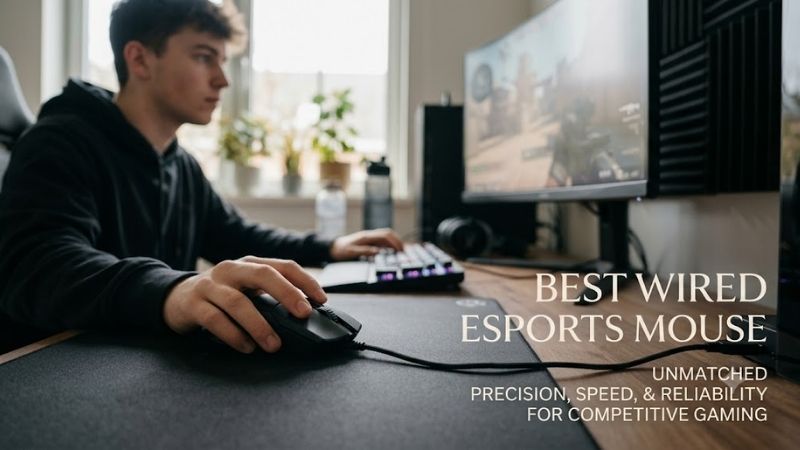
Choosing the best wired esports mouse is about more than raw sensor numbers. Competitive players need a shape that stays stable through fast flicks, low weight for repeated resets, a cable that resists drag, and dependable click behavior. The models below focus on those priorities for serious FPS and esports use.
Quick answer: For most people in 2026, the best wired esports mouse is the Mouse — our #1 rated choice. See the full ranked comparison, alternatives and buying advice below.
Best Wired Esports Mouse Comparison
| Mouse | Best For | Weight | Maximum Polling Rate | Shape |
|---|---|---|---|---|
| Razer DeathAdder V3 | Ergonomic competitive FPS | 59 g | 8,000 Hz | Right-handed ergonomic |
| Endgame Gear OP1 8K v2 | Claw grip and low weight | 49.5 g | 8,000 Hz | Compact right-handed |
| SteelSeries Prime | Traditional ergonomic esports | 69 g | 1,000 Hz | Right-handed ergonomic |
| ZOWIE EC2-C | Driverless competitive setups | 73 g | 1,000 Hz | Medium ergonomic |
| Logitech G203 LIGHTSYNC | Budget competitive gaming | 85 g | 1,000 Hz | Compact symmetrical |
Razer DeathAdder V3 — Best Ergonomic Wired Esports Mouse
Best For: Right-handed FPS players who want an ergonomic shell with high polling.
Key Features:
- 59 g weight
- Focus Pro 30K optical sensor
- Up to 8,000 Hz polling
- Razer Speedflex cable
- Six programmable buttons
- Optical Mouse Switches Gen-3
Razer’s DeathAdder V3 is a strong fit for players who want a modern ergonomic wired mouse without giving up tournament-focused speed. Its 59 g body, Focus Pro 30K optical sensor, Speedflex cable, and support for 8,000 Hz polling put latency-focused hardware inside a familiar right-handed shape for FPS play.
The main advantage is the combination of low weight and an ergonomic shell. Players who use palm or relaxed claw grips get more hand support than from compact symmetrical mice, while the 8K polling option can reduce reporting intervals on a suitably fast PC. The trade-off is that the taller shape will not suit every fingertip user.
What Makes It Different: It combines a lightweight ergonomic body with 8K wired polling rather than using the flatter symmetrical shape common among ultra-light competitive mice.
Pros
- Very low weight for an ergonomic mouse
- 8,000 Hz polling support
- High-end optical sensor
- Flexible wired connection
- No battery or receiver management
Cons
- Large ergonomic profile may feel bulky for fingertip grip
- 8K polling can use more CPU resources
- Right-handed shape limits fit preferences
Use Case: Competitive Counter-Strike 2, Valorant, Overwatch 2, Apex Legends, and other games where fast swipes must remain comfortable across long sessions.
Who It’s For: Players who want the support of an ergonomic shell but still prioritize low mass, modern sensing hardware, and high polling rates.
Endgame Gear OP1 8K v2 — Best for Claw Grip
Best For: Competitive claw-grip players who prefer a compact and extremely light wired mouse.
Key Features:
- 49.5 g weight
- PixArt PAW3950 sensor
- 1,000/2,000/4,000/8,000 Hz polling
- 750 IPS maximum tracking speed
- Kailh GX mechanical primary switches
- 1.8 m Flex Cord 5.0 cable
The Endgame Gear OP1 8K v2 targets players who prefer a compact, narrow mouse for claw grip and precise finger control. It weighs 49.5 g, uses a PixArt PAW3950 sensor, supports polling rates up to 8,000 Hz, and includes a 1.8 m Flex Cord 5.0 cable with PTFE skates for fast pad movement in esports FPS play.
Its smaller dimensions make it easier to pinch, lift, and reposition during low-sensitivity aim, especially for players who keep more of the palm off the shell. That agility comes with a clear fit requirement: large hands or users who want full palm support may find the OP1 8K v2 too narrow and compact for long sessions.
What Makes It Different: The OP1 8K v2 puts 8K polling and a sub-50 g design into a compact shell aimed specifically at controlled claw-style manipulation.
Pros
- Extremely low weight
- 8,000 Hz polling
- Compact dimensions
- High-spec PAW3950 sensor
- Multiple polling-rate settings
Cons
- Small shell can feel restrictive for large hands
- Less palm support than ergonomic models
- High polling rates are unnecessary on some systems
Use Case: Low-sensitivity tactical shooters where frequent lift-offs, rapid resets, and fingertip micro-adjustments are part of normal aiming.
Who It’s For: Claw users, smaller-hand players, and competitive gamers who prioritize low inertia and quick repositioning over substantial palm support.
SteelSeries Prime — Best Traditional Esports Shape
Best For: FPS players who prefer a fuller ergonomic body and a more planted mouse feel.
Key Features:
- 69 g weight
- TrueMove Pro sensor
- Up to 18,000 CPI
- 450 IPS tracking
- 50G acceleration
- Prestige OM optical-magnetic switches
SteelSeries Prime is built around a full-size right-handed shape aimed at competitive FPS play. The wired model uses the TrueMove Pro sensor with up to 18,000 CPI, weighs 69 g, and uses Prestige OM optical-magnetic switches. It is a more traditional esports design than the ultralight compact options above.
The Prime makes sense for players who value a planted ergonomic grip and crisp primary clicks over the lowest possible weight. Its shape gives the palm more guidance than a flat symmetrical shell, while the 69 g mass remains manageable for repeated swipes. Players chasing sub-55 g weight or 8K polling should look elsewhere.
What Makes It Different: SteelSeries focuses on a substantial competitive shape and optical-magnetic switch system instead of maximizing polling rate or minimizing shell weight.
Pros
- Ergonomic competitive shape
- 69 g body is lighter than older traditional gaming mice
- TrueMove Pro sensor
- Optical-magnetic primary switches
- Onboard adjustment options
Cons
- Heavier than current ultralight esports models
- Does not target 4K or 8K polling
- Full-size shape is less suited to some fingertip users
Use Case: Competitive FPS players who use medium sensitivity and prefer consistent palm contact instead of an ultra-small shell.
Who It’s For: Players transitioning from traditional ergonomic gaming mice who want esports-oriented hardware without adopting an extremely lightweight compact design.
ZOWIE EC2-C — Best Driverless Wired Esports Mouse
Best For: Tournament players who prioritize ergonomic shape, onboard adjustment, and plug-and-play simplicity.
Key Features:
- 73 g weight without cable
- 3360 sensor
- 400/800/1600/3200 DPI
- 125/500/1,000 Hz report rates
- Five buttons
- 24-step optical scroll wheel
- Driverless USB operation
ZOWIE EC2-C remains a reference-style wired esports mouse for players who prioritize shape, simplicity, and driverless setup. The medium ergonomic shell weighs 73 g, uses the 3360 sensor, offers 400 to 3,200 DPI steps, and supports 125, 500, or 1,000 Hz report rates through onboard controls without software.
Its biggest strength is predictable handling rather than feature density. The raised, curved right-handed shell supports palm and relaxed claw grips, while the soft cable and raised cable attachment help reduce pad contact. The limitation is obvious: its sensor and polling specifications are older than newer 8K-focused competitors.
What Makes It Different: ZOWIE avoids software dependence and emphasizes physical shape, fixed DPI stages, and direct onboard controls suited to tournament PCs.
Pros
- Proven medium ergonomic format
- No software required
- Flexible cable design
- Simple DPI and polling adjustments
- Multiple EC sizes exist for different hand sizes
Cons
- Limited to 1,000 Hz polling
- Heavier than newer ultralight options
- Fewer software customization features
Use Case: LAN environments, shared competition PCs, training stations, and players who want settings available without installing configuration software.
Who It’s For: Palm and relaxed-claw players who care more about repeatable shape and straightforward operation than maximum sensor specifications.
Logitech G203 LIGHTSYNC — Best Budget Wired Option
Best For: Entry-level competitive players who want a simple 1,000 Hz wired gaming mouse.
Key Features:
- 85 g mouse-only weight
- 200–8,000 DPI range
- 1,000 Hz USB report rate
- Six programmable buttons
- 2.1 m cable
- Logitech G HUB support
Logitech G203 LIGHTSYNC is the budget-oriented option in this roundup. It uses a classic compact shape, six programmable buttons, 200 to 8,000 DPI adjustment, and a 1,000 Hz USB report rate. At 85 g, it is heavier than modern esports-focused mice, but its wired connection and simple geometry remain practical.
The G203 is best for newer competitive players who want dependable wired control without paying for premium weight reduction or extreme polling rates. Its familiar shape works well for fingertip and claw users with smaller hands, but the extra mass becomes noticeable during repeated low-sensitivity flicks and rapid lift-off resets.
What Makes It Different: Rather than competing on ultralight weight or 8K polling, the G203 provides fundamental competitive features in a simpler, more accessible design.
Pros
- 1,000 Hz polling
- Compact shell
- Programmable buttons
- Adjustable sensitivity
- Straightforward wired setup
Cons
- 85 g is heavy by current esports standards
- Lower sensor ceiling than premium options
- Cable and weight are less optimized for large low-sensitivity swipes
Use Case: Competitive gaming on a limited hardware budget, especially for players moving from a basic office mouse to a dedicated gaming model.
Who It’s For: Newer FPS players, students, secondary gaming setups, or anyone who does not need ultralight construction and 4K or 8K polling.
How to Choose the Best Wired Esports Mouse
Shape and Grip Style
For esports, shape should come before headline DPI. A mouse that locks naturally into your grip makes micro-corrections easier and reduces the need to squeeze during fast movement. Ergonomic shells favor palm and relaxed claw users, while low symmetrical bodies usually give fingertip and aggressive claw players more freedom.
Mouse Weight
Weight changes how quickly the mouse starts, stops, and resets. Sub-60 g designs can feel easier during wide low-sensitivity swipes, but a slightly heavier shell may feel steadier to players who prefer more resistance. The useful target is not the lowest number; it is the lightest weight that still feels controlled in your grip.
Polling Rate
Polling rate determines how often the mouse reports movement to the PC. A 1,000 Hz mouse reports every millisecond, while 8,000 Hz models can report much more frequently. Higher rates can reduce input intervals, but they also increase CPU activity and matter most on fast systems, high-refresh displays, and esports titles.
Cable Flexibility
Cable design matters because drag can change how a wired mouse feels during large swipes. Soft, flexible cables reduce resistance and work especially well when routed through a mouse bungee. A stiff or poorly positioned cable can tug against the pad, so cable feel should be considered alongside weight rather than treated as an afterthought.
Sensor and DPI
Sensor capability is rarely the limiting factor on a modern esports mouse, so focus on consistent tracking, usable DPI steps, lift-off behavior, and firmware stability. Extremely high maximum DPI is less important than clean control at the sensitivity you actually use. For many FPS players, shape and weight matter more.
Which Wired Esports Mouse Fits Each Player?
| Player Type | Recommended Model | Main Reason |
|---|---|---|
| Ergonomic + high polling | Razer DeathAdder V3 | 59 g ergonomic shell with 8K polling |
| Compact claw grip | Endgame Gear OP1 8K v2 | 49.5 g body and narrow dimensions |
| Traditional ergonomic FPS | SteelSeries Prime | Full-size 69 g competitive design |
| Driverless tournament setup | ZOWIE EC2-C | Onboard controls with no software requirement |
| Budget competitive setup | Logitech G203 LIGHTSYNC | 1,000 Hz wired performance and simple controls |
FAQ
Is a wired mouse still good for esports?
Yes. A wired mouse avoids battery management and does not depend on a wireless receiver or radio environment. Modern wireless esports mice can also be highly responsive, so wired is not automatically faster in every case. The practical benefit is consistent power, a simple connection, and no need to charge between sessions.
Do I need an 8K polling mouse for competitive gaming?
An 8,000 Hz polling rate is not required to play competitively. A stable 1,000 Hz mouse remains fully usable for esports, especially on systems where the added CPU load of higher polling offers little practical value. Higher polling is most relevant when paired with a fast processor, high frame rates, and a high-refresh monitor.
What mouse weight is best for low-sensitivity FPS?
For low-sensitivity FPS play, lighter mice are often easier to accelerate and reposition across a large pad. Models near or below 60 g reduce the effort of repeated swipes, but shape still matters more than a small weight difference. A well-fitting 69 g mouse can feel more controllable than a 50 g shell that does not suit your hand.
Should I use a mouse bungee with a wired esports mouse?
A mouse bungee is useful when the cable touches the desk or pad and creates noticeable resistance. It lifts and guides the cable so large swipes feel closer to wireless movement. It is not mandatory if the cable is already routed cleanly, but it can improve consistency for low-sensitivity players using wide horizontal motions.
Which wired esports mouse is best for palm or claw grip?
Palm grip generally pairs well with ergonomic models such as the DeathAdder V3 or EC2-C, while aggressive claw and fingertip users often prefer compact symmetrical shapes such as the OP1 8K v2. Hand size changes the result, so compare dimensions and hump placement instead of choosing from grip labels alone.
Conclusion
The best wired esports mouse depends on shape, hand size, grip, and how much you value ultra-high polling. The DeathAdder V3 balances ergonomics with 8K capability, the OP1 8K v2 favors compact claw control, while Prime, EC2-C, and G203 cover more traditional or budget-focused preferences for competitive play.
Ready to decide? Our #1 pick for 2026 is the Mouse.
Live price & availability on Amazon.