🛒 Best Price Today on Amazon
Prime members get fast, free shipping on everything above, plus member-only deals. New members get a 30-day free trial — cancel anytime.
- Best Ultralight Gaming Mouse Comparison
- Razer Viper V3 Pro — Best for Competitive FPS
- Finalmouse UltralightX — Best for Extreme Low Weight
- Pulsar X2 v3 Medium — Best for Claw and Fingertip Grip
- Logitech G PRO X SUPERLIGHT 2 — Best Neutral Shape
- Logitech G PRO X SUPERLIGHT 2 DEX — Best Ergonomic Pick
- Corsair M75 AIR — Best for Wireless Flexibility
- Which Ultralight Gaming Mouse Is Lightest?
- How to Choose the Best Ultralight Gaming Mouse
- FAQ
- Conclusion

Logitech G PRO X Superlight 2 Lightspeed Wireless Gaming Mouse, 8K Polling, Lightweight, LIGHTFORCE Hybrid Switches, Hero 2 Sensor, 888 IPS, 44,000 DPI,USB-C Charging, PC & Mac (Renewed)
Included for 'Best Ultralight Gaming Mouse: Top Picks for Competitive Aim' because the listing specifies 8K Polling and Lightweight, details this guide uses to compare options.
View on Amazon
Logitech G PRO X Superlight 2 Lightspeed Wireless Gaming Mouse, Lightweight, LIGHTFORCE Hybrid Switches, Hero 2 Sensor, 32,000 DPI, 5 Programmable Buttons, USB-C Charging, PC & Mac - Magenta
Included for 'Best Ultralight Gaming Mouse: Top Picks for Competitive Aim' because the listing specifies Lightweight and LIGHTFORCE Hybrid Switches, details this guide uses to compare options.
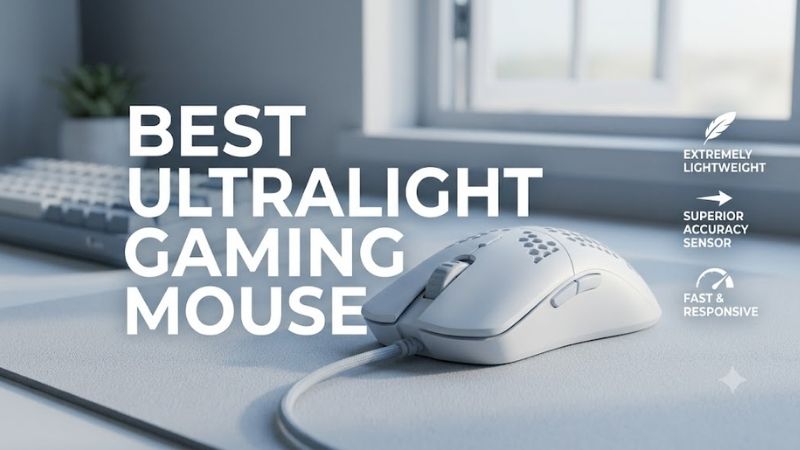
View on AmazonThe best ultralight gaming mouse combines low weight, precise tracking, responsive clicks, and a shape that stays comfortable during fast competitive play. This guide compares lightweight models for FPS, esports, claw, and fingertip users, focusing on control, polling rate, wireless performance, and practical grip fit.
Best Ultralight Gaming Mouse Comparison
| Mouse | Weight | Shape | Polling | Best For |
|---|---|---|---|---|
| Razer Viper V3 Pro | 54–55 g | Right-handed symmetrical | Up to 8,000 Hz | Competitive FPS |
| Finalmouse UltralightX | 31 g | Symmetrical, three sizes | Up to 8,000 Hz | Minimum possible weight |
| Pulsar X2 v3 Medium | 52 g | Symmetrical, low hump | Up to 8,000 Hz* | Claw and fingertip grip |
| Logitech G PRO X SUPERLIGHT 2 | 60 g | Symmetrical | Up to 8,000 Hz | Versatile grip styles |
| Logitech G PRO X SUPERLIGHT 2 DEX | 60 g | Right-handed ergonomic | Up to 8,000 Hz | Palm-claw and ergonomic users |
| Corsair M75 AIR | 60 g | Symmetrical | Gaming wireless | Dual-device flexibility |
*Pulsar requires its separate 8K dongle for polling above the standard receiver’s 1,000 Hz mode.
Razer Viper V3 Pro — Best for Competitive FPS
Best For: Competitive FPS and esports-style aiming
Key Features:
- 54 g black model; 55 g white model
- Focus Pro Optical Sensor Gen-2
- Up to 8,000 Hz HyperPolling
- Optical Mouse Switches Gen-3
- 2.4 GHz wireless and wired modes
- Up to 95 hours at 1,000 Hz
Razer’s Viper V3 Pro is a 54 g black or 55 g white wireless mouse with a right-handed symmetrical shape, Focus Pro Optical Sensor Gen-2, optical switches, and support for up to 8,000 Hz polling. Razer rates battery life up to 95 hours at 1,000 Hz, dropping as polling rate rises.
Its appeal is balance rather than one extreme trait. The long, low-profile body favors claw and relaxed claw users who want easy lateral movement without a tall rear hump locking the palm in place. High polling is useful on fast displays, but it also consumes battery faster, so 1,000 or 2,000 Hz may be the more practical daily setting.
What Makes It Different: A low-50 g shell combined with Razer’s current high-end wireless sensor platform and native high polling support.
Pros
- Very low weight without an exposed honeycomb shell
- Multiple polling-rate options
- Long battery rating at 1,000 Hz
- Shape supports fast lateral corrections
Cons
- High polling reduces battery runtime
- Shape may feel long for smaller fingertip users
Use Case: Tactical shooters, arena FPS, battle royale, and aim-training routines using medium or low sensitivity.
Who It’s For: Players seeking a lightweight esports mouse without dropping into the extreme sub-40 g category.
Finalmouse UltralightX — Best for Extreme Low Weight
Best For: Players prioritizing minimum inertia
Key Features:
- 31 g listed weight
- Carbon-fiber composite chassis
- Honeycomb construction
- Three size options
- Up to 8,000 Hz wireless polling
Finalmouse pushes weight much lower with the UltralightX, listed at 31 g and offered in three sizes. The chassis uses a carbon-fiber composite honeycomb structure, while wireless polling can reach 8,000 Hz. That combination targets players who value minimum inertia above a solid, fully closed shell feel.
The UltralightX stands out when very low mass supports your aiming style, especially large swipes, rapid direction changes, and fingertip-heavy control. The trade-off is that an open honeycomb shell feels different from a conventional solid body, so shape preference and tolerance for the perforated construction matter as much as weight.
What Makes It Different: Its 31 g specification puts it far below most mainstream wireless gaming mice while still offering high-rate wireless reporting.
Pros
- Extremely low listed weight
- Three chassis sizes
- High polling capability
- Low inertia for fast corrections
Cons
- Honeycomb construction will not suit everyone
- Very low mass may feel overly sensitive on fast mousepads
Use Case: Low-sensitivity FPS, aim trainers, tracking-heavy shooters, and players making frequent direction changes.
Who It’s For: Experienced lightweight-mouse users who already know they prefer extremely low mass over a heavier, more planted feel.
Pulsar X2 v3 Medium — Best for Claw and Fingertip Grip
Best For: Claw and fingertip users wanting a compact symmetrical shell
Key Features:
- 52 g ±1 g
- XS-1 sensor
- 32,000 DPI specification
- Low-hump symmetrical design
- Optical switches
- 1,000 Hz standard receiver
- Up to 8,000 Hz with optional dongle
Pulsar’s X2 v3 Medium weighs 52 g, uses the XS-1 sensor, and has a wide-waist, low-hump symmetrical shape recommended by Pulsar for claw and fingertip grips. It supports up to 8,000 Hz polling with a separate 8K dongle, while the standard receiver runs at 1,000 Hz for normal wireless play.
The X2 v3 suits gamers who dislike narrow center sections and prefer a flatter top that leaves room for finger-driven adjustments. Its 120.4 mm length keeps it compact compared with many full-size esports mice. The separate 8K dongle requirement is worth noting if high polling is part of the purchase decision rather than an optional upgrade.
What Makes It Different: The wide middle section and lower hump distinguish it from narrow-waisted or aggressively rear-humped lightweight mice.
Pros
- Low 52 g weight
- Compact dimensions
- Shape aimed at claw and fingertip grips
- Fine DPI adjustment through Pulsar software
Cons
- 8K receiver is an additional purchase
- Low hump provides less palm support than fuller shapes
Use Case: Valorant, Counter-Strike, Apex Legends, Overwatch, and other games requiring frequent micro-corrections.
Who It’s For: Players who control the mouse primarily with their fingers and prefer limited palm contact.
Logitech G PRO X SUPERLIGHT 2 — Best Neutral Shape
Best For: Gamers wanting a proven, broadly adaptable symmetrical design
Key Features:
- 60 g
- HERO 2 sensor
- 100–44,000 DPI
- LIGHTFORCE hybrid switches
- LIGHTSPEED wireless
- Up to 8,000 Hz report rate
- Up to 95 hours constant-motion battery life
Logitech’s PRO X SUPERLIGHT 2 weighs 60 g and combines the HERO 2 sensor, LIGHTSPEED wireless, LIGHTFORCE hybrid switches, PTFE feet, and up to 8,000 Hz reporting. Logitech lists up to 95 hours of constant-motion battery life, giving it a strong endurance profile for a competition-focused wireless mouse.
Its biggest strength is the familiar neutral shape: neither aggressively ergonomic nor extremely flat. That makes it easier to recommend to players who switch between claw, palm-claw, and relaxed fingertip styles. At 60 g it is not the lightest here, but the extra mass may feel steadier to users who find sub-50 g mice too twitchy.
What Makes It Different: It emphasizes a neutral esports shape and battery endurance instead of competing purely on minimum weight.
Pros
- Adaptable symmetrical shell
- High maximum report rate
- Strong published battery life
- USB-C charging
- HERO 2 sensor configuration through G HUB
Cons
- Heavier than several rivals here
- Neutral shape offers less specialized support than ergonomic designs
Use Case: Competitive FPS players who rotate between different shooters or frequently change grip during long sessions.
Who It’s For: Gamers who want ultralight-class performance but prefer the stability of a 60 g mouse over an extreme low-weight shell.
Logitech G PRO X SUPERLIGHT 2 DEX — Best Ergonomic Pick
Best For: Right-handed players wanting more palm and side support
Key Features:
- 60 g
- Asymmetrical right-handed shape
- HERO 2 sensor
- LIGHTFORCE switches
- LIGHTSPEED wireless
- Up to 8,000 Hz wireless report rate
- Up to 95 hours battery life
The PRO X SUPERLIGHT 2 DEX also weighs 60 g, but Logitech gives it an asymmetrical right-handed body. It retains the HERO 2 sensor, LIGHTSPEED wireless, LIGHTFORCE switches, up to 8,000 Hz wireless reporting, and up to 95 hours of battery life. The key difference is ergonomic support rather than lower weight.
DEX is the better fit when you want ultralight-class speed with more right-side hand support than a symmetrical shell provides. Its wider, sculpted body encourages a more anchored grip, which can reduce finger strain for some palm-claw users. The trade-off is less freedom for left-handed use and less of the narrow feel fingertip players prefer.
What Makes It Different: It brings Logitech’s competitive wireless platform into a fuller right-handed ergonomic shell instead of its traditional symmetrical profile.
Pros
- Ergonomic right-handed shape
- 60 g construction
- High wireless polling capability
- Strong published battery rating
- More palm support than flatter ultralight mice
Cons
- Right-handed shape limits versatility
- Less suited to narrow fingertip grips
Use Case: Long FPS sessions, palm-claw aiming, and players who want a secure shell during fast horizontal movement.
Who It’s For: Right-handed gamers who like the SUPERLIGHT platform but want more ergonomic hand contact.
Corsair M75 AIR — Best for Wireless Flexibility
Best For: Gamers using both a gaming PC and secondary device
Key Features:
- 60 g
- Symmetrical shell
- MARKSMAN 26K optical sensor
- Optical switches
- SLIPSTREAM 2.4 GHz wireless
- Bluetooth
- PTFE feet
Corsair’s M75 AIR is a 60 g symmetrical wireless mouse with a MARKSMAN 26K optical sensor, PTFE feet, optical switches, SLIPSTREAM wireless, and Bluetooth. Corsair lists up to 34 hours on 2.4 GHz SLIPSTREAM and up to 100 hours over Bluetooth, so battery life varies sharply by connection mode.
The M75 AIR is appealing if you want a simple ultralight shell plus dual wireless connectivity, especially for a gaming PC and a secondary laptop. Bluetooth adds flexibility, but competitive play is better matched to the dedicated 2.4 GHz link. Its 60 g weight puts it closer to balanced all-rounders than the extreme low-mass designs in this list.
What Makes It Different: Bluetooth adds everyday versatility that several competition-focused ultralight mice omit.
Pros
- 60 g symmetrical design
- Bluetooth and dedicated gaming wireless
- Optical switches
- PTFE feet
- Straightforward feature set
Cons
- 2.4 GHz battery rating is much lower than Bluetooth
- Not as light as the Viper V3 Pro, X2 v3, or UltralightX
Use Case: Gaming at a desktop while also using the same mouse with a notebook or secondary system.
Who It’s For: Users who want one lightweight wireless mouse for competitive gaming and general portable computing.
Which Ultralight Gaming Mouse Is Lightest?
For pure weight reduction, the Finalmouse UltralightX is the outlier. The Razer Viper V3 Pro and Pulsar X2 v3 sit in the low-50 g range, while Logitech’s two SUPERLIGHT 2 shapes and the Corsair M75 AIR stay at 60 g. The practical choice depends on grip security, shell preference, and whether you value extreme agility or added stability.
How to Choose the Best Ultralight Gaming Mouse
Weight and Aim Control
For competitive FPS, lower weight can reduce the effort needed to start, stop, and reverse a swipe. That helps players who use low sensitivity and large arm movements, but going lighter is not automatically better. If your aim becomes shaky or you over-correct often, a slightly heavier 55–60 g mouse can provide a calmer, more planted feel.
Shape and Grip Style
Shape matters more than a few grams once you enter the ultralight range. Claw users often benefit from a supportive rear hump, fingertip users usually prefer shorter bodies with room for finger movement, and palm-claw players may want more side support. Compare length, width, hump location, and side curvature before chasing the lowest weight.
Polling Rate
A higher polling rate lets the mouse report movement to the PC more frequently, but the benefit depends on your display, frame rate, CPU load, and sensitivity to input changes. It can also reduce battery life, as Razer’s Viper V3 Pro figures show. For many setups, 1,000 or 2,000 Hz balances responsiveness and endurance.
Battery Life
Battery life should be judged at the polling rate you plan to use. Manufacturers often publish their longest figure at lower reporting rates, while 4,000 or 8,000 Hz can shorten runtime. If you play long sessions or travel, prioritize efficient wireless operation, USB-C charging, and easy access to lower polling modes rather than a peak number.
Sensor Specifications
Modern flagship gaming sensors already exceed the sensitivity most players use, so maximum DPI should not dominate the decision. Consistent tracking, lift-off behavior, firmware stability, and sensor placement matter more in practice. Choose a mouse that lets you keep your familiar in-game sensitivity and move naturally without forcing a new grip.
FAQ
What Counts as an Ultralight Gaming Mouse?
An ultralight gaming mouse is generally designed to minimize mass for faster hand movement, usually around 60 g or below in current competitive models. There is no universal cutoff. What matters is how weight interacts with shape, balance, grip style, and sensitivity, because a 60 g mouse can feel quicker than a lighter shape that does not fit.
Is a Lighter Mouse Better for FPS Games?
For FPS games, a lighter mouse can make wide flicks and rapid corrections easier because less force is required to accelerate or stop the shell. The advantage is most noticeable for low-sensitivity players using large mousepad movements. If you use high sensitivity or a planted palm grip, stability and shape may matter more than minimum weight.
Do I Need an 8,000 Hz Gaming Mouse?
8,000 Hz polling is not required for an ultralight mouse to perform well. It can reduce the interval between reports, but the real benefit becomes more relevant with high-refresh displays and very high frame rates. It also increases power use and can add system overhead, so 1,000 or 2,000 Hz remains a sensible setting for many competitive players.
Which Grip Is Best for an Ultralight Mouse?
Grip style changes which ultralight shape feels controllable. Fingertip users often prefer compact, low-profile mice, claw users usually want a rear section that supports the base of the palm, and palm-claw users may favor ergonomic or fuller shapes. Hand size matters too, so compare dimensions instead of relying only on grip labels.
Are Wireless Ultralight Gaming Mice Good for Competitive Play?
Wireless ultralight mice are fully viable for competitive gaming when they use a modern low-latency 2.4 GHz connection and a stable receiver setup. Bluetooth is useful for general computing, but dedicated gaming wireless is the better choice for fast play. Keep the receiver close to the mouse and avoid unnecessary interference around the dongle.
Conclusion
The best ultralight gaming mouse is the one that makes fast movement easier without forcing your hand into an awkward shape. Start with grip and size, then compare weight, wireless mode, polling options, battery behavior, and shell design. Pick the lightest model that still feels controlled, stable, and comfortable during long competitive sessions.