🛒 Best Price Today on Amazon
Prime members get fast, free shipping on everything above, plus member-only deals. New members get a 30-day free trial — cancel anytime.
- Best Mouse for Laptop Users at a Glance
- Logitech MX Anywhere 3S — Best Overall
- Razer Pro Click Mini — Best for Productivity and Light Gaming
- Microsoft Surface Arc Mouse — Best for Thin Laptop Bags
- Logitech Signature M650 — Best for Long Work Sessions
- How to Choose the Best Mouse for a Laptop
- FAQ
- Conclusion
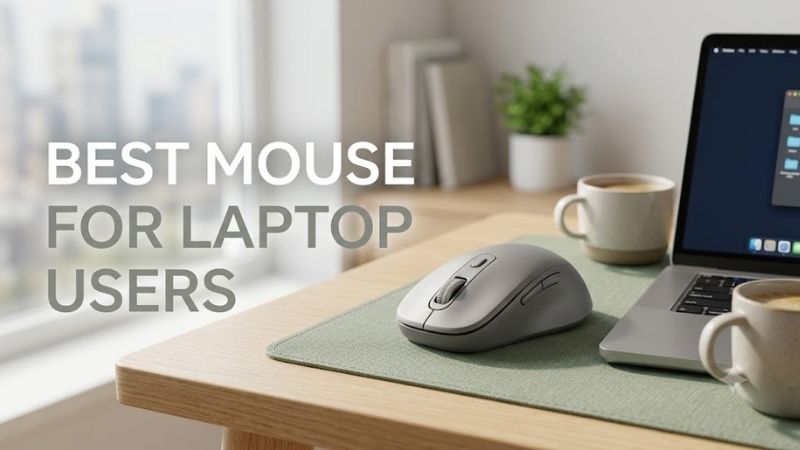
The best mouse for laptop users should travel easily, connect without cable clutter, and stay comfortable through long work sessions. This roundup compares four portable options for Windows and macOS users, focusing on Bluetooth, receiver support, scrolling, battery design, size, and day-to-day control.
Quick answer: For most people in 2026, the best mouse for laptop users is the Mouse — our #1 rated choice. See the full ranked comparison, alternatives and buying advice below.
Best Mouse for Laptop Users at a Glance
| Mouse | Best For | Connectivity | Power | Standout Feature |
|---|---|---|---|---|
| Logitech MX Anywhere 3S | Best overall | Bluetooth, Logi Bolt compatible | Rechargeable | 8,000 DPI tracking and MagSpeed wheel |
| Razer Pro Click Mini | Productivity and light gaming | Bluetooth, 2.4 GHz | 1 or 2 AA batteries | 7 programmable buttons |
| Microsoft Surface Arc Mouse | Thin laptop bags | Bluetooth | 2 AAA batteries | Fold-flat travel design |
| Logitech Signature M650 | Long office sessions | Bluetooth, Logi Bolt | 1 AA battery | Contoured shape and SmartWheel |
Logitech MX Anywhere 3S — Best Overall
The Logitech MX Anywhere 3S is the most balanced option for laptop users who work from different desks, cafés, meeting rooms, or hotel spaces. Its compact body is easy to pack, while Bluetooth pairing for up to three devices reduces dongle dependence. The 8,000 DPI sensor also helps on high-resolution laptop displays.
Its MagSpeed wheel can switch between precise ratcheted scrolling and fast free-spinning movement, which is useful for long documents, spreadsheets, code, and web research. Logitech also supports tracking on glass, a meaningful advantage when a laptop is used on polished tables where ordinary optical mice can become unreliable.
The trade-off is shape. MX Anywhere 3S is intentionally compact, so users with larger hands may find it less supportive during all-day desk work than a fuller mouse. It is best treated as a premium mobile productivity mouse rather than a large ergonomic model designed to fill the palm during long sessions.
Best For
Frequent travelers, hybrid workers, programmers, creators, business users, and anyone switching between multiple laptops or computers.
Key Features
- 8,000 DPI sensor with adjustable sensitivity
- Tracking designed to work on glass surfaces
- MagSpeed electromagnetic scroll wheel
- Bluetooth connection for up to three devices
- Compatible with Logi Bolt receiver; receiver not included
- USB-C rechargeable battery
- Up to 70 days of stated battery life
- Up to three hours of use from a one-minute charge
- Quiet-click design
What Makes It Different
MX Anywhere 3S combines a genuinely travel-friendly shell with features normally associated with productivity-focused desktop mice. The combination of surface flexibility, fast document scrolling, multi-device Bluetooth, rechargeable power, and customizable controls makes it particularly useful for laptop owners who regularly change work locations.
Pros
- Compact enough for laptop bags
- Works across varied surfaces
- Fast and precise scrolling
- Rechargeable through USB-C
- Supports multiple devices
- High adjustable pointer sensitivity
- Quiet primary clicks
Cons
- Compact body may feel small for large hands
- Logi Bolt receiver is not included
- Less palm support than larger productivity mice
Use Case
Choose the MX Anywhere 3S when your laptop regularly moves between a home office, coworking space, meeting room, hotel, or café. Its surface tracking matters when a mouse pad is unavailable, while multi-device support is useful for users who alternate between a work laptop and a personal machine.
Who It’s For
It fits mobile professionals who want one compact mouse without giving up advanced scrolling, high-resolution tracking, USB-C charging, or multi-device control. Users who spend most of their week at one desk and prioritize maximum palm support may prefer a larger ergonomic shape.
Razer Pro Click Mini — Best for Productivity and Light Gaming
Razer Pro Click Mini suits laptop users who want more buttons, faster pointer control, and a compact body without moving into a full gaming-mouse shape. It supports Bluetooth and 2.4 GHz wireless, can connect with up to four devices, and includes seven programmable buttons for productivity shortcuts.
Its 12,000 DPI optical sensor and 1,000 Hz polling mode provide more headroom than most office mice, which can matter on high-resolution displays or for users who alternate between productivity and light gaming. The four-way tilt wheel also gives horizontal navigation that is useful in timelines and wide spreadsheets.
The main compromise is battery design and weight. It runs from one or two AA batteries rather than an internal rechargeable cell, so carrying a spare battery may be preferable for frequent travel. Users who value programmable controls and responsiveness may accept that trade-off more readily than minimalists seeking the lightest setup.
Best For
Power users who combine laptop productivity, creative applications, large spreadsheets, programming, and occasional gaming.
Key Features
- Razer 5G Advanced Optical Sensor
- Up to 12,000 DPI
- Up to 1,000 Hz polling
- Bluetooth and 2.4 GHz wireless
- Multi-host connection for up to four devices
- Seven programmable buttons
- Four-way HyperScroll tilt wheel
- Free-spin and tactile wheel modes
- Silent mechanical switches
- Supports one or two AA batteries
What Makes It Different
The Pro Click Mini brings gaming-derived sensor performance and programmable inputs into a compact productivity design. That distinction matters for laptop users who want office-friendly portability but still need faster polling, customizable shortcuts, horizontal scrolling, or more responsive control than a basic Bluetooth mouse provides.
Pros
- High-resolution optical sensor
- Seven programmable controls
- Bluetooth plus 2.4 GHz wireless
- Four-device connectivity
- Horizontal wheel movement
- Compact ambidextrous design
- Useful for work and casual gaming
Cons
- Uses replaceable AA batteries
- More complex than basic travel mice
- Maximum functionality depends on software
- Added controls may be unnecessary for simple browsing
Use Case
This mouse makes sense beside a gaming laptop or powerful productivity notebook used for Excel, video timelines, browser-heavy research, coding, or gaming after work. Programmable buttons can reduce repeated keyboard actions, while 2.4 GHz connectivity gives users another option when responsiveness matters more than freeing a USB port.
Who It’s For
Choose it if you want a compact mouse that crosses between business tasks and gaming-oriented responsiveness. Travelers who only browse, write documents, and answer email may not need its sensor range or programmable controls and could benefit more from a simpler Bluetooth model.
Microsoft Surface Arc Mouse — Best for Thin Laptop Bags
Microsoft Surface Arc Mouse is built around portability first. Its bendable body snaps flat for transport and curves into use, allowing it to slide into a thin laptop sleeve more easily than conventional mice. Bluetooth connectivity also avoids occupying a USB port, which is useful on ultraportables with limited physical connections.
The touch-sensitive scroll plane supports vertical and horizontal scrolling, keeping the top surface clean and simple. Microsoft lists a weight of about 82 grams with batteries and battery life of up to six months. The design is especially appealing when bag space matters more than extra buttons or deep palm support.
Its limitations are just as specific. Surface Arc Mouse has only left and right click controls, so users who depend on side buttons, app shortcuts, or gaming inputs will find it restrictive. Compatibility is also centered on Windows, making it a stronger fit for Surface and Windows laptop owners than mixed-platform users.
Best For
Surface owners, Windows ultraportable users, business travelers, and anyone prioritizing minimum bag thickness.
Key Features
- Bendable design
- Folds flat for transport
- Bluetooth 4.1 interface
- Full scroll plane
- Horizontal and vertical scrolling
- Microsoft BlueTrack technology
- Two primary buttons
- Uses two AAA batteries
- Up to six months of stated battery life
- Approximately 82.49 grams including batteries
What Makes It Different
Most travel mice become smaller by shortening their body. Surface Arc takes another approach by flattening when packed, reducing the thickness that protrudes inside a laptop sleeve. That design gives it a clear niche for commuters who want the mouse to sit beside an ultraportable notebook without requiring a separate accessory pouch.
Pros
- Extremely slim when stored
- No receiver required
- Horizontal and vertical scrolling
- Clean minimalist design
- Automatically suits compact travel setups
- Long stated battery life
Cons
- Only two main buttons
- No conventional side buttons
- Limited customization compared with productivity mice
- Windows-focused compatibility
- Flat travel concept sacrifices traditional ergonomic shaping
Use Case
Surface Arc is most useful when portability outranks button count. A consultant carrying a Surface laptop between meetings, a student moving between classrooms, or a traveler working from a compact sleeve can benefit from the flat form without carrying a receiver, charging cable, or larger mouse case.
Who It’s For
Buy it if your laptop bag is intentionally minimal and your workflow mainly involves browsing, documents, presentations, and general Windows navigation. Skip it if you rely heavily on browser forward and back buttons, programmable shortcuts, precision gaming controls, or a strongly contoured palm grip.
Logitech Signature M650 — Best for Long Work Sessions
Logitech Signature M650 is the better fit for laptop users who want a more traditional, supportive mouse for long work sessions. It offers Bluetooth Low Energy and a Logi Bolt receiver, a SmartWheel for line-by-line or faster scrolling, five buttons, and a 400 to 4,000 DPI tracking range for everyday productivity.
Unlike flatter travel mice, the M650 uses a more conventional contoured body with side grip areas, so it can feel more stable during extended office work. Logitech also offers medium and large versions in the business line, which gives buyers more flexibility when hand size matters more than minimal packing volume.
The compromise is portability. The M650 takes more bag space than the MX Anywhere 3S or Surface Arc Mouse, and the receiver uses USB-A if you choose that connection method. For users who mostly carry a laptop between home and office rather than working from tiny café tables, the added comfort can be worth the bulk.
Best For
Hybrid workers who use a laptop for many hours at a desk and value a conventional mouse shape over maximum portability.
Key Features
- 400 to 4,000 DPI precision tracking
- Five buttons
- SmartWheel scrolling
- Bluetooth Low Energy
- Logi Bolt USB receiver support
- Up to 10-meter stated wireless range
- One AA battery
- Up to 24 months of stated battery life
- Logi Options+ support on Windows and macOS
What Makes It Different
The Signature M650 focuses less on making the smallest possible travel mouse and more on making laptop-based office work comfortable. Its conventional body, side controls, SmartWheel, replaceable battery, and two connection methods make it appropriate for users whose notebook frequently operates as their primary work computer.
Pros
- More supportive shape than flat travel mice
- Bluetooth and receiver connectivity
- SmartWheel scrolling
- Replaceable AA battery
- Long stated battery life
- Customizable side buttons
- Available in different size options
Cons
- Bulkier inside a laptop bag
- Receiver requires USB-A
- Not designed around high polling-rate gaming
- Less convenient for extremely compact travel kits
Use Case
Choose the M650 when your laptop regularly becomes a desktop workstation with an external monitor, keyboard, or docking station. It is especially appropriate for office workers who transport their notebook each day but spend several continuous hours using the mouse after arriving at their main workspace.
Who It’s For
It suits accountants, writers, administrators, researchers, students, and remote workers who care more about everyday hand support and simple productivity controls than about carrying the thinnest possible mouse. Frequent flyers with extremely limited bag space may prefer the MX Anywhere 3S or Surface Arc instead.
How to Choose the Best Mouse for a Laptop
Bluetooth vs USB Receiver
For most laptop users, Bluetooth is the cleanest connection because it keeps scarce USB ports free. A receiver can still be useful where wireless stability, quick switching, or corporate deployment matters. Before buying, check whether the receiver uses USB-A and whether your laptop would need an adapter or hub.
Modern ultrabooks increasingly dedicate their physical ports to USB-C, displays, charging, and external storage. Using Bluetooth can therefore simplify a mobile setup considerably. Laptop owners who regularly game or use latency-sensitive applications may still prefer a dedicated 2.4 GHz wireless connection when a compatible port is available.
Compact Size vs Long-Term Comfort
Compact mice save space but reduce the amount of hand support available. A small model works well for commuters, frequent flyers, and users who mainly make short pointer movements. A larger mouse is usually easier to hold through long editing, spreadsheet, design, or office sessions, especially for palm-grip users.
Think about where the mouse spends most of its time rather than choosing purely from dimensions. A mouse carried twice per day but used for eight hours deserves more attention to shape and support. A mouse used for thirty minutes at airport gates may reasonably prioritize thinness and easy storage instead.
Rechargeable vs Replaceable Batteries
Battery design affects travel convenience more than raw runtime. Rechargeable mice avoid disposable cells and can be topped up by cable, while AA or AAA models are easy to revive instantly with a replacement battery. Choose based on whether you prefer fewer accessories or the ability to swap power without waiting to recharge.
USB-C rechargeable models make sense if the laptop and other accessories already use the same cable. Replaceable-battery mice remain practical for travelers who cannot always stop to charge devices. Battery-life claims also vary with usage patterns, connection type, settings, and operating conditions, so treat manufacturer figures as estimates.
DPI and Pointer Sensitivity
Do not choose DPI by chasing the highest number. Higher sensitivity is useful for 4K displays, multiple monitors, or users who prefer small wrist movements, but control and adjustment matter more than the maximum figure. For ordinary laptop work, a broad adjustable range is more useful than an extreme headline specification.
Designers, gamers, and multi-monitor users may appreciate wider sensitivity adjustment because pointer travel changes dramatically across different screen sizes and resolutions. Office users usually benefit more from predictable tracking, comfortable acceleration settings, and easy pointer placement than from operating at the sensor’s maximum DPI.
Scrolling
Scrolling becomes important when the laptop is used for spreadsheets, code, research, documents, or creative timelines. Free-spinning wheels make long pages easier to cross, while ratcheted modes provide deliberate movement. Horizontal scrolling can also save time when navigating wide worksheets, video timelines, or design canvases.
MX Anywhere 3S emphasizes rapid MagSpeed navigation, Pro Click Mini adds a four-way tilt wheel, Surface Arc uses a touch scroll plane, and Signature M650 uses SmartWheel behavior. The right mechanism depends on whether you frequently cross long pages, move sideways through content, or simply need predictable everyday scrolling.
Multi-Device Switching
Multi-device pairing is valuable when a laptop shares a desk with another computer or tablet. Instead of carrying two mice, a compatible model can switch hosts through a hardware control. This matters most for hybrid workers who alternate between company and personal systems or between a laptop and another device during the same session.
MX Anywhere 3S can connect with up to three Bluetooth devices, while Razer Pro Click Mini supports multi-host operation with up to four devices. Users who work with only one laptop gain little from this feature, so multi-device support should not outweigh comfort, portability, or battery preferences.
FAQ
Is Bluetooth or 2.4 GHz better for a laptop mouse?
Yes. Bluetooth is usually the easiest choice for laptop users because it avoids occupying a USB port and works well for everyday productivity. A dedicated receiver can still be useful when you want a simple plug-in connection, lower-latency operation, or compatibility with a system where Bluetooth access is restricted.
Is a compact mouse better for laptop users?
A compact mouse is better when portability is the priority, but not automatically better for comfort. Small models fit laptop sleeves and crowded tables more easily, while medium or full-size shapes usually give the hand more support. Frequent travelers may prefer compactness; desk-heavy users may prefer a larger contour.
Can I use a wireless mouse without a USB receiver?
You can use many wireless mice without a USB receiver if they support Bluetooth. That is especially useful on modern laptops with only USB-C ports. However, some models also support proprietary receivers for an alternative connection, so check the exact package contents and port type before assuming a dongle is included.
Can a gaming mouse be used with a laptop?
Gaming mice can work with laptops, but they are not always the most practical travel choice. Models with high polling rates, many buttons, or 2.4 GHz receivers can be useful for gaming and creative work, yet larger shells, RGB lighting, or short battery life may add bulk and maintenance that ordinary laptop users do not need.
Conclusion
The best mouse for laptop users depends on how often the laptop moves and how long the mouse is used each day. MX Anywhere 3S balances portability and productivity, Pro Click Mini adds controls and responsiveness, Surface Arc prioritizes thin travel, while M650 favors sustained comfort. Choose around your real mobile workflow.
Ready to decide? Our #1 pick for 2026 is the Mouse.
Live price & availability on Amazon.