🛒 Best Price Today on Amazon
Prime members get fast, free shipping on everything above, plus member-only deals. New members get a 30-day free trial — cancel anytime.
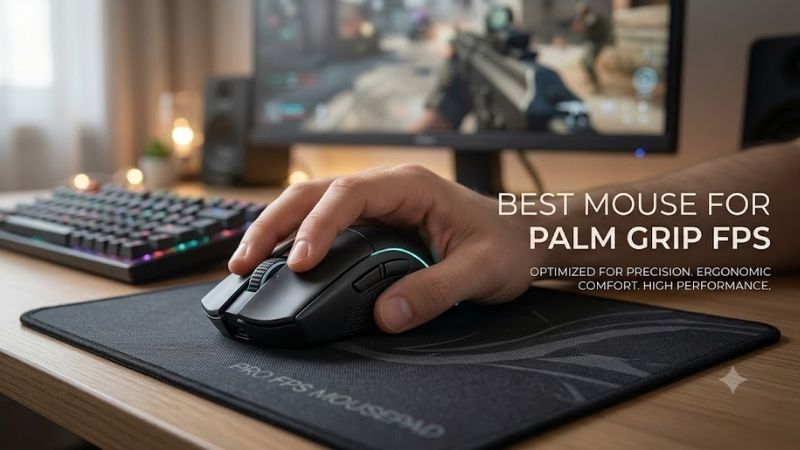
The best mouse for palm grip FPS play should support most of your hand without feeling bulky during fast flicks. Shape matters more than headline DPI: a stable hump, comfortable right-side slope, manageable weight, reliable wireless, and clean sensor tracking all help you aim consistently through long CS2, Valorant, Apex, or Warzone sessions.
Quick answer: For most people in 2026, the best mouse for palm grip fps is the Razer DeathAdder V4 Pro — our #1 rated choice. See the full ranked comparison, alternatives and buying advice below.
Best Palm Grip FPS Mice Compared
| Mouse | Best For | Weight | Maximum Polling | Shape |
|---|---|---|---|---|
| Razer DeathAdder V4 Pro | Large hands and low-sensitivity FPS | 56g Black | 8000 Hz wireless | Right-handed ergonomic |
| Pulsar Xlite V3 Large | Full palm support at low weight | 58g ±1g | 1000 Hz standard | Right-handed ergonomic |
| ASUS ROG Keris II Ace | Medium hands and versatile palm grip | 54g | 4000 Hz wireless | Right-handed ergonomic |
| ZOWIE EC2-DW | Shape-focused competitive FPS | 60g | 4000 Hz | Medium ergonomic |
| Logitech G PRO X SUPERLIGHT 2 DEX | Neutral asymmetrical palm grip | 60g | 8000 Hz | Right-handed asymmetrical |
For this roundup, the strongest options are ergonomic or asymmetrical mice that let the palm rest naturally while keeping enough mobility for low-sensitivity swipes. The Razer DeathAdder V4 Pro favors larger hands, the Pulsar Xlite V3 Large maximizes palm support, while the Keris II Ace and EC2-DW fit more moderate hand sizes.
Palm grip places more of the hand on the shell than claw or fingertip grip, so width, hump position, rear support, and button height directly affect control. A mouse that is too short can force the fingers to curl, while one that is too wide may slow micro-adjustments. FPS players need support without sacrificing fast repositioning.
Razer DeathAdder V4 Pro
Best For: Large-hand palm grip and low-sensitivity FPS
Key Features: 56g Black model, Focus Pro 45K Gen-2 sensor, 8000 Hz wireless polling, optical switches
What Makes It Different: Large ergonomic FPS shape with ultralight weight
Use Case: CS2, Valorant, Apex Legends, Warzone
Who It’s For: Right-handed players wanting maximum palm support
The Razer DeathAdder V4 Pro is the most obvious fit for players who want a full ergonomic shell without the heavy feel associated with older palm-grip mice. Its familiar right-handed shape gives the palm broad support, while the reduced 56-gram black model makes wide arm movements and rapid corrections easier during competitive FPS play.
Its strongest advantage is the combination of large-hand comfort and modern competitive hardware. Razer lists true 8000 Hz wireless polling, up to 150 hours of battery life at lower polling rates, large PTFE feet, and a revised smooth-touch shell. Higher polling can improve update frequency, but it also reduces battery life and raises CPU demand.
Choose the DeathAdder V4 Pro if your palm grip feels cramped on medium symmetrical mice or if your ring and little fingers need more side support. It is especially logical for low-sensitivity aimers who make long swipes. Players with small hands may find the body excessive, so hand size should take priority over sensor specifications.
Pros
- Large ergonomic shell supports relaxed palm grip
- Very low weight for its size
- Up to 8000 Hz wireless polling
- Extensive sensor and lift-off customization
- Large PTFE feet
Cons
- Large body may overwhelm smaller hands
- High polling rates consume battery faster
- Strong ergonomic shape gives less grip-style freedom
Pulsar Xlite V3 Large
Best For: Large hands wanting maximum palm contact
Key Features: 58g ±1g, PAW3395 sensor, optical switches, 2.4 GHz wireless
What Makes It Different: Full-size palm-focused shell at ultralight weight
Use Case: Low-sensitivity tactical and tracking FPS
Who It’s For: Players who prefer a hand-filling ergonomic mouse
The Pulsar Xlite V3 Large is built around a right-handed ergonomic shell and is explicitly recommended by Pulsar for palm grip. At 126.6 mm long, 69.5 mm wide, and 44.5 mm tall, it gives large hands more surface contact than compact esports mice. The 58-gram weight keeps that full shape from feeling slow during repeated flicks.
Pulsar pairs the Xlite V3 Large with a PAW3395 sensor, 26,000 DPI capability, 650 IPS tracking, optical switches, and 2.4 GHz wireless. The standard receiver runs at 1000 Hz, while higher polling requires a separate compatible dongle. That makes the mouse appealing when shape and weight matter more than paying for maximum polling immediately.
The Xlite V3 Large suits players who want the hand-filling feel of a classic ergonomic mouse but prefer a lighter chassis for CS2, Valorant, or tracking-heavy shooters. Its main trade-off is size: the large shell can feel excellent with a relaxed palm but may limit fingertip corrections for smaller hands or aggressive claw-style hybrids.
Pros
- Manufacturer specifically recommends palm grip
- Large ergonomic dimensions
- Only 58g ±1g
- PAW3395 sensor
- Optical main switches
Cons
- Large size is less suitable for small hands
- Standard configuration is limited to 1000 Hz
- Higher wireless polling requires extra hardware
ASUS ROG Keris II Ace
Best For: Medium hands and flexible palm grip
Key Features: 54g, AimPoint Pro sensor, 4000 Hz wireless polling, three connection modes
What Makes It Different: Compact ergonomic dimensions without becoming a small mouse
Use Case: Competitive FPS plus mixed gaming
Who It’s For: Palm users who sometimes transition toward relaxed claw
The ASUS ROG Keris II Ace is a useful middle ground between large ergonomic mice and narrow symmetrical esports designs. ASUS lists palm grip among its supported styles, and the 121 x 67 x 42 mm right-handed body offers meaningful palm contact without extending as far as the DeathAdder or Xlite Large. At 54 grams, it stays easy to accelerate.
Its AimPoint Pro sensor is rated to 42,000 DPI, 750 IPS, and 50G acceleration, while the bundled Polling Rate Booster supports up to 4000 Hz over 2.4 GHz and 8000 Hz wired. Wireless battery life is rated up to 107 hours at standard settings with lighting off. Those numbers are useful, but the ergonomic fit remains the larger buying factor.
Pick the Keris II Ace if you use palm grip but still want room to shift toward relaxed claw during tense aim corrections. The shorter body can suit medium hands better than oversized ergonomic models, and the low weight helps with fast recentering. Its feature set also works well for players who switch between competitive games and desktop use.
Pros
- 54g ergonomic body
- Palm grip officially supported
- 4000 Hz wireless capability
- Bluetooth, 2.4 GHz, and wired connectivity
- Shorter shape than many full-size ergonomic mice
Cons
- Large-handed users may want more rear support
- 8000 Hz operation is wired rather than wireless
- More features than minimalist tournament users may need
ZOWIE EC2-DW
Best For: Competitive players prioritizing shape and simplicity
Key Features: 60g, 4000 Hz wireless, adjustable DPI and LOD, charging receiver
What Makes It Different: Driverless EC-series ergonomic design
Use Case: CS2, Valorant, tactical FPS and tournament setups
Who It’s For: Medium-hand palm users who dislike software dependence
The ZOWIE EC2-DW follows a different philosophy: it prioritizes a proven ergonomic shape, driverless control, and straightforward on-mouse settings. The medium EC2 profile supports the palm without excessive rear contact, helping players keep a relaxed hand while retaining enough freedom for horizontal swipes and repeated lift-and-reset movements.
ZOWIE lists the EC2-DW at 60 grams with 2.4 GHz wireless, adjustable polling from 125 to 4000 Hz, several fixed DPI steps, Motion Sync control, and an enhanced receiver that also functions as a charging dock. Battery life changes with polling rate, so 4K operation trades endurance for more frequent position reports.
The EC2-DW is best for players who care about shape consistency and simple tournament setup more than deep software customization. Medium-hand palm users are the clearest audience, especially those familiar with the EC family. The main limitation is that fixed hardware controls offer less fine-grained tuning than software-heavy competitors.
Pros
- Comfortable medium ergonomic shell
- 60g weight
- Up to 4000 Hz wireless polling
- No driver required
- Enhanced receiver doubles as charging dock
Cons
- Fewer software customization options
- Fixed DPI steps limit fine sensitivity adjustment
- Battery life drops noticeably at higher polling rates
Logitech G PRO X SUPERLIGHT 2 DEX
Best For: Less aggressive ergonomic palm grip
Key Features: 60g, HERO 2 sensor, LIGHTSPEED wireless, up to 8 kHz polling
What Makes It Different: Asymmetrical shape without deep ergonomic sculpting
Use Case: Competitive FPS with frequent grip adjustment
Who It’s For: Medium-to-large hands wanting palm support plus flexibility
The Logitech G PRO X SUPERLIGHT 2 DEX is an asymmetrical alternative for players who want palm support with a less traditional ergonomic slope. Logitech positions the DEX shape for right-handed control and multiple grip styles, while its 60-gram chassis keeps it competitive for fast FPS movement. It feels more neutral than the DeathAdder or Xlite.
The HERO 2 sensor supports up to 44,000 DPI, more than 888 IPS tracking, 88G acceleration, and LIGHTSPEED wireless with polling up to 8 kHz. Those capabilities give competitive players ample technical headroom, but the DEX shape is the real differentiator. It can suit users who find strongly sculpted ergonomic mice too restrictive.
Choose the SUPERLIGHT 2 DEX if you want a right-handed shell that supports palm contact yet still allows grip adjustments during a match. It is especially relevant for medium-to-large hands that dislike deep thumb grooves. Players seeking maximum palm fill may prefer the DeathAdder V4 Pro or Xlite V3 Large instead.
Pros
- Lightweight 60g chassis
- Less restrictive asymmetrical shape
- HERO 2 sensor
- Up to 8 kHz LIGHTSPEED polling
- Works with several grip styles
Cons
- Less pronounced palm support than large ergonomic designs
- Shape may feel too neutral for dedicated palm users
- Maximum sensor specifications offer little benefit at normal FPS DPI
How to Choose the Best Mouse for Palm Grip FPS
Match the Mouse to Your Hand Size
Start with hand size before comparing sensors. Large hands usually need more length and rear support to keep the fingers from hanging over the main buttons, while medium hands can often use shorter ergonomic shapes without losing palm contact. Compare your current mouse dimensions with the new model instead of relying on grip labels alone.
Balance Weight With Palm Support
Weight affects how easily a palm-grip mouse starts, stops, and changes direction. Modern FPS models in the mid-50 to low-60 gram range reduce inertia without forcing you into a tiny shell. Extremely low weight is not automatically better; a supportive shape can produce steadier crosshair placement than a lighter mouse that creates hand tension.
Decide Whether You Need 4K or 8K Polling
Polling rate describes how often the mouse reports movement to the PC. Moving from 1000 Hz to 4000 or 8000 Hz increases update frequency, which can be more noticeable on high-refresh displays and fast systems. The trade-offs are shorter wireless battery life and higher CPU activity, so 1000 Hz remains practical for many competitive setups.
Do Not Choose by Maximum DPI Alone
Sensor DPI ceilings are rarely the deciding factor for FPS palm grip because competitive sensitivity is usually far below the maximum setting. Consistent tracking, suitable lift-off behavior, and a shape that lets you stop precisely matter more. Treat very high DPI figures as capability limits rather than a reason to choose one mouse over another.
Check the Thumb and Outer-Finger Support
Side shape deserves attention with palm grip. Your thumb, ring finger, and little finger stay in contact with the shell for long periods, so aggressive flares or narrow front sections can create pressure points. A gentle right-side slope and enough width for the outer fingers often improve comfort during long practice sessions and ranked play.
FAQ
What Palm Grip FPS Mouse Is Best for Large Hands?
For large hands, a full ergonomic shell such as the DeathAdder V4 Pro or Xlite V3 Large usually provides more complete palm and finger support. The better fit depends on your hand dimensions and how much side contact you prefer. If your fingers overhang a medium mouse or your palm lacks rear support, moving to a larger body is reasonable.
Is Palm Grip Good for Competitive FPS Games?
Palm grip can work very well for competitive FPS because it provides a stable contact area and reduces the need to pinch the mouse. The trade-off is slightly less finger-driven mobility than claw or fingertip grip. Low-sensitivity arm aimers often benefit most because they rely on broad forearm movement rather than tiny finger corrections.
Is a Lighter Mouse Better for Palm Grip?
A lighter mouse generally makes large swipes and repeated lift-offs easier, but shape should come first. For palm grip, reducing weight while preserving enough shell volume is ideal. A 55- to 65-gram ergonomic mouse can feel faster than a smaller ultralight model if the larger shell lets your hand remain relaxed instead of gripping harder.
Do I Need 8000 Hz Polling for FPS?
You do not need 8000 Hz polling to play FPS competitively. A stable 1000 Hz connection already reports movement frequently, while 4000 or 8000 Hz can reduce the interval between reports on capable systems. Higher rates make the most sense with high-refresh monitors and strong CPUs, and they usually consume wireless battery faster.
Are Wireless Mice Good Enough for Competitive FPS?
Wireless gaming mice are fully viable for FPS when they use modern low-latency 2.4 GHz connections and the receiver is positioned well. Several mice in this roundup use tournament-focused wireless systems. Keep the receiver away from heavy interference, maintain battery charge, and use the supplied extender or dock when the maker recommends it.
Conclusion
The best mouse for palm grip FPS gaming is the one that keeps your hand supported without slowing aim. The DeathAdder V4 Pro favors larger hands, the Xlite V3 Large emphasizes full palm contact, the Keris II Ace fits a versatile middle ground, the EC2-DW keeps setup simple, and the SUPERLIGHT 2 DEX offers a more neutral asymmetrical feel.
Ready to decide? Our #1 pick for 2026 is the Razer DeathAdder V4 Pro.
Live price & availability on Amazon.