🛒 Best Price Today on Amazon
Prime members get fast, free shipping on everything above, plus member-only deals. New members get a 30-day free trial — cancel anytime.
- Best Anti Glare Gaming Monitors Compared
- Samsung Odyssey OLED G8 G80SH — Best Overall
- Samsung Odyssey OLED G6 G60SF — Best for Esports
- LG UltraGear 27GX790A-B — Best High-Refresh QHD Pick
- ASUS ROG Swift OLED PG27AQDM — Best Matte OLED Pick
- LG UltraGear 45GR95QE-B — Best Anti-Glare Ultrawide
- How to Choose the Best Anti Glare Gaming Monitor
- FAQ
- Conclusion
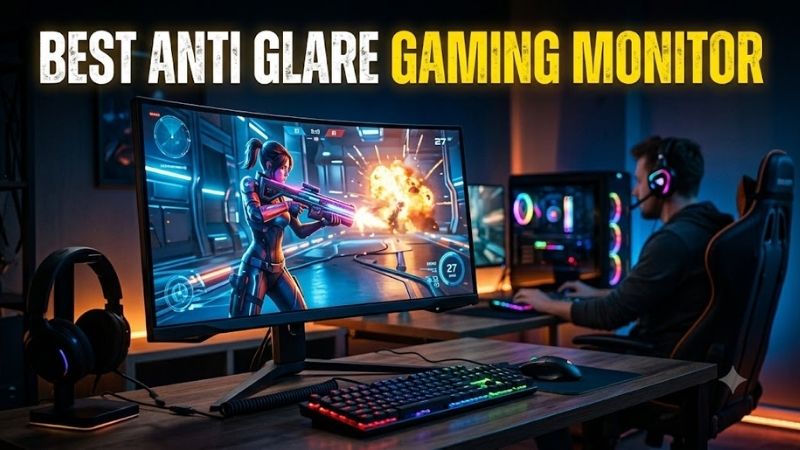
The best anti glare gaming monitor should reduce distracting reflections without sacrificing motion clarity, contrast, or sharpness. This roundup focuses on verified anti-glare or glare-free gaming displays, from 500Hz esports OLEDs to immersive ultrawides, so you can match screen finish to room lighting and game type.
Quick answer: For most people in 2026, the best anti glare gaming monitor is the Samsung Odyssey OLED G8 G80SH — our #1 rated choice. See the full ranked comparison, alternatives and buying advice below.
Best Anti Glare Gaming Monitors Compared
| Monitor | Best For | Resolution | Refresh Rate | Glare Control |
|---|---|---|---|---|
| Samsung Odyssey OLED G8 G80SH | Best Overall | 3840×2160 | 240Hz | Glare Free |
| Samsung Odyssey OLED G6 G60SF | Competitive Esports | 2560×1440 | 500Hz | Glare Free |
| LG UltraGear 27GX790A-B | High-Refresh QHD Gaming | 2560×1440 | 480Hz | Anti-Glare / Low Reflection |
| ASUS ROG Swift OLED PG27AQDM | Matte OLED Gaming | 2560×1440 | 240Hz | Anti-Glare Micro-Texture |
| LG UltraGear 45GR95QE-B | Ultrawide Immersion | 3440×1440 | 240Hz | Anti-Glare / Low Reflection |
Samsung Odyssey OLED G8 G80SH — Best Overall
Best For: 4K gaming, bright rooms, mixed gaming and desktop use
Samsung’s 27-inch Odyssey OLED G8 G80SH pairs a 4K QD-OLED panel with 240Hz refresh, 0.03ms response time, Glare Free coating, DisplayPort 2.1 UHBR20, and USB-C with 98W power delivery. That mix suits bright-room PC setups where sharp text, deep contrast, and high refresh matter equally.
Key Features
- 27-inch QD-OLED panel
- 3840×2160 resolution
- 240Hz refresh rate
- 0.03ms response time
- Samsung Glare Free technology
- DisplayPort 2.1 UHBR20
- USB-C with 98W power delivery
What Makes It Different
The Glare Free film is the key differentiator because it targets reflections while preserving the high-contrast look buyers expect from QD-OLED. Compared with lower-resolution esports models, the G8 favors image density and desktop versatility; the trade-off is that 4K at high frame rates asks more from the GPU.
Pros
- High-density 4K image
- 240Hz refresh for fast gaming
- Glare Free surface for bright setups
- DisplayPort 2.1 connectivity
- USB-C power delivery
Cons
- 4K requires more GPU performance
- Extreme-refresh esports players may prefer 480Hz or 500Hz QHD
Use Case: High-end PC gaming in rooms with windows or strong ambient lighting.
Who It’s For: Gamers who want anti-glare performance without giving up 4K detail.
Samsung Odyssey OLED G6 G60SF — Best for Esports
Best For: Competitive FPS and extremely high frame rates
Samsung’s Odyssey OLED G6 G60SF is built for competitive play: a 27-inch QHD QD-OLED panel, 500Hz refresh rate, Glare Free surface, and VESA DisplayHDR True Black 500 support. Samsung states that its glare-free film reduces gloss versus conventional anti-glare film, helping control reflections in daylight or lit rooms.
Key Features
- 27-inch QD-OLED
- 2560×1440 resolution
- 500Hz refresh rate
- Samsung Glare Free coating
- VESA DisplayHDR True Black 500
What Makes It Different
Its advantage is refresh-rate headroom for fast shooters, where very high frame output can make motion updates feel more immediate. QHD is also easier to drive than 4K at extreme frame rates. The limitation is simple: players focused on cinematic detail or productivity may value a 4K panel more than a 500Hz ceiling.
Pros
- 500Hz refresh rate
- QHD resolution suits high-FPS PCs
- QD-OLED response characteristics
- Effective glare-control focus
- Strong fit for competitive shooters
Cons
- 500Hz needs extremely high system frame rates to matter
- Lower pixel density than 27-inch 4K displays
Use Case: Counter-Strike, Valorant, Overwatch, and other high-FPS competitive games.
Who It’s For: Esports-focused players whose CPUs and GPUs can sustain very high frame rates.
LG UltraGear 27GX790A-B — Best High-Refresh QHD Pick
Best For: 480Hz gaming with broad adaptive-sync support
LG’s UltraGear 27GX790A-B uses a 27-inch 2560×1440 OLED panel with a 480Hz refresh rate, 0.03ms GtG response time, DisplayPort 2.1, and anti-glare/low-reflection treatment. It also supports G-SYNC Compatible, VESA AdaptiveSync, and FreeSync Premium Pro for variable-refresh gaming.
Key Features
- 27-inch OLED
- 2560×1440 resolution
- 480Hz refresh rate
- 0.03ms GtG response time
- Anti-glare and low-reflection surface
- DisplayPort 2.1
- G-SYNC Compatible
- FreeSync Premium Pro
- VESA AdaptiveSync
What Makes It Different
This LG is especially compelling for users who want very high refresh without moving to Samsung’s 500Hz QD-OLED option. Its anti-glare and low-reflection design targets bright-room distractions, while QHD keeps GPU demands below 4K. The main trade-off is lower pixel density than a 27-inch 4K screen.
Pros
- 480Hz refresh rate
- QHD is easier to drive than 4K
- Anti-glare and low-reflection treatment
- Broad VRR support
- DisplayPort 2.1
Cons
- Less detailed than 4K at the same screen size
- 480Hz benefits require very high frame rates
Use Case: Competitive gaming plus general PC gaming where 480Hz is useful but 4K is unnecessary.
Who It’s For: High-FPS gamers seeking an anti-glare OLED with multiple adaptive-sync standards.
ASUS ROG Swift OLED PG27AQDM — Best Matte OLED Pick
Best For: Gamers who specifically prefer a matte anti-glare OLED surface
ASUS ROG Swift OLED PG27AQDM is a 26.5-inch 2560×1440 WOLED monitor with a 240Hz maximum refresh rate, 0.03ms GtG response time, and an anti-glare display surface. ASUS also lists DisplayPort 1.4 with DSC, two HDMI 2.0 ports, Adaptive-Sync, FreeSync Premium, and G-SYNC compatibility.
Key Features
- 26.5-inch WOLED panel
- 2560×1440 resolution
- 240Hz refresh rate
- 0.03ms GtG response time
- Anti-glare surface
- DisplayPort 1.4 DSC
- Adaptive-Sync
- FreeSync Premium
- G-SYNC Compatible
What Makes It Different
ASUS uses a matte micro-texture coating to reduce distracting glare, making the PG27AQDM relevant for rooms with windows or strong overhead lighting. Its 240Hz ceiling is lower than newer 480Hz and 500Hz models, but it remains well matched to fast gaming when extreme refresh is not the priority.
Pros
- Matte micro-texture coating
- 240Hz QHD OLED gaming
- Adaptive-Sync support
- Ergonomic stand adjustments
- Strong fit for reflection-prone rooms
Cons
- 240Hz is well below newer 480Hz and 500Hz displays
- HDMI 2.0 rather than HDMI 2.1
Use Case: Mixed competitive and single-player gaming under overhead lights or near windows.
Who It’s For: Players who prioritize a clearly specified matte anti-glare finish over the newest refresh-rate ceiling.
LG UltraGear 45GR95QE-B — Best Anti-Glare Ultrawide
Best For: Racing, simulation, RPGs, and immersive ultrawide gaming
LG’s 45GR95QE-B takes a different route with a 45-inch 3440×1440 OLED panel, 800R curvature, 240Hz refresh rate, 0.03ms GtG response time, and anti-glare/low-reflection treatment. It supports HDMI 2.1 at WQHD 240Hz, G-SYNC compatibility, and FreeSync Premium for immersive variable-refresh play.
Key Features
- 45-inch OLED
- 3440×1440 ultrawide resolution
- 800R curve
- 240Hz refresh rate
- 0.03ms GtG response time
- Anti-glare / low-reflection treatment
- HDMI 2.1
- G-SYNC Compatible
- FreeSync Premium
What Makes It Different
The 45-inch ultrawide format is best when immersion matters more than pixel density. Racing, flight, and expansive single-player games gain a wider field of view, while the anti-glare finish helps when room lighting would otherwise reflect across a large panel. Its size demands more desk depth than the 27-inch options.
Pros
- Large 45-inch ultrawide display
- Deep 800R curvature
- 240Hz OLED gaming
- Anti-glare and low-reflection surface
- HDMI 2.1 connectivity
Cons
- Requires substantial desk space
- Lower pixel density than smaller high-resolution monitors
Use Case: Cockpit-style gaming setups, racing rigs, simulations, and immersive single-player titles.
Who It’s For: Gamers who value screen size and immersion more than maximum pixel density or esports refresh rates.
How to Choose the Best Anti Glare Gaming Monitor
Anti-Glare Coating Strength
Anti-glare coatings scatter reflected light so lamps and windows appear less mirror-like on the panel. That is valuable in bright rooms, but matte finishes can slightly soften perceived clarity or add a grainier look on light backgrounds. Buyers should balance reflection control against the crispness they prefer for text and fine UI details.
Refresh Rate and Resolution
Refresh rate should match both the games you play and the frame rates your PC can sustain. A 500Hz panel has the clearest use case in competitive shooters with very high FPS, while 240Hz is already fast for most gaming. Moving from QHD to 4K improves detail, but it also raises GPU load substantially at the same settings.
OLED and Room Lighting
OLED brings near-instant pixel response and deep blacks, but panel finish still matters in a bright setup. A glare-free or matte OLED can reduce visible reflections versus glossy alternatives, yet direct sunlight is still undesirable. Positioning the monitor away from windows and controlling room light remains useful with anti-glare treatment.
Connectivity
Choose connectivity around your actual system rather than the headline refresh number. DisplayPort 2.1 can be useful for newer high-bandwidth PC configurations, while HDMI 2.1 matters for modern consoles and high-refresh video modes. USB-C with power delivery is most useful when one display also serves a gaming laptop or work notebook.
FAQ
Are anti-glare gaming monitors better for bright rooms?
Yes, anti-glare gaming monitors are better for bright rooms when reflections from windows, lamps, or ceiling lights are distracting. The coating lowers the visibility of those reflections, but it cannot fully overcome strong direct light. Screen brightness, monitor placement, and room lighting still affect perceived contrast and visibility.
Is matte the same as anti-glare or glare-free?
Matte and glare-free finishes are not always identical. “Matte” usually describes the surface texture, while branded glare-free treatments may use different films or coatings to reduce reflections. The practical result varies by model, so manufacturer specifications are more useful than assuming every anti-glare screen behaves the same way.
Do I need a 480Hz or 500Hz anti-glare gaming monitor?
For competitive gaming, 240Hz is enough for many players, but 480Hz or 500Hz can matter when the PC consistently delivers very high frame rates. The benefit is greatest in fast shooters where motion updates and input feedback occur rapidly. Higher refresh has little value if the GPU or CPU cannot sustain matching FPS.
Is OLED suitable for gaming in a bright room?
OLED can work well in bright rooms when the model uses a verified anti-glare or low-reflection treatment and the room avoids direct sunlight on the panel. The coating helps with reflections, while OLED preserves strong contrast. Bright-room performance still depends on ambient light, panel brightness, and where the monitor is positioned.
Conclusion
The best anti glare gaming monitor depends on whether you prioritize 4K detail, extreme esports refresh, or ultrawide immersion. Samsung’s G8 targets sharp 4K versatility, the G6 and LG 27GX790A emphasize speed, ASUS offers a matte 240Hz OLED option, and LG’s 45GR95QE-B suits large-format immersion.
Ready to decide? Our #1 pick for 2026 is the Samsung Odyssey OLED G8 G80SH.
Live price & availability on Amazon.