
Table of Contents
- 0.1 🛒 Best Price Today on Amazon
- 1 Best Monitors With Speakers: Quick Comparison
- 2 1. BenQ MOBIUZ EX3210U — Best Overall for Gaming
- 2.1 Key Features
- 2.2 What Makes It Different
- 3 2. GIGABYTE M32U — Best for Multi-Device 4K Gaming
- 3.1 Key Features
- 3.2 What Makes It Different
- 4 3. ASUS TUF Gaming VG27AQ3A — Best QHD Gaming Pick
- 4.1 Key Features
- 4.2 What Makes It Different
- 5 4. Dell S2725QC — Best USB-C Monitor With Speakers
- 5.1 Key Features
- 5.2 What Makes It Different
- 6 5. ASUS ProArt PA279CRV — Best for Creators
- 6.1 Key Features
- 6.2 What Makes It Different
- 7 6. LG 32SQ780S-W — Best Smart Monitor With Speakers
- 7.1 Key Features
- 7.2 What Makes It Different
- 8 How to Choose the Best Monitor With Speakers
- 8.1 Speaker Configuration and Audio Quality
- 8.2 Refresh Rate
- 8.3 Resolution and Screen Size
- 8.4 HDMI, DisplayPort, and USB-C
- 8.5 Stand and Ergonomics
- 8.6 Know the Limits of Built-In Speakers
- 9 FAQ
- 9.1 Are Built-In Monitor Speakers Good Enough for Gaming?
- 9.2 Is 144Hz Enough for a Gaming Monitor With Speakers?
- 9.3 Should I Buy a Monitor With Speakers and USB-C?
- 9.4 Is 4K Better Than QHD for Gaming?
- 9.5 Can I Add External Speakers Later?
- 10 Conclusion
🛒 Best Price Today on Amazon
Prime members get fast, free shipping on everything above, plus member-only deals. New members get a 30-day free trial — cancel anytime.
- Best Monitors With Speakers: Quick Comparison
- 1. BenQ MOBIUZ EX3210U — Best Overall for Gaming
- 2. GIGABYTE M32U — Best for Multi-Device 4K Gaming
- 3. ASUS TUF Gaming VG27AQ3A — Best QHD Gaming Pick
- 4. Dell S2725QC — Best USB-C Monitor With Speakers
- 5. ASUS ProArt PA279CRV — Best for Creators
- 6. LG 32SQ780S-W — Best Smart Monitor With Speakers
- How to Choose the Best Monitor With Speakers
- FAQ
- Conclusion
The best monitor with speakers should do more than save desk space: it should pair clear built-in audio with the display performance your games, work, or streaming setup needs. These picks cover high-refresh gaming, 4K productivity, USB-C laptops, creative work, and smart viewing without requiring external speakers.
Quick answer: For most people in 2026, the best monitor with speakers is the BenQ MOBIUZ EX3210U — our #1 rated choice. See the full ranked comparison, alternatives and buying advice below.
Best Monitors With Speakers: Quick Comparison
Built-in speakers vary far more than most spec sheets suggest. Some monitors provide basic stereo sound for calls and casual play, while others add stronger output or a subwoofer. The table below separates gaming speed, resolution, connectivity, and speaker design so you can match the display to how you actually use it.

Amazon Basics Stereo 2.0 Speakers for PC or Laptop with Volume Control, 3.5mm Aux Input, USB-Powered, 1 Pair, Black
Included for 'Best Monitor With Speakers: 6 Picks for Gaming and Work' because the listing specifies 3.5mm Aux Input and USB-Powered, details this guide uses to compare options.
View on Amazon →
LENRUE G11 Computer Speakers for Desktop, Touch Lights PC Speakers with Surge Clear Sound, USB C/USB Powered, AUX Audio for Computer Desktop PC Laptop Desk
Included for 'Best Monitor With Speakers: 6 Picks for Gaming and Work' because the listing specifies Touch Lights PC Speakers with Surge Clear Sound and USB C/USB Powered, details this guide uses to compare options.
View on Amazon →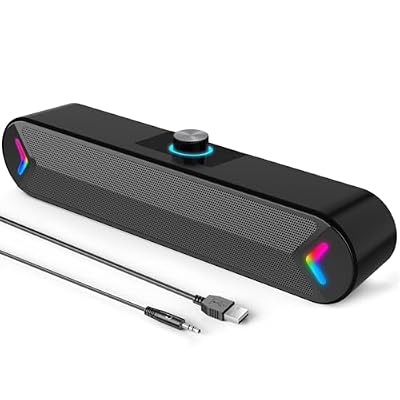
LENRUE Computer Speakers,PC Speakers for Desktop,Wired USB-Powered Sound-bar for Computer with 10W Stereo Sound and Colorful Light,Plug-n-Play (A39PRO /Black)
Included for 'Best Monitor With Speakers: 6 Picks for Gaming and Work' because the listing specifies PC Speakers for Desktop and Plug-n-Play (A39PRO /Black), details this guide uses to compare options.
View on Amazon →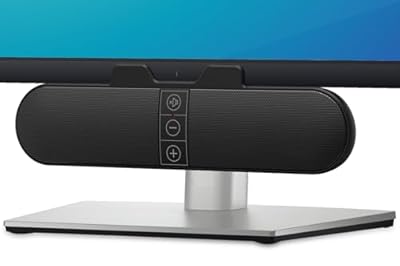
Computer Speakers for Desktop PC Monitor, USB Plug-in, Wired, Computer Soundbar for PC, Laptop Speakers with Adaptive-Channel-Switching, Loud Sound, Deep Bass, USB C Adapter, Easy to Clip on Monitor
Included for 'Best Monitor With Speakers: 6 Picks for Gaming and Work' because the listing specifies USB Plug-in and Wired, details this guide uses to compare options.
View on Amazon →| Monitor | Best For | Resolution | Max Refresh Rate | Built-In Speakers | Standout Feature |
|---|---|---|---|---|---|
| BenQ MOBIUZ EX3210U | Overall gaming and audio | 3840×2160 | 144Hz | 2W ×2 + 5W woofer | 2.1-channel audio |
| GIGABYTE M32U | Multi-device 4K gaming | 3840×2160 | 144Hz | 3W ×2 | Built-in KVM |
| ASUS TUF Gaming VG27AQ3A | High-refresh QHD gaming | 2560×1440 | 180Hz | 2W ×2 | Fast IPS and Adaptive-Sync |
| Dell S2725QC | USB-C work and gaming | 3840×2160 | 120Hz | 5W ×2 | USB-C with 65W PD |
| ASUS ProArt PA279CRV | Creative work | 3840×2160 | 60Hz | 2W ×2 | Wide-gamut color and 96W USB-C |
| LG 32SQ780S-W | Streaming and productivity | 3840×2160 | 60Hz | 5W ×2 | webOS and Ergo stand |
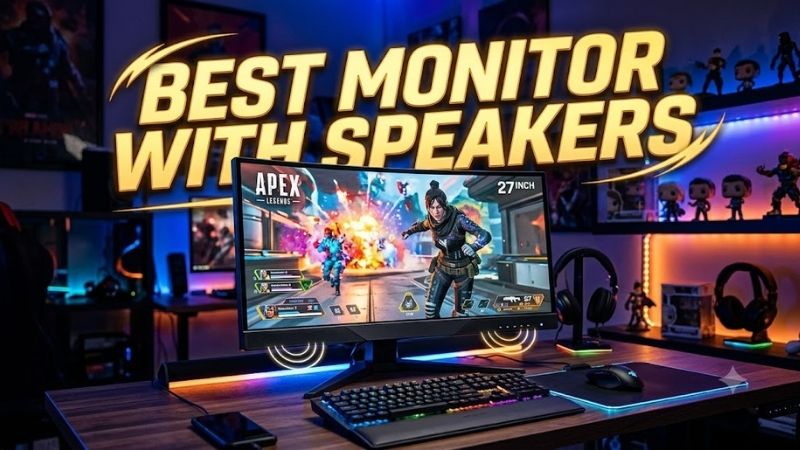
1. BenQ MOBIUZ EX3210U — Best Overall for Gaming
Best For: 4K PC and console gaming with better-than-basic monitor audio.
Key Features
- 32-inch IPS display
- 3840×2160 resolution
- Up to 144Hz refresh rate
- 2.1-channel speakers
- Two 2W drivers plus 5W woofer
- HDMI 2.1
- FreeSync Premium Pro
- Height, swivel, and tilt adjustment
What Makes It Different
BenQ’s MOBIUZ EX3210U stands out because its audio system is unusually ambitious for a gaming monitor. The 32-inch 4K IPS panel runs at up to 144Hz, while the 2.1-channel speaker setup combines two 2W drivers with a 5W woofer, giving games and movies more low-end presence than typical monitor speakers.
Its HDMI 2.1 inputs suit current consoles, and FreeSync Premium Pro plus a 144Hz ceiling also make sense for a powerful gaming PC. The trade-off is size: a 32-inch 4K screen needs more desk depth than a 27-inch model, so it fits best where you want one large display to handle both gaming and everyday media.
Use Case: PC gaming, PS5 or Xbox gaming, movies, and mixed entertainment.
Who It’s For: Gamers who want stronger integrated audio without adding a separate desktop speaker system.
Pros
- Dedicated 5W woofer
- 4K at up to 144Hz
- HDMI 2.1 connectivity
- Strong console compatibility
- Adjustable stand
Cons
- Large footprint
- 4K high-refresh gaming requires a capable GPU
2. GIGABYTE M32U — Best for Multi-Device 4K Gaming
Best For: Gamers switching between a desktop, laptop, and console.
Key Features
- 31.5-inch SS IPS display
- 3840×2160 resolution
- 144Hz maximum refresh rate
- Dual 3W speakers
- HDMI 2.1
- DisplayPort 1.4
- USB-C
- Integrated KVM switch
What Makes It Different
The GIGABYTE M32U is a strong fit for users who switch between more than one gaming or work device. Its 31.5-inch 4K IPS-class panel reaches 144Hz, and the integrated KVM can share keyboard and mouse control across connected systems. Two 3W speakers cover alerts, videos, and casual gaming without extra desk hardware.
Two HDMI 2.1 ports, DisplayPort 1.4, and USB-C give the M32U broad connection options for a desktop, laptop, and console mix. The speakers are convenient rather than bass-focused, so competitive players may still prefer a headset. Its key advantage is combining 4K gaming speed with practical multi-device control.
Use Case: Shared work-and-gaming stations with several connected systems.
Who It’s For: PC gamers, console owners, and hybrid workers who value KVM switching.
Pros
- 4K 144Hz display
- Built-in KVM
- HDMI 2.1 inputs
- USB-C connectivity
- Height and swivel adjustment
Cons
- Speakers lack a dedicated subwoofer
- 31.5-inch size needs reasonable desk depth
3. ASUS TUF Gaming VG27AQ3A — Best QHD Gaming Pick
Best For: High-frame-rate gaming without moving to 4K.
Key Features
- 27-inch Fast IPS panel
- 2560×1440 resolution
- Up to 180Hz refresh rate
- Dual 2W speakers
- 1ms GTG specification
- FreeSync Premium
- G-SYNC Compatible
- DisplayPort 1.4
What Makes It Different
The ASUS TUF Gaming VG27AQ3A targets players who prefer QHD frame rates over 4K pixel density. Its 27-inch Fast IPS panel supports 2560×1440 at up to 180Hz, with Adaptive-Sync, FreeSync Premium, and G-SYNC compatibility. Dual 2W speakers handle system audio without occupying additional desk space today.
This model makes particular sense for esports, shooters, and fast multiplayer games where a 180Hz ceiling is easier for many GPUs to drive than 4K at high refresh. Its main ergonomic compromise is the lack of height adjustment, so buyers with a fixed desk may need a riser or VESA arm to place the screen correctly.
Use Case: Competitive gaming, multiplayer titles, and high-FPS PC setups.
Who It’s For: Gamers prioritizing refresh rate and QHD performance over 4K resolution.
Pros
- Up to 180Hz
- QHD resolution
- FreeSync Premium
- G-SYNC Compatible
- Compact 27-inch footprint
Cons
- No height adjustment
- 2W speakers are primarily for convenience
4. Dell S2725QC — Best USB-C Monitor With Speakers
Best For: A single monitor for laptop work, gaming, and entertainment.
Key Features
- 27-inch IPS display
- 3840×2160 resolution
- Up to 120Hz refresh rate
- Dual 5W speakers
- USB-C DisplayPort Alt Mode
- Up to 65W USB-C Power Delivery
- AMD FreeSync Premium
- Fully adjustable stand
What Makes It Different
Dell’s S2725QC is one of the most balanced choices for a laptop desk that also handles gaming. Its 27-inch 4K IPS panel reaches 120Hz, dual 5W speakers provide unusually strong built-in output, and USB-C carries video plus up to 65W of charging. That combination reduces both cable clutter and the need for desk speakers.
AMD FreeSync Premium and a 120Hz ceiling make the S2725QC better suited to gaming than most office-focused USB-C monitors, while height, swivel, pivot, and tilt adjustments support long work sessions. It is not an esports-first display, but it fits hybrid users who want one screen for a laptop, console, media, and everyday PC play.
Use Case: USB-C laptop docking, home office work, console gaming, and media.
Who It’s For: Buyers wanting one clean desk setup instead of separate work and gaming displays.
Pros
- Dual 5W speakers
- 4K at up to 120Hz
- 65W USB-C charging
- FreeSync Premium
- Strong ergonomic adjustment
Cons
- 120Hz rather than 144Hz or 180Hz
- Competitive gamers may prefer a faster QHD display
5. ASUS ProArt PA279CRV — Best for Creators
Best For: Photo editing, video production, design, and productivity.
Key Features
- 27-inch 4K IPS panel
- 99% DCI-P3
- 99% Adobe RGB
- Factory calibrated to Delta E below 2
- Dual 2W speakers
- USB-C with 96W Power Delivery
- DisplayPort daisy chaining
- Height, swivel, pivot, and tilt adjustment
What Makes It Different
The ASUS ProArt PA279CRV is the specialist option for creators who also want speakers built into the monitor. Its 27-inch 4K IPS panel covers 99% of DCI-P3 and 99% of Adobe RGB, is factory calibrated to Delta E below 2, and includes two 2W speakers. USB-C can also deliver up to 96W to a laptop too.
A 60Hz refresh rate means the PA279CRV is not aimed at high-frame-rate gaming, yet Adaptive-Sync keeps it useful for lighter play between editing sessions. The stronger reason to buy it is workflow: accurate color modes, a USB hub, daisy-chain support, and full ergonomic adjustment suit photo, video, and design desks.
Use Case: Creative production, USB-C laptop work, editing, and occasional gaming.
Who It’s For: Creators who value color capability more than competitive refresh rates.
Pros
- Wide DCI-P3 and Adobe RGB coverage
- Factory calibration
- 96W USB-C Power Delivery
- Full ergonomic stand
- Integrated speakers
Cons
- Limited to 60Hz
- Speaker system is designed for convenience rather than bass
6. LG 32SQ780S-W — Best Smart Monitor With Speakers
Best For: Streaming, productivity, and computer-free media playback.
Key Features
- 31.5-inch 4K display
- 3840×2160 resolution
- 60Hz refresh rate
- Dual 5W speakers
- Built-in webOS
- Wi-Fi and Bluetooth
- USB-C with 65W Power Delivery
- LG Ergo stand
What Makes It Different
LG’s 32SQ780S-W works differently from a conventional PC monitor because webOS is built in. The 31.5-inch 4K screen can run streaming apps without a connected computer, while two 5W speakers provide more output than many office monitors. USB-C with 65W power delivery also supports a cleaner laptop desk.
Its Ergo stand offers extensive positioning and can free up desk surface, making the display attractive for small offices or multipurpose rooms. The limitation is gaming speed: the panel is 60Hz, so it suits casual games and controller-based play better than competitive titles. Think of it as a smart 4K hub first.
Use Case: Streaming, home office work, casual gaming, and multipurpose rooms.
Who It’s For: Users who want a monitor to double as a smart entertainment display.
Pros
- Dual 5W speakers
- Built-in smart platform
- 4K resolution
- 65W USB-C charging
- Highly flexible Ergo stand
Cons
- 60Hz refresh rate
- Not designed for competitive gaming
How to Choose the Best Monitor With Speakers
Speaker Configuration and Audio Quality
Start with the speaker system, not just whether a monitor has speakers. A basic pair of small drivers is enough for Windows sounds, video calls, YouTube, and low-volume gaming, but a 2.1 design with a dedicated woofer can add noticeably more body. For competitive positional audio, a headset remains the more precise tool.
Refresh Rate
Refresh rate should match both your games and the hardware driving them. A 144Hz or 180Hz monitor is worthwhile for shooters and fast action, while 60Hz is usually adequate for office work, streaming, strategy titles, and slower games. Remember that reaching high refresh at 4K demands far more GPU performance than QHD.
Resolution and Screen Size
Choose screen size and resolution together. A 27-inch QHD display balances sharpness with easier high-frame-rate gaming, while 27-inch or 32-inch 4K gives finer text and more workspace. On a 32-inch desk setup, 4K is especially useful for productivity, but the larger panel also requires more viewing distance and desk depth.
HDMI, DisplayPort, and USB-C
Connectivity can matter as much as the panel when one monitor serves several devices. HDMI 2.1 is useful for high-refresh 4K console input, while USB-C can carry video, data, and laptop charging through one cable. A built-in KVM is valuable when you regularly switch the same keyboard and mouse between two computers.
Stand and Ergonomics
Check the stand before buying, especially if the monitor will be used for full workdays. Height adjustment is the most useful feature for aligning the top of the screen with your sightline, while swivel and pivot help on shared or vertical setups. A VESA mount can solve a weak stand, but it adds cost and another component.
Know the Limits of Built-In Speakers
Built-in speakers are mainly about convenience and space efficiency. They remove cables, power bricks, and extra boxes from a compact desk, but most monitor enclosures cannot create the stereo separation or deep bass of dedicated speakers. Choose them for everyday audio; add headphones or external speakers when sound quality is central.
FAQ
Are Built-In Monitor Speakers Good Enough for Gaming?
Yes, a gaming monitor with built-in speakers can be enough for casual play, especially for single-player games, indie titles, and console sessions at a desk. For competitive shooters, a headset usually gives clearer directional cues and keeps voice chat isolated, while external speakers offer a wider soundstage for media.
Is 144Hz Enough for a Gaming Monitor With Speakers?
For most PC gamers, 144Hz is the strongest all-purpose target because it feels much smoother than 60Hz without demanding the extreme frame rates needed for 240Hz or higher. A 180Hz QHD monitor can be attractive for esports, while a 4K 144Hz model better suits powerful GPUs and visually detailed games.
Should I Buy a Monitor With Speakers and USB-C?
USB-C is worth prioritizing when you use a compatible laptop at the same desk. A monitor with USB-C DisplayPort Alt Mode can carry video through one cable, and models with power delivery can charge the laptop at the same time. This reduces cable clutter, although the available charging wattage differs by monitor.
Is 4K Better Than QHD for Gaming?
A 4K monitor is not automatically better for gaming because resolution and refresh rate compete for GPU resources. 4K offers sharper detail and more desktop space, but QHD is easier to drive at high frame rates. Your best choice depends on GPU capability, screen size, preferred games, and whether productivity also matters.
Can I Add External Speakers Later?
You can usually add external speakers later even if the monitor already has built-in audio, provided your PC, console, dock, or monitor offers a suitable audio output. The exact routing depends on the connected device and ports. Built-in speakers can remain useful as a fallback for calls, alerts, or quick media playback.
Conclusion
The best monitor with speakers depends on what you want the audio to accompany. BenQ’s MOBIUZ models emphasize gaming and fuller 2.1 sound, the M32U adds strong multi-device utility, ASUS covers QHD gaming and creative work, while Dell and LG favor simpler laptop and media setups. Match refresh rate, ports, and size first.
Ready to decide? Our #1 pick for 2026 is the BenQ MOBIUZ EX3210U.
Live price & availability on Amazon.









