Table of Contents
- 0.1 🛒 Best Price Today on Amazon
- 1 Best Monitors Under $700 Compared
- 2 MSI MAG 271QPX QD-OLED E2 — Best Overall
- 3 ASUS ROG Strix OLED XG27AQDMG Gen 2 — Best Glossy OLED
- 4 LG UltraGear 27GS95QE-B — Best for PC and Console Gaming
- 5 Acer Nitro XV275K P3 — Best 4K Mini LED Option
- 6 AOC Q27G3XMN — Best Value Mini LED Gaming Monitor
- 7 How to Choose the Best Monitor Under $700
- 7.1 OLED vs Mini LED
- 7.2 1440p vs 4K Resolution
- 7.3 Refresh Rate
- 7.4 Connectivity
- 7.5 HDR Performance
- 7.6 OLED Burn-In Considerations
- 8 FAQ
- 8.1 What is the best monitor under $700 for competitive gaming?
- 8.2 Is spending $700 on a gaming monitor worth it?
- 8.3 What should I look for in a monitor for PS5 or Xbox Series X?
- 8.4 Is OLED or Mini LED better for gaming?
- 8.5 Is 1440p still worth buying with a $700 budget?
- 9 Conclusion
🛒 Best Price Today on Amazon
Prime members get fast, free shipping on everything above, plus member-only deals. New members get a 30-day free trial — cancel anytime.
- Best Monitors Under $700 Compared
- MSI MAG 271QPX QD-OLED E2 — Best Overall
- ASUS ROG Strix OLED XG27AQDMG Gen 2 — Best Glossy OLED
- LG UltraGear 27GS95QE-B — Best for PC and Console Gaming
- Acer Nitro XV275K P3 — Best 4K Mini LED Option
- AOC Q27G3XMN — Best Value Mini LED Gaming Monitor
- How to Choose the Best Monitor Under $700
- FAQ
- Conclusion
The best monitor under $700 can now deliver features that were recently limited to flagship displays, including 240Hz OLED, Mini LED HDR, HDMI 2.1, and strong variable refresh support. The right pick depends less on price alone and more on whether you prioritize esports speed, HDR impact, console support, or text-heavy desktop use.
Quick answer: For most people in 2026, the best monitor under $700 is the MSI MAG 271QPX QD-OLED E2 — our #1 rated choice. See the full ranked comparison, alternatives and buying advice below.
Best Monitors Under $700 Compared
| Monitor | Panel | Resolution | Refresh Rate | Best For |
|---|---|---|---|---|
| MSI MAG 271QPX QD-OLED E2 | QD-OLED | 2560 x 1440 | 240Hz | Best overall |
| ASUS ROG Strix OLED XG27AQDMG Gen 2 | WOLED | 2560 x 1440 | 240Hz | Glossy OLED gaming |
| LG UltraGear 27GS95QE-B | OLED | 2560 x 1440 | 240Hz | PC and console gaming |
| Acer Nitro XV275K P3 | Mini LED IPS | 3840 x 2160 | Up to 160Hz | 4K HDR gaming |
| AOC Q27G3XMN | Mini LED VA | 2560 x 1440 | 180Hz | Best value HDR |
MSI MAG 271QPX QD-OLED E2 — Best Overall
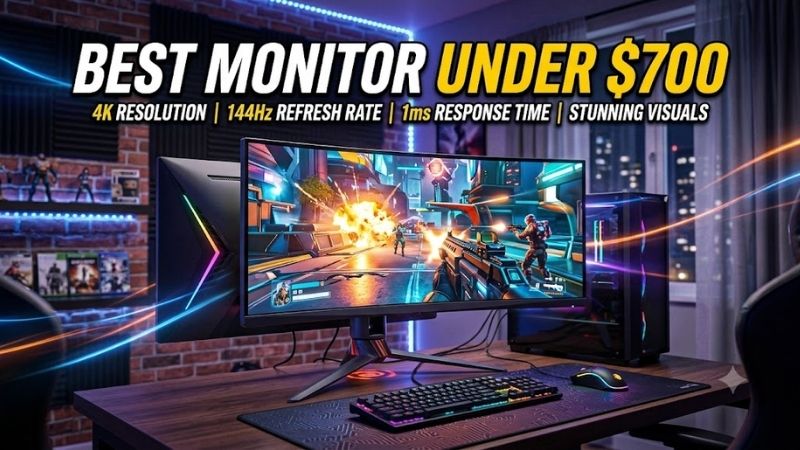
The MSI MAG 271QPX QD-OLED E2 is the strongest all-round gaming choice here because it combines a 26.5-inch 2560×1440 QD-OLED panel with 240Hz refresh, 0.03ms GtG response, HDMI 2.1, DisplayPort 1.4a, and USB-C video. That mix suits high-refresh PC gaming without giving up console-friendly connectivity.
Its QD-OLED panel is the defining feature. Per-pixel lighting produces deep blacks and precise contrast, while MSI rates the display for 99.1% DCI-P3 coverage and DisplayHDR True Black 400. That benefits cinematic games, darker scenes, and HDR content, although OLED still requires sensible burn-in care with static desktop elements.
MSI also gives the monitor two HDMI 2.1 ports capable of WQHD at 240Hz, plus DisplayPort and USB-C with DisplayPort Alt Mode. That makes it easier to share the display between a gaming PC and current consoles. The trade-off is that USB-C power delivery is only 15W, so it is not a full single-cable laptop docking solution.
Best For: High-refresh PC gaming with strong HDR and console support
Key Features:
- 26.5-inch QD-OLED panel
- 2560 x 1440 resolution
- 240Hz refresh rate
- 0.03ms GtG response
- DisplayHDR True Black 400
- Two HDMI 2.1 ports
- DisplayPort 1.4a
- USB-C with DP Alt Mode and 15W power delivery
- AMD FreeSync Premium Pro
- Three-year warranty including panel burn-in
What Makes It Different: QD-OLED image quality, 240Hz speed, full-bandwidth HDMI 2.1, and useful multi-device connectivity are combined in one monitor.
Pros:
- Excellent black levels and contrast
- Very fast pixel response
- Strong color coverage
- HDMI 2.1 suits console connections
- USB-C video input
- Broad ergonomic adjustment
Cons:
- USB-C charging is limited to 15W
- OLED requires sensible static-content management
- 1440p offers less desktop detail than 4K
Use Case: Competitive shooters, RPGs, racing games, HDR gaming, and mixed PC-console setups.
Who It’s For: Gamers who want a premium 1440p OLED without spending the entire $700 budget.
ASUS ROG Strix OLED XG27AQDMG Gen 2 — Best Glossy OLED
The ASUS ROG Strix OLED XG27AQDMG Gen 2 is a better fit for players who prefer the punch and clarity of a glossy WOLED surface. Its 26.5-inch 2560×1440 panel runs at 240Hz with a 0.03ms GtG response time, and ASUS lists 99% DCI-P3 coverage. The glossy finish helps dark scenes look less hazy in controlled lighting.
ASUS also adds a custom heatsink and OLED Care Pro features, including a proximity sensor that can turn the panel black when the user steps away. Those protections are useful for mixed gaming and desktop use, where static UI elements stay on-screen longer. The glossy coating is the main compromise in rooms with strong reflections.
Best For: Dark-room gaming and users who prefer a glossy OLED surface
Key Features:
- 26.5-inch WOLED
- 2560 x 1440 resolution
- 240Hz maximum refresh rate
- 0.03ms GtG response
- TrueBlack Glossy surface
- 99% DCI-P3 coverage
- DisplayPort 1.4 DSC
- Two HDMI 2.1 ports
- FreeSync Premium Pro and G-SYNC Compatible support
- Neo Proximity Sensor
What Makes It Different: The glossy panel preserves deep-looking blacks and crisp image presentation in controlled lighting, while ASUS adds extensive OLED-care functions.
Pros:
- Glossy OLED image presentation
- Fast 240Hz refresh
- HDMI 2.1 connectivity
- Strong OLED protection features
- Fully adjustable stand
Cons:
- Glossy surface reflects bright room lighting
- No high-wattage USB-C laptop charging
- OLED care remains relevant for static desktop use
Use Case: Dark-room RPGs, action games, competitive gaming, and entertainment-focused desktops.
Who It’s For: Players who value glossy-screen image quality more than reflection resistance.
LG UltraGear 27GS95QE-B — Best for PC and Console Gaming
The LG UltraGear 27GS95QE-B remains one of the most flexible 1440p OLED choices for mixed PC and console gaming. It uses a 27-inch 2560×1440 OLED panel with a 240Hz refresh rate, 0.03ms GtG response time, HDMI 2.1, DisplayPort 1.4, AMD FreeSync Premium Pro, and NVIDIA G-SYNC Compatible support too.
LG uses an anti-glare surface rather than a glossy finish, so reflections are easier to manage in brighter rooms. The panel carries DisplayHDR True Black 400 and LG lists DCI-P3 coverage at 98.5%. This makes the 27GS95QE-B attractive for players who want OLED contrast without positioning the monitor away from every lamp or window.
Best For: Gaming rooms with more ambient light and mixed PC-console setups
Key Features:
- 27-inch OLED panel
- 2560 x 1440 resolution
- 240Hz refresh rate
- 0.03ms GtG response
- HDMI 2.1
- DisplayPort 1.4
- DisplayHDR True Black 400
- 98.5% DCI-P3
- FreeSync Premium Pro
- G-SYNC Compatible
What Makes It Different: Its anti-glare OLED surface is easier to use around windows and lighting than glossy alternatives.
Pros:
- Deep OLED blacks
- Fast 240Hz refresh rate
- HDMI 2.1 support
- Anti-glare screen treatment
- Broad VRR support
Cons:
- Matte treatment can reduce the glossy look some OLED buyers prefer
- 1440p is less detailed than 4K
- OLED still requires awareness of static content
Use Case: PC gaming, PS5 or Xbox setups, competitive titles, RPGs, and HDR entertainment.
Who It’s For: Gamers who want OLED performance but cannot completely control reflections in their room.
Acer Nitro XV275K P3 — Best 4K Mini LED Option
The Acer Nitro XV275K P3 is the standout option for buyers who want 4K detail instead of OLED blacks. Its 27-inch IPS panel combines 3840×2160 resolution with Mini LED backlighting, a 160Hz maximum over DisplayPort or USB-C, and VESA DisplayHDR 1000. That favors sharp single-player games, productivity, and high-impact HDR.
Mini LED also avoids the permanent image-retention concern associated with OLED, which can matter for users who spend long hours in browsers, spreadsheets, or creative applications. The downside is blooming around bright objects on dark backgrounds, because local dimming zones cannot control light as precisely as self-emissive OLED pixels.
Best For: 4K gaming, HDR games, and mixed gaming-productivity systems
Key Features:
- 27-inch IPS panel
- 3840 x 2160 resolution
- Mini LED backlighting
- Up to 160Hz through DisplayPort or USB-C
- Up to 144Hz through HDMI
- 1ms response specification
- VESA DisplayHDR 1000
- Height, swivel, and pivot adjustment
What Makes It Different: It trades OLED’s per-pixel contrast for native 4K detail, strong HDR brightness, and an LCD panel better suited to long sessions with static content.
Pros:
- Sharp 4K image
- Mini LED HDR hardware
- Up to 160Hz refresh
- No OLED burn-in concern
- Useful for gaming and productivity
Cons:
- Local dimming can produce blooming
- 4K requires substantially more GPU power than 1440p
- OLED alternatives have faster pixel transitions
Use Case: AAA gaming at 4K, HDR titles, content consumption, desktop work, and systems equipped with powerful GPUs.
Who It’s For: Buyers who prioritize resolution, brightness, and mixed-use practicality over OLED black levels.
AOC Q27G3XMN — Best Value Mini LED Gaming Monitor
The AOC Q27G3XMN is the value pick because it delivers meaningful HDR hardware far below the $700 ceiling. Its 27-inch 2560×1440 VA panel runs at up to 180Hz and uses Mini LED local dimming with 336 zones. AOC also lists a 1ms GtG response, Adaptive Sync, 700-nit brightness, and VESA DisplayHDR 1000 certification.
The VA panel provides strong native contrast for an LCD, while Mini LED local dimming gives HDR scenes more brightness range than typical edge-lit gaming monitors. It is not as clean in motion as the OLED models, and 336 zones can produce visible halos, but the price leaves room in the budget for a stronger GPU, keyboard, or headset.
Best For: Buyers who want convincing HDR without paying OLED prices
Key Features:
- 27-inch VA panel
- 2560 x 1440 resolution
- 180Hz maximum refresh rate
- Mini LED backlighting
- 336 local dimming zones
- 1ms GtG response
- Adaptive Sync
- 700-nit specified brightness
- VESA DisplayHDR 1000
- Fully adjustable stand
What Makes It Different: It combines Mini LED local dimming, high contrast, 1440p resolution, and 180Hz gaming at a much lower price than premium OLED monitors.
Pros:
- Strong value
- Mini LED local dimming
- 180Hz refresh rate
- Good LCD contrast
- HDR1000 certification
- Ergonomic stand
Cons:
- Slower pixel behavior than OLED
- Local dimming can show halos
- HDMI 2.0 rather than HDMI 2.1
Use Case: HDR gaming, single-player titles, general PC gaming, and budget-conscious upgrades.
Who It’s For: Gamers who would rather invest part of the $700 budget elsewhere than pay extra for OLED.
How to Choose the Best Monitor Under $700
OLED vs Mini LED
At this budget, panel type should be the first filter. OLED offers per-pixel lighting, near-instant transitions, and excellent dark-scene contrast, making it ideal for fast games and cinematic titles. Mini LED LCDs can reach higher sustained brightness and avoid OLED burn-in concerns, but local dimming can create blooming around small highlights.
1440p vs 4K Resolution
Resolution changes both image sharpness and GPU load. A 1440p monitor is easier to drive at 240Hz and pairs naturally with competitive gaming, while a 4K monitor demands more graphics power but delivers finer detail in games and desktop text. Choose 4K if visual clarity matters more than sustaining very high frame rates in demanding titles.
Refresh Rate
Refresh rate matters most when the GPU can produce matching frame rates. Moving from 60Hz to 144Hz is easy to notice, while 240Hz mainly benefits competitive shooters, racing games, and other fast titles. A 160Hz 4K display can be a smarter balance for AAA gaming, where image quality and HDR often matter more than extreme refresh.
Connectivity
Connectivity deserves attention if one screen will serve several devices. HDMI 2.1 is especially useful for modern consoles and high-refresh signals, while DisplayPort remains the standard choice for gaming PCs. USB-C video can simplify laptop use, but charging wattage varies, so do not assume every USB-C monitor can power a performance notebook.
HDR Performance
HDR quality depends on more than an HDR badge. OLED gains an advantage from pixel-level control and true blacks, while Mini LED relies on brightness plus local dimming zones to improve contrast. For HDR gaming, prioritize meaningful dimming hardware, adequate peak brightness, and wide color support instead of basic HDR signal acceptance.
OLED Burn-In Considerations
OLED is compelling under $700, but buyers who keep static windows visible for many hours should still consider usage habits. Built-in pixel care, screen shifting, and panel protection features reduce risk rather than making it impossible. For office-heavy use, a Mini LED or conventional LCD can be the lower-maintenance choice over several years.
FAQ
What is the best monitor under $700 for competitive gaming?
The best monitor under $700 for competitive gaming is usually a 1440p OLED with a 240Hz or faster refresh rate, because it combines high frame-rate headroom with very fast pixel response. The MSI and ASUS options here fit that profile. A 4K 160Hz screen makes more sense when sharpness and AAA visuals matter more than maximum esports speed.
Is spending $700 on a gaming monitor worth it?
A $700 monitor can be worth it when the display upgrade matches the rest of the system. OLED contrast, Mini LED HDR, 4K resolution, and high refresh can noticeably change daily use, but spending the full budget is unnecessary for every setup. A lower-cost model such as the AOC can deliver strong gaming value if 240Hz OLED is not a priority.
What should I look for in a monitor for PS5 or Xbox Series X?
For PS5 or Xbox Series X, look for HDMI connectivity that supports the resolution, refresh rate, and VRR behavior you intend to use. HDMI 2.1 is the safest choice for high-bandwidth console setups, though the exact supported modes vary by monitor. PC-focused DisplayPort features do not automatically translate to the same console capabilities.
Is OLED or Mini LED better for gaming?
OLED is usually the stronger choice for dark-room gaming, fast motion, and precise black levels, while Mini LED can be preferable for bright rooms, productivity-heavy use, and buyers worried about burn-in. Neither technology wins every use case. Room lighting, desktop habits, game genres, and tolerance for blooming should decide.
Is 1440p still worth buying with a $700 budget?
Yes, 1440p is still a strong gaming resolution under $700 because it allows higher refresh rates with less GPU demand than 4K while remaining sharp on a 27-inch screen. It is especially sensible for competitive gaming and mid-to-high-end GPUs. Choose 4K instead when fine detail, productivity space, or image sharpness is the primary goal.
Conclusion
For most gamers, the MSI MAG 271QPX QD-OLED E2 offers the most balanced mix of 1440p clarity, 240Hz speed, OLED contrast, HDMI 2.1, and useful connectivity, while ASUS and LG provide compelling OLED alternatives. Acer is stronger for 4K detail, and AOC delivers Mini LED HDR at a much lower cost, so the best choice depends on how you play.
Ready to decide? Our #1 pick for 2026 is the MSI MAG 271QPX QD-OLED E2.
Live price & availability on Amazon.