
🛒 Best Price Today on Amazon
Prime members get fast, free shipping on everything above, plus member-only deals. New members get a 30-day free trial — cancel anytime.
The best mini LED gaming monitor should deliver strong HDR impact without giving up motion clarity, resolution, or useful gaming features. This roundup focuses on current Mini LED models that combine precise local dimming with high refresh rates, fast response, and practical connectivity for PC and console play.
Quick answer: For most people in 2026, the best mini led gaming monitors for hdr, 4k, and fast play is the LG UltraGear evo 27GM950B-B — our #1 rated choice. See the full ranked comparison, alternatives and buying advice below.
Best Mini LED Gaming Monitors Compared
| Monitor | Best For | Resolution | Max Refresh Rate | Local Dimming | Key Advantage |
|---|---|---|---|---|---|
| LG UltraGear evo 27GM950B-B | High-end gaming and mixed genres | 5120 × 2880 | 165Hz at 5K / 330Hz at QHD | Hyper Mini LED | 5K detail plus Dual Mode |
| MSI MPG 274URDFW E16M | 4K and competitive gaming | 3840 × 2160 | 160Hz at 4K / 320Hz at 1080p | 1,152 zones | Strong Dual Mode flexibility |
| ASUS ROG Swift PG32UQXR | Large-screen premium 4K | 3840 × 2160 | 160Hz | 576 zones | 32-inch 4K with DP 2.1 |
| INNOCN 32M2V | 4K HDR and productivity | 3840 × 2160 | 160Hz | 2,304 zones | Dense local dimming and USB-C |
LG UltraGear evo 27GM950B-B
Best For: Premium HDR gaming, high-end PCs, and players switching between cinematic and competitive games.

Samsung 32" Odyssey Neo G8 (G85NB) 4K UHD 240Hz 1ms G-Sync 1000R Curved Gaming Monitor, Quantum HDR2000, AMD FreeSync Premium Pro, Matte Display, DisplayPort, Black & White, LS32BG852NNXGO
Included for 'Best Mini LED Gaming Monitors for HDR, 4K, and Fast Play' because the listing specifies Quantum HDR2000 and AMD FreeSync Premium Pro, details this guide uses to compare options.
View on Amazon
Samsung 2022 32'' Odyssey Neo G8 4K UHD 165Hz 1ms G-Sync 1000R Curved Gaming Monitor, Quantum HDR2000, AMD FreeSync Premium Pro, Ultrawide Game View, DisplayPort, HDMI, Black (Renewed)
Included for 'Best Mini LED Gaming Monitors for HDR, 4K, and Fast Play' because the listing specifies Quantum HDR2000 and AMD FreeSync Premium Pro, details this guide uses to compare options.
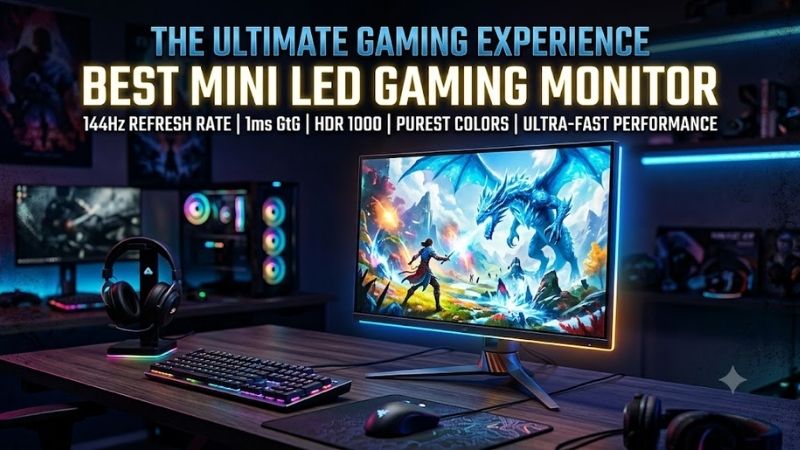
View on AmazonLG’s UltraGear evo 27GM950B-B is built for players who want extreme image detail and serious speed in one display. Its 27-inch 5K Mini LED panel targets cinematic single-player games, while Dual Mode lets competitive players drop to QHD for a much higher refresh rate when raw motion clarity matters more than resolution.
Key Features
- 27-inch 5120 × 2880 5K display
- Hyper Mini LED backlighting
- 5K at 165Hz
- QHD Dual Mode at up to 330Hz
- 1ms GtG response time
- VESA DisplayHDR 1000
- DisplayPort 2.1 UHBR20
- HDMI 2.1
- USB-C with 90W power delivery
What Makes It Different
What separates the LG from most rivals is its unusual mix of 5K sharpness, dense Mini LED backlighting, and a fast secondary mode. That gives high-end GPU owners room to enjoy fine textures in RPGs and simulators, then switch priorities for shooters without replacing the monitor or accepting a permanently lower native resolution.
Pros
- Extremely sharp 5K native resolution
- Dual Mode adds a 330Hz QHD option
- Strong HDR-focused Mini LED design
- Modern DisplayPort 2.1 connectivity
- HDMI 2.1 for consoles and gaming PCs
- USB-C supports laptop connectivity
Cons
- 5K gaming demands substantial GPU power
- Maximum refresh rate requires reducing resolution
- Premium feature set may be excessive for modest PCs
Use Case and Who It’s For
The trade-off is hardware demand. Rendering modern games at 5K can push even powerful graphics cards hard, so many users will rely on upscaling or the lower-resolution mode in demanding titles. It makes the most sense for enthusiasts who value premium HDR and desktop sharpness and already plan around a high-end PC build.
MSI MPG 274URDFW E16M
Best For: Gamers who regularly switch between 4K AAA titles and high-refresh competitive games.
MSI’s MPG 274URDFW E16M targets gamers who want one screen for 4K immersion and high-refresh competitive play. Its 27-inch Rapid IPS Mini LED panel runs at UHD 160Hz, while Dual Mode can switch to Full HD at 320Hz. That split makes it flexible for story games, racing, shooters, and mixed PC or console setups.
Key Features
- 27-inch Rapid IPS Mini LED panel
- 3840 × 2160 at 160Hz
- 1920 × 1080 at 320Hz
- 1,152 local dimming zones
- VESA DisplayHDR 1000
- NVIDIA G-SYNC Compatible
- AMD FreeSync Premium
- Two HDMI 2.1 ports
- USB-C with 98W power delivery
- KVM support
What Makes It Different
Its 1,152-zone local dimming system and DisplayHDR 1000 certification give HDR scenes much more control than a basic edge-lit LCD. Bright effects can stand out while darker areas remain better contained. The monitor also adds HDMI 2.1, USB-C power delivery, adaptive sync, and KVM support for multi-device desks.
Pros
- 4K 160Hz for detailed gaming
- 320Hz mode for competitive titles
- 1,152-zone Mini LED backlight
- HDMI 2.1 supports modern consoles
- USB-C handles video and laptop charging
- Useful KVM functionality
Cons
- 320Hz mode drops resolution to 1080p
- Full HD looks softer on a 27-inch panel
- Competitive players may prefer native high-refresh QHD
Use Case and Who It’s For
The main compromise is that the 320Hz mode lowers resolution to 1080p, so image sharpness falls noticeably on a 27-inch panel. That trade is sensible for esports, where frame rate and response matter most, but less attractive for visually rich games. Buyers wanting high speed without changing resolution may prefer a native QHD option.
ASUS ROG Swift PG32UQXR
Best For: Gamers wanting a large 32-inch 4K Mini LED display with modern PC and console connectivity.
The ASUS ROG Swift PG32UQXR is aimed at gamers who prefer a larger 32-inch 4K canvas with strong HDR and broad connectivity. Its Fast IPS panel reaches 160Hz and uses a 576-zone Mini LED backlight. The combination suits premium single-player games, flight sims, strategy titles, and console gaming from a normal desk distance.
Key Features
- 32-inch Fast IPS panel
- 3840 × 2160 resolution
- 160Hz refresh rate
- 576 local dimming zones
- 1ms GtG response time
- 1,000-nit rated HDR peak
- VESA DisplayHDR 1000
- DisplayPort 2.1
- HDMI 2.1
- AMD FreeSync Premium Pro
What Makes It Different
ASUS pairs the Mini LED system with DisplayHDR 1000, HDMI 2.1, DisplayPort 2.1, and FreeSync Premium Pro. That matters because a high-end monitor is often connected to more than one source. PC users gain modern DisplayPort bandwidth, while current consoles can use 4K 120Hz through HDMI without giving up full-resolution output.
Pros
- Large 32-inch 4K gaming area
- 160Hz supports fast PC gaming
- DisplayPort 2.1 connectivity
- HDMI 2.1 for console use
- Strong HDR specification
- Wide 96% DCI-P3 rated gamut
Cons
- Fewer dimming zones than some newer rivals
- 32 inches requires more desk space
- No ultra-high-refresh Dual Mode
Use Case and Who It’s For
Compared with newer 27-inch Mini LED designs, the PG32UQXR uses fewer dimming zones, so extremely difficult HDR scenes can show more visible blooming around bright objects on dark backgrounds. Its advantage is scale: 32 inches makes 4K easier to appreciate in cinematic games and gives creators more usable desktop area.
INNOCN 32M2V
Best For: Players who want a large 4K HDR display that can also handle productivity and creative work.
The INNOCN 32M2V is a strong fit for buyers who want a 32-inch 4K Mini LED monitor with a dense local-dimming system and creator-friendly connectivity. It combines an IPS panel, 160Hz refresh rate, 2,304 local dimming zones, HDMI 2.1, DisplayPort, and USB-C power delivery in a format suited to gaming and productivity.
Key Features
- 32-inch IPS panel
- 3840 × 2160 resolution
- 160Hz refresh rate
- 2,304 local dimming zones
- HDR1000 specification
- Two HDMI 2.1 ports
- DisplayPort 1.4
- USB-C with 65W power delivery
- FreeSync Premium
- 99% DCI-P3 rated coverage
What Makes It Different
Its high zone count gives the backlight finer control over bright and dark portions of the image than simpler Mini LED layouts, although zone count alone never guarantees perfect HDR behavior. For games with dark caves, night scenes, bright spell effects, or neon lighting, better backlight granularity can reduce obvious haloing.
Pros
- Dense 2,304-zone Mini LED system
- 4K at up to 160Hz
- Large 32-inch display
- HDMI 2.1 connectivity
- USB-C with power delivery
- Useful for gaming and creative workloads
Cons
- No high-refresh Dual Mode
- DisplayPort is 1.4 rather than 2.1
- 32-inch format may be large for compact desks
Use Case and Who It’s For
The 32M2V is most compelling for mixed-use desks where gaming shares time with photo work, editing, or laptop use. It lacks the dual-resolution speed trick of the newest esports-focused models, so it is not the obvious choice for players chasing 300Hz-class motion. Its strength is balanced 4K HDR capability on a large screen.
How We Selected These Mini LED Gaming Monitors
I prioritized monitors that genuinely use Mini LED backlighting and pair it with gaming-grade refresh rates, adaptive-sync support, and modern inputs. I also favored models whose key specifications are published by manufacturers. Mini LED quality depends on hardware and dimming behavior, so zone count was never treated as the only metric.
Mini LED Gaming Monitor Buying Guide
Local Dimming Zones
Local dimming zones control how precisely a Mini LED monitor can brighten highlights while keeping nearby areas dark. More zones can improve separation, but the dimming algorithm still matters. A monitor with many zones can look poor if transitions are slow or aggressive, while a lower-zone model can still deliver convincing HDR in real games.
HDR Brightness
HDR brightness matters because Mini LED’s main advantage is its ability to create bright highlights without using an emissive OLED panel. Look beyond a simple peak-brightness number and consider the HDR certification, local dimming behavior, and how the screen handles mixed scenes where bright effects sit beside dark shadows or black bars.
Resolution and Refresh Rate
Resolution and refresh rate should match the games you actually play. 4K and 5K improve texture detail, small text, and distant scenery, but they demand much more GPU power. Dual Mode monitors solve part of that problem by letting you trade resolution for speed, which is useful when switching between cinematic games and competitive shooters.
27-Inch vs 32-Inch Mini LED Monitors
A 27-inch screen keeps 4K pixels very dense and works well for close desktop viewing, while 32 inches gives games a more immersive physical scale. The larger size suits racing, strategy, RPG, and simulation titles. Competitive players often prefer 27 inches because the whole screen is easier to scan quickly without large eye movements.
HDMI, DisplayPort, and USB-C
Connectivity is easy to overlook until the monitor becomes the center of a multi-device setup. HDMI 2.1 is valuable for current consoles and high-bandwidth PC use, while newer DisplayPort versions help support demanding resolutions and refresh rates. USB-C with power delivery is useful when the same desk also serves a laptop for work.
Mini LED vs OLED for Gaming
Mini LED and OLED solve HDR differently. OLED controls light at the pixel level, giving it an advantage in perfect blacks and eliminating backlight blooming. Mini LED remains attractive for gamers who want very high brightness, strong full-screen output, and no concern about permanent burn-in from static desktop elements or game interfaces.
The trade-off is that Mini LED still uses an LCD layer and grouped backlight zones, so halos can appear around subtitles, stars, crosshairs, or bright UI elements on dark backgrounds. Buyers should care about dimming quality as much as peak brightness. A strong implementation can look dramatic without making dark scenes distracting.
FAQ
Is Mini LED Good for Gaming?
Yes. Mini LED is especially useful for HDR games because its full-array backlight can brighten highlights and dim darker regions independently. The improvement is most obvious in titles with strong contrast, such as night scenes, explosions, glowing effects, or bright skies. Results still vary by zone count and local-dimming tuning.
Is 4K or 5K Better for a Mini LED Gaming Monitor?
For most players, 4K is the practical sweet spot for a premium Mini LED gaming monitor because it pairs high detail with broad game and console support. 5K can look sharper, especially on the desktop, but it requires much more rendering power. Competitive players may prefer QHD or a Dual Mode option that can trade pixels for refresh rate.
How Many Mini LED Dimming Zones Do I Need?
A higher zone count usually gives the backlight more precise control, but it should not be treated as a standalone quality score. Panel type, firmware, dimming speed, blooming control, and HDR tone mapping all affect the result. Compare complete implementations rather than assuming that the monitor with the biggest zone number must look best.
Is Mini LED Better Than OLED for Long Gaming Sessions?
Mini LED can be a better fit than OLED for gamers who use the same monitor for long work sessions with static windows, toolbars, or HUD-heavy games. OLED still has the edge in pixel-level black control and near-instant transitions, while Mini LED can offer stronger brightness and avoids the same long-term concern around persistent static content.
What Should Console Gamers Look for in a Mini LED Monitor?
For PS5 or Xbox Series X, prioritize HDMI 2.1, 4K 120Hz support, VRR compatibility, and good HDR behavior. A 160Hz or 240Hz PC specification is less important because current consoles do not use those peak refresh rates at 4K. The best console choice is therefore the model that combines reliable HDMI features with convincing local dimming.
Conclusion
The best mini LED gaming monitor depends on whether you value resolution, esports speed, screen size, or mixed-use flexibility most. LG’s 27GM950B-B pushes detail and Dual Mode hardest, MSI balances 4K and high refresh, while ASUS and INNOCN offer larger 32-inch HDR experiences. Match the display to your GPU and games.
Ready to decide? Our #1 pick for 2026 is the LG UltraGear evo 27GM950B-B.
Live price & availability on Amazon.









