
🛒 Best Price Today on Amazon
Prime members get fast, free shipping on everything above, plus member-only deals. New members get a 30-day free trial — cancel anytime.
- Top Pick: Samsung 34' Odyssey G5 Ultra-Wide Gaming Monitor with 1000R Curved Screen
- Best Value: New! Sceptre 27-inch Curved Gaming Monitor 1080p 1500R up to 250Hz DisplayPort x2 HDMI x2 100% sRGB 1ms Build-in Speakers, Machine Black 2027 (C275B-FW250G Series)
- Premium Choice: Sceptre Curved 24-inch Gaming Monitor 1080p R1500 98% sRGB HDMI x2 VGA Build-in Speakers, VESA Wall Mount Machine Black (C248W-1920RN Series)
Curved Gaming Monitor setups solve common visual fatigue while wrapping your peripheral vision in vibrant action. Many shoppers struggle with confusing panel curves, motion blur, and mismatched refresh rates when upgrading displays. This expert guide simplifies your choices to help you secure the ideal screen for peak play.
How to Choose the Best Display Panel
Selecting a curved gaming monitor demands careful evaluation of curvature, panel type, and refresh targets. Uninformed buyers often suffer from poor color reproduction or frustrating motion blur during intense moments. Reviewing these essential pillars ensures you purchase a screen built for long-term satisfaction.
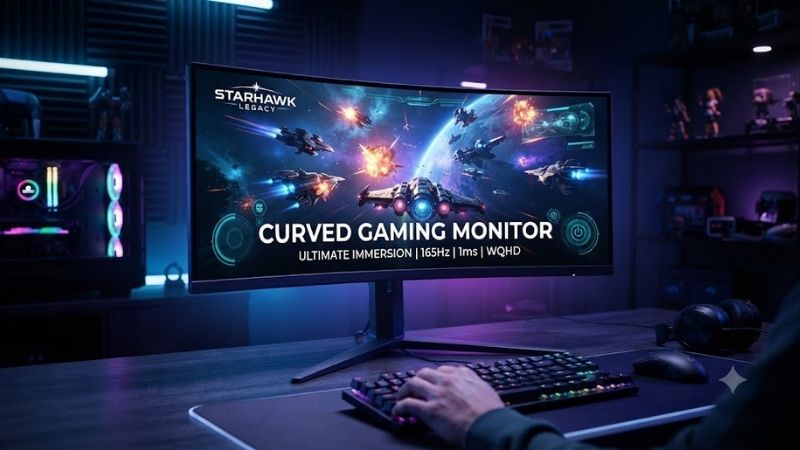
Curvature Radius and Immersion Level
Curvature ratings like 1000R or 1800R indicate the physical arc of the display panel in millimeters. Lower numbers signify a more aggressive curve that closely matches the natural contours of human eyesight. This pronounced arc pulls peripheral imagery inward to reduce repetitive neck rotation during prolonged play.
A gentle 1800R curve provides subtle depth suitable for split professional workloads and casual gaming sessions. Conversely, an aggressive 1000R bend wraps completely around your primary field of view for total flight simulator immersion. Consider desk depth before choosing an intense curve that requires extra distance.
Panel Technology and Color Reproduction
Panel architecture directly determines native contrast ratios, viewing angles, and overall color vibrancy across curved screens. Vertical Alignment panels dominate curved manufacturing because they provide deep black levels and solid structural flexibility. These panels excel in darkened rooms where backlight bleed ruins atmosphere.
Organic light-emitting diode panels offer infinite contrast and per-pixel illumination with instantaneous response times. Fast In-Plane Switching alternatives supply wide viewing angles and exceptional color fidelity for competitive esports titles. Balancing budget constraints against panel advantages helps secure superior visual clarity.
Refresh Rates and Motion Clarity
Fluid gameplay relies heavily on high refresh frequencies that render fast action without visual stutter. A modern curved gaming monitor running at 144Hz or 240Hz ensures enemy animations appear clean and predictable. This rapid image cycling provides a tangible competitive edge in twitch shooters and racing simulators.
Pixel response times must match high frame frequencies to prevent ghosting streaks behind quick movements. Look for displays advertising genuine one millisecond gray-to-gray transitions alongside active overdrive tuning. Variable refresh rate protocols like G-Sync and FreeSync eliminate screen tearing across fluctuating frame rates.
Screen Resolution and Aspect Ratios
Resolution choices establish baseline pixel density and determine how hard your graphics card must work. While standard 1080p remains accessible, 1440p resolution provides the sweet spot for crisp texture detail and manageable frame performance. Enthusiasts chasing maximum fidelity should prepare powerful hardware for 4K curved panels.
Aspect ratio transforms how virtual worlds unfold across your physical desktop environment. Ultrawide 21:9 and super ultrawide 32:9 formats provide expansive horizontal real estate that replaces cumbersome dual-monitor configurations. Make sure your favorite titles support ultrawide field of view settings to avoid unsightly side black bars.
Top Picks for Dedicated Gamers
Finding an exceptional curved gaming monitor requires balancing verified build quality, display performance, and long-term value. We compared top market contenders to highlight standout options spanning different budgets, form factors, and curvature profiles. Review the summary breakdown below to identify your matching display.
| Model Name | Best For | Screen Size | Refresh Rate | Curve Rating | | Samsung Odyssey Neo G9 | Ultimate Immersion Enthusiasts | 49 Inches | 240Hz | 1000R | | Alienware AW3423DWF | Premium QD-OLED Visuals | 34 Inches | 165Hz | 1800R | | Gigabyte M32UC | Budget 4K Console and PC | 32 Inches | 144Hz | 1500R | | AOC Gaming C27G2Z | Fast Esports Competitors | 27 Inches | 240Hz | 1500R |
Samsung Odyssey Neo G9
The Samsung Odyssey Neo G9 is tailored for flight simulator fans and racing enthusiasts demanding uncompromising panoramic scale. Its mini-LED backlight delivers dazzling peak brightness alongside deep contrast that rivals OLED screens. The intense 1000R curvature wraps visual information directly around your field of view.
A standout benefit centers on the massive forty-nine inch super ultrawide panel that replaces awkward dual monitor bezels entirely. Fluid 240Hz refresh rates ensure blistering frame transitions without noticeable screen tearing. However, its immense desk footprint and premium price tag present substantial hurdles for compact spaces.
Alienware AW3423DWF
This premium display caters to gamers seeking cinema-grade color reproduction, instantaneous pixel response, and striking contrast. Utilizing cutting-edge QD-OLED technology, this curved gaming monitor achieves absolute black levels and vibrant highlights. It represents a top-tier choice for immersive role-playing titles.
The gentle 1800R curve provides comfortable spatial depth without distorting straight lines during everyday desktop productivity. Gamers enjoy smooth 165Hz gameplay backed by near-instantaneous zero point one millisecond response times. On the downside, potential OLED burn-in risks require conscious desktop maintenance over time.
Gigabyte M32UC
The Gigabyte M32UC serves console owners and desktop enthusiasts wanting crisp 4K fidelity without spending excessive money. It delivers vibrant visuals across a thirty-two inch curved panel that elevates open-world exploration games. Dual HDMI 2.1 ports guarantee seamless compatibility with modern high-end home gaming consoles.
A notable advantage includes the integrated KVM switch that allows instant peripheral toggling across multiple connected systems. The subtle 1500R curvature enhances peripheral immersion while maintaining comfortable viewing angles. Conversely, the VA panel produces moderate dark-level ghosting during rapid competitive shooter matches.
AOC Gaming C27G2Z
Esports competitors prioritizing blistering frame rates over raw pixel density will appreciate this budget-friendly display. As an accessible curved gaming monitor, it brings extreme 240Hz responsiveness to competitive shooters like Valorant and Apex Legends. The twenty-seven inch panel size keeps all on-screen radar info in view.
The tight 1500R curve wraps your immediate vision tightly to maintain razor-sharp spatial awareness during frantic firefights. Ergonomic adjustments allow generous height and tilt tuning to ensure comfortable competitive postures. However, the modest 1080p resolution limits fine text clarity when browsing outside of your gaming sessions.
Frequently Asked Questions
Prospective buyers often voice practical concerns before purchasing a curved gaming monitor for their home battle station. Exploring curved panels raises questions about peripheral distortion, optical eyestrain, mounting options, and competitive genre advantages. The clear answers below clarify common doubts to help you upgrade with confidence.
Are Curved Screens Good for Competitive Shooters?
Curved screens provide solid benefits for tactical shooters by keeping the peripheral HUD elements equidistant from your eyes. This optical alignment lets players monitor radar pings and ammunition counts without shifting their primary focus away from crosshairs. Subtle curves reduce eye fatigue over intense tournament sessions.
However, some dedicated esports professionals still favor flat displays because they eliminate minor geometric distortion along straight screen edges. Extremely aggressive curves can slightly alter muscle memory when aiming toward screen borders. Most competitive enthusiasts adapt rapidly and appreciate the expanded visual context.
What Curvature Rating Offers the Best Experience?
The ideal curvature rating depends on your sitting distance, desk depth, and individual display dimensions. For screens under thirty-two inches, a 1500R or 1800R rating delivers a balanced experience that feels natural for mixed daily use. These moderate bends add noticeable depth without bending spreadsheet grids noticeably.
Ultrawide panels measuring thirty-four inches and larger benefit dramatically from tighter 1000R curves that match visual fields. Choosing a curved gaming monitor with an aggressive bend ensures outer edges stay within direct eyesight. Always evaluate your viewing distance to prevent feeling overwhelmed by large screens.
Does Screen Curvature Cause Eyestrain During Work?
Modern ergonomic studies show that curved monitors actively reduce optical strain compared to equivalent flat panels. Because the display edges curve toward your eyes, focal distances remain uniform across your full horizontal span. Your eye muscles spend less energy continually refocusing when glancing between various open windows.
Users doing detailed architectural CAD drafting or straight-line graphic work may experience a short initial adaptation period. The visual arc can make perfectly straight lines appear slightly curved until your brain recalibrates to the screen. Everyday office work, coding, and gaming feel immediately natural and comfortable.
Can Mounting Arms Support Heavy Curved Displays?
Mounting a curved screen requires heavy-duty monitor arms engineered to withstand unique center-of-gravity shifts. Because the display curves forward, the weight center extends further away from the mounting bracket than flat alternatives. Standard inexpensive monitor arms often tilt downward unexpectedly under these torque loads.
Verify that your selected monitor arm includes heavy-duty tilt pivot springs and matches the VESA pattern dimensions. Premium mounting solutions specifically list ultrawide compatibility to guarantee steady positioning across daily adjustments. Investing in sturdy mounting hardware keeps your desktop setup secure and visually clean.
View more products:
Final Thoughts on Modern Displays
Upgrading to the right curved gaming monitor transforms standard gaming into a deeply captivating visual journey. Prioritizing curvature radius, refresh rate, and panel technology ensures you secure a screen that elevates every play session. Choose the display that matches your hardware performance and step into panoramic glory today.
As an Amazon Associate we earn from qualifying purchases at no extra cost to you.








Top picks from this guide
 SANSUISANSUI 27 Inch Curved 240Hz Gaming Monitor FHD 1080P, 1500R…$136 \xc2\xb7 99/100
 SceptreNew! Sceptre 27-inch Curved Gaming Monitor 1080p 1500R up to…$120 \xc2\xb7 98/100
 SceptreSceptre Curved 24-inch Gaming Monitor 1080p R1500 98% sRGB HDMI…$79 \xc2\xb7 98/100
 SamsungSamsung 34' Odyssey G5 Ultra-Wide Gaming Monitor with 1000R Curved…$364 \xc2\xb7 97/100








