- Top Pick: Razer BlackShark V2 X Gaming Headset: 7.1 Surround Sound – 50mm Drivers – Memory Foam Cushion – For PC, PS4, PS5, Switch – 3.5mm Audio Jack – Black
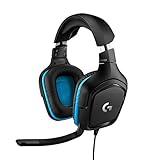
- Best Value: Logitech G432 Wired Gaming Headset – Black
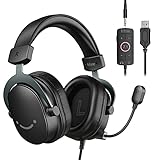
- Premium Choice: FIFINE H9 Wired Gaming Headset with Microphone, 3.5mm and USB Connectivity
Surround sound turns audio into a tactical tool. Instead of guessing where a threat is coming from, a good surround headset lets you pinpoint footsteps behind you, gunfire to your left, or a vehicle approaching from the flank. In competitive shooters and immersive single-player worlds alike, that spatial awareness is a genuine advantage.
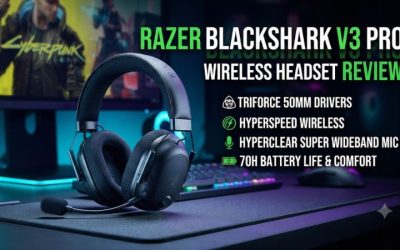
- Watch: Best Gaming Headset For Surround Sound — Video Review
- How to Choose a Surround Sound Headset
- The Best Surround Sound Headsets Reviewed
- Key Specs That Actually Affect Surround Performance
- Which Surround Sound Headset Fits Your Setup?
- Virtual 7.1 vs True Multi-Driver Surround: What Actually Changes
- Matching Headset Features To Your Platform
- Common Mistakes When Buying a Surround Sound Headset
- Microphone Quality and Voice Chat Considerations
- Caring For a Surround Headset to Preserve Audio Quality Over Time
- Software Settings That Change How Surround Actually Sounds
- How Game Genre Shifts Which Surround Feature Matters Most
- Where Surround Processing Actually Happens
- Replacing Worn Parts Without Losing Surround Accuracy
- Surround Formats Compared: What Each One Actually Does
- Set Up Surround Sound Correctly: A Step-by-Step Sequence
- Comfort and Fit Checklist for Long Sessions
- Who Should Skip a Surround Headset
- More Picks Worth Considering
- Impedance and Why It Changes Surround Clarity by Device
- Wireless Latency and Why It Matters More for Surround Positioning
- Hearing Safety During Long Surround Sessions
- Open-Back vs Closed-Back Design and Surround Imaging
- Which Headset Fits Your Situation?
- Questions Buyers Ask Before Choosing
- Related Guides
- Frequently Asked Questions
- Final Thoughts
- Related Articles
- Related Guides
This roundup gathers headsets that deliver convincing 7.1 virtual surround without demanding a premium price. We prioritized clear positional imaging, comfortable long-session designs, and broad compatibility so you can hear the whole battlefield no matter what you play on.


As an Amazon Associate we earn from qualifying purchases at no extra cost to you.



🎮 Get More From Your Setup — Free
Prime Gaming gives you free PC games every month, in-game loot, and a free Twitch channel sub — plus fast free shipping on all the gear above. New members get a 30-day free trial.
Watch: Best Gaming Headset For Surround Sound — Video Review
How to Choose a Surround Sound Headset
- Surround implementation: USB-based 7.1 processing generally provides more convincing positional cues than basic stereo emulation.
- Driver performance: Quality 50mm drivers create the detail and separation that make surround effects believable.
- Software and EQ: Companion apps that let you tune surround profiles help you dial in accurate directional sound.
- Connection flexibility: Some headsets offer both USB for surround and 3.5mm for portability, giving you the best of both worlds.
- Comfort for long play: Memory-foam cushions and a light frame keep you locked into the audio without fatigue.
The Best Surround Sound Headsets Reviewed
Razer BlackShark V2 X
The BlackShark V2 X delivers convincing 7.1 surround through 50mm drivers and memory-foam cushions. Its wide compatibility and low price make it our standout all-rounder.
Logitech G432
With DTS Headphone:X 2.0 surround and 50mm drivers, the G432 offers immersive positional audio and a flip-to-mute mic, all at a wallet-friendly price.
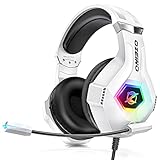
Ozeino 7.1 Surround Headset
This Ozeino model brings 7.1 surround, RGB lighting, and a noise-canceling mic to a budget price point. It is a colorful, feature-rich pick for immersive play.
FIFINE H9
The FIFINE H9 offers both 3.5mm and USB connectivity with surround processing, giving you flexibility across devices while keeping positional audio crisp.
Razer Kraken V3 X
Lightweight and USB-powered, the Kraken V3 X pairs 7.1 surround with comfortable cushions and a clear mic, making it an easy competitive choice for PC players.
Key Specs That Actually Affect Surround Performance
Marketing copy on gaming headset boxes tends to repeat the phrase “7.1 surround” regardless of what is physically inside the earcup. The number on the label does not tell you how convincing the positioning will feel in a real match. A handful of underlying specs decide that, and they are worth checking before any purchase.
Driver Count and Configuration
Most headsets in this category, including entries like the FOXXRAY HAU-37 and the ZIUMIER model here, use a single 40mm-50mm dynamic driver per ear and generate surround virtually through software processing. A smaller group of headsets use multiple physical drivers per earcup tuned to different frequency bands, which can produce sharper directional cues without relying entirely on digital signal processing. Neither approach is automatically better, but a single-driver design depends much more heavily on the quality of its companion software than a multi-driver one does.
Frequency Response Range
A wider frequency response, commonly quoted as roughly 20Hz to 20kHz on consumer gaming headsets, gives the virtual surround algorithm more low-end and high-end detail to work with when it separates sounds into a 3D field. Headsets with a narrower published range tend to compress footsteps and gunfire into a similar tonal band, which makes directional separation harder to perceive even when the surround processing itself is technically functioning.
Software Suite and Platform Lock-In
USB-connected headsets that rely on a downloadable control suite, such as HyperX’s NGENUITY-style software family or Razer’s Synapse ecosystem on supported models, only deliver true 7.1 virtual processing while that software is installed and the headset is plugged into a PC or a console that supports the companion app. Connect the same headset through a 3.5mm jack or a console’s optical port without the software layer, and it reverts to stereo, regardless of what the box states.
Wired Versus Wireless Latency
Wireless models built around a dedicated 2.4GHz USB transmitter, rather than Bluetooth alone, generally keep audio latency low enough that directional cues still line up with on-screen action. Headsets that depend solely on Bluetooth for gaming, instead of pairing Bluetooth with a low-latency 2.4GHz link for the game audio itself, are more exposed to the kind of lag that throws off the timing between a sound cue and the player’s reaction.
Which Surround Sound Headset Fits Your Setup?
Use the table below to match a listed headset to the way you actually play, rather than to the feature with the most checkmarks on paper.
| If you… | Choose… |
|---|---|
| Want a long-running cross-platform headset with a simple 3.5mm connection | Razer BlackShark V2 X |
| Play mainly on PC and PS4/PS4 Pro and want a proven USB 7.1 software suite | HyperX Cloud II Gaming Headset |
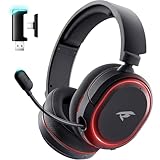
| Need a cable-free setup with a long battery runtime across multiple sessions | Wireless Gaming Headset with 2.4GHz USB and Bluetooth 5.4 |
| Want RGB lighting and a budget-friendly wired USB option for a desktop rig | FOXXRAY HAU-37 |
| Prioritize noise-canceling mic clarity for squad voice chat over audio fidelity | ZIUMIER Gaming Headset |
| Already own Logitech peripherals and want simple plug-and-play surround on PC | Logitech G432 |
| Want a lightweight wireless headset for marathon single-player sessions | Razer Kraken V3 X |
| Need an affordable RGB surround headset primarily for console use | Ozeino 7.1 Surround Headset |
| Switch frequently between a wired PC setup and a mobile or console connection | FIFINE H9 |
Virtual 7.1 vs True Multi-Driver Surround: What Actually Changes
Virtual surround takes a standard stereo signal and processes it through an algorithm that simulates multiple speaker positions around the listener’s head. The headphones themselves still output a stereo signal; the “surround” effect happens in software, which is why it can be toggled on or off depending on whether the driver suite is active. This is the design used by the overwhelming majority of headsets sold at this price point, including every model in this roundup.
True multi-driver surround places several small physical drivers at different angles inside a single earcup, each wired to reproduce a specific channel (front, rear, center, and so on). This hardware approach does not depend on a software suite to function and tends to deliver more consistent results across different games and platforms, but it adds cost and bulk, and few consumer gaming headsets in this price range use it. The standard tradeoff is that virtual surround depends on a quiet, well-mixed game audio track to work well, while poorly mixed games can make even accurate virtual surround sound muddy or directionally unclear.
In practice, competitive players report that virtual 7.1 helps most in games with clean, isolated positional audio cues, such as tactical shooters that prioritize footstep and gunshot placement in their sound design. Games with dense, layered soundtracks and heavy music can mask the directional cues regardless of which surround technology is used.
Matching Headset Features To Your Platform
PC remains the most flexible platform for surround sound headsets because it supports third-party software suites, Windows Sonic, and Dolby Atmos for Headphones as additional processing layers on top of whatever a headset’s own software provides. A headset’s native app and an OS-level spatial audio feature are not mutually exclusive, but running both at once can occasionally cause one to override the other, so most manufacturers recommend picking one primary surround source rather than stacking them.
PlayStation consoles handle virtual surround through their own system-level audio settings for officially supported headsets, which means a 3.5mm wired headset like the Razer BlackShark V2 X can access PS5’s Tempest 3D AudioTech processing without any extra hardware, while USB headsets with their own onboard 7.1 processing instead rely on that chip rather than the console’s spatial audio engine.
Xbox consoles require either a licensed wireless adapter or a 3.5mm connection paired with the console’s built-in spatial audio settings, which separately support Windows Sonic and, on supported subscriptions, Dolby Atmos for Headphones. Nintendo Switch, by contrast, does not offer a system-level virtual surround feature at all, so any surround effect on Switch comes entirely from the headset’s own onboard processing, where that feature exists, or not at all on headsets that rely on PC-only software.
Common Mistakes When Buying a Surround Sound Headset
- Assuming “7.1” on the box means true 7.1 hardware. On headsets in this price range it almost always refers to virtual surround generated through software, not seven physical driver channels.
- Buying a USB-only headset for a console that does not support its companion software. Without the software layer, the headset functions as a standard stereo device, which defeats the purpose of the purchase.
- Ignoring the microphone spec while focusing only on the speakers. A headset with excellent virtual surround but a weak, non-noise-canceling mic can still hurt team communication in competitive play.
- Overlooking clamping force and long-session comfort. Owners frequently report that a headset marketed around audio features becomes uncomfortable after two or three hours if the headband and ear cushions were not evaluated separately from the surround spec.
- Choosing Bluetooth-only wireless for competitive gaming. Bluetooth’s added latency, compared to a dedicated 2.4GHz gaming link, can desynchronize audio cues from on-screen events by a margin that matters in fast-paced matches.
- Expecting identical surround quality across every game. Virtual surround performance depends heavily on how a specific game mixes its audio, so the same headset can feel dramatically better in one title than another.
Microphone Quality and Voice Chat Considerations
Surround sound output and microphone input are evaluated separately, and a headset that excels at positional audio does not automatically perform as well on the voice chat side. Noise-canceling and ENC (environmental noise cancellation) microphones, found on models like the ZIUMIER headset and the 2.4GHz wireless option here, use software filtering to reduce background hum, fan noise, and keyboard clatter before the signal reaches teammates, which matters more in shared living spaces or households with other noise sources nearby.
Fixed Versus Detachable Boom Microphones
A detachable boom microphone can be removed entirely for casual listening, which extends its usefulness beyond gaming sessions, while a fixed boom stays in place permanently but is typically less likely to loosen or disconnect during intense play. Neither design inherently sounds better; the tradeoff is convenience and portability versus a marginally more secure connection.
Microphone Placement and Pickup Pattern
A microphone positioned closer to the corner of the mouth generally captures speech more clearly than one mounted further away on a longer boom, but it also picks up breathing and mouth noise more readily if not paired with a cardioid or noise-gating pickup pattern. Headsets that advertise a flip-to-mute boom offer a quick physical cue for teammates that the mic is off, which some players prefer over a software mute toggle that is easy to forget.
Caring For a Surround Headset to Preserve Audio Quality Over Time
Memory foam ear cushions, used on models such as the HyperX Cloud II and the Razer BlackShark V2 X, compress and reshape with repeated use and body heat. Over months of regular use, the foam can lose some of its original density, which changes the seal around the ear and can subtly alter how bass frequencies, an important part of directional audio cues like footsteps, are perceived. Rotating between two headsets, or simply allowing cushions to fully decompress between long sessions, helps slow this process.
Cable strain at the point where a wired headset’s cord meets the earcup is one of the more common failure points reported by long-term owners, particularly on headsets without a reinforced or braided cable section near that joint. Avoiding sharp cable bends during storage, and unplugging by the connector rather than pulling the cable itself, reduces the chance of an intermittent connection developing in exactly the channel responsible for carrying positional audio cues.
Dust and ear wax buildup inside the earcup mesh can gradually muffle high-frequency detail, which is disproportionately important for surround positioning since high frequencies carry much of the directional information the brain uses to localize a sound source. Periodically wiping down the mesh and foam with a dry or lightly dampened cloth, following the manufacturer’s cleaning guidance for that specific material, helps preserve the clarity that the surround processing depends on.
Software Settings That Change How Surround Actually Sounds
A headset’s surround hardware only delivers accurate positioning if the operating system and game are both configured to feed it the right signal, so a few settings checks matter as much as the headset itself.
- On Windows, open Sound settings and set the spatial sound option for the headset to Windows Sonic for Headphones, a built-in feature that requires no extra license, or to a licensed option such as Dolby Atmos for Headphones if that has been activated on the account.
- Inside the headset’s own companion software, switch the surround mode on rather than leaving the headset in plain stereo, since many models ship with virtual surround off by default.
- Disable any competing audio enhancement from the motherboard or sound card driver running at the same time as the headset’s own processing, since two surround engines stacked together usually blur imaging instead of sharpening it.
- In-game, set the audio output to the surround or headphone-specific option rather than a generic stereo or TV-speaker preset, since many titles ship separate mixes for each.
How Game Genre Shifts Which Surround Feature Matters Most
Surround sound is not equally valuable across every genre, and matching the headset’s strengths to the genre played most often avoids overpaying for a feature that will not get used. Competitive shooters benefit most from precise directional imaging and a wide frequency range that keeps footsteps and gunfire distinct from music and explosions. Open-world and story-driven games lean more on a wide, immersive soundstage and accurate bass than on split-second directional precision. Racing and flight titles benefit from strong front-to-back separation for engine and wind cues, while competitive team games where voice communication is constant should weight microphone clarity as heavily as the surround feature itself.
Where Surround Processing Actually Happens
| Surround Type | Where It Is Created | Typical Requirement |
|---|---|---|
| Virtual 7.1 via software | Headset’s USB dongle or companion app | USB connection; no OS license needed |
| OS-level spatial audio | Windows or console audio stack | Spatial sound enabled in system settings |
| True multi-driver hardware | Multiple physical drivers per ear cup | No software required, but fewer models offer it |
Replacing Worn Parts Without Losing Surround Accuracy
Surround imaging depends partly on how an ear cup seals against the head, so a worn-out or mismatched replacement ear pad can shift perceived positioning even when the drivers themselves are unchanged. When replacement pads are needed, matching the original material and thickness keeps the seal and the angle of the drivers relative to the ear consistent with how the headset was tuned. Swapping memory foam pads for thinner fabric ones, or the reverse, is a common reason a surround headset starts to sound noticeably different after a pad change even though nothing electronic was touched.
Surround Formats Compared: What Each One Actually Does
The label on the box matters less than the format doing the processing, because each format lives in a different place and works on a different set of platforms. A headset that relies on a USB dongle for its virtual surround will usually fall back to plain stereo on a console controller jack, while a format built into the console itself works with almost any wired headset plugged into that system.
| Surround format | Where it runs | Works best on | What to check first |
|---|---|---|---|
| USB virtual 7.1 | Dongle or headset software | PC | Whether the maker still supports the software for your operating system |
| DTS Headphone:X | App or licensed headset feature | PC and Xbox | Whether a license is included or needs a separate activation |
| Dolby Atmos for Headphones | App on PC and Xbox | PC and Xbox | Whether your games output an Atmos or spatial signal |
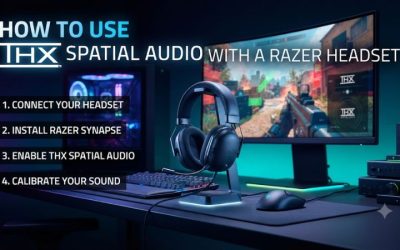
| THX Spatial Audio | Razer software on PC | PC with a supported Razer headset | Whether the headset model is on the supported list |
| Tempest 3D Audio | Inside the PlayStation 5 itself | PlayStation 5 | Head-related transfer function profile selection in console settings |
| Windows Sonic | Built into Windows and Xbox | PC and Xbox | That only one spatial format is switched on at a time |
Running two spatial processors at once is a common cause of hollow, distant sound. Pick one format, switch the others off, and let the game send a clean signal. Competitive players should also test the stereo mode of the same headset, because some titles mix their own binaural audio that sounds more accurate without an extra layer of processing on top.
Set Up Surround Sound Correctly: A Step-by-Step Sequence
- Connect the headset the way its surround mode requires, which usually means the USB dongle or USB cable rather than the controller jack.
- Set the headset as the default output and default communication device in the operating system sound panel.
- Switch on exactly one spatial format, in the console settings, the Windows sound settings, or the headset software.
- In the game audio menu, choose the headphone preset if one exists, and set dynamic range to a night or low setting only if loud effects are masking quiet cues.
- Turn off any separate equalizer bass boost for one session, since heavy low-end lift tends to bury footsteps and reload sounds.
- Play a familiar map or level and note whether left and right cues match the picture, then swap the headset around once to rule out a reversed channel or a swapped cable.
Comfort and Fit Checklist for Long Sessions
Surround processing cannot rescue a headset that hurts after an hour. Before judging sound, check clamp force by wearing the headset over a cap or with glasses, since frames trapped under ear cushions are the most common reason players abandon an otherwise good model. Look for cushions deep enough that the driver housing does not touch the ear, a headband that spreads weight instead of pressing on one spot, and ear cups that swivel so the seal stays even when you turn your head. A broken seal leaks bass and shifts the perceived position of sounds, so fit is an audio feature, not just a comfort feature.
Who Should Skip a Surround Headset
Skip this category if you mainly play story games with a strong stereo mix and prefer the simplicity of a good stereo headset, because extra processing adds cost and setup steps without adding much to a well-mixed single-player soundtrack. Skip it if your platform is a phone or a handheld that only offers Bluetooth audio for games with noticeable delay, since late audio undermines the positional advantage. Also skip the most feature-heavy wireless models if you play at a desk on one PC only, because a wired model at a similar level usually gives a cleaner microphone path and never needs charging.
More Picks Worth Considering
HyperX Cloud III

This wired headset fits players who liked the shape and aluminum frame idea of the Cloud II in the main list but want the newer angled 53mm drivers and DTS spatial audio support on PC. The detachable 10mm microphone, USB-C and USB-A adapters, and a plain 3.5mm connection make it easy to move between a PC, a PlayStation controller, an Xbox controller, and a Switch without changing headsets. It suits long sessions thanks to memory foam cushioning and a frame built for daily use. It does not fit players who want wireless freedom at the couch, anyone who dislikes managing a cable at a desk, or buyers who want surround processing that lives entirely inside a console rather than in software.
Turtle Beach Stealth 600 Gen 3

This wireless model fits console-first players who move between an Xbox, a PlayStation, a PC, and a phone, because it pairs a low-latency wireless connection with Bluetooth in the same headset and carries an 80-hour battery rating for long stretches between charges. The flip-to-mute microphone with noise reduction suits shared rooms, and the 50mm drivers give enough weight to explosions while keeping dialogue forward. It suits households where one headset has to serve several systems. It does not fit players who insist on a wired cable fallback for travel or tournament desks, listeners who prefer a detachable boom they can remove completely, or PC players who specifically want a USB dongle surround suite from a particular software family.
Corsair HS80 RGB Wireless

This model fits PC and PlayStation players who care as much about how they sound to teammates as how the game sounds to them, because its broadcast-grade omnidirectional microphone is the standout feature alongside Dolby Atmos support on PC. The low-latency wireless connection, 50mm drivers, memory foam ear pads, and floating headband design suit desk-based play, streaming, and long voice calls. The white version is the one referenced below. It does not fit Xbox players, since Xbox is not part of its wireless support, and it does not fit players who need very long battery life between charges or a light travel headset they can fold away into a small bag.
Impedance and Why It Changes Surround Clarity by Device
Impedance, measured in ohms, affects how much power a headset needs to reach its full output level. Low-impedance headsets in the 16 to 32 ohm range are built to drive clean, loud output straight from a phone, console controller, or laptop headphone jack, which is why most gaming headsets with virtual 7.1 processing sit in that range. Headsets borrowed from the studio or audiophile world often run at higher impedance and can sound noticeably flatter and quieter when plugged into a console without a dedicated amp, even though the driver itself is capable of more detail.
Wireless Latency and Why It Matters More for Surround Positioning
A delay between an in-game sound event and the audio reaching your ears matters more for surround positioning than for music, because directional cues rely on tiny timing differences the brain uses to judge where a sound originated. Headsets using a dedicated 2.4GHz USB receiver are built to keep that delay low and consistent, while Bluetooth connections can introduce enough variability to blur the sense of direction during fast-paced moments, even if the overall sound quality seems fine in casual listening.
Hearing Safety During Long Surround Sessions
Surround processing can make quiet directional cues feel underwhelming at moderate volume, which tends to push listeners toward raising the level higher than they would with stereo audio. Hearing health guidance from organizations such as the World Health Organization points to roughly 60 minutes at high volume as a reasonable ceiling for sustained headphone listening before giving ears a break, a threshold that is easy to exceed during a long surround-heavy session without noticing.
Open-Back vs Closed-Back Design and Surround Imaging
Closed-back ear cups, used on most gaming headsets in this category, reflect sound back toward the ear and seal out room noise, which reinforces bass and close-in directional cues but can make very wide soundstage effects feel slightly boxed in. Open-back designs let air and sound pass through the back of the cup, producing a more natural, outward sense of space that some listeners find better for pinpointing distant sounds, at the cost of leaking audio into the room and letting more outside noise in.
Which Headset Fits Your Situation?
| If you… | Choose |
|---|---|
| Want the lightest closed-back option for long multi-hour sessions | Razer BlackShark V2 X |
| Need one reliable wired headset that works across PC and consoles without software | Logitech G432 |
| Are on a tight budget but still want directional RGB cues | Ozeino 7.1 Surround Headset |
| Want to switch between two connected devices without re-pairing | FIFINE H9 |
| Prefer the most minimal, PC-focused build with no onboard controls | Razer Kraken V3 X |
Questions Buyers Ask Before Choosing
Why does surround sound better in one game and worse in another?
Games mix audio differently. A title with a dedicated headphone mix and clear vertical cues rewards spatial processing, while a title mixed mainly for speakers can sound smeared when another processor reshapes it. That is why the same headset can feel precise in one shooter and vague in a racing game, and why testing with your own main game matters more than any general verdict.
Should the microphone decide the purchase?
For team play, often yes. Teammates hear your microphone for hours, while small differences in driver tuning are easy to adjust with an equalizer. A detachable or flip-to-mute boom with a clear mute indicator prevents most everyday frustrations, and a microphone that rejects keyboard noise is worth more in a shared room than a small gain in bass output.
Related Guides
- Best Sound Quality Gaming Headset (2026)
- What's The Best Gaming Headset (2026)
- Best Gaming Headphones Xbox (2026)
- Steam VR Headset Vs Meta Quest 3: Full Comparison (2026)
- Best Gaming Headsets Best Buy (2026)
Frequently Asked Questions
Is 7.1 surround real or simulated in headsets?
Headset surround is virtual, using software to simulate directional cues through two drivers. Done well, it noticeably improves your sense of positioning.
Does surround sound help in competitive shooters?
Many players find it improves their ability to locate enemies, though some prefer clean stereo. It is worth testing both to see what suits you.
Do I need USB for surround sound?
USB connections typically enable the onboard processing that powers virtual surround, so they are usually required for the full effect.
Can I use these headsets on consoles?
Yes, though surround features may be limited on some platforms. The 3.5mm connection ensures basic audio works nearly everywhere.
Final Thoughts
The Razer BlackShark V2 X is our top surround pick for its convincing positional audio and excellent value. The Logitech G432 is a strong DTS-powered alternative, while the flexible FIFINE H9 is ideal if you want both USB surround and 3.5mm portability in one headset.