- Top Pick: Meta Quest 3S 256GB | VR Headset — Thirty-Three Percent More Memory — 2X Graphical Processing Power — Virtual Reality Without Wires — Get Batman: Arkham Shadow Included Plus Access to 40+ Games
- Best Value: Meta Quest 3S 128GB | VR Headset — Thirty-Three Percent More Memory — Virtual Reality Without Wires — Access to 40+ Games with a 3-Month Trial of Meta Horizon+ Included (Renewed Premium)
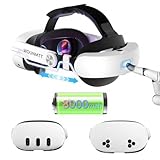
- Premium Choice: Meta Quest 3 512GB + Meta Quest Digital Currency $25 [Digital Code]
Choosing a VR headset in 2026 often comes down to a fundamental question: do you want the tethered power and precision of SteamVR, or the wireless freedom and ecosystem of the Meta Quest 3? Both can play the same great games, but they get you there in very different ways, and that difference shapes everything about the experience.
- Watch: Steam VR Headset Vs Meta Quest 3: Full Comparison — Video Review
- Quick Verdict
- Meta Quest 3 & Quest 3S
- SteamVR Headsets
- Head-to-Head: Which Should You Buy?
- Quest 3 Versus Quest 3S: Specs Side by Side
- How to Play PC VR Games on a Quest
- Which Quest Should You Buy?
- Common Mistakes When Choosing a PC VR Headset
- Standalone Versus PC-Streamed Play
- Troubleshooting PC VR Streaming
- Space and Comfort Notes
- Related Guides
- Frequently Asked Questions
- Final Verdict
- Related Articles
- Related Guides
The Quest 3 and its more affordable 3S sibling dominate the standalone space, running games without a PC or wires. SteamVR headsets, by contrast, lean on a gaming rig for uncompromised visuals and tracking. Here’s how the two philosophies compare and which suits your setup.


As an Amazon Associate we earn from qualifying purchases at no extra cost to you.


![Meta Quest 3 512GB + Meta Quest Digital Currency $25 [Digital Code]](https://m.media-amazon.com/images/I/31CvooZpn+L._SL160_.jpg)



🎮 Get More From Your Setup — Free
Prime Gaming gives you free PC games every month, in-game loot, and a free Twitch channel sub — plus fast free shipping on all the gear above. New members get a 30-day free trial.
Watch: Steam VR Headset Vs Meta Quest 3: Full Comparison — Video Review
Quick Verdict
If you value convenience, price, and a huge library you can play anywhere, the Meta Quest 3 (or the budget-friendly Quest 3S) is the easy recommendation, and it can still tether to a PC for SteamVR titles when you want them. If you own a powerful gaming PC and prioritize the sharpest visuals and most precise tracking for sim racing or flight, a dedicated SteamVR setup pulls ahead.
Meta Quest 3 & Quest 3S
The Quest 3 line’s appeal is simplicity. There are no base stations, no cables, and no PC required, just put it on and play. The Quest 3 512GB offers sharper resolution and 2x the graphical power of previous generations, while the Quest 3S (in 128GB and 256GB flavors) hits a lower price with the same core experience and access to 40-plus games. Both include compelling extras like a Batman: Arkham Shadow bundle and a Meta Horizon+ trial.
Crucially, the Quest 3 isn’t locked out of SteamVR. Via Quest Link (wired) or Air Link (wireless), it doubles as a PCVR headset, giving you the best of both worlds. Accessories like charging docks and dedicated VR headphones round out a mature ecosystem that makes ownership easy.
SteamVR Headsets
SteamVR represents the enthusiast path. Tethered to a capable gaming PC, these headsets deliver the highest visual fidelity, best-in-class tracking precision, and access to the full, uncensored Steam VR catalog without a platform gatekeeper. For demanding applications, sim racing, flight simulators, and competitive shooters, the low latency and pinpoint tracking of a wired setup remain the gold standard.
The trade-offs are cost and complexity. You need a powerful PC, physical space, and tolerance for cables and setup. But if you want maximum performance and already have the rig to drive it, nothing beats a dedicated PCVR configuration for pushing visuals and precision to their limits.
Head-to-Head: Which Should You Buy?
- For newcomers and casual players: The Quest 3S offers the easiest, most affordable entry into VR.
- For the best all-rounder: The Quest 3 does standalone and PCVR, covering nearly every use case.
- For PC enthusiasts: A SteamVR headset maximizes fidelity and tracking if you own a strong rig.
- For sim racing and flight: Tethered SteamVR’s low latency and precision are ideal.
- For wireless freedom: The Quest line’s no-cable design wins outright.
Quest 3 Versus Quest 3S: Specs Side by Side
| Spec | Quest 3 | Quest 3S |
|---|---|---|
| Resolution per eye | 2,064 x 2,208 | 1,832 x 1,920 |
| Pixels per degree | About 25 | About 20 |
| Field of view (horizontal x vertical) | About 110 x 96 degrees | About 96 x 90 degrees |
| Lens type | Pancake | Fresnel |
Published specifications put the Quest 3 at roughly 30 percent more pixels than the 3S, with a wider view and clearer edges.
How to Play PC VR Games on a Quest
- Update the headset and install the Steam Link app on it, or use the Meta Link software on the PC.
- Install Steam and SteamVR on the computer, then connect the PC to the router by Ethernet if possible.
- Put the headset on a 5 GHz or 6 GHz Wi-Fi network, ideally in the same room as the router.
- Launch Steam Link, select your PC, and enter the pairing code shown on screen.
- Launch a SteamVR game from the PC or the Steam Link menu.
Quest headsets support PC VR through a USB-C Link cable, Air Link over Wi-Fi, and Steam Link, so a cable works if wireless proves unreliable. Exact steps and PC requirements can change with software updates, so follow the current instructions from Meta and Valve.
Which Quest Should You Buy?
| If you… | Choose… |
|---|---|
| Want sharper visuals and a wider view | Meta Quest 3 512GB |
| Prefer an older generation with lower resolution and pixel density | Meta Quest 2 (128 GB or 256 GB) |
| Carry the headset often | A hard carrying case listed for Quest 3S, 3, and 2 |
Common Mistakes When Choosing a PC VR Headset
- Using Wi-Fi on the 2.4 GHz band. Wireless PC VR works best on 5 GHz or 6 GHz.
- Running the PC over Wi-Fi. A wired PC connection to the router reduces stutter.
- Assuming storage is unlimited. Quest games take up space, so choose capacity with your library in mind.
- Skipping the case. Lenses scratch easily and need protection.
- Forgetting minimum PC specs. Check SteamVR requirements before buying.
Standalone Versus PC-Streamed Play
A Quest runs its own games on the headset’s mobile processor, so no computer is needed for the store library. When streaming PC VR, the computer’s graphics card does the rendering and the headset receives a compressed video feed, so a stronger PC raises the ceiling for visual quality. Streaming adds a small delay and compression, which is why many players prefer a cable for fast-paced titles.
Troubleshooting PC VR Streaming
- Stutter or judder: move the PC to Ethernet, shut down background downloads, and lower the streaming bitrate.
- Blurry or blocky image: raise the bitrate gradually and confirm the headset is on a 5 GHz or 6 GHz band.
- Headset cannot find the PC: make sure both devices are on the same network and that Steam is running.
- Audio plays from the PC speakers: select the headset audio device in the streaming app settings.
- Controllers drift out of view: clear reflective surfaces and improve room lighting.
Space and Comfort Notes
Clear a play area before beginning, and set up the headset boundary each time the room layout changes. Adjust the head strap and the lens spacing until text looks sharp. Meta’s specifications describe the Quest 3 as offering continuous lens spacing adjustment, while the 3S is reported to use fixed steps, so players with unusual eye spacing should check the listing. Glasses wearers can ask about a spacer or prescription inserts.
Related Guides
- Best Gaming Headset For Xbox Series X (2026)
- Best Computer Gaming Headset (2026)
- Best Gaming Headset For The Money (2026)
- Best Sound Quality Gaming Headset (2026)
Frequently Asked Questions
Can the Meta Quest 3 play SteamVR games?
Yes. Using Quest Link or Air Link with a gaming PC, the Quest 3 can run the full SteamVR library alongside its standalone titles.
Is the Quest 3S worth it over the Quest 3?
For budget buyers, yes. It shares the core experience at a lower price, though the Quest 3 offers sharper resolution and more graphical power.
Do I need a powerful PC for SteamVR?
Yes. Dedicated SteamVR headsets rely on a capable gaming PC to deliver their fidelity and tracking advantages.
Which has better tracking?
The Quest 3’s inside-out tracking is excellent for most uses, but dedicated SteamVR base-station tracking edges ahead for precision-critical applications.
Final Verdict
For the vast majority of players, the Meta Quest 3 is the smarter buy: it’s wireless, affordable, and still connects to a PC for SteamVR when you want maximum fidelity. The Quest 3S makes an excellent budget entry point. Reserve a dedicated SteamVR setup for enthusiasts with powerful PCs who prioritize the absolute best in visuals and tracking. In short, the Quest gives you flexibility; SteamVR gives you the performance ceiling.
Top picks from this guide
 MetaMeta Quest 2 — Advanced All-In-One Virtual Reality Headset —…$415 \xc2\xb7 97/100
 sarlarSARLAR VR Hard Carrying Case for Meta Quest 3S/3/2, Steam…$25 \xc2\xb7 96/100JSVERCarrying Case for Meta Quest 3S JSVER Hard Case for…$18 \xc2\xb7 96/100
 MetaMeta Quest 2 — Advanced All-In-One Virtual Reality Headset —…$299 \xc2\xb7 96/100