🛒 Best Price Today on Amazon
Prime members get fast, free shipping on everything above, plus member-only deals. New members get a 30-day free trial — cancel anytime.
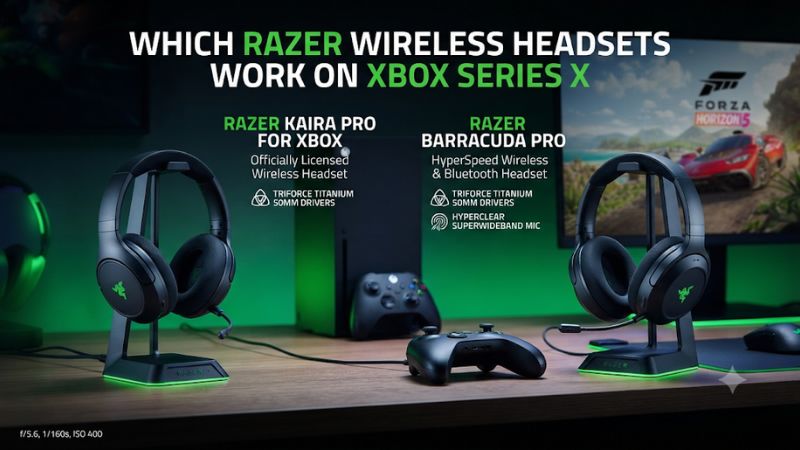
To find which Razer wireless headsets work on Xbox Series X, look for the Xbox edition and its documented connection. The BlackShark V3 Xbox models use a receiver. The Kaira and Kaira Pro for Xbox pair directly. Check the exact product name and included accessories before buying a new or used headset.
Razer headsets confirmed for wireless Xbox Series X use
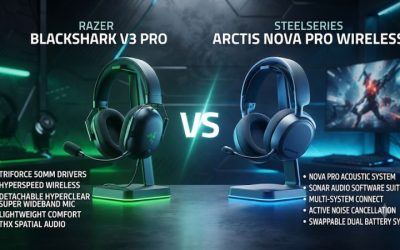
Start with the BlackShark V3 X HyperSpeed for Xbox if you want a lightweight headset for game and party audio. Pick the BlackShark V3 for Xbox if you want to hear your phone and console together. Choose the BlackShark V3 Pro for Xbox if active noise cancellation matters. For a direct connection without filling a USB port, check the original Kaira for Xbox or Kaira Pro for Xbox.
| Exact model | Wireless route to Xbox Series X/S | Best reason to choose it |
|---|---|---|
| BlackShark V3 X HyperSpeed for Xbox | Matching licensed USB receiver | Lightweight gaming and voice chat |
| BlackShark V3 for Xbox | Matching USB receiver in Xbox mode | Simultaneous console and Bluetooth audio |
| BlackShark V3 Pro for Xbox | Matching Xbox receiver | ANC, dual wireless, and more connection options |
| BlackShark V2 Pro for Xbox | Its Xbox-licensed wireless receiver | Discounted prior-generation headset |
| Kaira HyperSpeed for Xbox | Its included Xbox-compatible USB receiver | Simpler dongle-based Xbox setup |
| Kaira for Xbox | Direct Xbox Wireless | No console USB receiver required |
| Kaira Pro for Xbox | Direct Xbox Wireless | Direct pairing plus Bluetooth for supported devices |
| Nari Ultimate for Xbox One | Direct Xbox Wireless on compatible consoles | Existing or used legacy unit with verified battery and connection |
This list focuses on confirmed models with clear reasons to consider them. Check each exact listing because a similar color, family name, or USB connector does not carry the same platform support. For a buyer with both Xbox and PlayStation, also verify the non-Xbox mode for the same receiver.
Understand the two ways a Razer headset connects
Direct Xbox Wireless works much like controller pairing. A compatible headset and the Xbox console enter pairing mode, then communicate without a USB headset receiver. This is useful if the console has several accessories attached or if you want to carry only the headset between Xbox systems.
Other Razer models use a licensed USB receiver. The receiver handles compatibility with the console and links to the headset over its own wireless connection. Some receivers, including the one Razer documents for the BlackShark V3 for Xbox, provide a physical Xbox and USB mode. Set it to Xbox for the console. The other mode serves compatible PC or PlayStation setups.
Bluetooth is useful as a second connection to a phone or compatible computer. For the Xbox game and microphone connection, use direct Xbox Wireless or the documented Xbox-compatible receiver. A headset advertising Bluetooth and Xbox cloud gaming may be describing a phone workflow, so check whether the page explicitly lists the physical Series X console.
Use the platform label and model number together
Look for Xbox Series X|S on the exact product page and a product name such as BlackShark V3 X HyperSpeed for Xbox. Confirm the model number with Razer support if a store title drops the platform label. The standard V3 X and Xbox V3 X, for example, have distinct support pages with different identifiers.
A used seller can send a clear photo of the headset label and the receiver. If there is a mode switch, ask for a photo showing the markings. Then ask for a demonstration with the intended console. Confirm both the game audio and a working microphone. A wireless headset can play sound on a PC through a receiver that is incompatible with Xbox.
If store pages disagree, use the official support or product page for the identified edition and ask the seller to match it. Check the selected variant again before ordering. Headset names often stay in a common heading as you switch colors or platforms on the same page.
How to choose among the BlackShark models
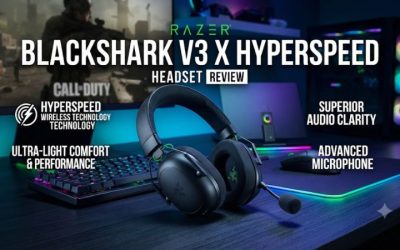
BlackShark V3 X HyperSpeed for Xbox for a simpler setup
Pick the V3 X HyperSpeed for Xbox if you want a headset that weighs about 270 grams, uses a removable boom, and connects through a dedicated receiver. It is the practical starting point for repeated matchmaking or casual party chat. Razer rates the Xbox version for up to 48 hours on console and up to 70 hours on PC. Use the console claim when planning the Xbox charging schedule.
The V3 X can switch between its receiver and Bluetooth, with one source active at a time for media. That works for a player who wants to use the same headset on a phone between matches. If you need to hear a mobile voice stream or music over gameplay, move to the next BlackShark tier.
At checkout, look for for Xbox and the corresponding receiver. At home, test a full multiplayer session once. Confirm that other players hear the detachable boom, and learn the wireless switching control for the Xbox edition before changing modes during a match.
BlackShark V3 for Xbox for simultaneous phone and game audio
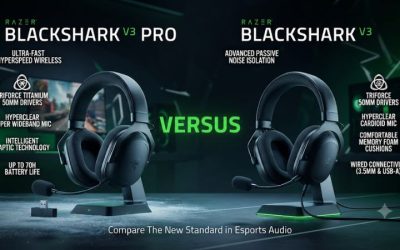
The middle BlackShark V3 is the step-up option for players who regularly bring two audio devices into the same session. It can play game audio from its receiver while receiving Bluetooth audio from a phone. Razer documents choosing the receiver’s Xbox mode for the console and USB mode for compatible PC or PlayStation use.
Decide whether the Bluetooth feature solves a daily problem. It can matter if you use a phone for a second voice channel or want to hear media between rounds without losing the game stream. If your phone stays quiet while you play, the V3 X covers the core Xbox audio and chat use case at a potentially lower price.
Test calls separately from media. Razer documents that Bluetooth calls can take priority while the headset is in simultaneous mode. If you need the same microphone active in a game party throughout a phone call, check what each participant can hear before relying on the setup during a match.
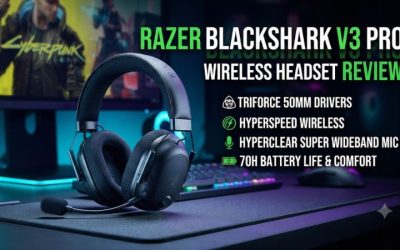
BlackShark V3 Pro for Xbox for noise cancellation
Choose the Pro for Xbox if you need simultaneous wireless and want ANC because your room is regularly noisy. It is also the better fit within this family if you value its higher-tier microphone and additional wired connection options. Compare the supported paths for each device. A headset can offer several inputs while using one specific route for Xbox wireless.
The Pro premium makes the most sense for someone who spends long periods in a shared household or office. Try it with the kind of noise you want to reduce. HVAC or a steady fan is a different test from nearby speech. Make sure the pads seal around glasses if that is how you normally wear the headset.
For an Xbox-only buyer who plays in a quiet room, the middle V3 may already cover all the important wireless and chat needs. If you only use one source, price the V3 X first. Add the Pro when ANC, fit, or a specific additional connection improves the way you play.
BlackShark V2 Pro for Xbox as a discounted alternative
The Xbox-licensed V2 Pro is still relevant if you find it substantially below the newer models. It differs from the standard 2023 PC edition and the PlayStation edition. Confirm the Xbox platform on the box or exact listing. Razer gives the Xbox-licensed version its own support and firmware instructions.
The console version offers a practical route for a buyer who likes the BlackShark fit and wants clear voice chat at a lower price. Check the companion app before paying for a feature you use on PC. Razer states that the Xbox and PlayStation V2 Pro editions do not use Synapse. Console-oriented controls and software should be assessed on their own terms.
For a used V2 Pro, ask for a session on Xbox using the receiver, including game and party chat. Then compare what is included and the battery’s condition against the current V3 X. A discounted older unit is attractive if it is complete, pairs reliably, and covers your preferred setup.
How the Kaira and legacy models fit
Kaira HyperSpeed for Xbox uses a receiver
Kaira HyperSpeed for Xbox is a licensed 2.4 GHz option with an included USB-C receiver. It makes sense if you want an Xbox headset with a conventional receiver setup and can buy it for less than a newer BlackShark. Razer advertises up to 30 hours for the product, so compare its charging routine if the price is close to the V3 X.
The word HyperSpeed matters because it describes a different connection from the original direct-pairing Kaira for Xbox. Razer also has a Kaira HyperSpeed for PlayStation. Verify the exact edition rather than deciding from the Kaira name, the receiver plug shape, or a photo of the earcups.
If the listing is missing the transmitter, confirm how you would replace it and whether the replacement can be paired to that headset. A complete wired or direct-pairing model may deliver better value than an incomplete receiver-based set.
Kaira and Kaira Pro for Xbox pair without a USB receiver
The original Kaira for Xbox and Kaira Pro for Xbox use direct Xbox Wireless. They make sense if you dislike leaving a receiver on the console or have a crowded setup. Use the console and headset pairing controls described for the exact model. Once paired, verify both game audio and the microphone in a party.
The Kaira Pro for Xbox also serves compatible Bluetooth devices. That is worth considering if you want mobile connectivity with a direct Xbox pairing setup. Check the manual for how the selected model handles calls and concurrent listening if that is important to you. Products with the Kaira Pro name have appeared in more than one platform and connection variant.
For a buyer choosing between the two original models, start with the connection they share. If direct pairing is the only thing you need, compare the simpler Kaira on price and fit. If mobile connectivity matters, start with the Pro and confirm what functions work on the devices you use.
Nari Ultimate for Xbox One is a legacy option
Razer confirms that the Nari Ultimate for Xbox One, model family RZ04-02910, is forward compatible with Series X and Series S. It uses the Xbox wireless route, which makes it worth keeping if you already own a working unit. A listing for a different Nari Ultimate version may describe a different receiver or platform.
The main reasons to be selective on a used unit are age, battery wear, and condition. Pair it to a Series console and leave it running for the length of a normal session. Test the mic, volume adjustment, and any extra feature you consider important. Some older headsets can power on and pair for a demo while the battery no longer supports a full evening.
Larger legacy models can also fit differently from newer BlackShark headsets. If you can try both for the same amount of time, look for pressure after an hour and check how securely the headset stays in place. Consider the Nari because it solves your current setup, especially if you already have it, or because the used price reflects its age.
Watch for wired Xbox editions with similar names
A product can carry Xbox branding while still using a cable. The BlackShark V2 X for Xbox is an example of a wired Xbox headset with a name that can resemble the wireless V3 X HyperSpeed. If your requirement is wireless operation, ensure the listing explicitly describes a licensed wireless receiver or direct Xbox Wireless.
The same logic applies to a PC or PlayStation headset that can use a 3.5 mm connection with an Xbox controller. In that setup the headset wire carries the actual audio and microphone signal. It is a useful option if you already own the hardware and accept the cable. It does not meet a requirement for wireless game audio from the headset itself.
For buyers using Xbox cloud gaming on phones or tablets, Bluetooth can be a fully suitable connection. That is a different use case from pairing to the physical Series X. Confirm which one the seller is describing before treating a compatibility label as proof.
Check the setup after buying
Connect a receiver model and verify game and chat
Use the receiver supplied for the specific Xbox headset. If the model has an Xbox/USB selector, use Xbox for the console. Connect it to the console using the supplied cable or adapter when instructed. Power on the headset and wait for a connection before opening the audio controls.
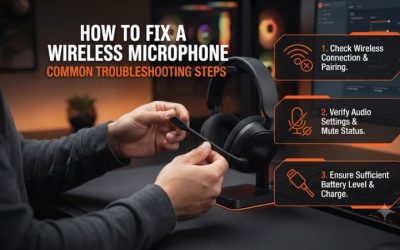
Start a game and confirm sound comes from the headset. Then open a party and test the microphone. Check the mic mute and the position of the boom if playback works while voice fails. If you have a separately paired phone, start the first Xbox test with phone audio paused so you can identify what the console is sending.
For a receiver that disappears intermittently, compare a direct port or the supplied connection path. Verify the transmitter’s mode after moving it from a PC. If the problem follows the receiver across supported devices, check the headset’s exact firmware and pairing instructions before assuming the console is at fault.
Pair a direct Xbox Wireless model without a receiver
Turn on the Xbox and put the console in pairing mode. Put the headset in Xbox pairing mode using its documented hardware button. Let the devices complete the connection, then confirm playback and microphone operation. If the headset also pairs to a phone, verify the Xbox route separately from Bluetooth.
If the console cannot find it, check that the headset is a direct Xbox Wireless model rather than a similarly named Kaira HyperSpeed. A model built around a receiver needs its own receiver. A phone’s ability to see the headset over Bluetooth does not establish that the Xbox can pair to it through its console connection.
For a secondhand headset, ask the seller to demonstrate a fresh pairing rather than handing over a unit already connected to a different console. This can reveal a pairing issue and gives you a chance to confirm which button or sequence the headset uses.
Test the everyday tasks that justify the purchase
Run game audio and party chat for at least part of a normal session. Check whether the microphone is comfortable to position and whether teammates hear a quiet callout. Change volume without looking down at the controls. If you bought for simultaneous audio, play a phone track and a game at once, then make a short test call.
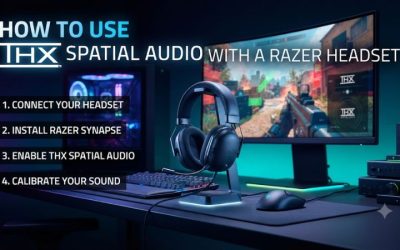
Run the headset at your normal seating distance. A short connection demo with the receiver immediately beside the headset may conceal a placement problem. Confirm it reconnects after a power cycle or after moving the receiver back from a PC. Check that your preferred spatial or chat settings remain usable on Xbox itself.
These tests give you a reasoned purchase decision while you can still resolve a missing part or mismatch. Compatibility on the box gets you to basic setup. The useful comparison is how reliably the specific headset performs the jobs you expect every week.
Conclusion
For Xbox Series X or S, buy the Xbox edition of the BlackShark V3 X HyperSpeed for straightforward wireless gaming, the V3 for simultaneous game and phone audio, or the V3 Pro for ANC. Choose the original Kaira or Kaira Pro for Xbox if direct console pairing matters. Before buying any Razer wireless headset, confirm the exact platform label, the connection type, and the included receiver when the model needs one.