🛒 Best Price Today on Amazon
Prime members get fast, free shipping on everything above, plus member-only deals. New members get a 30-day free trial — cancel anytime.
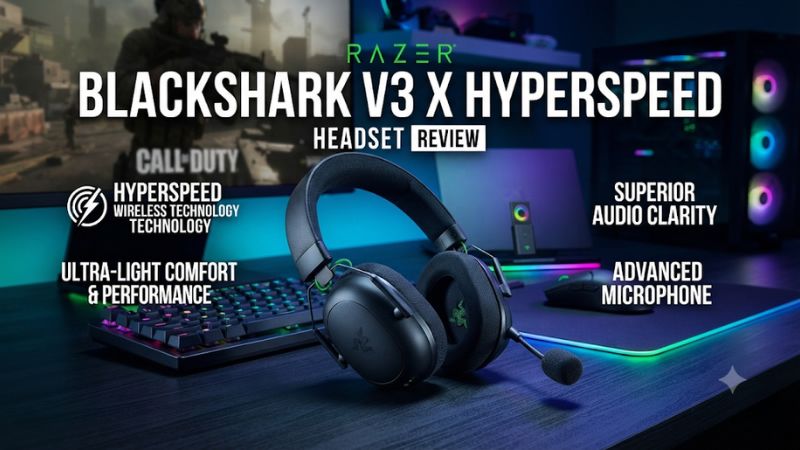
This Razer BlackShark V3 X HyperSpeed headset review finds the 270-gram headset a good fit for players who want a light wireless setup, a removable mic, and long PC battery life. It switches between game and Bluetooth audio. Buy the Xbox edition if Series X is your console, and compare the V3 if you need both sources at once.
BlackShark V3 X HyperSpeed verdict and specifications
The BlackShark V3 X HyperSpeed makes the strongest case as an everyday wireless headset for multiplayer. It is light for an over-ear gaming headset, the receiver gives you a dedicated gaming connection, and the detachable microphone is suited to ordinary team chat. It also supports wired USB audio on supported setups, which is useful if you want to keep playing while charging.
Its main limitation is the way it handles two wireless devices. You can switch between the USB receiver and Bluetooth, but you cannot continuously listen to game audio and Bluetooth media together. Buy it if you normally listen to one source. The standard BlackShark V3 is a better fit if your setup depends on hearing two at once.
| Feature | BlackShark V3 X HyperSpeed |
|---|---|
| Approximate weight | 270 grams |
| Drivers | Razer TriForce 50 mm Gen-2 |
| Gaming connection | 2.4 GHz HyperSpeed USB receiver |
| Other connections | Bluetooth and wired USB on supported devices |
| Microphone | Detachable 9.9 mm HyperClear cardioid boom |
| Mobile and game audio | SmartSwitch changes the active wireless route |
| Advertised battery | Up to 70 hours over 2.4 GHz on PC. Console editions advertise up to 48 hours on console |
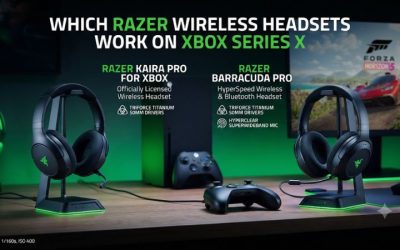
| Xbox Series X/S wireless | Requires the BlackShark V3 X HyperSpeed for Xbox edition |
Buy the correct platform version first
Razer sells the V3 X HyperSpeed in standard, Xbox, and PlayStation editions. Their shared design and model name make photos an unreliable way to identify compatibility. If you play on Xbox Series X or S, look for the full for Xbox product name and check that the corresponding receiver is included. Razer identifies the standard model as RZ04-054201 and the Xbox model as RZ04-054202 in its support documentation.
PC buyers should also check the edition. Companion software and shortcuts can vary, and a reviewer’s control instructions may apply to a different version. Razer describes a single SmartSwitch tap for wireless mode switching on the standard version and a double tap on the Xbox edition. Use the instructions for the product you actually own.
Anyone buying open-box should confirm the headset and receiver were tested together. Pairing to a phone proves that Bluetooth works. It leaves the receiver, the connection you would normally use for gaming, untested.
Who benefits most from the design
The strongest fit is a player who spends two or three hours in a party, plays near the same console or desktop, and wants fewer things to wear or charge. The headset’s low weight and detachable microphone matter throughout that routine. Bluetooth still gives you the option of using it for music or a call later.
The case becomes weaker if you routinely take calls or listen to mobile voice chat alongside game audio. Even a quick mode switch creates a break in that setup. The standard V3 gives those players a useful reason to move up a tier. The Pro is easier to justify if active noise cancellation is also part of the purchase.
For a buyer who usually wears glasses, weight is only half the decision. Try the pads against the frames and check where pressure builds after a full match. The V3 X may sit lightly while still pressing on a particular point, depending on head shape and how far you extend the band.
Game audio, spatial sound, and voice chat
The sound favors straightforward team play
The V3 X uses 50 mm Gen-2 drivers. Independent reviews generally describe a competent gaming sound, with some finding the regular V3 more precise or fuller. The X should be considered for whether you can hear the details you need in a match at a comfortable volume. A smaller price difference between the two models makes their microphone, source handling, and fit worth comparing before drawing a conclusion from drivers alone.
To judge the sound, find a practice area where weapons, movement, and voice lines play together. Listen for whether footsteps or reloads stay audible during a louder event. Then try a game with dialogue, music, and environmental sound. A headset can be good at highlighting specific cues while still sounding too sharp for longer sessions. The best configuration for you should work beyond the first few minutes in a quiet menu.
Start with the stock stereo presentation. If voices sound crowded, try a modest EQ adjustment on a supported PC and repeat the same moment. Changing a single region at a time helps you identify what made the difference.
Test the 7.1 mode against stereo in your own game
The spatial feature associated with the V3 X is Razer’s 7.1 Surround Sound on a compatible Windows setup. The higher-tier models’ THX branding can make the product pages easy to confuse. Plan around the feature set documented for the exact V3 X edition. On console, compare the output options available on the console itself.
Spatial processing can change how a headset presents distance and direction. A wider effect may sound impressive while leaving footsteps harder to place. One independent reviewer preferred the unprocessed sound on the V3 X. Try the same room or route both ways and listen for front-to-rear and near-to-far cues. Compare at similar perceived volume.
Some games offer their own headphone or binaural setting. If you normally use that, test it by itself first and then compare your other options. Applying multiple effects at once can make it harder to tell which renderer changed a cue. Save the setting that gives you the most consistent results in the games you actually play.
The detachable mic is good for routine callouts
The boom is a 9.9 mm cardioid design. Its shape and flexibility let you aim it toward the corner of your mouth. Putting it too close to your lips can make breathing and consonants prominent. Pulling it too far away can leave a game’s voice gate struggling to hear quiet callouts.
Independent testing describes the microphone as suitable for gaming, although assessments of its tone vary. A friend should be able to understand a short instruction while there is game sound in your headphones. If you need recorded narration or broadcast-quality speech, listen to an unprocessed sample of your own voice and compare it with the mic you would otherwise use.
For a quick test, record ten seconds of ordinary speech, then make a false start and a quiet callout. Type on your normal keyboard during part of the recording. Repeat in the chat app you actually use. This separates how the physical boom sounds from changes introduced by the app’s automatic gain, suppression, or voice activity settings.
Mic and playback settings should be checked separately
On PC, select the headset as the input in Windows and in your chat app. A program can keep using a webcam or laptop mic while the headphones play sound through the V3 X. Check the active input using a short recording. If your voice sounds distant, confirm the device before changing the headset gain.
On Xbox and PlayStation, verify that another player hears you in a platform party as well as in your main game. If one works and the other does not, look at the game’s chat channel, mute state, or voice chat options. A mic problem confined to one title is easier to solve once you know the headset works elsewhere.
The detachable boom is a practical advantage for someone who also uses Bluetooth for music. Store the mic in the same place each time you take it out. On a backpack or desk setup, losing the removable part is more likely to interrupt your next session than any difference between software presets.
Wireless modes, wired USB, and battery
Use the HyperSpeed receiver for the main gaming setup
The dedicated 2.4 GHz USB receiver is the natural choice for gameplay. Its job is to give the headset a stable wireless route for sound and microphone input. Bluetooth is convenient when changing devices, but the receiver keeps the gaming and voice setup predictable. Put it in a supported data port and test at the seat where you spend most of your play time.
If the receiver sits under a desk or behind the TV, try a direct port with a less obstructed path if you hear drops. A brief interruption can also come from a device switching modes or an app changing its selected output. Confirm the route first and make one physical connection change at a time.
On Xbox, use the licensed receiver for the exact headset and follow its Xbox setup instructions. On PlayStation, check both the console’s output and microphone input. Listening to a game and talking in a party test different parts of the connection. A successful Bluetooth pairing to a phone tells you nothing about whether the console sees the receiver.
SmartSwitch is useful when you use one source at a time
SmartSwitch lets you go from the gaming receiver to a paired Bluetooth device without redoing the whole connection. That is useful if you finish playing and want to listen on your phone while you leave the desk. It is equally useful if you alternate between two devices during the day and prefer to carry one headset.
The feature does not mix game sound with continuous Bluetooth media. If you want to hear console audio and a mobile app at once, the higher-tier V3 is the more direct comparison. The purchase decision is about whether both streams must be audible during the same minute. A quick switch is sufficient for a player who uses them at different times.
Test the specific action you expect to perform, such as moving from a game lobby to a phone call and back. Use the edition’s documented SmartSwitch shortcut. If the headset seems to lose game audio after the switch, check which wireless mode is active before disconnecting its receiver or restarting the console.
Wired USB gives the headset a useful fallback
Razer documents a wired USB mode that can carry audio and charge the headset on supported setups. That makes it possible to keep using the headset at a desk while the battery recovers. Use a data-capable cable and select the wired audio device if the operating system does not activate it automatically.
Test the wired mode with the receiver temporarily removed if you need to confirm how the sound is arriving. A headset that charges while still playing wirelessly can look like a successful wired connection. Unplugging the receiver for the test makes the result unambiguous. Restore the receiver before returning to wireless play.
Use the Xbox-specific instructions for console operation. USB audio support on a PC does not establish that any edition can deliver audio through any Xbox USB port. Similarly, the wired route is digital USB. If you need a conventional 3.5 mm connection to a controller or audio interface, check a headset designed for that connection.
Use the correct runtime for your platform
The standard V3 X is advertised for up to 70 hours over its 2.4 GHz connection. For the console editions, Razer advertises up to 48 hours on console and up to 70 on PC. A PC battery claim should not be used to predict a month of Xbox or PlayStation sessions. Compare the figures corresponding to your actual platform and connection.
Razer also advertises approximately six hours of play after a 15-minute charge under its specified conditions. That is most valuable if you often forget to charge before a match. Actual time can vary with volume, firmware, battery age, and how you move between modes. One independent review had favorable battery results, but that does not make its setup typical of every console or user.
Measure value in charging intervals. If you play for two hours most evenings, see how often you need to reconnect the cable during your first week. A buyer who uses the headset for work and gaming should include the extra time spent on calls when comparing it with another model.
Comfort, platform value, and the upgrade decision
The 270-gram build helps during long sessions
The V3 X’s weight is one of its most tangible advantages. Published reviewers have generally liked its light feel and cushioned fit. Start with the pads centered around the ears and adjust both sides evenly. If you wear glasses, use the same frames you normally play in. A different frame can move the pressure point and change how the pad seals.
The headset uses a closed design with passive isolation. It can soften some room noise, especially when the pads seal evenly, but the V3 X is a better match for someone who accepts their room conditions than for someone buying specifically to block a loud fan or nearby speech. If noise is a recurring distraction, compare a headset with ANC in the room where you play.
Notice how the headset feels after a longer session. Ear warmth, pressure on the crown, and temple pressure with glasses may emerge at different times. If you can leave both hands on the controls without repeatedly moving the band or lifting a cup, the fit is doing its job.
Compare the V3 X with the step-up V3 by use case
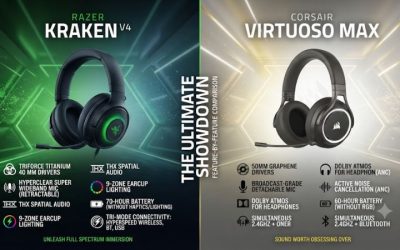
The standard V3 gives you simultaneous receiver and Bluetooth audio and a higher-tier feature set. Buy it if you regularly maintain a phone or chat connection while playing, or if you prefer the microphone and sound of the higher-tier model after comparison. A buyer who always uses one wireless source sees less change in the everyday routine.
The V3 X retains the practical workhorses: a light frame, removable boom, long advertised PC runtime, and usable dedicated receiver. If these are the things you would notice in every session, keep the price difference for other equipment. If the V3 happens to cost only slightly more, evaluate whether dual wireless and its controls give you more flexibility for future setups.
Against a wired headset, include battery and receiver handling in the comparison. Wired can be simpler when you sit close to a controller or PC and rarely move. Wireless helps when a cable gets in the way, when you play across the room, or when you frequently stand up with the headset on.
Check a discounted or used unit before the return window closes
Start with the model label and receiver, then test all the routes you expect to use. Play audio through the receiver for an uninterrupted session. Ask someone to hear a short microphone sample, remove and reattach the boom, and test SmartSwitch with a phone. If you are buying an Xbox version, do at least one full game and party test on the Xbox itself.
Check the USB cable in a supported wired mode and see whether the connector stays seated during ordinary movement. If the unit has been used heavily, look at pad wear and whether the headband adjusts evenly. Pad condition affects both comfort and how much outside noise reaches you.
Finally, run the headset on battery through the length of a normal session. A quick demonstration only confirms that it powers on. A full session can reveal a failing battery, intermittent receiver connection, or discomfort that makes the headset a poor value regardless of its discount.
Conclusion
Buy the Razer BlackShark V3 X HyperSpeed if you want a light wireless headset with a detachable mic, a useful USB audio fallback, and long advertised PC runtime. Choose the Xbox edition for Series X or S. If you regularly need game and phone audio at the same time, compare the standard BlackShark V3 before buying. The V3 X offers the best value when one source, comfortable fit, and straightforward chat are the priorities.