🛒 Best Price Today on Amazon
Prime members get fast, free shipping on everything above, plus member-only deals. New members get a 30-day free trial — cancel anytime.
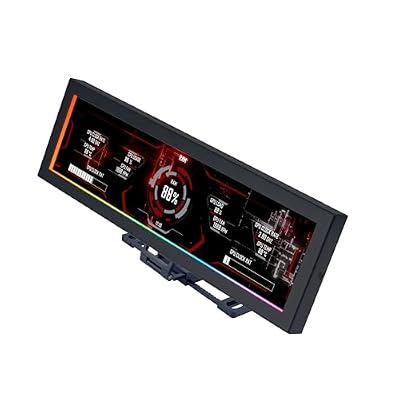
Lian Li SM088X 8.8" Universal LCD Screen with ARGB Frame, Black (US88 v1) | Display PC temperatures, images and video on an 8.8-inch screen with flexible mounting and customizable ARGB lighting.
Included for 'Best Pc Case Screen: 6 LCD Gaming Case Picks for 2026' because the listing specifies Black (US88 v1) and Display PC temperatures, details this guide uses to compare options.
View on Amazon
HYTE Y70 Touch Infinite Modern Aesthetic Gaming PC Case - Integrated 2.5K LCD Touchscreen Screen Display - Dual Chamber ATX Desktop Chassis - 10 Fan Capacity - Luxury PCIe 4.0 Riser Cable - Snow White
Included for 'Best Pc Case Screen: 6 LCD Gaming Case Picks for 2026' because the listing specifies Integrated 2.5K LCD Touchscreen Screen Display and Dual Chamber ATX Desktop Chassis, details this guide uses to compare options.
View on AmazonA Pc Case Screen can turn an ordinary gaming desktop into a personalized system-monitoring station. Modern LCD-equipped cases display CPU temperatures, GPU usage, animated wallpapers, and interactive widgets. This guide compares six options based on display quality, cooling, compatibility, and installation requirements.
Quick Comparison of the Best PC Cases With Screens
| Product | Best For | Key Advantage | Limitation |
|---|---|---|---|
| HYTE Y70 Touch Infinite | Premium gaming builds | 14.9-inch integrated touchscreen | Large chassis |
| Jonsbo D41 Mesh Screen | ATX gaming desktops | 8-inch LCD with mesh ventilation | Discontinued model |
| Jonsbo D31 Mesh Screen | Compact Micro-ATX builds | 8-inch secondary monitor | No full-size ATX support |
| DeepCool CH560 Digital | Hardware monitoring | CPU and GPU status display | Not a full-color monitor |
| Thermaltake Tower 300 with LCD Kit | Unique showcase builds | Optional customizable LCD | Display sold separately |
| HYTE Y60 with LCD DIY Kit | DIY customization | Corner-mounted secondary display | Original kit discontinued |
Best PC Case Screen Models for Gaming and Productivity
1. HYTE Y70 Touch Infinite — Best Premium PC Case Screen
Best For: Enthusiast gaming PCs, high-end showcase builds, and users who want an interactive display integrated into their chassis.
The HYTE Y70 Touch Infinite features a large touchscreen positioned along the corner of its panoramic glass enclosure. Unlike smaller information displays, this panel supports interactive widgets and visual customization. Its placement also preserves a clear view of the graphics card, cooling equipment, and illuminated components.
The third-generation version includes a 14.9-inch IPS display with a 682 × 2560 resolution, 60Hz refresh rate, and ten-point multitouch support. HYTE Nexus software provides themes and interactive widgets, allowing users to display system information without relying entirely on their primary gaming monitor.
Its dual-chamber interior separates much of the cable management from the visible hardware compartment. The chassis accommodates ATX and smaller motherboards alongside selected E-ATX designs. Support for top and side 360mm radiators makes it suitable for powerful systems with demanding liquid-cooling configurations.
The included PCIe 4.0 riser supports vertical graphics card installation, helping showcase large GPUs behind the glass. However, the case requires substantial desk space, and its touchscreen needs suitable display and internal connections. Buyers should confirm their exact GPU dimensions before assembling a system.
Key Features:
-
14.9-inch IPS touchscreen
-
682 × 2560 resolution
-
60Hz refresh rate
-
Ten-point multitouch
-
HYTE Nexus customization
-
Dual-chamber ATX construction
-
Included PCIe 4.0 riser cable
Pros:
-
Large interactive display with customizable widgets
-
Panoramic hardware presentation
-
Extensive radiator and fan installation options
Cons:
-
Bulky compared with compact towers
-
Additional display configuration required
Who Should Buy It: Gamers building a premium desktop who value touchscreen interaction, internal component visibility, and customizable monitoring.
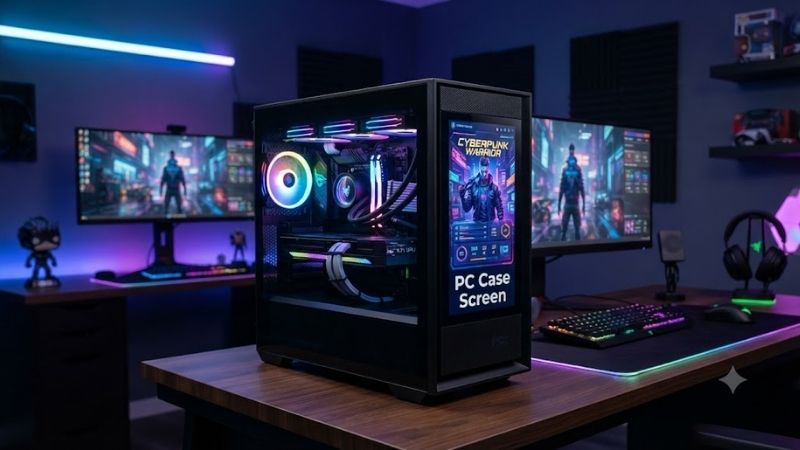
2. Jonsbo D41 Mesh Screen — Best ATX Case With LCD
Best For: ATX builders who want an integrated secondary monitor without choosing an oversized panoramic gaming chassis.
The Jonsbo D41 Mesh Screen combines a conventional tower layout with a front-mounted LCD. Its 8-inch color display has a 1280 × 800 resolution, making it useful for displaying temperature dashboards, custom graphics, and ordinary desktop content. The screen acts as a secondary monitor rather than a restricted temperature indicator.
Its mesh construction distinguishes it from glass-heavy showcase designs. The chassis supports ATX and Micro-ATX motherboards, allowing builders to retain a full-size desktop platform. A 35.4-liter internal volume also makes it substantially more compact than the large HYTE Y70 Touch Infinite.
The LCD uses Mini-HDMI for its video signal and USB-C for power. Once connected to a compatible graphics output, the panel can operate through standard display settings. Monitoring applications can then present hardware information, although installing and positioning dashboard software requires additional user configuration.
Cooling flexibility includes top-mounted 360mm radiator support and multiple fan locations. Graphics card clearance ranges according to power supply positioning, so builders should measure their complete configuration. Jonsbo lists this model among discontinued products, making seller stock and replacement support important purchasing considerations.
Key Features:
-
8-inch TFT-LCD
-
1280 × 800 resolution
-
60Hz refresh rate
-
Mini-HDMI video connection
-
USB-C screen power
-
ATX and Micro-ATX support
-
Mesh chassis construction
Pros:
-
Full secondary-display functionality
-
Relatively compact ATX-compatible design
-
Flexible cooling configuration
Cons:
-
Discontinued model
-
Screen requires separate video and power connections
Who Should Buy It: Builders seeking an ATX PC case with a customizable LCD and a more traditional airflow-focused layout.
3. Jonsbo D31 Mesh Screen — Best Compact LCD PC Case
Best For: Micro-ATX gaming systems, smaller workstations, and users wanting an integrated LCD without a large chassis.
The Jonsbo D31 Mesh Screen brings an 8-inch front display into a compact Micro-ATX enclosure. Its LCD can function as an additional desktop monitor, allowing users to display hardware dashboards or custom visuals. The design is particularly appealing for gamers who want a personalized setup with reduced desk-space requirements.
The display supports 1280 × 800 resolution at up to 60Hz and connects through Mini-HDMI and USB-C. Unlike a dedicated numerical status panel, it provides flexibility for different monitoring applications. Users can organize sensor information vertically or horizontally according to their preferred dashboard layout.
The chassis supports Mini-ITX, DTX, and Micro-ATX motherboards, but not full-size ATX boards. Its 31.3-liter volume makes it smaller than the D41. However, graphics card clearance depends on internal power supply positioning, and radiator installation should be planned before purchasing cooling components.
The D31 Mesh Screen also provides multiple fan mounting positions and support for compatible 360mm radiators. Its mesh-focused design makes ventilation a practical consideration rather than merely an aesthetic feature. Jonsbo categorizes this variant as discontinued, so availability may depend on remaining inventory.
Key Features:
-
Integrated 8-inch color LCD
-
1280 × 800 resolution
-
60Hz refresh rate
-
Micro-ATX motherboard support
-
Mini-HDMI and USB-C connections
-
31.3-liter chassis volume
-
Compatible 360mm radiator support
Pros:
-
Compact design with an integrated monitor
-
Flexible dashboard customization
-
Useful cooling installation options
Cons:
-
Cannot accommodate ATX motherboards
-
Discontinued model with potentially limited availability
Who Should Buy It: Gamers assembling compact Micro-ATX systems who want an LCD information panel without sacrificing conventional component flexibility.
4. DeepCool CH560 Digital — Best for CPU and GPU Monitoring
Best For: Gamers who want visible hardware statistics alongside an airflow-oriented chassis.
The DeepCool CH560 Digital prioritizes functional hardware monitoring through its integrated digital status display. Instead of acting as an additional desktop monitor, its screen presents supported CPU and GPU information. This makes it particularly useful for users who want to check system temperatures without configuring elaborate animated dashboards.
Its display can show processor and graphics card temperatures or utilization information through DeepCool’s supporting software. These readings are useful for observing behavior during gaming sessions, although they do not replace detailed diagnostic tools. The display also depends on compatible software and sensor reporting.
Cooling equipment is a major advantage. The CH560 Digital includes three 140mm ARGB front fans and one 120mm ARGB rear fan. It supports compatible 360mm radiators at the top and front, while the hybrid glass-and-mesh side panel combines internal component visibility with additional ventilation.
Motherboard compatibility covers Mini-ITX, Micro-ATX, ATX, and E-ATX configurations. The manufacturer specifies a 380mm GPU length limit and 175mm CPU air-cooler height limit. Builders should still account for radiator thickness and cable positioning when evaluating a complete hardware configuration.
Key Features:
-
Integrated CPU and GPU status display
-
Temperature and utilization monitoring
-
Three preinstalled 140mm ARGB front fans
-
One preinstalled 120mm ARGB rear fan
-
Front and top 360mm radiator support
-
ATX and E-ATX motherboard compatibility
-
Hybrid glass-and-mesh side panel
Pros:
-
Convenient built-in hardware monitoring
-
Four included cooling fans
-
Broad motherboard compatibility
Cons:
-
Cannot function as a conventional second monitor
-
Limited screen customization
Who Should Buy It: Gamers prioritizing airflow, useful temperature readings, and straightforward system monitoring over elaborate LCD graphics.
5. Thermaltake Tower 300 With LCD Kit — Best Modular Display Case
Best For: Micro-ATX builders who prefer distinctive case styling and an optional customizable information screen.
The Thermaltake Tower 300 features a vertical, octagonal chassis that looks noticeably different from conventional gaming towers. Three front tempered-glass panels showcase internal hardware, while perforated side sections provide ventilation. An optional LCD kit adds system information and customized graphics to its exterior.
The compatible 3.9-inch TFT-LCD kit features a 128 × 480 resolution and works with Thermaltake TT RGB Plus 2.0 software. It can present hardware information, clocks, images, and animated GIFs. Its compact dimensions make it appropriate for simple dashboards rather than complex desktop applications.
The Tower 300 supports Micro-ATX motherboards and provides space for substantial cooling hardware. Its removable side bracket accommodates compatible 420mm or 360mm liquid-cooling radiators. Two preinstalled 140mm PWM fans provide a starting point, although additional cooling requirements depend on the complete hardware configuration.
Unlike the HYTE Y70 Touch Infinite, the Tower 300 does not include its LCD as standard equipment. Buyers must obtain the compatible screen kit separately and connect it through the motherboard’s internal USB interface. This modular approach offers flexibility but increases the overall installation cost.
Key Features:
-
Distinctive octagonal chassis
-
Optional 3.9-inch TFT-LCD
-
128 × 480 screen resolution
-
TT RGB Plus 2.0 customization
-
Micro-ATX motherboard support
-
Compatible 420mm radiator support
-
Two preinstalled 140mm PWM fans
Pros:
-
Distinctive vertical design
-
Optional screen upgrade
-
Strong liquid-cooling compatibility
Cons:
-
LCD requires a separate purchase
-
Small display limits dashboard complexity
Who Should Buy It: Micro-ATX enthusiasts who prioritize chassis appearance, radiator flexibility, and modular screen customization.
6. HYTE Y60 With LCD DIY Kit — Best for Custom Screen Builds
Best For: Experienced PC builders and existing HYTE Y60 owners interested in installing a custom corner-mounted display.
The HYTE Y60 features panoramic glass panels that make internal gaming hardware highly visible. Its corner section can accommodate a compatible LCD modification, transforming the exterior into a secondary display. This approach appeals to builders who prefer a customized result rather than an entirely factory-assembled screen solution.
HYTE’s original Y60 LCD DIY Kit used a 1920 × 515 panel intended to occupy the case’s corner window. Its narrow aspect ratio supported wallpapers, sensor dashboards, and other secondary-monitor content. The display offered considerably more freedom than conventional temperature-only status screens.
The original kit included the LCD panel, driver board, and necessary display cables, but users needed to provide their own mounting solution. HYTE supplied a downloadable mounting design for 3D printing. Installation therefore required additional preparation, particularly around secure mounting and internal cable management.
HYTE now identifies the original Y60 LCD DIY Kit as unavailable. Builders interested in this approach should investigate compatible third-party alternatives and confirm their exact dimensions and connections. A Y60 with an added LCD remains an interesting customization project, but it is less straightforward than buying an integrated-screen case.
Key Features:
-
Panoramic three-panel case design
-
Compatible corner-mounted LCD modification
-
Original kit resolution of 1920 × 515
-
Secondary-monitor functionality
-
Custom wallpaper and sensor support
-
DIY display mounting arrangement
Pros:
-
Highly personalized visual presentation
-
Distinctive corner-screen placement
-
Flexible secondary-monitor content
Cons:
-
Original HYTE LCD kit discontinued
-
Requires careful DIY installation
Who Should Buy It: Existing Y60 owners or experienced builders comfortable installing compatible aftermarket display hardware.
PC Case Screen Buying Guide: What Matters Most?
LCD Screen vs. Digital Temperature Display
A complete LCD panel can display additional desktop content, graphics, monitoring dashboards, and animations. Dedicated digital status screens typically concentrate on CPU and GPU information. Full LCD models provide greater flexibility, while simpler displays are easier to understand and configure for basic monitoring.
For example, an 8-inch Jonsbo display can function as a conventional secondary monitor through its video connection. The DeepCool CH560 Digital instead focuses on selected hardware readings. Choose according to the information you actually need rather than assuming a larger or more colorful display is automatically better.
Display Size, Resolution, and Orientation
Display size influences how much information can be presented at a comfortable viewing distance. Resolution determines available pixel detail, while orientation affects dashboard arrangement. A narrow portrait screen can accommodate vertically stacked sensors, whereas a conventional landscape LCD provides space for wider monitoring layouts.
The HYTE Y70 Touch Infinite emphasizes visual detail and interactive controls with its tall touchscreen. Jonsbo’s 8-inch panels are better suited to compact desktop dashboards. Small Thermaltake displays work well for concise sensor data and animated graphics but cannot show the same amount of readable information.
Motherboard and Graphics Card Compatibility
Motherboard compatibility should be checked before selecting a case because Micro-ATX models cannot accommodate every full-size desktop board. ATX-compatible chassis provide broader motherboard options, but larger enclosures are not always necessary. The correct choice depends on your existing components and future upgrade plans.
Graphics card clearance requires more than checking maximum advertised length. Thick cards, vertical mounting brackets, radiators, and power supply placement can all influence usable space. Compare manufacturer dimensions with the exact GPU and cooling configuration before making a purchasing decision.
Airflow and Cooling Configuration
A built-in screen contributes to appearance and monitoring but does not guarantee effective cooling. Proper ventilation depends on intake openings, fan configuration, radiator placement, and internal restrictions. Cases with substantial glass coverage still need adequate paths for fresh air to reach high-power components.
Check whether the case includes fans or requires additional purchases. The DeepCool CH560 Digital includes four fans, while other display-focused cases may require a separate cooling investment. Consider total component cost and cooling requirements rather than evaluating the LCD independently.
Software Compatibility and Customization
Full secondary monitors generally work through standard operating system display settings. Additional applications can place temperature dashboards, animations, or system statistics on the screen. Touchscreen-specific features may require manufacturer software, suitable connections, and compatible operating system support.
Dedicated screens often rely more heavily on proprietary software. Thermaltake uses TT RGB Plus for its supported display accessories, while HYTE uses Nexus for compatible touchscreens. Check whether the required application supports your operating system and preferred customization features.
Display Connections and Cable Management
A case-mounted LCD may need separate connections for video, power, and touch input. Mini-HDMI, DisplayPort, USB, and internal motherboard headers serve different purposes. A display that physically fits inside the chassis will not necessarily operate correctly without the appropriate electrical connections.
Before installation, confirm the available graphics outputs and motherboard USB headers. Multiple external monitors may already occupy video connections, while cooling controllers can consume internal headers. Plan cable routing carefully to prevent interference with fans, panels, and removable mounting brackets.
Long-Term Upgrade Value
An integrated-screen chassis offers installation convenience, but replacing a damaged or outdated display may depend on manufacturer support. Optional LCD kits provide a different upgrade path, allowing owners to add functionality later. However, accessory compatibility can become difficult when manufacturers discontinue specific kits.
Consider whether the case would still meet your needs without its display. Motherboard support, cooling space, storage options, and build quality remain important throughout the system’s lifespan. A visually impressive panel provides less value if the enclosure restricts necessary hardware upgrades.
Frequently Asked Questions
1. What Is the Best PC Case Screen for Gaming?
The HYTE Y70 Touch Infinite is a strong choice for premium gaming builds because it combines a large touchscreen, panoramic glass, and extensive cooling support. The Jonsbo D41 Mesh Screen suits traditional ATX desktops, while the DeepCool CH560 Digital focuses on straightforward hardware monitoring.
2. Can a PC Case Screen Display CPU and GPU Temperatures?
Yes. Compatible PC case displays can present CPU and GPU temperatures through monitoring applications or manufacturer software. Full LCD panels may also show usage graphs, clocks, and custom graphics. Available information depends on the connected hardware, supported sensors, and application configuration.
3. Does a PC Case Screen Reduce Gaming Performance?
A basic monitoring dashboard typically requires relatively modest computing resources. However, animated wallpapers and complex applications can consume additional CPU, GPU, or memory resources. Performance impact depends on the software and displayed content, so a static dashboard is preferable when minimizing overhead matters.
4. Can I Use a PC Case LCD as a Second Monitor?
Yes, provided the LCD supports conventional video input and the computer recognizes it as another display. Jonsbo’s screen-equipped cases support this arrangement. Dedicated status panels, such as the one in the DeepCool CH560 Digital, cannot function as ordinary secondary desktop monitors.
5. Are PC Case Screens Difficult to Install?
Factory-integrated screens generally simplify physical installation, although cables and software still require configuration. Optional kits and DIY upgrades involve additional work, including mounting and cable routing. Check the product manual, motherboard connections, and required accessories before beginning installation.
6. Is a Gaming PC Case With an LCD Screen Worth It?
An LCD-equipped gaming case can be worthwhile for builders who value customization, convenient monitoring, and a distinctive desktop appearance. However, a screen does not directly improve frame rates or cooling. Prioritize hardware compatibility, ventilation, and upgrade flexibility before paying extra for display features.
Conclusion
Choosing the right Pc Case Screen depends on display functionality, cooling requirements, and hardware compatibility. HYTE offers premium touchscreen integration, Jonsbo provides practical secondary monitors, and DeepCool simplifies temperature monitoring. Compare the full build requirements before purchasing an LCD-equipped gaming case.