🛒 Best Price Today on Amazon
Prime members get fast, free shipping on everything above, plus member-only deals. New members get a 30-day free trial — cancel anytime.
- Quick Verdict: The Best PC CPUs to Buy in 2026
- Best PC CPUs: Quick Comparison Table
- How We Selected the Best Desktop CPUs
- 8 Best PC CPUs Reviewed
- How to Choose the Best CPU for Your PC
- Best CPU for Different PC Builds
- Common Mistakes When Buying a Desktop Processor
- Frequently Asked Questions
- Conclusion: Which PC CPU Should You Buy?

AMD RYZEN 7 9800X3D 8-Core, 16-Thread Desktop Processor
Included for 'Best PC CPUs in 2026: 8 Top Processors for Every PC Build' because the listing specifies 16-Thread Desktop Processor, details this guide uses to compare options.
View on Amazon
AMD Ryzen 9 9950X3D 16-Core Processor
Included for 'Best PC CPUs in 2026: 8 Top Processors for Every PC Build' as a relevant option in this category; details come from the product listing.
View on Amazon
AMD Ryzen™ 5 9600X 6-Core, 12-Thread Unlocked Desktop Processor
Included for 'Best PC CPUs in 2026: 8 Top Processors for Every PC Build' because the listing specifies 12-Thread Unlocked Desktop Processor, details this guide uses to compare options.
View on Amazon
AMD Ryzen 5 5500 6-Core, 12-Thread Unlocked Desktop Processor with Wraith Stealth Cooler
Included for 'Best PC CPUs in 2026: 8 Top Processors for Every PC Build' as a relevant option in this category; details come from the product listing.
View on AmazonChoosing the best PC CPUs means balancing gaming performance, productivity, power consumption, and total platform cost. AMD and Intel offer compelling processors across different budgets, but the fastest gaming CPU is not necessarily the best for video editing or everyday computing. This guide compares eight desktop processors to help you find the right upgrade.
Quick Verdict: The Best PC CPUs to Buy in 2026
The strongest desktop CPU choices depend on how you use your computer. AMD’s 3D V-Cache processors are particularly competitive in gaming, while high-core-count AMD and Intel chips are attractive for demanding productivity.
Here are our recommendations:
-
Best Overall for Gaming: AMD Ryzen 7 9800X3D
-
Best for Maximum Gaming Performance: AMD Ryzen 7 9850X3D
-
Best for Gaming and Content Creation: AMD Ryzen 9 9950X3D
-
Best for Heavy Productivity: Intel Core Ultra 7 270K Plus
-
Best Mainstream All-Rounder: Intel Core Ultra 5 250K Plus
-
Best Midrange AMD CPU: AMD Ryzen 7 9700X
-
Best Affordable AM5 Processor: AMD Ryzen 5 9600X
-
Best Budget AM5 Gaming Build: AMD Ryzen 5 7500F
The Ryzen 7 9800X3D is the most balanced premium gaming recommendation because it delivers performance close to the newer 9850X3D without necessarily paying for its small frequency advantage. For users who regularly render videos, compile large projects, or work with demanding professional software, the Ryzen 9 9950X3D and Core Ultra 7 270K Plus are more appropriate.
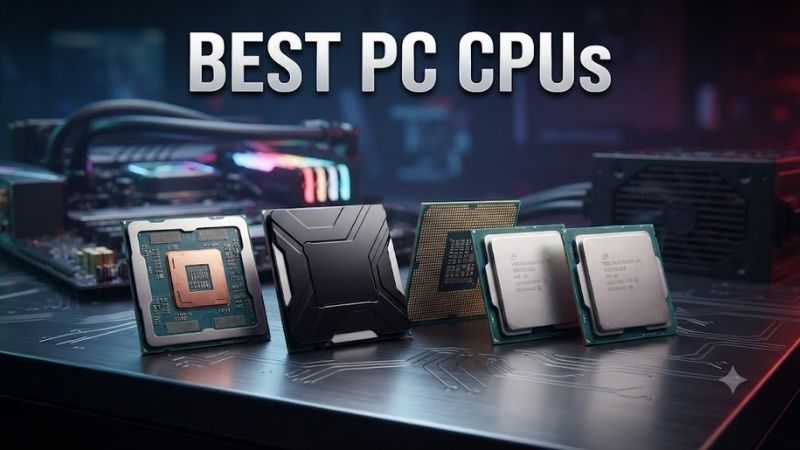
Best PC CPUs: Quick Comparison Table
| Processor | Cores / Threads | Max Boost | TDP / Base Power | Socket | Best For |
|---|---|---|---|---|---|
| AMD Ryzen 7 9800X3D | 8 / 16 | 5.2 GHz | 120W | AM5 | Overall gaming |
| AMD Ryzen 7 9850X3D | 8 / 16 | 5.6 GHz | 120W | AM5 | Maximum gaming FPS |
| AMD Ryzen 9 9950X3D | 16 / 32 | 5.7 GHz | 170W | AM5 | Gaming and creation |
| Intel Core Ultra 7 270K Plus | 24 / 24 | 5.5 GHz | 125W | LGA1851 | Heavy productivity |
| Intel Core Ultra 5 250K Plus | 18 / 18 | 5.3 GHz | 125W | LGA1851 | Mainstream multitasking |
| AMD Ryzen 7 9700X | 8 / 16 | 5.5 GHz | 65W | AM5 | Efficient performance |
| AMD Ryzen 5 9600X | 6 / 12 | 5.4 GHz | 65W | AM5 | Affordable gaming |
| AMD Ryzen 5 7500F | 6 / 12 | 5.0 GHz | 65W | AM5 | Budget builds |
TDP and Intel processor base power are manufacturer specifications, not measurements of actual wall power consumption. Intel’s 270K Plus and 250K Plus can reach higher turbo power limits, while AMD processors may also exceed their nominal TDP-related power figures under load.
How We Selected the Best Desktop CPUs
These recommendations focus on eight real, identifiable desktop processors that address distinct purchase decisions.
We evaluated core and thread counts, processor architecture, cache configuration, gaming suitability, productivity potential, motherboard compatibility, memory requirements, thermal demands, and overall platform flexibility.
Manufacturer specifications establish the hardware characteristics, while published independent comparisons help inform gaming and productivity recommendations. We do not treat maximum clock speed or core count as a direct performance benchmark.
A CPU with fewer cores can outperform a higher-core-count model in games when its cache architecture and latency characteristics are better suited to the workload. Conversely, video rendering and heavily parallel tasks can take advantage of additional cores.
Budget recommendations also consider the cost of the motherboard, memory, cooling solution, and any graphics card required. Processor pricing changes, so a value recommendation assumes a competitive purchase price rather than a guaranteed discount.
8 Best PC CPUs Reviewed
1. AMD Ryzen 7 9800X3D — Best Overall PC CPU for Gaming
Best For: Enthusiast gamers, high-refresh-rate competitive players, and premium gaming PC builders.
Why We Picked It: The Ryzen 7 9800X3D remains an attractive choice because its Zen 5 architecture and second-generation 3D V-Cache technology deliver outstanding gaming capability without requiring a 16-core processor.
Key Specifications
| Specification | Details |
|---|---|
| Architecture | AMD Zen 5 |
| Cores / Threads | 8 / 16 |
| Base Clock | 4.7 GHz |
| Max Boost Clock | 5.2 GHz |
| L3 Cache | 96MB |
| L2 Cache | 8MB |
| Default TDP | 120W |
| Socket | AM5 |
| Memory | DDR5 |
| Integrated Graphics | Basic AMD Radeon graphics |
Features and Benefits
The defining feature of the Ryzen 7 9800X3D is its additional L3 cache. AMD’s 3D V-Cache design increases the amount of data the processor can access without frequently retrieving it from system memory.
Games with complex simulation systems, frequent draw calls, or large working datasets may benefit considerably from this architecture.
Eight Zen 5 cores and sixteen threads also provide enough processing capability for gaming, streaming with hardware encoding, and routine productivity tasks.
The AM5 socket supports modern DDR5 memory and compatible AMD 600- and 800-series motherboards, subject to BIOS support.
Performance and Practical Use
The Ryzen 7 9800X3D is especially compelling for 1080p and high-refresh-rate gaming, where a fast graphics card can expose CPU performance differences.
At 1440p and 4K, the graphics card often becomes the dominant performance limitation. In those scenarios, spending more on the processor may produce smaller gains than upgrading the GPU.
Independent comparisons consistently place the 9800X3D among the fastest gaming processors of its generation.
It also performs well in general desktop applications, but buyers who spend most of their time on heavily threaded rendering or software compilation may benefit more from a 12- or 16-core CPU.
What Makes It Different
Unlike higher-core-count CPUs that achieve their advantages through additional parallel processing resources, the 9800X3D focuses on gaming efficiency through a large, low-latency cache arrangement.
It provides an especially sensible balance when the newer 9850X3D costs significantly more.
Pros
-
Excellent gaming performance.
-
96MB L3 cache.
-
Eight modern Zen 5 cores.
-
AM5 motherboard compatibility.
Cons
-
More expensive than mainstream six-core alternatives.
-
Not as suitable as 16-core processors for intensive multithreaded production workloads.
-
Requires a separately purchased cooling solution.
Buy If: Gaming performance is your primary priority, particularly for competitive titles and high-refresh-rate displays.
Skip If: You mainly perform professional CPU rendering or need a lower-cost processor for a modest graphics card.
2. AMD Ryzen 7 9850X3D — Best for Maximum Gaming Performance
Best For: Enthusiast gamers who want one of the fastest available gaming processors and are willing to pay for small performance improvements.
Why We Picked It: The Ryzen 7 9850X3D builds upon the 9800X3D with a higher maximum boost frequency while retaining the same eight-core Zen 5 architecture and 96MB L3 cache.
Key Specifications
| Specification | Details |
|---|---|
| Architecture | Zen 5 |
| Cores / Threads | 8 / 16 |
| Base Clock | 4.7 GHz |
| Max Boost Clock | 5.6 GHz |
| L3 Cache | 96MB |
| L2 Cache | 8MB |
| Default TDP | 120W |
| Socket | AM5 |
| Memory | DDR5 |
| CPU Cooler | Not included |
Features and Benefits
Like the 9800X3D, this processor uses AMD 3D V-Cache to improve performance in cache-sensitive applications, particularly games.
Its maximum boost frequency rises from 5.2 GHz to 5.6 GHz, allowing higher peak clock operation under suitable thermal and power conditions.
However, a higher maximum clock specification does not mean every game or application will run proportionally faster.
Because the architecture, core count, and L3 cache capacity remain similar, performance differences are usually modest.
Performance and Practical Use
Published independent testing generally finds only a small gaming advantage over the 9800X3D. Reported averages vary by title, settings, and methodology, commonly landing within a few percentage points.
Gamers using extremely powerful graphics cards at settings that expose CPU bottlenecks are the most likely to notice the benefit in benchmark results.
For ordinary 1440p and 4K gaming, the difference can shrink because GPU performance becomes more influential.
The higher operating frequencies can also increase power consumption and cooling demands under certain workloads.
What Makes It Different
The 9850X3D prioritizes maximum gaming performance rather than price-to-performance efficiency.
It is most appropriate for buyers building a top-tier system where a small CPU performance improvement matters more than minimizing total cost.
Pros
-
Extremely strong gaming performance.
-
Higher boost clock than the 9800X3D.
-
Large 96MB L3 cache.
-
AM5 compatibility.
Cons
-
Modest real-world advantage over the 9800X3D.
-
Can consume more power under gaming loads.
-
Higher purchase cost may not be justified for most users.
Buy If: You want maximum gaming performance and the price premium is relatively small.
Skip If: You already own a Ryzen 7 9800X3D or want the strongest overall value.
3. AMD Ryzen 9 9950X3D — Best for Gaming and Content Creation
Best For: Streamers, video editors, software developers, 3D artists, and high-end gamers.
Why We Picked It: The Ryzen 9 9950X3D combines sixteen Zen 5 cores with AMD 3D V-Cache technology, making it suitable for buyers who require both strong gaming performance and substantial multithreaded processing capability.
Key Specifications
| Specification | Details |
|---|---|
| Architecture | Zen 5 |
| Cores / Threads | 16 / 32 |
| Base Clock | 4.3 GHz |
| Max Boost Clock | 5.7 GHz |
| L3 Cache | 128MB |
| L2 Cache | 16MB |
| Default TDP | 170W |
| Socket | AM5 |
| Memory | DDR5 |
| Overclocking | Unlocked |
Features and Benefits
The Ryzen 9 9950X3D uses two core complex dies, providing sixteen CPU cores in total. One die incorporates AMD’s additional 3D V-Cache.
This hybrid arrangement allows the processor to target both gaming and high-throughput productivity workloads.
Applications capable of distributing work across many threads, such as 3D rendering engines and certain video encoders, can benefit from its sixteen-core configuration.
The processor also supports modern DDR5 memory and PCIe connectivity through the AM5 platform.
Performance and Practical Use
The 9950X3D is a compelling option for users who frequently alternate between gaming and professional applications.
Its additional cores can shorten processing time in well-parallelized applications compared with eight-core CPUs, although exact improvements depend on the software.
In games, thread scheduling and cache placement matter because not all cores have access to the same additional cache arrangement.
Proper AMD chipset drivers, current firmware, and supported operating system scheduling behavior help ensure that suitable workloads use the appropriate cores.
This processor is unnecessary for most gaming-only builds. Many games do not benefit significantly from doubling core count beyond eight modern cores.
What Makes It Different
The Ryzen 9 9950X3D offers a combination of high core count and gaming-oriented cache technology that mainstream processors cannot match in the same way.
Unlike the more specialized Ryzen 9 9950X3D2 Dual Edition, which adds 3D V-Cache to both core dies, the standard 9950X3D is a more conventional hybrid gaming-and-productivity recommendation.
Pros
-
Sixteen cores and thirty-two threads.
-
Strong gaming capability.
-
High multithreaded throughput potential.
-
Large L3 cache.
Cons
-
Expensive compared with eight-core gaming CPUs.
-
Requires suitable cooling and motherboard power delivery.
-
Complex workloads may depend on effective core scheduling.
Buy If: You regularly perform demanding creative or technical work but also want a premium gaming experience.
Skip If: Your workload consists mainly of gaming, browsing, and everyday applications.
4. Intel Core Ultra 7 270K Plus — Best for Heavy Productivity
Best For: Developers, content creators, multitaskers, and buyers who prioritize high multicore throughput.
Why We Picked It: The Core Ultra 7 270K Plus offers a 24-core configuration with eight performance cores and sixteen efficiency cores, making it an interesting option for demanding desktop productivity at its intended market position.
Key Specifications
| Specification | Details |
|---|---|
| Architecture | Intel Arrow Lake Refresh |
| Total Cores | 24 |
| Performance Cores | 8 |
| Efficiency Cores | 16 |
| Threads | 24 |
| Max Turbo Frequency | 5.5 GHz |
| L3 Cache | 36MB |
| Total L2 Cache | 40MB |
| Processor Base Power | 125W |
| Maximum Turbo Power | 250W |
| Socket | LGA1851 |
| Memory | DDR5 |
Features and Benefits
Intel’s hybrid architecture divides CPU resources between performance-oriented P-cores and efficiency-oriented E-cores.
The P-cores address latency-sensitive and demanding foreground work, while E-cores contribute throughput for suitable parallel workloads and background tasks.
The Core Ultra 7 270K Plus provides sixteen E-cores, increasing its capacity for workloads that can effectively utilize many CPU cores.
The platform supports modern DDR5 memory and offers integrated graphics for basic display output and supported media functionality.
Performance and Practical Use
This processor is appealing for code compilation, multitasking, CPU-based rendering, and productivity applications that scale effectively across many cores.
However, applications vary in their ability to utilize Intel’s hybrid architecture. Some workloads depend more on single-threaded speed or memory performance than total core count.
Gaming performance is competitive, but AMD’s X3D processors have an advantage in many CPU-limited gaming scenarios.
The 250W maximum turbo power specification means cooling and motherboard power delivery deserve attention.
What Makes It Different
Compared with AMD’s eight-core gaming processors, the 270K Plus emphasizes extensive parallel processing resources.
It is particularly attractive when productivity is the main priority and premium gaming performance is secondary.
Pros
-
Twenty-four CPU cores.
-
Strong potential for parallel productivity workloads.
-
Modern DDR5 platform.
-
Integrated graphics.
Cons
-
High maximum turbo power.
-
Requires an LGA1851 motherboard.
-
Not the first choice for maximum gaming FPS.
Buy If: You run demanding productivity applications and want substantial multicore resources.
Skip If: You primarily play games or prioritize low cooling requirements.
5. Intel Core Ultra 5 250K Plus — Best Mainstream All-Rounder
Best For: Buyers building a versatile desktop for gaming, software development, office work, and multitasking.
Why We Picked It: The Core Ultra 5 250K Plus offers eighteen cores and modern DDR5 support at a lower market tier than the Core Ultra 7 models.
Key Specifications
| Specification | Details |
|---|---|
| Architecture | Arrow Lake Refresh |
| Total Cores | 18 |
| Performance Cores | 6 |
| Efficiency Cores | 12 |
| Threads | 18 |
| Max Turbo Frequency | 5.3 GHz |
| L3 Cache | 30MB |
| Total L2 Cache | 30MB |
| Processor Base Power | 125W |
| Maximum Turbo Power | 159W |
| Socket | LGA1851 |
| Memory Support | DDR5 up to 7200 MT/s officially |
Features and Benefits
With six performance cores and twelve efficiency cores, the 250K Plus can manage foreground applications while offering additional throughput for parallel workloads.
The architecture is suitable for developers running multiple applications, users who routinely multitask, and gamers who also perform productive work.
Its official DDR5 support provides a modern memory platform, although high memory speeds depend on motherboard configuration, module support, and system stability.
The CPU also includes integrated graphics, which can be useful for a workstation without a discrete GPU or for troubleshooting.
Performance and Practical Use
The Core Ultra 5 250K Plus represents a practical balance between high-end productivity models and simpler six-core processors.
It can provide useful multithreaded capability for programming, office workloads, compression, and selected creative applications.
In gaming, the graphics card will determine much of the experience, particularly at higher resolutions.
Buyers focused exclusively on maximum FPS may prefer a Ryzen X3D processor, but that does not make the 250K Plus unsuitable for gaming.
What Makes It Different
Its eighteen-core configuration gives buyers substantial parallel-processing resources without entering the most expensive enthusiast CPU category.
It is a reasonable option when productivity needs are meaningful but the budget does not justify a high-end Ryzen 9 or Core Ultra 7.
Pros
-
Eighteen total cores.
-
Capable productivity architecture.
-
DDR5 memory support.
-
Integrated graphics.
Cons
-
Requires an LGA1851 motherboard.
-
Cooling requirements exceed those of many 65W processors.
-
AMD X3D alternatives can outperform it in CPU-limited games.
Buy If: You want a versatile desktop that handles gaming and demanding multitasking.
Skip If: Your only priority is inexpensive gaming performance or minimum power consumption.
6. AMD Ryzen 7 9700X — Best Efficient Midrange CPU
Best For: Gamers, home workstation builders, and users wanting strong eight-core performance without a high nominal TDP.
Why We Picked It: The Ryzen 7 9700X combines eight Zen 5 cores, sixteen threads, and a default 65W TDP, providing a balanced CPU for many different desktop applications.
Key Specifications
| Specification | Details |
|---|---|
| Architecture | Zen 5 |
| Cores / Threads | 8 / 16 |
| Base Clock | 3.8 GHz |
| Max Boost Clock | 5.5 GHz |
| L3 Cache | 32MB |
| L2 Cache | 8MB |
| Default TDP | 65W |
| Socket | AM5 |
| Memory | DDR5 |
| Integrated Graphics | AMD Radeon graphics |
Features and Benefits
The Ryzen 7 9700X provides two more cores than the Ryzen 5 9600X, making it useful for applications that benefit from moderate multithreading.
Its relatively modest default TDP also makes it appealing for builders who want to avoid the cooling requirements associated with high-power enthusiast processors.
The chip supports AMD’s AM5 platform, meaning buyers can pair it with compatible DDR5 memory and supported motherboards.
Like other standard Ryzen 9000 desktop processors with integrated graphics, its built-in Radeon GPU is mainly intended for basic display tasks rather than demanding gaming.
Performance and Practical Use
The Ryzen 7 9700X is suitable for modern games, photo editing, software development, general productivity, and moderately demanding creative workloads.
Its eight-core configuration provides more flexibility than a six-core CPU when applications are heavily multitasked.
However, the absence of 3D V-Cache means the 9700X may trail the Ryzen 7 9800X3D in cache-sensitive games.
Buyers should also understand that some supported motherboard and BIOS configurations allow higher-power operating modes. Performance, temperature, and consumption can change accordingly.
What Makes It Different
The Ryzen 7 9700X offers a useful middle ground between an affordable Ryzen 5 and an expensive gaming-focused X3D processor.
It is particularly attractive when the buyer wants eight cores but does not require maximum gaming performance.
Pros
-
Eight Zen 5 cores.
-
65W default TDP.
-
High boost frequency.
-
AM5 platform compatibility.
Cons
-
Less L3 cache than X3D models.
-
Higher cost than six-core alternatives.
-
Not optimized for maximum CPU-limited gaming performance.
Buy If: You want a balanced eight-core CPU for gaming and everyday productivity.
Skip If: You can justify the cost of an X3D processor for competitive gaming or only need a basic six-core desktop.
7. AMD Ryzen 5 9600X — Best Affordable AMD Gaming CPU
Best For: Midrange gaming builds, everyday computing, and buyers who want a modern AM5 processor without paying for eight or more cores.
Why We Picked It: The Ryzen 5 9600X uses AMD’s Zen 5 architecture and delivers six cores, twelve threads, and strong single-threaded capability within a 65W default TDP.
Key Specifications
| Specification | Details |
|---|---|
| Architecture | Zen 5 |
| Cores / Threads | 6 / 12 |
| Base Clock | 3.9 GHz |
| Max Boost Clock | 5.4 GHz |
| L3 Cache | 32MB |
| L2 Cache | 6MB |
| Default TDP | 65W |
| Socket | AM5 |
| Memory | DDR5 |
| Overclocking | Unlocked |
Features and Benefits
Six Zen 5 cores are sufficient for many gaming and everyday computing workloads.
The high boost frequency helps the processor handle applications that depend heavily on individual-core performance.
Its AM5 platform also makes it appealing for buyers who may want to upgrade the CPU later without immediately replacing their memory and motherboard, provided the future processor is supported.
The Ryzen 5 9600X includes basic integrated graphics, but gamers should generally pair it with a dedicated GPU.
Performance and Practical Use
For mainstream gaming, the 9600X provides a capable foundation.
It is well suited to systems using midrange graphics cards, particularly where the gaming experience is more constrained by GPU performance than CPU throughput.
The CPU can also handle video calls, office applications, photo editing, and light programming work.
However, demanding production applications and extensive multitasking may benefit from an eight-, twelve-, or sixteen-core CPU.
Its six-core configuration is not inherently a problem for gaming, but the most demanding modern titles and background-heavy gaming environments may benefit from additional processing resources.
What Makes It Different
The Ryzen 5 9600X offers modern Zen 5 performance without the cost of AMD’s higher-tier X3D processors.
For buyers with a fixed total system budget, choosing this processor may free up money for a better graphics card or larger SSD.
Pros
-
Modern Zen 5 architecture.
-
Six cores and twelve threads.
-
65W default TDP.
-
AM5 platform.
Cons
-
Fewer cores than eight-core alternatives.
-
Less effective than X3D processors in some CPU-sensitive games.
-
Requires a separate cooler.
Buy If: You want an affordable modern gaming PC and prefer to allocate more money toward the graphics card.
Skip If: You frequently run heavily multithreaded applications or want top-tier high-refresh-rate gaming performance.
8. AMD Ryzen 5 7500F — Best Budget CPU for an AM5 Gaming PC
Best For: Budget-conscious PC builders who already plan to install a dedicated graphics card.
Why We Picked It: The Ryzen 5 7500F provides six Zen 4 cores, twelve threads, and AM5 compatibility at a lower market position than most Ryzen 9000 processors.
Key Specifications
| Specification | Details |
|---|---|
| Architecture | Zen 4 |
| Cores / Threads | 6 / 12 |
| Base Clock | 3.7 GHz |
| Max Boost Clock | 5.0 GHz |
| L3 Cache | 32MB |
| L2 Cache | 6MB |
| Default TDP | 65W |
| Socket | AM5 |
| Memory | DDR5 |
| Integrated Graphics | None |
Features and Benefits
The Ryzen 5 7500F offers a practical entry point to AMD’s AM5 desktop platform.
Its six-core Zen 4 architecture provides capable processing for many current games and everyday applications.
The 32MB L3 cache and twelve-thread configuration also contribute to its suitability for mainstream gaming.
Unlike several other Ryzen desktop processors in this roundup, the 7500F does not contain functional integrated graphics.
That means a discrete graphics card is required for display output.
Performance and Practical Use
The Ryzen 5 7500F makes sense for buyers who want to build an affordable gaming desktop around a midrange dedicated GPU.
In many GPU-limited gaming scenarios, the practical difference between this processor and more expensive CPUs can be modest.
However, gamers using very powerful graphics cards at low resolutions and exceptionally high refresh rates are more likely to encounter CPU limitations.
Similarly, high-end creative applications may benefit from newer architectures and additional cores.
What Makes It Different
The strongest reason to consider the 7500F is access to the AM5 platform at a potentially lower processor cost.
A budget-conscious buyer can begin with this CPU and consider a compatible higher-tier Ryzen processor later.
That upgrade path still requires checking BIOS support, cooling capacity, and motherboard power delivery.
Pros
-
Affordable entry into AM5.
-
Six Zen 4 cores.
-
DDR5 support.
-
Suitable for mainstream gaming.
Cons
-
No integrated graphics.
-
Older architecture than Ryzen 9000 processors.
-
Less multithreaded capacity than eight-core alternatives.
Buy If: You are assembling a budget gaming PC with a dedicated graphics card.
Skip If: You need display output without a GPU or require substantial professional multitasking performance.
How to Choose the Best CPU for Your PC
Gaming Performance vs Productivity Performance
Gaming and productivity applications use processors differently.
Many games depend on strong individual-core performance, low memory latency, and efficient access to frequently used data. AMD’s 3D V-Cache processors are designed to improve performance in workloads that benefit from a larger cache.
Productivity applications such as CPU rendering, simulation, and code compilation can distribute work across many processor cores.
A sixteen-core Ryzen 9 may therefore complete demanding multithreaded tasks faster than an eight-core gaming processor, while the eight-core X3D model can still deliver better results in certain games.
Choose according to the applications that consume most of your computing time.
How Many CPU Cores Do You Really Need?
| CPU Core Count | Recommended Use |
|---|---|
| 6 cores | Budget gaming, school, office work |
| 8 cores | Mainstream and enthusiast gaming, multitasking |
| 12 cores | Demanding creation and development |
| 16 cores | High-end rendering and heavy parallel workloads |
| 18–24 hybrid cores | Intensive multitasking and selected productivity applications |
These categories are general guidance rather than fixed requirements.
Different processor architectures also handle threading differently. Intel’s Core Ultra 200 desktop processors use hybrid P-cores and E-cores, while the AMD Ryzen processors listed here support simultaneous multithreading on their CPU cores.
As a result, comparing processors solely by advertised core count can be misleading.
AMD AM5 vs Intel LGA1851 Compatibility
Choosing the correct motherboard socket is essential.
The AMD Ryzen processors in this roundup use the AM5 socket and DDR5 memory.
The Intel Core Ultra 5 250K Plus and Core Ultra 7 270K Plus use LGA1851 and DDR5.
These sockets are physically and electrically different. An AMD AM5 processor cannot operate in an Intel LGA1851 motherboard.
Within the same socket family, motherboard BIOS support, chipset features, cooling compatibility, and electrical limits still matter.
Before purchasing a CPU, check the motherboard manufacturer’s processor support list rather than assuming socket compatibility is sufficient.
DDR5 RAM Speed and Capacity
All eight processors in this roundup use DDR5 memory.
For many modern gaming PCs, 32GB is a practical target, while 16GB remains sufficient for numerous games and ordinary desktop tasks.
Content creators, virtualization users, and professionals handling large datasets may benefit from 64GB or more.
Memory speed can influence CPU performance, but the effect depends on the application and processor architecture.
Faster memory is not always better if it requires unstable settings or sacrifices important latency characteristics.
AMD EXPO and Intel XMP profiles can simplify memory configuration, but their advertised speeds may exceed the processor’s official standard specifications and depend on motherboard support.
CPU Cache: Why L3 Memory Matters
Processor cache stores frequently accessed data close to the CPU cores.
Modern processors typically include several cache levels, including L1, L2, and L3.
Larger L3 caches can reduce the frequency of slower system memory accesses for workloads with suitable data access patterns.
AMD’s 3D V-Cache technology increases the L3 capacity available to selected cores, improving performance in many games.
However, more cache does not automatically improve every application.
Tasks dominated by arithmetic throughput, memory bandwidth, or GPU performance may receive little benefit from a larger L3 cache.
CPU Cooling and Power Consumption
Processor cooling affects both performance and noise.
A CPU may reduce its operating frequency when temperatures or power limits are exceeded, depending on its configuration.
Higher-end processors with substantial turbo power allowances generally need more capable cooling solutions.
For example, the Intel Core Ultra 7 270K Plus specifies a maximum turbo power of 250W, while AMD’s Ryzen 7 9700X has a default TDP of 65W.
These figures are not directly equivalent measurements, but they indicate different design and cooling considerations.
Always verify whether the CPU includes a cooler and whether the chosen cooling system supports the required socket.
Case airflow, motherboard power delivery, room temperature, and firmware settings can all influence sustained processor performance.
Should You Buy a CPU With Integrated Graphics?
Integrated graphics are useful when you do not need a dedicated GPU.
They allow basic display output, video playback, and general desktop use without purchasing a separate graphics card.
They are also valuable for troubleshooting when a dedicated GPU is unavailable.
However, the basic integrated graphics included with most Ryzen 9000 desktop CPUs are not intended to replace midrange gaming graphics cards.
The Ryzen 5 7500F requires dedicated graphics because it has no integrated GPU.
If you want to build a gaming PC without a separate graphics card, consider a processor specifically designed with stronger integrated graphics rather than assuming every CPU with a built-in GPU is suitable for demanding games.
Best CPU for Different PC Builds
Best CPU for a Competitive Gaming PC
The Ryzen 7 9800X3D is a strong recommendation for esports and high-refresh-rate gaming.
Its large L3 cache can improve performance in CPU-sensitive titles, while the eight-core Zen 5 architecture provides substantial processing capability.
The 9850X3D is a reasonable alternative when maximizing benchmark performance is more important than value.
Best CPU for a 1440p Gaming PC
For a balanced 1440p gaming build, the Ryzen 5 9600X or Ryzen 7 9700X can be excellent choices.
At this resolution, GPU performance frequently becomes more important than relatively small differences between modern CPUs.
Investing in a stronger graphics card may produce more noticeable improvements than selecting an expensive enthusiast CPU.
Best CPU for a 4K Gaming PC
At 4K, demanding graphical settings often make the graphics card the limiting component.
A capable modern six- or eight-core CPU can therefore be sufficient for many builds.
The Ryzen 7 9700X provides a balanced option, while the Ryzen 5 9600X can help reserve additional budget for the GPU.
An X3D processor remains attractive for simulation games, strategy titles, and other workloads that are especially CPU-sensitive even at higher resolutions.
Best CPU for Video Editing and Rendering
The Ryzen 9 9950X3D is suitable for creators who need both high multithreaded capability and excellent gaming performance.
The Intel Core Ultra 7 270K Plus is another strong choice for productivity-focused systems.
However, video editing performance depends on more than CPU cores.
Applications may use hardware video encoders, GPU acceleration, memory capacity, and fast storage. The best processor therefore depends on the specific software and media formats involved.
Best CPU for a Budget Gaming Build
The Ryzen 5 7500F is a practical budget option when paired with a discrete graphics card.
It offers a relatively affordable way to build an AM5 gaming system while leaving room for future processor upgrades.
If its local price approaches that of the Ryzen 5 9600X, the newer Zen 5 processor may become the more sensible purchase.
Common Mistakes When Buying a Desktop Processor
Choosing the CPU With the Highest Clock Speed
Clock speed is only one component of CPU performance.
Architecture, cache, memory behavior, instruction throughput, and thermal limits all influence results.
A processor operating at a lower frequency may outperform another processor with a higher advertised boost clock.
Compare independent application benchmarks rather than ranking CPUs by GHz alone.
Buying More Cores Than Your Applications Need
Many everyday applications do not benefit significantly from sixteen or more cores.
For gaming-focused builds, an eight-core processor with a large cache can outperform higher-core-count alternatives.
Buying unnecessary CPU capability can reduce the budget available for the GPU, SSD, memory, or monitor.
Ignoring Motherboard Compatibility
CPU compatibility involves more than selecting a matching socket.
BIOS support, chipset features, power delivery, and motherboard memory compatibility all matter.
A processor may physically fit a socket but still require a firmware update before it can boot successfully.
Check the complete motherboard support documentation before purchasing.
Underestimating Cooling Requirements
A powerful CPU installed under an inadequate cooling system may operate at reduced sustained frequencies.
Higher temperatures can also increase fan noise.
Cooling requirements should be considered alongside CPU cost, especially for high-power enthusiast processors.
Comparing AMD and Intel Core Counts Directly
AMD Ryzen desktop processors generally use uniform cores with simultaneous multithreading, while Intel’s Core Ultra hybrid architecture combines different core types.
An Intel processor advertising more cores is not automatically faster than an AMD processor with fewer cores.
Performance depends on workload characteristics and how effectively the software uses the available hardware.
Frequently Asked Questions
What Is the Best PC CPU for Gaming in 2026?
The AMD Ryzen 7 9850X3D is among the fastest gaming processors based on independent benchmark comparisons. However, the Ryzen 7 9800X3D offers nearly the same gaming capability and may be the better overall purchase when it is meaningfully cheaper.
Both are strong choices for premium gaming computers.
Is AMD or Intel Better for Gaming?
AMD currently has a particularly strong position in high-end CPU-limited gaming through its Ryzen X3D processors.
Intel remains competitive with a broad range of desktop processors, especially for multitasking and productivity-oriented systems.
The better brand depends on the processor models, prices, and workloads being compared rather than brand identity alone.
Is a Ryzen 5 Enough for Gaming?
Yes. A modern six-core Ryzen 5 processor is sufficient for many games when paired with a capable graphics card.
The Ryzen 5 9600X is suitable for mainstream gaming, while the Ryzen 5 7500F provides a lower-cost option for budget builds.
More expensive CPUs become attractive when seeking extremely high frame rates or running demanding background tasks.
How Many CPU Cores Do I Need for Gaming?
Six modern CPU cores remain adequate for many games, while eight cores offer additional flexibility for demanding titles and multitasking.
More than eight cores can be helpful for certain workloads, but games often do not scale proportionally with increasing core counts.
Architecture, cache capacity, and single-threaded capability are also important.
Is the Ryzen 7 9800X3D Better Than the Intel Core Ultra 7 270K Plus?
For CPU-limited gaming, the Ryzen 7 9800X3D generally has an advantage due to its gaming-focused cache design.
For productivity tasks that benefit from many cores, the Intel Core Ultra 7 270K Plus can be more appealing.
Choose the Ryzen if gaming is the priority and the Intel processor if your applications benefit substantially from its hybrid multicore architecture.
Should I Upgrade My CPU or GPU First?
For most gaming systems, upgrade whichever component is limiting performance.
If the GPU operates near full utilization while the CPU has available capacity, a graphics card upgrade is more likely to improve performance.
If you experience CPU limitations in simulation games, competitive titles, or high-frame-rate gaming, a CPU upgrade may be more beneficial.
Monitor utilization, frame-time consistency, and performance at your target resolution before deciding.
Conclusion: Which PC CPU Should You Buy?
The best PC CPUs in 2026 address different priorities rather than offering one universal winner. The AMD Ryzen 7 9800X3D is our preferred high-end gaming choice because of its outstanding cache-sensitive performance and sensible balance against the faster but only marginally improved 9850X3D. The Ryzen 9 9950X3D is the stronger choice for users who combine gaming with demanding professional workloads, while the Intel Core Ultra 7 270K Plus provides substantial processing resources for productivity. More affordable builders should consider the Ryzen 7 9700X, Ryzen 5 9600X, Intel Core Ultra 5 250K Plus, or Ryzen 5 7500F depending on their budget and application needs. Before purchasing, compare the complete platform cost, motherboard support, cooling requirements, and graphics card budget to select a processor that delivers the performance you will actually use.