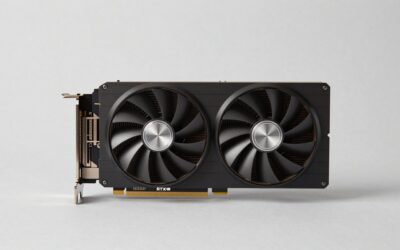
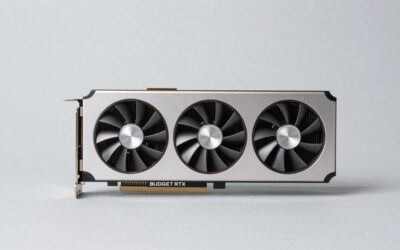
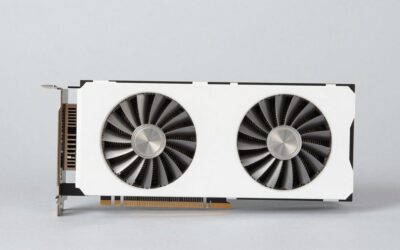
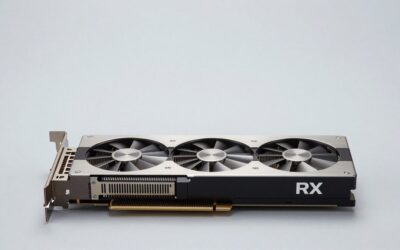
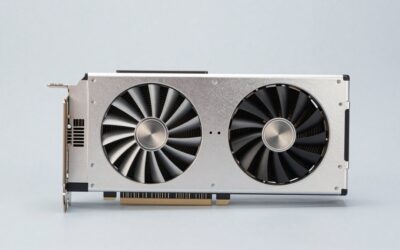
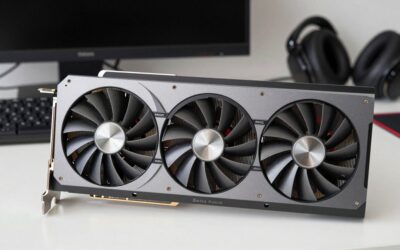
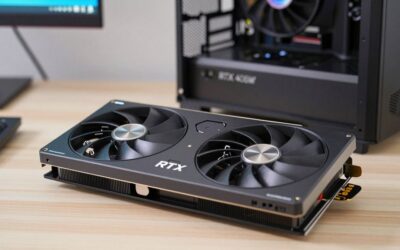
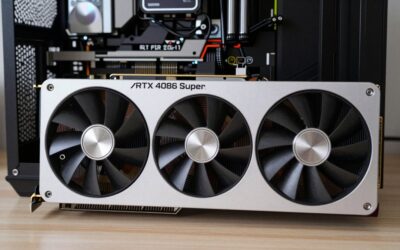
- Top Pick: PNY NVIDIA GeForce RTX™ 5070 Ti OC Triple Fan, Graphics Card (16GB GDDR7, 256-bit, Boost Speed: 2572 MHz, PCIe® 5.0, HDMI®/DP 2.1, 2.98-Slot, Blackwell Architecture, DLSS 4)
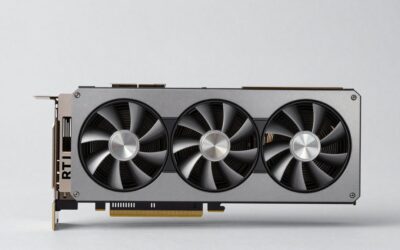
- Best Value: ASUS SFF-Ready Prime NVIDIA GeForce RTX 5070 Ti 16GB GDDR7 Graphics Card (PCIe 5.0, HDMI/DP 2.1, 2.5-Slot, Axial-tech Fans, Dual BIOS), 3 Year Warranty
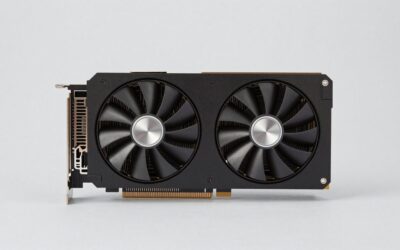
- Premium Choice: PNY NVIDIA GeForce RTX™ 5070 Ti Slim Dual-Fan, Dual-Slot OC Graphics Card (16GB GDDR7, 256-bit, Boost Speed: 2572 MHz, PCIe® 5.0, HDMI®/DP 2.1, NVIDIA Blackwell Architecture, DLSS 4.5)
The RTX 5070 Ti has emerged as one of the smartest buys in NVIDIA’s Blackwell stack, and recent price movement has only sharpened its appeal. With 16GB of GDDR7 and DLSS 4, it targets high-refresh 1440p and entry-level 4K gaming without the eye-watering cost of the 5080 and 5090.
- Watch: Nvidia RTX 5070 Ti Price Drop — Video Review
- Design & Build
- Performance
- Pros & Cons
- Alternatives to Consider
- Step-by-Step: Fitting and Setting Up an RTX 5070 Ti
- Spec Snapshot That Applies to Every Card Here
- Common Mistakes When Upgrading
- Troubleshooting a New Card
- Related Guides
- Frequently Asked Questions
- Verdict
- Related Articles
- Related Guides
This review compares the leading RTX 5070 Ti cards on Amazon, from PNY and ASUS to MSI, weighing cooling, size, and value as prices settle. If you have been waiting for the right moment to upgrade, understanding what separates these cards helps you pounce on a genuine deal.
As an Amazon Associate we earn from qualifying purchases at no extra cost to you.


🎮 Get More From Your Setup — Free
Prime Gaming gives you free PC games every month, in-game loot, and a free Twitch channel sub — plus fast free shipping on all the gear above. New members get a 30-day free trial.
Watch: Nvidia RTX 5070 Ti Price Drop — Video Review
Design & Build
The 5070 Ti runs cooler than its bigger siblings, which opens the door to more compact designs. The ASUS SFF-Ready Prime and PNY Slim Dual-Fan editions fit small-form-factor builds with their 2.5-slot and dual-slot profiles, while triple-fan models like the PNY OC, PNY Epic-X ARGB, and MSI Gaming Trio OC Plus prioritize lower temperatures and quieter operation. Build quality is solid across the board, with dual-BIOS options on the ASUS cards and RGB lighting on the enthusiast models. The variety means there is a 5070 Ti for nearly any case.
Performance
All these cards share the same GB203 silicon with 16GB of GDDR7 on a 256-bit bus, so performance differences come down to modest factory overclocks and cooling. Boost clocks hover around 2452 to 2572 MHz depending on the model. In practice, the 5070 Ti delivers excellent 1440p performance at high refresh with ray tracing and DLSS 4 frame generation, and it is capable at 4K in many titles. The triple-fan MSI and PNY cards sustain their clocks best under long gaming sessions thanks to superior thermals.
Pros & Cons
- Great value: Strong 1440p and 4K performance below flagship pricing.
- Ample VRAM: 16GB handles modern games and creative tasks.
- Compact options: SFF-ready models fit small builds.
- DLSS 4: Frame generation boosts frame rates significantly.
- Not for max 4K: Demanding 4K titles may need setting adjustments.
- Price varies: Street pricing fluctuates, so timing matters.
Alternatives to Consider
If your budget stretches further, the RTX 5080 offers more 4K headroom. On the other end, the standard RTX 5070 or a Radeon RX 9070 XT may deliver better value for pure 1440p gaming. But for buyers wanting a future-proof card that balances price and performance, the 5070 Ti, especially the compact ASUS Prime, is hard to beat.
Step-by-Step: Fitting and Setting Up an RTX 5070 Ti
A lower price changes the budget, not the checklist. A card that does not fit the case or the power supply wastes the savings, so confirm these points first.
- Measure the case: the maximum graphics card length, the available height, and the number of expansion slots free.
- Compare those numbers with the card. The ASUS Prime is a 2.5-slot design, the PNY Slim Dual-Fan is a dual-slot model, and the PNY triple-fan cards approach three slots.
- Check the power supply. NVIDIA specifies a 300 W total graphics power rating for this GPU and suggests a 750 W supply as the system minimum.
- Confirm the connector. The card uses the 16-pin 12V-2×6 style plug, so check that the supply has a native cable or that the card ships with an adapter.
- Seat the card in the top PCIe x16 slot, push the power plug in fully until it clicks, and leave a gentle curve in the cable rather than a sharp bend near the connector.
- Connect the monitor to the card, not the motherboard, then install the current graphics driver.
Spec Snapshot That Applies to Every Card Here
| Item | Value shared by these cards |
|---|---|
| Video memory | 16GB GDDR7 |
| Memory bus | 256-bit |
| Interface | PCIe 5.0, also works in older slots |
| Display outputs | HDMI 2.1 and DisplayPort 2.1 |
| Upscaling | DLSS 4 with multi frame generation on the RTX 50 series |
Because the GPU is the same, differences come from cooler size, fan count, factory clock, and slot width. Boost clocks such as 2572 MHz on the PNY OC cards versus 2452 MHz on the Epic-X ARGB reflect small factory differences rather than a different class of card.
Common Mistakes When Upgrading
- Buying on the deal alone without measuring clearance.
- Reusing an older power supply that cannot deliver the load or lacks the right cables.
- Bending the power cable tightly at the connector, which strains the plug.
- Pairing the card with a slow processor and expecting full gains.
- Skipping a driver cleanup when moving from another vendor’s card.
Troubleshooting a New Card
- No picture on boot: confirm the monitor cable is in the card, the power plug is fully seated, and the card is firmly in the slot.
- Black screen under load: check the power supply rating and update the motherboard firmware.
- Lower speeds than expected: enable Resizable BAR in the firmware if available and confirm the card sits in the primary x16 slot.
- High temperatures: check case airflow and fan curves before assuming a defective cooler.
Related Guides
- ASUS RTX 5060 Ti 16gb (2026)
- Best Nvidia Graphics Card For Gaming (2026)
- RTX 5090 PC Build (2026)
- RTX 5090 PC Build (2026)
Frequently Asked Questions
Is the RTX 5070 Ti good for 4K gaming?
Yes, in many titles, especially with DLSS 4 frame generation enabled. Its sweet spot is high-refresh 1440p, but it handles 4K well when you tune the most demanding games.
Which model runs the quietest?
Triple-fan cards like the MSI Gaming Trio OC Plus and PNY Epic-X ARGB dissipate heat over a larger area, so they run cooler and quieter than compact dual-fan models under load.
Will a 5070 Ti fit a small case?
The ASUS SFF-Ready Prime and PNY Slim editions are specifically designed for compact builds with their reduced slot heights, making them ideal for small-form-factor systems.
What power supply do I need?
A quality 750W unit is a safe recommendation for a 5070 Ti build, ideally with a native 12V-2×6 connector to keep cabling clean.
Verdict
The RTX 5070 Ti is the enthusiast value pick of the Blackwell generation, and any price drop makes it more compelling still. The ASUS Prime and SFF-Ready models suit compact builds, while the MSI Gaming Trio OC Plus and PNY triple-fan cards excel for quiet, sustained performance. Match the card’s size to your case, watch for pricing dips, and you will land one of the best-balanced GPUs available.