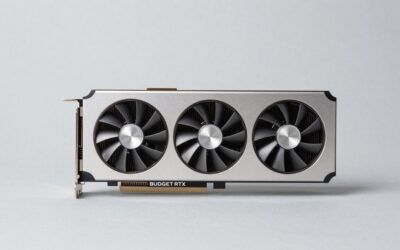
🛒 Best Price Today on Amazon
Prime members get fast, free shipping on everything above, plus member-only deals. New members get a 30-day free trial — cancel anytime.
- What Are SLI and CrossFire?
- Is SLI Still Supported in 2026?
- What Happened to CrossFire?
- Quick Reference: Dual GPU Options in 2026
- Why Dual GPU Gaming Faded
- Best Graphics Cards for Dual GPU: What to Buy Instead of SLI
- Best Dual Screen Graphics Cards (Often Confused With Dual GPU)
- Valid Reasons to Run Two GPUs in 2026
- Motherboard Lanes, Power, Case and Cooling
- What About Dual 6-Pin Graphics Cards?
- Should You Buy Two Older Cards for SLI Today?
- Frequently Asked Questions
Updated November 2026 – Dual graphics card setups are no longer worth it for gaming: Nvidia SLI and AMD CrossFire are effectively retired, so the best graphics cards for dual GPU use in 2026 are a single stronger card, with a second GPU only for rendering, compute or AI work.
If you searched for the best graphics cards for dual GPU, the best dual graphics cards for SLI, or the best CrossFire graphics cards, the honest answer is that the technology those searches were built around has faded out of mainstream gaming. This explainer covers what SLI and CrossFire were, what happened to them, the situations where two GPUs still make sense, and what to buy instead.
What Are SLI and CrossFire?
SLI (Scalable Link Interface) was Nvidia’s way of letting two matching GeForce cards share the work of drawing a game frame, and CrossFire was AMD’s equivalent for Radeon cards. Both usually needed two identical or closely matched cards, a motherboard with enough PCI Express slots and lanes, and in many generations a physical bridge connector between the cards.
In the best case the game’s driver profile split the work so each card drew alternate frames or parts of a frame. The driver profile was the key piece: the graphics driver had to know how to split each specific game, and when no profile existed, the second card sat idle.
Is SLI Still Supported in 2026?
SLI is not supported on current Nvidia cards in any practical sense. Nvidia stated around 2020 and 2021 that it would stop creating new SLI driver profiles for RTX 20 series and older GPUs, leaving future multi-GPU support to game developers. Reviewers and technical sites report that the RTX 30 series was the last generation with an SLI connector on only the top cards, and that the RTX 40 and 50 series have no SLI support at all.
Older Pascal-era cards such as the GeForce GTX 10 series kept frozen driver profiles for a long time, but sources report that game-ready driver support for the GeForce 10 series ended in November 2025. Buying two older cards for SLI in 2026 means relying on legacy profiles and an aging driver branch.
What Happened to CrossFire?
AMD moved away from CrossFire as a marketing feature several years ago. Reports from outlets such as Notebookcheck described AMD letting CrossFire fade as the company focused on single-card performance and on the DirectX 12 and Vulkan explicit multi-GPU model. Current Radeon RX 9000 and RX 7000 cards are not sold as CrossFire products, and there is no bridge connector on them.
If you see a listing describing a Radeon RX 9070 XT or RX 9060 XT as CrossFire ready, treat it as outdated or incorrect marketing wording and check the maker’s specification page.
Quick Reference: Dual GPU Options in 2026
| Setup | Status in 2026 | Still sensible for |
|---|---|---|
| Nvidia SLI on GTX 10 series | Legacy; frozen profiles, driver support ended for game-ready releases | Retro builds and curiosity only |
| Nvidia SLI on RTX 20 and 30 series | No new profiles; limited to top cards on a connector | Legacy workstations |
| Nvidia RTX 40 and 50 series | No SLI support | One card for gaming |
| AMD CrossFire | Retired as a consumer feature | Nothing new |
| DirectX 12 and Vulkan multi-GPU (mGPU) | Developer-implemented; rare | A small number of older titles |
| Two GPUs for rendering, compute or AI | Works with software that uses each GPU separately | Professional and creative work |
| Display card plus compute or AI card | Works as two independent devices | Home labs and workstations |
Why Dual GPU Gaming Faded
Games must be written for it
With DirectX 12 and Vulkan, support for using more than one GPU moved from the driver to the game developer. Few studios added it. Titles such as Red Dead Redemption 2, Shadow of the Tomb Raider and Gears 4 are often cited as having multi-GPU support, but most modern releases ignore a second card. Technical sites report that scaling in recent DirectX 12 and Vulkan games is minimal or absent.
Frame pacing and microstutter
Alternate frame rendering could give a higher frame counter while feeling uneven, an issue often described as microstutter. Reviewers repeatedly noted that two cards could look faster on a chart yet feel less smooth than a single faster card.
Modern upscaling and frame generation
Technologies such as Nvidia DLSS, AMD FSR and Intel XeSS raise performance on a single card, and Nvidia and AMD offer frame generation features on supported cards. These are the main routes to extra performance now, and they do not require a second GPU.
Cost, heat and power
Two cards double the power draw, heat and case space, and they need a power supply that meets both card makers’ requirements. A single stronger card normally costs less to run and is simpler to cool.
Best Graphics Cards for Dual GPU: What to Buy Instead of SLI
The best replacement for a dual graphics card setup is one card a tier or two higher. For 1440p, that usually means stepping up to a card such as the AMD Radeon RX 9070 XT or Nvidia GeForce RTX 5070 Ti. For 4K, it means the Nvidia GeForce RTX 5080 or RTX 5090. These all give you one device, one driver profile and full support in every game.
| If you were considering… | Consider this single card | Why |
|---|---|---|
| Two mid-range cards for 1440p | Radeon RX 9070 XT or GeForce RTX 5070 Ti | 16GB of memory on one device, full game support |
| Two high-end cards for 4K | GeForce RTX 5080 or RTX 5090 | One card avoids profile and pacing issues |
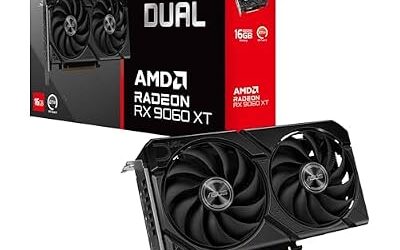
| Two cheap cards to save money | One mid-range card such as the RTX 5060 Ti 16GB or RX 9060 XT 16GB | Lower power, no scaling issues |
| Two cards for extra monitors | One card with four outputs | Most current cards support up to four displays as makers list |
Best Dual Screen Graphics Cards (Often Confused With Dual GPU)
Many people searching for the best dual screen graphics cards want two monitors, not two cards. One card is enough: current Nvidia, AMD and Intel boards list support for multiple displays, with typical layouts of three DisplayPort outputs and one HDMI output. Two GPUs are never required to drive two or three monitors.
Valid Reasons to Run Two GPUs in 2026
Rendering and compute
Many 3D renderers and video tools can use several GPUs independently, each rendering part of an image or a frame. Because they do not need a game driver profile, they scale better than gaming ever did. Check the software’s documentation for supported multi-GPU modes, as support varies by application.
AI and machine learning
Local AI workloads often split models or batches across several cards. Memory pooling over a connector is not generally available on current consumer cards, so each card works with its own VRAM. A second card can add capacity for running larger models, though the details depend on the software.
Display card plus compute card
Some enthusiasts use a modest card for the monitors and a separate card for AI or rendering. This keeps the desktop responsive while the second GPU works. It is a workflow choice and does not improve game frame rates.
Virtual machines and passthrough
Advanced users sometimes dedicate one GPU to a virtual machine and another to the host. This needs motherboard and software support and is a niche setup.
Motherboard Lanes, Power, Case and Cooling
If you do build a dual GPU system for non-gaming work, plan the hardware around the two cards. Check the motherboard manual for how the PCI Express lanes are divided when both slots are populated, because many boards drop the second slot to a lower speed.
| Item | What to check |
|---|---|
| Motherboard slots | Two full-length slots with enough spacing and lanes, as the board manual lists |
| PCIe lanes | Whether both slots run at the speed your workload needs |
| Power supply | The combined requirement from both card makers, with the right connectors |
| Case | Space for two thick cards and airflow between them |
| Cooling | The top card can breathe in the heat of the bottom card |
| Software | Documented multi-GPU support in your application |
Power safety matters here. Switch off and unplug the PC before touching internals, never open a power supply, and follow the GPU and power supply maker guidance for the 12VHPWR and 12V-2×6 connector. If you see heat damage on a connector, stop using the card and contact the maker or a qualified technician.
What About Dual 6-Pin Graphics Cards?
Searches for dual 6-pin graphics cards usually mean older cards that take two 6-pin power connectors. These are mostly previous-generation boards, and the term is not a current buying category. Modern cards use 8-pin or 12V-2×6 connectors according to the maker, and the right approach is to follow the power requirement on the card maker’s specification page rather than counting pins alone.
Should You Buy Two Older Cards for SLI Today?
For gaming, no. Buying two older cards means relying on legacy driver profiles, drivers that no longer get game-ready updates, and games that largely ignore the second card. Reviewers report that a single current mid-range card outperforms an older pair in recent releases and uses less power. For a retro or nostalgic build, SLI can be fun, but treat it as a hobby project.
Frequently Asked Questions
Does SLI still work in 2026?
SLI technically works on older supported cards using frozen driver profiles, but it is not supported on the RTX 40 and 50 series. Nvidia stopped creating new profiles for RTX 20 series and older cards. For new builds it is not a practical route.
What are the best graphics cards for SLI?
No current graphics card is a good choice for SLI. The cards that supported it were older Nvidia GeForce models such as the GTX 10 series, and the top RTX 20 and 30 series boards with a connector. For modern gaming, one stronger single card is the better answer.
Is CrossFire dead?
Yes, CrossFire is retired as a consumer feature. AMD moved away from it, and current Radeon cards do not advertise bridge-based multi-GPU. Some DirectX 12 and Vulkan games used developer-controlled multi-GPU, but it is rare.
Can I use two different graphics cards in one PC?
Yes, Windows can run two different graphics cards as separate devices, including cards from different brands. They will not combine for gaming. This is useful for a display card plus a compute or AI card, or for separate monitors.
Do I need two GPUs for four monitors?
No. Most current cards list support for up to four displays on one card. Two GPUs are only needed if you want more outputs than a single card provides, and professional cards exist for display walls.
Is it better to buy one expensive card or two cheaper ones?
One stronger card is better for gaming in almost every case. It avoids profile support problems, uneven frame pacing, extra heat and the need for a larger power supply. Two cards make sense mainly for rendering, compute or AI software that supports multiple GPUs.