
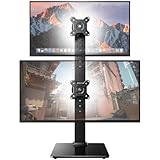
- Top Pick: Dual Monitor Stand – Vertical Stack Screen Free-Standing Monitor Riser Fits Two 13 to 34 Inch Screen with Swivel, Tilt, Height Adjustable, Holds One (1) Screen Up to 44Lbs
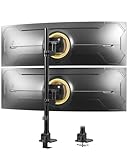
- Best Value: HUANUO Vertical Dual Monitor Mount, Stacked Monitor Stand for 2 Monitors with Height Adjustment Computer Monitor Arm Supports Two 17 to 32 Inch with C Clamp Each Desk Mount Hold up to 17.6lbs
- Premium Choice: HUANUO 17-32 Inch Dual Monitor Stand, Vertical Dual Monitor Mount, Monitor Stand 2 Monitors, Ergonomic Adjustable Tilt/Swivel/Rotate, Weight Max 19.8 lbs, VESA 75/100mm
Running two monitors side by side works, but stacking them vertically unlocks a different kind of productivity—and reclaims valuable desk width. A vertical monitor stack mount holds one screen above another, perfect for coders reading long files, traders watching charts and news, streamers monitoring chat, or anyone who wants their reference screen overhead. It’s a simple accessory that reshapes how you use your space.
The category is full of similar-looking stands, but they differ in weight capacity, adjustment range, and how they attach to your desk. We compared the leading vertical dual mounts to find the sturdiest, most flexible options for a stacked setup.
As an Amazon Associate we earn from qualifying purchases at no extra cost to you.



🎮 Get More From Your Setup — Free
Prime Gaming gives you free PC games every month, in-game loot, and a free Twitch channel sub — plus fast free shipping on all the gear above. New members get a 30-day free trial.
Watch: Monitor Stack Mount — Video Review
Design & Build
Vertical stack mounts come in two attachment styles: free-standing risers and clamp-based arms. Free-standing units like the Dual Monitor Stand vertical stack riser sit on the desk and hold both screens on a central pole—simple and stable, supporting up to 44 lbs total. Clamp-based designs such as the HUANUO vertical dual mount, MOUNT PRO stacked mount, and ErGear dual stand grip the desk edge with a C-clamp (some adding grommet options), freeing the desktop surface entirely. Build quality matters here since these hold heavy glass overhead—the ErGear’s integrated C-clamp and upgraded cable management, and MOUNT PRO’s full-motion arms, stand out for stability and adjustability.
Performance
The key specs are weight capacity, screen-size range, and adjustment. Most of these support 13-to-32-inch or 34-inch monitors, with per-arm limits around 17.6 to 19.8 lbs—check your monitors’ weight against the rating before mounting. Adjustment is where premium models earn their keep: full-motion mounts like the MOUNT PRO Full Motion and HUANUO offer tilt, swivel, rotate, and height changes so you can angle the top screen down toward your eyes, which is crucial for comfort when a monitor sits high. VESA compatibility (75×75 and 100×100) is near-universal, but confirm your monitors have VESA mounting holes. A stable base or clamp plus good ergonomic adjustment turns a stacked setup from a novelty into a genuinely comfortable workspace.
Pros & Cons
- Reclaims desk width by stacking screens vertically instead of side by side.
- Ergonomic adjustment on full-motion models angles the top screen comfortably.
- Clamp designs clear the desktop surface entirely.
- VESA compatibility fits the vast majority of monitors.
- Weight limits must be checked—heavy monitors can exceed per-arm ratings.
- Top screen height can strain the neck without good downward tilt.
- Assembly takes a bit of care to balance and secure both panels.
Alternatives to Consider
If you want maximum ergonomic flexibility, a full-motion clamp mount like the MOUNT PRO Full Motion or HUANUO lets you fine-tune both screens’ angles and heights. Those who prefer not to clamp the desk should choose the free-standing riser, which supports up to 44 lbs on a stable base. And for heavier monitors, prioritize a mount like the ErGear with a high per-arm rating and solid C-clamp for peace of mind.
Related Guides
- Light Computer Monitor (2026)
- Computer Monitor Clip On Light (2026)
- Computer Monitor Clip On Light (2026)
- Stereoscopic Monitor (2026)
Frequently Asked Questions
Will a stack mount fit my monitors?
Most support 13-to-32-inch (some to 34-inch) screens with VESA 75×75 or 100×100 holes. Check both your monitors’ size, weight, and VESA pattern against the mount’s specs before buying.
Is stacking monitors ergonomic?
It can be, if the mount offers downward tilt on the top screen so you’re not craning upward. Full-motion models make a stacked setup comfortable; keep your primary screen at eye level and the secondary above.
Clamp or free-standing—which is better?
Clamp mounts free your desktop surface and feel more secure for heavy screens. Free-standing risers are simpler to set up and don’t require a compatible desk edge, but they occupy some desk space.
Do these support VESA mounting?
Yes—nearly all use standard VESA 75×75 and 100×100 patterns. If your monitor lacks VESA holes, you’ll need a VESA adapter bracket to use one of these mounts.
Verdict
For most setups, a full-motion clamp mount like the MOUNT PRO or HUANUO offers the best mix of stability and ergonomic adjustment for a comfortable stacked configuration. Heavy-monitor owners should choose the ErGear for its robust C-clamp and high weight rating, while anyone who can’t clamp their desk should opt for the free-standing riser. Match the weight limit and VESA pattern to your screens, and vertical stacking will transform your desk.











