🛒 Best Price Today on Amazon
Prime members get fast, free shipping on everything above, plus member-only deals. New members get a 30-day free trial — cancel anytime.
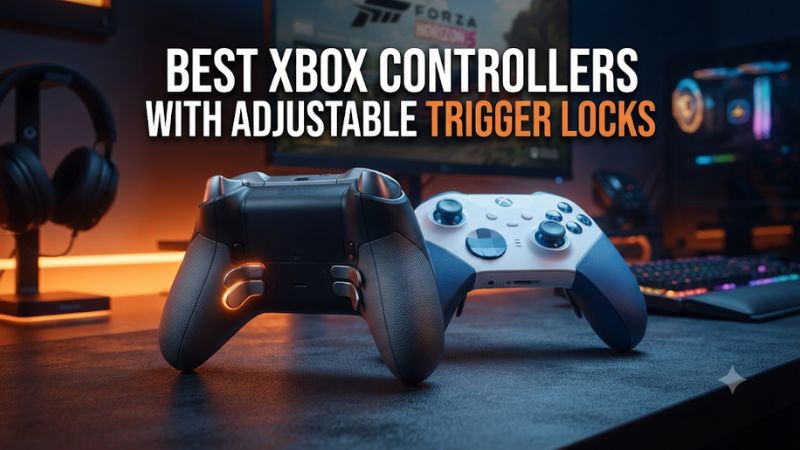
The best Xbox controllers with adjustable trigger locks offer either shorter analog travel or a crisp click for shooters. Pick the Xbox Elite Series 2 for three travel settings, the Wolverine V3 Pro for wireless clicky triggers, or the PowerA FUSION Pro 4 for a wired pad with three physical positions.
The best Xbox controllers with trigger locks at a glance
Start with the Xbox Elite Wireless Controller Series 2 if you regularly switch between shooters and racing games. Its three trigger depths let you try a shorter pull without committing both fingers to the shortest available setting. If you mainly play shooters and want the feel of a mouse button under each index finger, start with the Razer Wolverine V3 Pro or its wired Tournament Edition.
| Controller | Trigger mechanism | Xbox connection | Best fit |
|---|---|---|---|
| Xbox Elite Wireless Controller Series 2 | Three physical trigger depths | Native Xbox Wireless or USB | Mixed genres and removable paddles |
| Razer Wolverine V3 Pro | Full analog travel or short mouse-click stops | Included USB receiver or USB cable | Wireless FPS players who want six extra controls |
| Razer Wolverine V3 Tournament Edition | Full analog travel or short mouse-click stops | USB cable | Wired FPS players who want the same trigger mechanism |
| PowerA FUSION Pro 4 | Three physical trigger-lock positions | USB cable | Wired setups that benefit from an intermediate stop |
| SCUF Instinct Pro | Full-pull triggers or Instant Trigger clicks | Native Xbox Wireless or USB | Couch FPS players who prefer SCUF’s rear paddle layout |
| GameSir G7 Pro | Hall-effect analog triggers or microswitch stops | USB cable on the standard Xbox model | Wired Xbox players who also use a Windows PC |
| Turtle Beach Stealth Ultra | Short stops or full trigger travel | Included USB transmitter or USB cable | Players who want a charging dock and on-controller adjustments |
How these picks were selected
Every controller in the table has a physical adjustment that changes the trigger’s feel or usable travel. That matters because “hair trigger” can also describe a software setting. A software setting may make a game register a press earlier, while your finger can still move the trigger through its original range. A physical stop changes the distance your finger can travel before it has to release and reset.
The other selection criteria were Xbox compatibility for the exact model, connection requirements, and the practical reason to pick each pad. For example, the Razer V3 Pro and Tournament Edition belong on the same list because they serve different seating arrangements. Their trigger mechanisms alone give a wired player little reason to pay the Pro premium.
These picks are based on documented features and setup differences. The order reflects use cases, and there is no universal ranking for trigger speed or finger comfort. For a mixed-genre buyer, the middle stop on a three-position controller can matter more than the shortest trigger in the lineup.
The best wireless Xbox controllers with trigger locks
Xbox Elite Series 2 for three settings and removable paddles
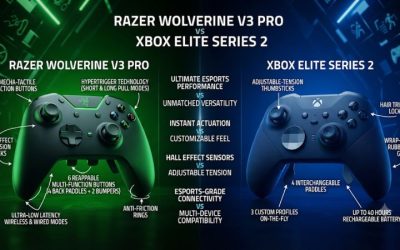
The Xbox Elite Wireless Controller Series 2 is the strongest starting point if your library includes shooters, driving games, and action games. Each trigger has its own three-position lock. You can leave one side at full travel, shorten the other, and change your mind when you switch games. Microsoft designed the controller to recognize changes to the physical locks automatically. Your game’s trigger thresholds or a custom Xbox Accessories profile can still affect how a particular action feels.
The full Series 2 package includes removable paddles, interchangeable components, and a charging base. The physical paddles give the controller a broad range of grip options. A player who wants jump and reload within reach can install two paddles. Another can use four. You can remove all of them for a session where a tight grip makes rear inputs easy to hit by accident.
The cheaper Series 2 Core also has the trigger locks and adjustable stick tension. Check the package before comparing prices because the Core omits the four paddles and charging base included with the full model. If you already own compatible accessories or want the locks alone, the Core can make more sense. If you need a full rear-button setup, compare what both bundles cost after adding the parts you would actually use.
Choose the Elite if you want native Xbox Wireless and a useful middle trigger position. Try the middle stop first if the shortest setting causes accidental shots when you rest your fingers on the triggers.
Razer Wolverine V3 Pro for wireless clicky triggers
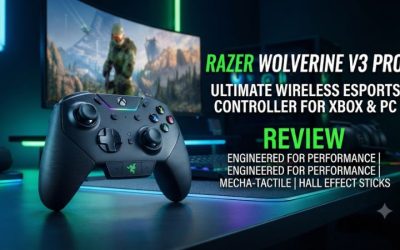
The Xbox Wolverine V3 Pro pairs full-range Hall-effect analog triggers with short, tactile HyperTrigger stops. In short mode the trigger feels closer to a button than a traditional progressive pull. That suits players who spend most of their time using the right trigger for firing and the left trigger for aiming.
You also get four back buttons and two extra bumpers near the shoulders. These are useful if your index fingers can comfortably reach the extra bumpers while your middle and ring fingers manage the back controls. Start with two mappings and test how securely you can hold the controller before filling every position. An extra button loses its value when you routinely press it while tightening your grip.
Wireless play uses the included USB receiver, including on Xbox. Think through where that receiver will live if your console’s ports already serve storage, a headset, or other accessories. The controller can use a USB cable when you want a direct connection. Its case and interchangeable stick caps are useful if the pad travels between setups or you already know you prefer a taller aim stick.
Choose the V3 Pro for wireless Xbox play when you specifically want the click feel and the Razer control layout. For a permanent desk setup, compare it with the Tournament Edition before assigning any value to the receiver or the carry case.
SCUF Instinct Pro for native Xbox wireless and Instant Triggers
The SCUF Instinct Pro switches between a regular full pull and a short, click-style Instant Trigger. It also has four rear paddles integrated into the shell. The combination makes the most sense for someone who wants a familiar Xbox-style shape, native wireless pairing, and a trigger click without adding a USB receiver to the console.
The rear paddles have a different reach and press direction from the Elite’s removable paddles and Razer’s back buttons. If you can try the controller, map jump to a paddle you expect to use. Then aim while jumping and grip the controller firmly while leaving your fingers on the triggers. This checks whether the paddle is easy to press intentionally and remains clear of your natural grip.
The standard Instinct and Instinct Pro are easy to confuse in a store listing. Look for the Pro name and explicit mention of Instant Triggers. Cosmetic customization and rear paddles alone do not identify the version with the trigger switches.
Choose the Instinct Pro if you prefer its paddle layout and want both native wireless and the click. Compare the exact configured price because custom finishes can change the value without changing trigger behavior.
Turtle Beach Stealth Ultra for on-controller setup
The original Stealth Ultra combines physical trigger stops with a built-in display, four rear buttons, and a charging dock. The display is the feature that gives it a distinct role here. If you frequently change profiles, mapping, or other supported settings from the couch, having controls on the pad reduces trips back to a companion app.
Use the included USB transmitter for wireless Xbox play. The original model also has Bluetooth connectivity for supported devices, which is a separate connection from the route it uses on the console. Check listings for the exact Stealth Ultra model and accessory bundle. On a secondhand purchase, a missing transmitter affects everyday use more than a missing spare thumb cap.
The short stop favors quick release. Full travel gives your finger room to feather throttle or brake. If you switch genres during the same session, use the dock and display as part of the buying decision. Those features are valuable if they simplify your routine, especially when you share a console or swap profiles frequently.
Choose the Stealth Ultra if you want a wireless setup with a charging station and settings at your fingertips. For a player who sets one profile once and leaves it there, the display adds less practical value.
The best wired Xbox controllers with trigger locks
Razer Wolverine V3 Tournament Edition for wired FPS
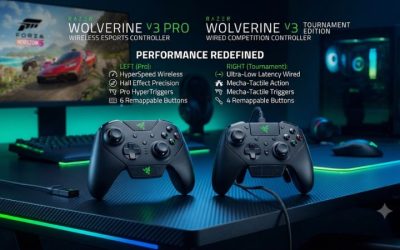
The Xbox Tournament Edition gives you the core inputs that make the Pro attractive for shooters. It has Hall-effect sticks, the selectable full-pull or click trigger mechanism, four back buttons, and two extra shoulder inputs. If you always play within cable reach, those are the parts of the Pro experience you are most likely to use.
The detachable cable makes desk routing straightforward. Leave some slack near the controller, especially if you move your hands while reacting. At a TV setup, measure the actual path you would run the cable around furniture. Usable distance is often shorter than a straight line from your couch to the Xbox.
The Xbox model also supports a 1,000 Hz Tournament Mode over USB on a compatible Windows PC. On Xbox, Razer specifies 250 Hz. The trigger mechanism works on Xbox, so a console player can buy the controller for the click without needing the PC polling mode.
Choose the Tournament Edition if you want the same basic Razer trigger and button setup at a lower cost and can live with a cable. Check for the Xbox-compatible V3 Tournament Edition on the listing. There is also a similarly named 8K PC version.
PowerA FUSION Pro 4 for an intermediate wired setting
PowerA’s FUSION Pro 4 is useful for buyers who want three physical choices on a wired controller. You can start with full travel, move to the middle stop for general action games, and try the shortest position for repeated shooting. That intermediate stop is the reason to shortlist it over a controller that switches directly from full analog travel to a tactile click.
The controller pairs the locks with Hall-effect sticks and triggers and includes four mappable rear controls. Its adjustable thumbstick height adds a physical variable you can change separately from trigger travel. Set the trigger positions first. A new stick height can change how you hold the controller, which in turn can change how heavily you rest your index fingers on the triggers.
PowerA’s trigger locks are a travel adjustment. If the main feature you want is a distinct switch click, the Razer Tournament Edition or standard GameSir G7 Pro is a closer fit. If you want the ability to settle in between the longest and shortest throw, the PowerA has the more useful hardware choice.
Choose the FUSION Pro 4 if you sit near the Xbox and find the shortest locks on other pads too abrupt. Try the middle setting with the same semi-auto weapon you use to judge the short setting.
GameSir G7 Pro for click stops and a mixed Xbox-PC setup
The standard GameSir G7 Pro combines Hall-effect analog triggers with physical microswitch stops and TMR thumbsticks. Its short setting is a good fit for digital actions such as shooting, while the full-pull setting gives driving games the range needed for gradual braking and throttle. GameSir also documents a separate hair-trigger shortcut. The hardware switch is the control to evaluate when comparing physical travel.
Check the model carefully. The standard G7 Pro connects to Xbox by cable and has additional connection options on compatible PCs or other supported devices. A listing that says “wireless” may be describing one of those other platforms or a different G7 Pro variant. Buy based on the exact console connection promised for the SKU in the listing.
For someone who plays wired on Xbox and also plays at a Windows desk, that platform split can be useful. You get a credible Xbox shooter layout without committing to the same connection type everywhere. Factor in cable reach on the Xbox side before comparing prices with the wireless Wolverine or Elite.
Choose the standard G7 Pro if you want a tactile short pull and already plan to use USB on Xbox. At a couch setup with no convenient cable path, prioritize a model with documented wireless Xbox support.
How to choose the right trigger lock
Pick the mechanism for the actions you repeat
Start by identifying what you do with the trigger. For semiautomatic firing, a short press and a quick release are useful because each shot normally takes its own press. For automatic fire, holding the trigger already sustains the action. The shortest stop can still feel good, but the difference may matter more during the first press or when you tap for short bursts.
For racing, the physical range matters between the ends of the pull. Test whether you can scale braking as you approach a corner and ease back onto throttle on the exit. A trigger that can register full throttle with a short pull can still feel abrupt for this job. The goal is to reach the intermediate values consistently, especially under pressure.
For mixed play, consider using different positions on the left and right. A short firing pull and a longer aiming pull may suit a player who tends to press the left trigger hard or uses the same trigger for driving in another mode. Physical switches let you try the arrangement without redesigning every mapping.
Treat the trigger range, input threshold, and reset as different settings
The stop governs physical movement. The threshold determines where the game or controller treats the press as active. The reset determines how far the trigger has to return before another press registers. Two controllers with similarly short travel can feel different because the click, threshold, or return differs.
If a short stop feels fine in a tester but a weapon fires inconsistently, check the game’s trigger thresholds and the controller profile. Temporarily return to default thresholds and test one trigger at a time. An aggressive threshold can cause a shot while you are resting your finger. A high threshold can make a partly depressed trigger feel unresponsive in a custom configuration.
A helpful home test is ten deliberate presses followed by ten quick press-and-release cycles. Watch for missing presses and unintended activation between cycles. Then switch back to full travel and test a smooth squeeze. A pad you can operate consistently in both tests is a better match than one chosen on the basis of its shortest advertised stop.
Check the receiver, cable, and accessories before buying
A wireless Xbox setup may use native Xbox Wireless or an included USB receiver. Count your available console ports and decide where a receiver will sit. On a wired model, measure how much cable has to follow walls, pass furniture, or reach around a monitor stand. A clear route with slack matters more than the cable length printed on a spec sheet.
Check what is included if you shop used. For the Razer Pro or the Stealth Ultra, verify the receiver. For the Elite, check the paddles, charging base, and the stick adjustment tool against the package you are paying for. For any model, try both trigger switches and confirm each trigger reaches the expected output in both modes.
You can learn a lot from five minutes of play. Pick a semi-auto weapon, make a slow analog pull in a compatible game, and see whether you accidentally press any rear controls with your regular grip. If the trigger feel is right but the layout makes you change how you hold the controller, test another model before paying extra for its button count.
Which controller should you buy?
Buy the Elite Series 2 for three trigger positions, native wireless, and a rear layout you can simplify. Buy the Wolverine V3 Pro for wireless play with short click triggers, or its Xbox Tournament Edition if your setup is already wired. Choose the PowerA FUSION Pro 4 if the middle stop is important and you prefer to spend on the controls you will use at your desk.
Final verdict
Consider the Instinct Pro for native wireless and its paddle feel, the G7 Pro for a wired Xbox and a second PC setup, or the Stealth Ultra if you will use its display and dock. Give the trigger mechanism the final vote. The best match is the one that allows clean repeated presses in a shooter and gives you enough analog control in the other games you play.