🛒 Best Price Today on Amazon
Prime members get fast, free shipping on everything above, plus member-only deals. New members get a 30-day free trial — cancel anytime.
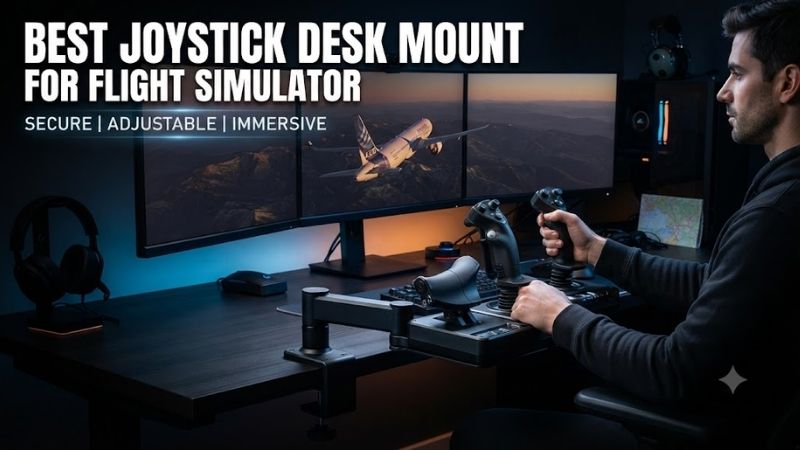
The best joystick desk mount for flight simulator setups keeps flight controls secure, comfortable, and properly positioned during long sessions. Whether you use a lightweight joystick or a substantial HOTAS system, a reliable mount can reduce unwanted movement and improve your ability to make precise control inputs.
Quick Verdict
The MONSTERTECH Joystick/HOTAS Desk Mount is our best overall choice for users who value modularity and compatibility with a wide selection of flight controls.
For budget-conscious buyers who need to mount both a joystick and throttle, the J-PEIN two-pack and Hikig two-set configurations offer practical alternatives.
VKB users should consider the manufacturer’s dedicated UCM mounting system, while Thrustmaster owners can benefit from the TM Flying Clamp when their specific controllers are supported.
Quick Comparison Table
| Desk Mount | Best For | Mounting Style | Key Advantage |
|---|---|---|---|
| MONSTERTECH Joystick/HOTAS Desk Mount | Best overall | Desk clamp | Modular plates |
| MONSTERTECH Long Desk Mount | Extended joysticks | Desk clamp | Greater vertical positioning |
| J-PEIN Flight Simulator Desk Mount 2-Pack | Complete HOTAS setups | Desk clamps | Two mounts in one package |
| Hikig HOTAS Desk Mount 2-Set | Budget-conscious users | Desk clamps | Adjustable dual mounting |
| VKB UCM-S | VKB joystick owners | Desk clamp | Dedicated hardware integration |
| Thrustmaster TM Flying Clamp | Selected Thrustmaster controls | Desk clamp | Manufacturer-designed fit |
| Simplayer Universal Joystick Desk Mount | Alternative budget setups | Desk clamp | Adjustable mounting arrangement |
How We Selected These Desk Mounts
Stability Under Joystick Movement
A joystick mount must remain secure when users apply force near the limits of stick travel.
This is especially important for controllers with strong centering springs, extensions, or force-feedback mechanisms.
A mount that shifts during operation can make control inputs inconsistent even when the joystick itself is highly accurate.
Compatibility With Specific Hardware
Flight simulator joystick bases are not universally interchangeable.
Mounting-hole patterns, base dimensions, screw sizes, and clearance requirements can vary significantly.
We favored mounts with documented compatibility options, while recognizing that universal mounting claims still require verification against the exact joystick model.
Ergonomics and Adjustment
Height and distance adjustment help pilots position the stick closer to a natural seated control location.
For side-stick configurations, a mount beside the chair may be most comfortable.
Center-mounted sticks often require different geometry, especially when extensions are installed.
Best Joystick Desk Mounts Reviewed
MONSTERTECH Joystick/HOTAS Desk Mount — Best Overall
Best For: Enthusiasts who regularly upgrade or change flight controls.
Why It Stands Out
The MONSTERTECH desk mounting system is designed around modular hardware and controller-specific mounting plates.
This approach is attractive because users can adapt the mount to different joystick and throttle bases rather than replacing the entire mounting system whenever their flight hardware changes.
Key Features and Performance
MONSTERTECH offers mounting options for numerous flight simulator brands, including Thrustmaster, Logitech, VKB, VIRPIL, and other specialized controllers.
Its clamping arrangement positions flight controls below desk height, helping create a more natural hand and arm posture.
The modular design is particularly beneficial for premium joysticks, where a stable mounting platform can reduce unwanted movement.
However, purchasing the correct plate is essential. A compatible brand name does not automatically mean every model uses the same attachment hardware.
Pros
-
Broad selection of compatible plates
-
Adjustable mounting arrangement
-
Suitable for premium HOTAS systems
-
Modular construction
-
Useful for long-term cockpit upgrades
Cons
-
Higher cost than basic mounts
-
Correct plate selection is essential
-
Multiple components may be required
Buy If: You want a long-term mounting system that can adapt to new controls.
Skip If: You only need a simple, inexpensive mount for occasional flying.
MONSTERTECH Long Desk Mount — Best for Extended Center Sticks
Best For: Pilots using joystick extensions or lower center-mounted controls.
Why It Stands Out
The Long version of MONSTERTECH’s desk mount is designed to provide additional positioning flexibility.
This matters when a joystick grip sits on a substantial extension, increasing the height between the joystick base and the user’s hand.
Key Features and Performance
The longer mounting arrangement allows the base to sit farther below desk level.
That can help pilots position an extended joystick between their legs without forcing the grip uncomfortably high.
The result is a more suitable geometry for certain military aircraft and helicopter control configurations.
However, additional mounting length also increases the importance of structural stability.
Users with high-force controllers should verify the mount’s suitability rather than assuming that a longer bracket can safely support every device.
Pros
-
Greater vertical positioning range
-
Suitable for extended joystick configurations
-
Modular mounting plates
-
Compatible with multiple controller families
-
Useful for center-stick setups
Cons
-
Requires more under-desk clearance
-
May interfere with knees or chair movement
-
Costs more than simple mounts
Buy If: Your joystick uses an extension and needs a lower mounting position.
Skip If: You use a short side-stick controller that already fits comfortably.
J-PEIN Flight Simulator Desk Mount 2-Pack — Best Value for Dual HOTAS Mounting
Best For: Users who need separate mounting points for a joystick and throttle.
Why It Stands Out
The J-PEIN two-pack provides a practical way to mount both primary HOTAS components without purchasing two separate premium mounting systems.
For many users, that is a more relevant purchase than a single expensive mount because joystick and throttle placement should be considered together.
Key Features and Performance
The system uses desk-mounted brackets with adjustable positioning.
Its design is intended for a range of common flight control systems, although buyers must verify the exact plate arrangement and model compatibility.
A dual-mount setup allows the joystick and throttle to be positioned independently on opposite sides of the desk.
That can improve posture and reduce the tendency to operate a joystick at an awkward angle on the desktop.
The principal trade-off is that an affordable universal system may offer less refinement and fewer specialized accessories than premium modular alternatives.
Pros
-
Two mounts for HOTAS setups
-
Adjustable positioning
-
Useful for common joystick-and-throttle combinations
-
Attractive budget alternative
-
Avoids permanent desk modification
Cons
-
Compatibility varies by controller
-
Requires assembly
-
Less modular than premium systems
Buy If: You need a complete dual-mount arrangement on a reasonable budget.
Skip If: You need extensive customization for unusual joystick hardware.
Hikig HOTAS Desk Mount 2-Set — Best Budget Alternative
Best For: Beginners moving from desktop controls to a mounted HOTAS setup.
Why It Stands Out
The Hikig two-set mounting system offers another option for users who want separate joystick and throttle brackets.
It is particularly relevant when users own mainstream controls and want to improve their ergonomics without investing in a dedicated simulator cockpit.
Key Features and Performance
The mounting design provides adjustable positioning and clamp-based attachment.
It can help lower the joystick from desktop level and create a more comfortable arm angle.
For long flight simulation sessions, this positioning can reduce the need to elevate the shoulders or bend the wrists unnaturally.
The important buying consideration is fit. Users should verify controller mounting points, desk thickness, and hardware clearance before ordering.
Pros
-
Dual mounting arrangement
-
Adjustable positioning
-
Suitable for many mainstream HOTAS systems
-
Can improve seating ergonomics
-
Practical entry-level upgrade
Cons
-
Mounting plates may not fit every controller
-
Requires careful tightening
-
Limited compatibility with unusual bases
Buy If: You want to improve the ergonomics of an existing HOTAS setup.
Skip If: Your joystick requires a highly specialized mounting solution.
VKB UCM-S — Best for VKB Joystick Owners
Best For: Pilots using supported VKB joystick bases.
Why It Stands Out
The VKB UCM mounting system is designed to integrate with VKB flight simulation hardware.
This approach reduces some of the uncertainty involved in choosing a generic bracket because the manufacturer provides mounting options tailored to its own ecosystem.
Key Features and Performance
The UCM-S configuration is intended for desktop mounting of supported flight controls.
Depending on the selected version and accessories, users can create mounting arrangements suitable for different VKB controllers.
This is valuable for pilots who want their joystick positioned below desk level while preserving a consistent relationship between the base, grip, and seating position.
VKB’s product lineup includes multiple joystick bases and accessories, so buyers should select the specific mounting package recommended for their hardware.
Pros
-
Dedicated VKB compatibility options
-
Suitable for cockpit-style positioning
-
Secure mounting concept
-
Multiple configuration possibilities
-
Useful for ecosystem upgrades
Cons
-
Less attractive for non-VKB hardware
-
Correct variant selection is important
-
May require additional accessories
Buy If: You use VKB equipment and want a purpose-built mounting arrangement.
Skip If: You frequently switch between unrelated controller brands.
Thrustmaster TM Flying Clamp — Best for Supported Thrustmaster Hardware
Best For: Owners of compatible Thrustmaster TCA and T.16000M equipment.
Why It Stands Out
The TM Flying Clamp is designed specifically around selected Thrustmaster flight controls.
Its manufacturer-defined compatibility reduces uncertainty for buyers using supported equipment.
Key Features and Performance
The clamp features metal construction, adjustable positioning, and a removable desk mounting arrangement.
Thrustmaster specifies support for selected TCA Airbus components, the T.16000M FCS joystick, and TWCS throttle.
The mounting system accommodates desk thicknesses from approximately 15 to 45 millimeters.
Its adjustment options allow users to position supported controllers more comfortably than when they are placed directly on the desktop.
However, the Flying Clamp should not be treated as a universal mount for every Thrustmaster product.
Pros
-
Manufacturer-designed compatibility
-
Metal structure
-
Adjustable positioning
-
Removable attachment
-
Suitable for selected Thrustmaster flight controls
Cons
-
Restricted product compatibility
-
Not a universal HOTAS mounting platform
-
May be unnecessary for basic desktop use
Buy If: You own a supported Thrustmaster controller.
Skip If: You need a mounting system for an unsupported or frequently changing joystick.
Simplayer Universal Joystick Desk Mount — Best Alternative Universal Mount
Best For: Budget-conscious pilots comparing adjustable third-party mounts.
Why It Stands Out
Simplayer’s universal desk mount products offer another route to moving a joystick or throttle away from desktop height.
They are especially relevant to users shopping for adaptable brackets without committing to a higher-cost modular system.
Key Features and Performance
These mounts are generally offered as adjustable clamp-based assemblies intended for common simulator hardware.
Because multiple configurations are sold under similar descriptions, compatibility should be checked against the exact listing rather than inferred from the product family name.
Buyers should examine the included mounting plate, fasteners, desk clamping arrangement, and whether the package includes one mount or a pair.
A stable installation can improve joystick positioning, but low-cost universal mounting hardware should not automatically be assumed suitable for very heavy or high-force controllers.
Pros
-
Alternative to premium systems
-
Adjustable configurations
-
Clamp-based installation
-
Potentially suitable for common joysticks
-
Useful for experimenting with controller placement
Cons
-
Specifications differ across listings
-
Compatibility requires verification
-
Hardware packages may vary
-
Premium high-force suitability is not guaranteed
Buy If: You want an adjustable third-party mount and can verify the exact hardware fit.
Skip If: You need manufacturer-certified compatibility for expensive force-feedback equipment.
Buying Guide: How to Choose a Joystick Desk Mount
Measure Your Desk Before Buying
Desk thickness is only one consideration.
Buyers should also examine the underside of the desk for metal support frames, cable trays, drawers, and crossbars.
A mount may support the correct tabletop thickness yet fail to clamp securely because an obstruction prevents proper contact.
Measure the available clamping depth and make sure the mount can be installed without interfering with other desk equipment.
Match Your Joystick Base
Different flight controllers use different mounting patterns.
Some mounts include interchangeable plates, while others are designed for a specific product family.
Before purchasing, confirm whether the included hardware supports your exact controller model and revision.
Do not assume that a mount advertised for one joystick from a manufacturer automatically supports every other joystick from that brand.
Consider Center-Mount Versus Side-Mount Controls
Side-stick configurations are common for modern fighters and some civilian aircraft.
Center-mounted controls are particularly popular among users flying traditional military aircraft and helicopters.
Your seating position should determine the mounting location.
A joystick that is mechanically secure but positioned too high or too far forward may still be uncomfortable.
Account for Force Feedback and Joystick Extensions
Force-feedback bases and extended joysticks may introduce substantially greater mounting loads.
The longer the extension, the greater the leverage applied to the mounting structure.
Users should verify the hardware manufacturer’s guidance on mounting strength, clamp suitability, and recommended bolt patterns.
A heavy force-feedback system may be better suited to a rigid cockpit frame.
Frequently Asked Questions
Are joystick desk mounts worth buying?
Yes, particularly when the joystick sits too high on the desk or shifts during operation. A properly positioned mount can improve ergonomics and stability.
Can one mount support both a joystick and throttle?
Some platforms support multiple components, but most conventional HOTAS arrangements use separate mounting positions.
Will a universal mount fit my joystick?
Not necessarily. Check the controller’s mounting-hole pattern, base dimensions, and included mounting hardware.
Do joystick mounts damage desks?
Correctly installed mounts with suitable protective surfaces should reduce the risk of damage. Excessive clamping pressure or incompatible desk materials can still cause problems.
Should I choose MONSTERTECH or a budget mount?
MONSTERTECH is attractive for modularity and future upgrades. Budget mounts may be sufficient for lighter, mainstream controllers when compatibility and stability are verified.
Final Verdict
The best joystick desk mount for flight simulator setups should provide secure attachment, correct controller compatibility, and comfortable positioning. MONSTERTECH is our preferred modular solution, while J-PEIN and Hikig offer practical dual-mount alternatives. VKB UCM-S and Thrustmaster TM Flying Clamp make sense for owners of supported hardware.