🛒 Best Price Today on Amazon
Prime members get fast, free shipping on everything above, plus member-only deals. New members get a 30-day free trial — cancel anytime.
- Best Routers for Spectrum at a Glance
- Spectrum Modem and Router Basics: What You Need to Know
- Best Modem Routers for Spectrum
- Budget Picks: Best Routers to Use With Spectrum on a Small Plan
- Mid-Range Picks: Best Routers for a Spectrum Plan of 300, 500 or 1 Gig
- Best Mesh Routers for Spectrum
- Premium Picks: Best Wi-Fi 7 Routers for Spectrum
- Wireless Router for Spectrum: Coverage and Placement Tips
- Pick X If… Decision Table
- Alternatives Worth Considering
- Best Wi-Fi Routers for Spectrum by Home Size
- Spectrum Cable Routers: Modem Compatibility Checklist
- Common Spectrum Router Problems and Fixes
- Own Router vs Spectrum Router: Quick Comparison
- What to Look for in a Router for Spectrum
- Security and Maintenance Tips
- Frequently Asked Questions
Updated November 2026 – The best routers for Spectrum in 2026 are the TP-Link Archer AX73 for 300 to 500 Mbps plans, the ASUS RT-AX86U Pro for gigabit homes, the TP-Link Archer BE400 or NETGEAR Nighthawk BE9300 for Wi-Fi 7, and the TP-Link Deco XE75 or Deco BE63 when you need mesh coverage.
Spectrum customers usually get a modem from the provider and can add their own router. That setup is the focus of this guide: how modem and router fit together, which routers sources name as good matches for Spectrum plans, and when mesh makes sense. Sources disagree about customer-owned modems on Spectrum, so check Spectrum’s own compatible device information before you buy any modem. Specs are given as makers list them, and outlet picks are attributed.
Best Routers for Spectrum at a Glance
| Router | Tier | Best for | Key stated specs | Limits |
|---|---|---|---|---|
| TP-Link Archer AX21 | Budget | Light plans and small homes | Wi-Fi 6, dual-band, gigabit ports | Basic range and ports |
| ASUS RT-AX57 | Budget | Everyday use with ASUS software | Wi-Fi 6, dual-band | No 6 GHz band |
| TP-Link Archer AX73 | Mid-range | 300 and 500 Mbps plans | Wi-Fi 6, AX5400 class, around 2,500 sq ft per one source | Gigabit ports only |
| TP-Link Deco XE75 | Mid-range mesh | Whole-home Wi-Fi 6E coverage | Wi-Fi 6E mesh, tri-band | Gigabit ports on units |
| ASUS RT-AX86U Pro | Mid-range | Gigabit plans and gaming | Wi-Fi 6, AX5700 class, 2.5G WAN port | No 6 GHz band |
| TP-Link Archer BE400 | Mid-range | Entry Wi-Fi 7 | Wi-Fi 7, dual-band | No 6 GHz band |
| NETGEAR Nighthawk BE9300 | Premium | Wi-Fi 7 for fast plans | Wi-Fi 7, tri-band BE9300 class | Higher tier |
| TP-Link Deco BE63 | Premium mesh | Wi-Fi 7 whole-home coverage | Wi-Fi 7 mesh, BE10000 class, 2.5G ports | Multi-pack tier |
Spectrum Modem and Router Basics: What You Need to Know
Spectrum internet works with your own router behind a modem. A router alone cannot connect to a cable line; it needs a modem or a modem-router combo. Reports describe Spectrum including a DOCSIS 3.1 modem at no charge and offering a Wi-Fi 6 router for a monthly fee, which you avoid when you use your own router. Spectrum will support its modem and your internet connection but may not troubleshoot third-party routers.
- Modem: converts the cable signal. Spectrum’s equipment is the simple, supported choice.
- Router: creates your Wi-Fi network and manages devices. Your own router can be bought and upgraded over time.
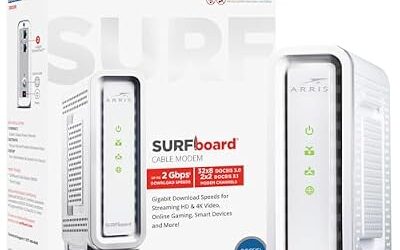
- Combo: one device with both. Sources mention the ARRIS G34 for gigabit plans, the ARRIS SBG8300 and the NETGEAR CAX30 as combos used with Spectrum.
Sources disagree on whether customer-owned modems are allowed on Spectrum: one guide says only provider modems are activated, while others list owned DOCSIS 3.1 models. Because of that conflict, check Spectrum’s list of compatible and approved modems and routers, and call Spectrum if you are unsure.
Best Modem Routers for Spectrum
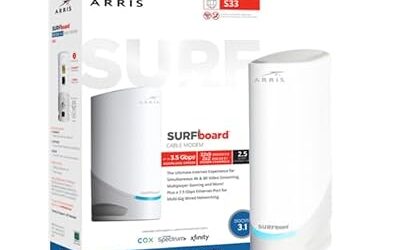
If you want a single box, the best modem routers for Spectrum are the DOCSIS 3.1 combos that sources mention: the ARRIS G34 for gigabit plans, the ARRIS SBG8300 and the NETGEAR Nighthawk CAX30. The usual caution applies. A combo’s Wi-Fi hardware cannot be upgraded on its own, and a combo may not be on Spectrum’s approved list. A separate router behind the provider’s modem gives you better Wi-Fi and a simpler path to upgrades.
Budget Picks: Best Routers to Use With Spectrum on a Small Plan
TP-Link Archer AX21 – Best for Light Plans
Specs: Wi-Fi 6 · dual-band AX1800 class · gigabit ports.
The Archer AX21 appears in Spectrum router roundups as a low-cost Wi-Fi 6 option. It suits an apartment, a few devices and a plan of a couple hundred megabits. It lacks range for large homes and multi-gig ports for faster plans.

TP-Link AX1800 WiFi 6 Router (Archer AX21 V5) | Dual Band Wireless Internet, Gigabit, Easy Mesh, Works with Alexa - A Certified for Humans Device
Included for 'Best Routers for Spectrum Internet in 2026' as a representative home product in this roundup; selection reflects the product set returned for this topic.
View on AmazonASUS RT-AX57 – Best for Budget Wi-Fi 6 With ASUS Software
Specs: Wi-Fi 6 · dual-band AX3000 class · gigabit ports · AsusWRT and AiProtection per the maker.
The RT-AX57 is mentioned among Spectrum router picks. It brings ASUS features such as AiMesh support, which lets you add a compatible ASUS router later.
Mid-Range Picks: Best Routers for a Spectrum Plan of 300, 500 or 1 Gig
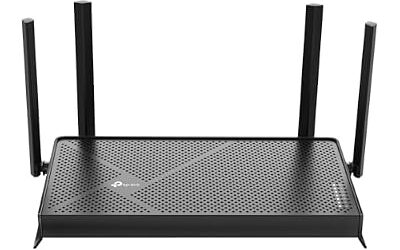
TP-Link Archer AX73 – Best for 300 and 500 Mbps Plans
Specs: Wi-Fi 6 · dual-band AX5400 class · gigabit ports · about 2,500 sq ft rating per one source.
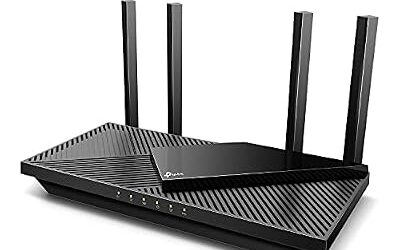
A Spectrum router guide names the Archer AX73 as best for the 300 and 500 Mbps plans. It offers enough Wi-Fi 6 capacity for a family and a coverage rating suitable for a mid-size home, though coverage figures vary with walls and layout.

TP-Link AX5400 WiFi 6 Router (Archer AX73) | Dual Band Gigabit Wireless Internet Router for Streaming, Long Range Coverage
Included for 'Best Routers for Spectrum Internet in 2026' as a representative home product in this roundup; selection reflects the product set returned for this topic.
View on AmazonASUS RT-AX86U Pro – Best for Gigabit Plans and Larger Homes
Specs: Wi-Fi 6 · AX5700 class · 2.5G WAN port · AsusWRT with traffic-priority tools · about 3,000 sq ft per one source.
The same guide lists it for large homes and gig plans. The 2.5G WAN port gives headroom above a gigabit connection if the modem has a matching port. It also helps gamers through ASUS’s priority features.
TP-Link Archer BE400 – Best for Entry Wi-Fi 7
Specs: Wi-Fi 7 · dual-band · 2.5G ports per the maker.
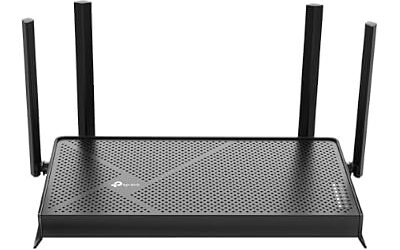
Sources list the BE400 among Wi-Fi 7 options for Spectrum. It is for people who already have Wi-Fi 7 devices or want some future-proofing, without a tri-band design.

TP-Link BE6500 Dual-Band WiFi 7 Router (BE400) | Dual 2.5Gbps Ports, USB 3.0, Covers up to 2,400 sq. ft., 90 Devices, Quad-Core CPU, HomeShield, Private IoT
Included for 'Best Routers for Spectrum Internet in 2026' as a representative home product in this roundup; selection reflects the product set returned for this topic.
View on AmazonBest Mesh Routers for Spectrum
Mesh makes sense when a single router cannot reach every room. A mesh system plugs into the Spectrum modem as a router and adds satellite nodes. Use Ethernet backhaul if you can.
TP-Link Deco XE75 – Best for Wi-Fi 6E Mesh
Specs: Wi-Fi 6E mesh · tri-band · 6 GHz band · sold as multi-packs.
Tom’s Guide recommends the Deco XE75 as its Wi-Fi 6E mesh system. It suits a mid-size or large home with a plan up to gigabit and Wi-Fi 6E devices.

TP-Link Deco XE75 AXE5400 Tri-Band WiFi 6E Mesh System, 2-Pack | Whole Home WiFi Router Replacement, Covers up to 5500 Sq.Ft, Gaming & Streaming WiFi, 6GHz Band, WPA3, AI-Driven
Included for 'Best Routers for Spectrum Internet in 2026' as a representative home product in this roundup; selection reflects the product set returned for this topic.
View on AmazonPremium Picks: Best Wi-Fi 7 Routers for Spectrum
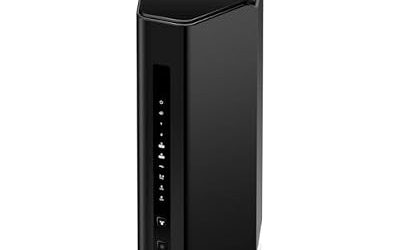
NETGEAR Nighthawk BE9300 – Best for Wi-Fi 7 on Fast Plans
Specs: Wi-Fi 7 · tri-band BE9300 class · multi-gig port per the maker.
Sources list the Nighthawk BE9300 among Wi-Fi 7 options for Spectrum, and Cybernews lists the Nighthawk RS700S as a larger Wi-Fi 7 alternative. Check Netgear’s page for exact port counts.

NETGEAR Nighthawk WiFi 7 Router RS300, Up to 2,500 sq ft, 9.3 Gpbs | Reliable Performance, Easy Set Up, 100 devices, 2× 2.5G + 2× Gigabit Ports, Tri Band, BE9300
Included for 'Best Routers for Spectrum Internet in 2026' as a representative home product in this roundup; selection reflects the product set returned for this topic.
View on AmazonTP-Link Deco BE63 – Best for Wi-Fi 7 Mesh
Specs: Wi-Fi 7 mesh · BE10000 class · 2.5G ports on each unit per the maker.
RTINGS names the Deco BE63 as the best router for streaming, and Tom’s Guide picks it as its Wi-Fi 7 mesh system for most users. For a large Spectrum home with many devices it is a leading mesh choice.

TP-Link Deco 7 Pro BE63 Tri-Band WiFi 7 BE10000 Whole Home Mesh System | 6-Stream 10 Gbps, 4x2.5G Ports Wired Backhaul, 4x Smart Internal Antennas, VPN, HomeShield (2-Pack)
Included for 'Best Routers for Spectrum Internet in 2026' as a representative home product in this roundup; selection reflects the product set returned for this topic.
View on AmazonWireless Router for Spectrum: Coverage and Placement Tips
- Place the router centrally and high, away from the modem if your cable run allows it.
- Connect the router’s WAN port to the modem’s LAN port with Ethernet.
- Restart the modem and router after connecting so the modem registers the new router.
- Use separate network names for 2.4 GHz and 5 GHz if you want control over device bands.
- Update the router’s firmware and enable auto-update where available.
Pick X If… Decision Table
| Pick this | If |
|---|---|
| TP-Link Archer AX21 | You have a light plan and few devices |
| ASUS RT-AX57 | You want a budget router with ASUS features |
| TP-Link Archer AX73 | You have a 300 to 500 Mbps plan |
| ASUS RT-AX86U Pro | You have a gigabit plan or a larger home |
| TP-Link Archer BE400 | You want entry Wi-Fi 7 |
| TP-Link Deco XE75 | You need mesh coverage with Wi-Fi 6E |
| NETGEAR Nighthawk BE9300 | You want a tri-band Wi-Fi 7 router |
| TP-Link Deco BE63 | You want a Wi-Fi 7 mesh for a large home |
Alternatives Worth Considering
NETGEAR Nighthawk RS700S – Best for a Premium Wi-Fi 7 Router
Cybernews lists it for Spectrum as a Wi-Fi 7 pick. It sits at a higher tier than the Archer BE400.

NETGEAR Nighthawk WiFi 7 Router RS700S, Up to 3,500 sq ft, 19 Gbps | Reliable Performance, Easy Set Up, 200 devices, 1× 10G + 3× Gigabit Ports, Tri Band, BE19000
Included for 'Best Routers for Spectrum Internet in 2026' as a representative home product in this roundup; selection reflects the product set returned for this topic.
View on AmazonARRIS SURFboard G34 – Best Combo for a Gig Plan
A guide lists the G34 for gig plans as a modem-router. Confirm approval with Spectrum.

ARRIS Surfboard G34 DOCSIS 3.1 Cable Modem & Wi-Fi 6 Router | AX3000 | Up to 1 Gbps plans; AX3000 Wi-Fi 6 covers up to 2,500 sq ft; four 1 GbE ports; works with Xfinity, Cox, Spectrum.
Included for 'Best Routers for Spectrum Internet in 2026' as a representative home product in this roundup; selection reflects the product set returned for this topic.
View on AmazonNETGEAR Nighthawk CAX30 – Best Combo for Modest Plans
Sources list this DOCSIS 3.1 and Wi-Fi 6 combo for Spectrum. Check whether it fits your plan tier.

NETGEAR Nighthawk DOCSIS 3.1 Modem Router Combo CAX30, WiFi 6, 2.7 Gbps | Multi-Gig, Reliable Performance, Guided Set Up, 4× Gig Ports, Xfinity/Spectrum/Cox Compatible, Dual-band, Free Expert Help
Included for 'Best Routers for Spectrum Internet in 2026' as a representative home product in this roundup; selection reflects the product set returned for this topic.
View on AmazonBest Wi-Fi Routers for Spectrum by Home Size
Home size and layout matter as much as plan speed. Maker coverage figures are estimates, so treat them as a guide.
- Apartment or small home: the TP-Link Archer AX21 or ASUS RT-AX57 is enough, placed near the centre of the living area.
- Mid-size home: the TP-Link Archer AX73 covers roughly 2,500 square feet per one guide, which suits many two-storey layouts if placed centrally.
- Large home: the ASUS RT-AX86U Pro is rated for about 3,000 square feet in the same guide, and a mesh kit such as the Deco XE75 or Deco BE63 is the better answer when walls, floors or a long layout break up the signal.
| Plan size | Router suggestion | Note |
|---|---|---|
| Around 300 Mbps | TP-Link Archer AX73 | Gigabit ports are enough |
| Around 500 Mbps | TP-Link Archer AX73 or Deco XE75 | Mesh if rooms are far apart |
| Gigabit | ASUS RT-AX86U Pro | 2.5G WAN helps if the modem has a matching port |
| Gigabit with many Wi-Fi 7 devices | NETGEAR Nighthawk BE9300 or Deco BE63 | Wi-Fi 7 gains need Wi-Fi 7 clients |
Spectrum Cable Routers: Modem Compatibility Checklist
Whether you search for the best cable routers for Spectrum or the best Spectrum approved routers, the same checklist applies, because the cable modem is what Spectrum approves and the router sits behind it.
- Confirm which modem you will use: Spectrum’s own, or a customer-owned model on Spectrum’s compatible list.
- If you use a combo unit, confirm it is listed as compatible and certified for your plan speed.
- Choose a router whose WAN port matches the modem’s Ethernet port speed, for example a 2.5G WAN port for a 2.5G modem on a fast plan.
- Connect the router to the modem, restart both, and sign in to the router’s admin page to finish setup.
- If something does not connect, call Spectrum to check the line and your equipment’s status.
Spectrum does not generally publish an approved router list for routers behind its modem, so the practical check is that the router works as a standard Ethernet router. Where a guide describes a router as Spectrum approved, treat that as the guide’s wording and rely on Spectrum’s own pages for confirmation.
Common Spectrum Router Problems and Fixes
- Router shows no internet. Restart the modem first, wait for it to finish connecting, then restart the router.
- Slow Wi-Fi in far rooms. Move the router, switch to 5 GHz or 6 GHz near the device, or add a mesh node.
- Devices drop after a change. Update firmware and confirm that the network name and password were reused on the new router.
- Double NAT with a combo. If you use a combo and a separate router, set the combo to bridge mode if its manual supports it.
Own Router vs Spectrum Router: Quick Comparison
| Factor | Own router | Spectrum router |
|---|---|---|
| Monthly cost | No rental fee, purchase price upfront | Monthly fee reported for its Wi-Fi 6 router |
| Wi-Fi hardware | You choose and can upgrade | Set by the provider |
| Features | Gaming, VPN, mesh options by brand | Basic, with Spectrum app tools |
| Support | Spectrum may not troubleshoot it | Supported by Spectrum |
What to Look for in a Router for Spectrum
Choose the Wi-Fi standard that matches your devices, not the biggest number. Wi-Fi 6 is a safe mid-range target for most homes. Wi-Fi 6E and Wi-Fi 7 help when you own newer phones and laptops. A 2.5G WAN port pays off only when the modem and plan both exceed gigabit speeds. Look for regular firmware updates from the maker, a guest network for visitors, and parental controls if children use the network. If you play games or work from home, traffic-priority tools and Ethernet ports help. Mesh is worth the extra cost when rooms are far from the modem, and a single strong router is simpler in a compact home. The wiring in your home also matters: if the cable outlet is in a corner, an Ethernet run to a better location can improve coverage more than a more expensive router.
Security and Maintenance Tips
A router is the front door to your network, so basic upkeep matters. Change the default admin password when you set it up, and use WPA3 or WPA2 with a strong passphrase for the Wi-Fi network. Turn on automatic firmware updates where the maker offers them, and switch off remote administration unless you need it. Keep a guest network for visitors and smart-home gadgets so they stay apart from your computers. Review the maker’s support page now and then to see whether your model still receives updates, because an unsupported router is a good reason to upgrade. If your router starts to run warm, drop connections or reboot on its own, consult the maker’s manual or support, and never open the unit while it is plugged in.
Finally, remember that the router is only one part of the chain. The modem, the cabling and the wall outlet all affect the result, so if speeds are far below your plan over Ethernet, ask Spectrum to check the line before replacing the router.
Frequently Asked Questions
What is the best router for Spectrum?
The TP-Link Archer AX73 suits 300 to 500 Mbps plans and the ASUS RT-AX86U Pro suits gigabit homes. For Wi-Fi 7 look at the NETGEAR Nighthawk BE9300 or TP-Link Archer BE400.
Can I use my own router with Spectrum?
Yes, everyone agrees your own router works behind a Spectrum modem. Spectrum supports its modem and your connection but may not troubleshoot third-party routers.
Can I use my own modem with Spectrum?
Sources disagree, and some say only provider modems are activated. Check Spectrum’s compatible device information or call Spectrum before buying a modem.
What is the best mesh router for Spectrum?
The TP-Link Deco XE75 suits Wi-Fi 6E homes and the Deco BE63 suits Wi-Fi 7 homes. Use Ethernet backhaul where possible to improve reliability.
Do I need a Spectrum-approved router?
Spectrum does not generally require a specific router model for use behind its modem, but check its list and support pages. If a router is not listed, ask Spectrum for confirmation.
Which router is best for a 300 or 500 Mbps Spectrum plan?
A guide names the TP-Link Archer AX73 for 300 and 500 Mbps plans. A budget Wi-Fi 6 model is enough because those plans do not need multi-gig ports.