🛒 Best Price Today on Amazon
Prime members get fast, free shipping on everything above, plus member-only deals. New members get a 30-day free trial — cancel anytime.
- Best Modem Router Combos for Gaming Compared
- ARRIS SURFboard G54 – Best Overall
- NETGEAR Nighthawk CAX80 – Best High-End WiFi 6 Option
- Motorola MG8725 – Best for Multi-Gig Gaming
- ARRIS SURFboard G36 – Best Balanced Option
- NETGEAR Nighthawk CAX30S – Best Mainstream Option
- How to Choose the Best Modem Router Combo for Gaming
- FAQ
- Conclusion

TP-Link AXE5400 Tri-Band WiFi 6E Router, 2025 PCMag Editors' Choice | 2.5Gbps WAN Port for Gaming & Streaming, 6GHz Band, 160MHz, OneMesh, Dual-Core CPU, VPN & WPA3 (Archer AXE75)
Included for 'Best Modem Router Combo for Gaming: Top Picks in 2026' because the listing specifies 2025 PCMag Editors' Choice and 2.5Gbps WAN Port for Gaming & Streaming, details this guide uses to compare options.
View on Amazon
TP-Link Tri-Band AXE5400 Wi-Fi 6E Gaming Router 6-Stream, Archer GXE75 | 5.4 Gbps, 1x2.5G + 4x1G Ports, USB 3.0, Exclusive Acceleration, Gaming Port & Panel, RGB Lighting, EasyMesh, HomeShield
Included for 'Best Modem Router Combo for Gaming: Top Picks in 2026' because the listing specifies Archer GXE75 and 5.4 Gbps, details this guide uses to compare options.
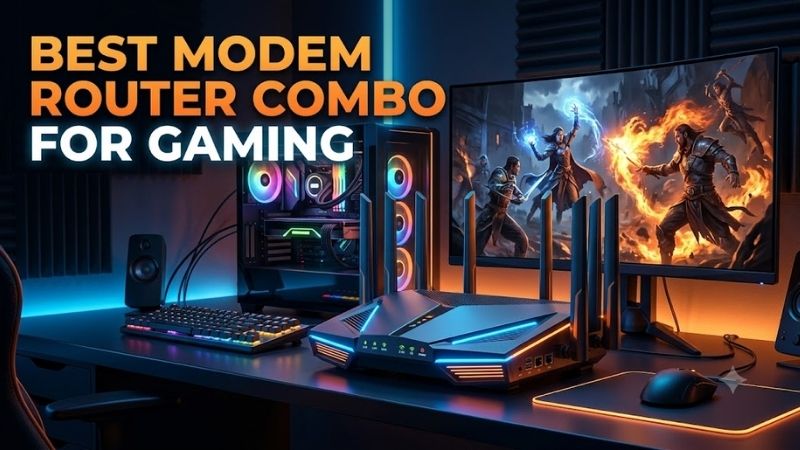
View on AmazonThe best modem router combo for gaming should deliver stable DOCSIS 3.1 connectivity, reliable WiFi, and enough Ethernet speed for a gaming PC or console. An all-in-one gateway saves space and removes a separate device, but ISP compatibility, Ethernet ports, wireless generation, and your internet plan matter more than headline speed.
Best Modem Router Combos for Gaming Compared
| Modem Router Combo | Best For | Modem | WiFi | Fastest Ethernet |
|---|---|---|---|---|
| ARRIS SURFboard G54 | Best Overall | DOCSIS 3.1 | WiFi 7 BE18000 | 10Gbps |
| NETGEAR Nighthawk CAX80 | High-End WiFi 6 Gaming | DOCSIS 3.1 | WiFi 6 AX6000 | 2.5Gbps |
| Motorola MG8725 | Multi-Gig Gaming | DOCSIS 3.1 | WiFi 6 AX6000 | 2.5Gbps |
| ARRIS SURFboard G36 | Best Balanced Option | DOCSIS 3.1 | WiFi 6 AX3000 | 2.5Gbps |
| NETGEAR Nighthawk CAX30S | Mainstream Gaming | DOCSIS 3.1 | WiFi 6 AX2700 | 1Gbps |
A modem router combo combines the cable modem, router, Ethernet switch, and wireless access point in one enclosure. That reduces cables and simplifies setup, but it also means both networking functions are upgraded together. Gamers should therefore choose enough modem and router capacity for several years rather than focusing only on today’s broadband speed.
These recommendations are designed for cable internet connections using coaxial service. They are not replacements for fiber ONTs, DSL modems, or cellular gateways. Cable providers also maintain their own approved-device lists, so always verify the exact model against your ISP and service tier before buying or activating a modem router combo.
ARRIS SURFboard G54 – Best Overall
Best For: Multi-gig cable plans and gamers moving to WiFi 7
The ARRIS SURFboard G54 combines a DOCSIS 3.1 cable modem with BE18000 WiFi 7 and is the most forward-looking option in this roundup. ARRIS lists one 10Gbps Ethernet port plus four Gigabit Ethernet ports, giving a gaming PC or high-speed network device access to substantially more wired bandwidth than ordinary Gigabit gateways.
Its wireless hardware uses four bands across 2.4 GHz, two 5 GHz radios, and 6 GHz. The 6 GHz connection is particularly relevant for compatible gaming laptops and other modern clients because it provides additional spectrum away from older WiFi devices. ARRIS specifies BE18000-class wireless capability and coverage up to 5,000 square feet.
Key Features
- DOCSIS 3.1 cable modem
- BE18000 WiFi 7
- Quad-band wireless design
- 2.4 GHz, dual 5 GHz, and 6 GHz bands
- One 10Gbps Ethernet port
- Four Gigabit Ethernet ports
- 32×8 DOCSIS 3.0 fallback channels
- 2×2 OFDM DOCSIS 3.1 channels
- SURFboard Central app
- No digital voice support
What Makes It Different
The 10Gbps Ethernet port is the G54’s biggest gaming advantage. Online games themselves require little bandwidth, so 10GbE does not automatically reduce ping. However, the port removes a Gigabit bottleneck when paired with multi-gig cable service, fast local storage, or a high-end PC that handles downloads and large transfers alongside gaming.
WiFi 7 also gives the G54 greater wireless headroom than the WiFi 6 gateways below. However, independent testing has noted that the G54 does not expose Multi-Link Operation despite its WiFi 7 positioning. Buyers should therefore view its 6 GHz capability and higher wireless capacity as the main benefits rather than assuming every WiFi 7 feature is available.
Pros
- DOCSIS 3.1
- WiFi 7 with 6 GHz
- 10Gbps Ethernet
- Four additional LAN ports
- Strong option for multi-gig cable
- Suitable for modern WiFi clients
- All-in-one installation
Cons
- Four secondary Ethernet ports are limited to 1Gbps
- No digital voice support
- WiFi 7 clients are required to exploit newer wireless capability
- MLO is not exposed in current independent testing
Use Case
The G54 makes the most sense when a cable provider offers service above Gigabit speeds and the gaming PC already has 2.5GbE, 5GbE, or 10GbE networking. A desktop can use the 10Gbps port while consoles, televisions, and secondary PCs use the four Gigabit connections, leaving WiFi 7 for laptops and portable gaming devices.
Who It’s For
Choose the G54 if you want a single cable gateway with modern wireless technology and enough Ethernet capability to move beyond 1Gbps. It is less compelling for an inexpensive 300Mbps or 500Mbps plan, where its 10GbE and WiFi 7 hardware would provide limited practical advantage over a capable DOCSIS 3.1 WiFi 6 gateway.
NETGEAR Nighthawk CAX80 – Best High-End WiFi 6 Option
Best For: Gamers who want AX6000 WiFi and 2.5GbE
The NETGEAR Nighthawk CAX80 combines DOCSIS 3.1 with dual-band AX6000 WiFi 6. NETGEAR rates the 2.4 GHz radio at up to 1.2Gbps and the 5 GHz radio at up to 4.8Gbps using 160 MHz channels. This gives compatible WiFi 6 gaming devices substantial local wireless capacity without requiring a newer WiFi 7 adapter.
Wired connectivity includes one 2.5Gbps Ethernet port and four Gigabit LAN ports. NETGEAR also supports two-port Gigabit aggregation. The 2.5GbE connection is especially useful for modern gaming motherboards, many of which already include 2.5Gbps network controllers, while the remaining ports can connect consoles and other fixed devices.
Key Features
- DOCSIS 3.1 cable modem
- AX6000 WiFi 6
- Dual-band wireless
- 160 MHz 5 GHz support
- One 2.5Gbps Ethernet port
- Four Gigabit Ethernet ports
- Ethernet port aggregation
- USB 3.0
- 1.5 GHz dual-core processor
- OFDMA support
- Nighthawk app management
What Makes It Different
The CAX80 provides a useful compromise between high wireless capacity and multi-gig wired gaming. Unlike gateways limited entirely to Gigabit LAN, the dedicated 2.5Gbps port can connect a gaming desktop without immediately capping local networking at 1Gbps. The remaining Gigabit interfaces still provide straightforward wired connectivity for other home devices.
NETGEAR specifies DOCSIS 3.1 with 2×2 OFDM plus 32×8 DOCSIS 3.0 channel bonding. The company lists compatibility with major cable providers but still instructs buyers to verify service-tier support with their ISP. The gateway is also not intended for cable plans that require bundled voice service.
Pros
- Fast AX6000 WiFi 6
- 2.5Gbps Ethernet port
- Four additional Gigabit ports
- DOCSIS 3.1 support
- 160 MHz 5 GHz channels
- Ethernet aggregation
- USB storage support
Cons
- No 6 GHz band
- No WiFi 7
- Only one native 2.5GbE connection
- Not compatible with bundled cable voice service
Use Case
The CAX80 fits a gaming home where the primary desktop connects through 2.5GbE while phones, gaming laptops, and streaming devices use WiFi 6. Its AX6000 capacity is particularly useful when several devices operate simultaneously, although wired Ethernet remains preferable for a stationary competitive gaming PC whenever cabling is practical.
Who It’s For
Consider the CAX80 if your clients are primarily WiFi 6 and you do not need WiFi 7 yet. It is also attractive for users with roughly Gigabit or multi-gig cable service who want one high-speed wired connection. Owners of many 2.5GbE devices may eventually need a separate multi-gig Ethernet switch.
Motorola MG8725 – Best for Multi-Gig Gaming
Best For: Gamers who want AX6000 WiFi plus a dedicated 2.5Gbps LAN connection
The Motorola MG8725 combines a DOCSIS 3.1 modem with an AX6000 WiFi 6 router. Its rear panel provides four Ethernet LAN connections, with LAN 4 supporting 2.5Gbps networking. That allows a compatible gaming PC to exceed Gigabit Ethernet while keeping three additional wired ports available for consoles or other network equipment.
A 2.5Gbps port is meaningful when the internet plan exceeds 1Gbps or when local network transfers share the same infrastructure. It does not make game packets require more bandwidth, but it prevents the Ethernet interface itself from becoming the first speed limitation when large game downloads, backups, or other network tasks occur.
Key Features
- DOCSIS 3.1 modem
- AX6000 WiFi 6 router
- Four Ethernet LAN ports
- One 2.5Gbps LAN connection
- Coaxial cable input
- WPS support
- MotoSync management
- Integrated modem and router design
What Makes It Different
The MG8725 provides a gaming-friendly combination without moving into WiFi 7 pricing or complexity. AX6000 WiFi supplies ample wireless capacity for modern WiFi 6 hardware, while the 2.5GbE connection gives the main gaming system a faster wired path. That makes the feature balance more important than its theoretical wireless number.
The four-port layout also avoids forcing every stationary gaming device onto wireless. A desktop can receive the fastest LAN connection while consoles, a television, or another PC remain wired. For gaming rooms containing several fixed systems, that physical Ethernet availability is often more useful than chasing additional theoretical wireless throughput.
Pros
- DOCSIS 3.1
- AX6000 WiFi 6
- 2.5Gbps Ethernet
- Four total LAN ports
- Suitable for wired desktop gaming
- All-in-one footprint
Cons
- No 6 GHz band
- No WiFi 7
- Only one multi-gig Ethernet port
- ISP support should be confirmed before purchase
Use Case
The MG8725 is useful when a gaming PC remains wired but other household devices depend heavily on WiFi. The 2.5Gbps LAN connection can serve the main desktop, while WiFi 6 handles laptops, handhelds, phones, and streaming systems. This division keeps the most latency-sensitive stationary device away from normal wireless interference.
Who It’s For
Choose the MG8725 if AX6000 WiFi is sufficient and one 2.5GbE connection covers your multi-gig needs. It fits a straightforward cable gaming setup better than users building a broader 10GbE network. As with every customer-owned modem, verify that your cable provider supports the exact model before replacing rented equipment.
ARRIS SURFboard G36 – Best Balanced Option
Best For: Gigabit and multi-gig cable plans that do not need WiFi 7
The ARRIS SURFboard G36 combines DOCSIS 3.1 with dual-band AX3000 WiFi 6. ARRIS equips it with one 2.5Gbps Ethernet connection plus four Gigabit Ethernet ports and rates the gateway for cable plans up to 2.5Gbps. Its combination of multi-gig Ethernet and mainstream WiFi 6 makes it a balanced gaming option.
AX3000 wireless is less aggressive than AX6000 or WiFi 7 alternatives, but online gaming rarely requires extreme throughput. Stable signal quality and wired connectivity matter more. If the main gaming PC uses the 2.5Gbps port, WiFi can be reserved for mobile devices and systems where installing Ethernet would be inconvenient.
Key Features
- DOCSIS 3.1
- AX3000 WiFi 6
- Dual-band wireless
- One 2.5Gbps Ethernet port
- Four Gigabit Ethernet ports
- Designed for cable plans up to 2.5Gbps
- SURFboard Central management
- No digital voice capability
What Makes It Different
The G36 avoids paying specifically for WiFi 7 while retaining the networking feature that many gamers can use immediately: 2.5GbE. If a desktop already has a 2.5Gbps motherboard port, the gateway can provide a direct wired connection without requiring a separate router purely to move beyond Gigabit Ethernet.
ARRIS also lists the G36 among its current WiFi cable-modem lineup, with support for major U.S. cable providers. However, ISP approval can vary by model and service configuration. Buyers should confirm compatibility before ordering, particularly on multi-gig tiers where providers may restrict which customer-owned modems they provision.
Pros
- DOCSIS 3.1
- 2.5Gbps Ethernet
- Four additional Gigabit ports
- WiFi 6
- Straightforward all-in-one design
- Sensible fit for Gigabit-class gaming
Cons
- Slower wireless class than AX6000 models
- No 6 GHz
- No WiFi 7
- No cable voice support
Use Case
The G36 is a practical match for a wired gaming desktop on a fast cable plan where the household still needs capable WiFi for everyday devices. It offers considerably more wired flexibility than gateways with only Gigabit interfaces without requiring a WiFi 7 ecosystem to justify the purchase.
Who It’s For
Consider the G36 if you prioritize 2.5GbE, DOCSIS 3.1, and dependable WiFi 6 rather than maximum specifications. It makes more sense for a conventional gaming household than a user buying WiFi 7 laptops, 10GbE storage, and several multi-gig devices that would quickly exceed its available port speeds.
NETGEAR Nighthawk CAX30S – Best Mainstream Option
Best For: Gaming on cable plans around Gigabit speeds or below
The NETGEAR Nighthawk CAX30S combines DOCSIS 3.1 with dual-band AX2700 WiFi 6. NETGEAR specifies up to 900Mbps on 2.4 GHz and 1.8Gbps on 5 GHz, using six-stream connectivity. It is less powerful than the CAX80 but keeps the same basic all-in-one approach for users who do not need multi-gig LAN ports.
Four Gigabit Ethernet ports allow a gaming PC and several consoles or other fixed devices to remain wired. The CAX30S also supports dual-port Gigabit aggregation and includes a USB 3.0 connection. For a typical sub-Gigabit or Gigabit cable plan, those features can be sufficient without paying for unused 2.5GbE or 10GbE hardware.
Key Features
- DOCSIS 3.1 cable modem
- AX2700 WiFi 6
- Dual-band wireless
- Four Gigabit LAN ports
- Two-port Ethernet aggregation
- USB 3.0
- 1.5 GHz dual-core processor
- OFDMA
- Nighthawk app
- NETGEAR Armor support
What Makes It Different
The CAX30S is primarily about matching hardware to a less demanding network. Not every gaming household benefits from 10GbE, WiFi 7, or 6 GHz. A wired gaming desktop on a 500Mbps or Gigabit cable plan can perform perfectly well through standard Gigabit Ethernet when the internet connection itself does not exceed that interface.
Its limitation becomes obvious when upgrading above Gigabit service. Although port aggregation can help in compatible scenarios, individual client connectivity remains centered on Gigabit interfaces. Gamers expecting a future 2Gbps or faster cable plan should therefore consider a model with a native 2.5GbE or faster LAN connection instead.
Pros
- DOCSIS 3.1
- WiFi 6
- Four Gigabit LAN ports
- USB 3.0
- Ethernet aggregation
- Adequate for mainstream gaming plans
- Simple all-in-one setup
Cons
- No 2.5Gbps LAN port
- No 6 GHz band
- Lower wireless capacity than premium models
- Not ideal for multi-gig client connections
Use Case
The CAX30S works best when the gaming PC uses wired Gigabit Ethernet and the broadband plan remains within that practical range. WiFi 6 provides enough capacity for household mobile devices and streaming, while four Ethernet ports keep consoles and desktops away from wireless whenever stable cabling is available.
Who It’s For
Choose the CAX30S if you want DOCSIS 3.1 and WiFi 6 without paying for networking speeds your current devices cannot use. It is less future-focused than the G54 or CAX80, but its simpler specification can be perfectly appropriate for households where the cable plan and client hardware remain at Gigabit speeds.
How to Choose the Best Modem Router Combo for Gaming
Confirm ISP Compatibility First
A technically superior cable modem is useless if your provider will not activate it. Cable operators maintain approved modem lists because devices require compatible provisioning and network support. Before ordering, check the exact model number against your ISP rather than assuming all DOCSIS 3.1 gateways work on every cable service.
Compatibility also varies by plan. A modem approved for a lower tier may not be provisioned for the provider’s fastest service. Voice bundles introduce another issue because many retail modem router combos, including several models above, do not support cable telephone service. Confirm both internet speed and voice requirements before replacing rented equipment.
Choose DOCSIS 3.1
DOCSIS 3.1 should be the baseline for a new gaming cable gateway. It improves capacity compared with older DOCSIS 3.0 hardware and is used for current high-speed cable tiers. It also gives more upgrade headroom if your provider increases speeds later, making an older DOCSIS 3.0 purchase difficult to justify for a new high-performance setup.
DOCSIS technology does not determine your game-server latency by itself. Ping still depends on the provider network, local congestion, routing, server location, and connection quality. A newer modem is primarily about supporting the service correctly and avoiding an outdated gateway becoming the bottleneck in an otherwise fast home network.
Prioritize Ethernet for Competitive Gaming
A gaming desktop or console should generally use Ethernet when practical. Wired networking removes common wireless variables such as neighboring networks, physical obstructions, signal strength, and band switching. Even sophisticated WiFi cannot guarantee that the radio environment around your house will remain unchanged during a competitive match.
You also do not need 10GbE simply to play games. Gigabit Ethernet already exceeds the bandwidth requirements of normal online gaming by a wide margin. Multi-gig ports become useful when the internet plan itself exceeds 1Gbps, game downloads are very large, or the PC also moves files to high-speed local storage.
Match WiFi to Your Devices
WiFi 7 only provides its newest capabilities when compatible clients connect to the network. A WiFi 6 gaming laptop will not become WiFi 7 merely because the modem router supports a newer standard. Check your motherboard, laptop, handheld, and phone adapters before paying substantially more for advanced wireless hardware.
WiFi 6 remains highly capable for many gaming households. WiFi 7 becomes more attractive when purchasing new high-end hardware, using the 6 GHz band, or planning to keep the gateway through several client upgrades. The router should match both current equipment and realistic upgrade plans rather than a theoretical maximum specification.
Look Beyond Maximum WiFi Speed
Numbers such as AX3000, AX6000, and BE18000 combine theoretical wireless capacity and do not represent the speed one gaming device will receive. Client radio capability, channel width, distance, interference, building materials, and network activity can all reduce actual throughput below the number printed on the product specifications.
For online gaming, consistency matters more than a peak speed-test result. A strong wired connection or stable nearby WiFi link can provide a better experience than a router with a much larger aggregate rating placed several walls away. Router location and network congestion should therefore be treated as part of the purchase decision.
Decide Whether a Combo Is Right for You
Modem router combos simplify installation, require one power outlet, and reduce equipment clutter. They can also eliminate modem rental fees where providers allow customer-owned devices. That convenience makes sense in apartments, bedrooms, and straightforward gaming networks where one gateway can cover the required area without additional equipment.
Separate modems and routers provide more flexibility. You can replace the router when a new WiFi standard arrives without replacing the modem, or upgrade the modem when the ISP changes network requirements. Advanced gamers planning custom mesh networks, sophisticated QoS, or frequent networking upgrades may therefore prefer separate hardware.
FAQ
Is a Modem Router Combo Good for Gaming?
Yes, provided the gateway is compatible with your ISP and has enough wired and wireless capability for your network. A modem router combo does not inherently create more latency than separate equipment. The quality of the modem, router hardware, local congestion, ISP connection, and gaming-device link all influence the experience.
Does a Gaming PC Need 2.5GbE?
Not for ordinary online gaming. Game traffic uses far less than 1Gbps, so a 2.5GbE interface does not automatically lower ping. It becomes useful with internet plans above Gigabit speeds, faster game downloads, local NAS transfers, or other high-bandwidth activities that can exceed a standard Gigabit Ethernet connection.
Is DOCSIS 3.1 Better for Gaming?
DOCSIS 3.1 is the sensible choice for modern cable internet because it supports current high-speed service tiers and improved network capacity. That does not guarantee a specific ping reduction, since game latency depends on many factors outside the modem. It does prevent older modem technology from unnecessarily limiting a fast cable plan.
Is WiFi 7 Necessary for Gaming?
No. WiFi 6 can provide more than enough bandwidth for online gaming. WiFi 7 is valuable for newer clients, increased network capacity, 6 GHz connectivity, and future upgrades, but it cannot fix poor signal placement or ISP latency. A wired Ethernet connection remains a strong choice for stationary competitive gaming systems.
Is a Separate Modem and Router Better?
Separate equipment provides easier upgrades and more router choices, while a combo reduces cables and setup complexity. Neither architecture automatically gives better gaming performance. Users who frequently replace networking equipment may prefer separate devices, while gamers wanting a clean and straightforward cable setup may prefer an integrated gateway.
Will a New Modem Router Lower My Ping?
Not necessarily. Replacing faulty, overloaded, or outdated equipment can improve network consistency, but ping to a game server also depends on ISP routing, network congestion, physical distance, and the server. A premium gateway cannot shorten the internet path between your home and a distant game server.
Conclusion
The best modem router combo for gaming depends on your cable plan and hardware. ARRIS G54 offers WiFi 7 and 10GbE, NETGEAR CAX80 and Motorola MG8725 provide strong AX6000 options, ARRIS G36 balances 2.5GbE with WiFi 6, while the CAX30S suits straightforward Gigabit gaming networks.