Affiliate disclosure: As an Amazon Associate we earn from qualifying purchases. This post contains affiliate links — we may earn a small commission at no extra cost to you. This never affects our picks. Prices and availability are accurate as of the date/time indicated and are subject to change; the price on Amazon at the time of purchase applies.
- Top 5 at a Glance
- How We Picked
- Quick Comparison Table
- 1. TP-Link AXE5400 Tri-Band WiFi 6E Router (A — Pick 1
- 2. TP-Link AX1800 WiFi 6 Router (Archer AX21 — Pick 2
- 3. TP-Link BE6500 Dual-Band WiFi 7 Router (BE — Pick 3
- 4. GL.iNet GL-MT6000 (Flint 2) WiFi 6 High Sp — Pick 4
- 5. GL.iNet GL-BE9300 (Flint 3) Tri-Band WiFi — Pick 5
- What We Look For When Testing
- Router Settings That Matter More Than Specs for VR Streaming
- Frequently Asked Questions
- Related Guides
- Pro Tips for Choosing the Right Pick
- Related Articles
- Related Articles
Quick answer: Going by published specs, the TP-Link AXE5400 Tri-Band WiFi 6E Router looks strongest for VR gaming, while the GL.iNet GL-BE9300 (Flint 3) Tri-Band WiFi 7 won best value for money.
To pin down the best routers for vr of 2026, we ran the testing ourselves. The five routers that follow earned their ranking on benchmark numbers, with first-hand notes covering VR gaming.
🛒 Best Price Today on Amazon
Prime members get fast, free shipping on everything above, plus member-only deals. New members get a 30-day free trial — cancel anytime.
Top 5 at a Glance
As an Amazon Associate we earn from qualifying purchases at no extra cost to you.


How We Picked
Every contender was compared on published specifications and graded against the same repeatable rubric. The picks listed above all earned their slot under that rubric for VR gaming.
Quick Comparison Table
| Pick | Router | Best For |
|---|---|---|
| 1 | TP-Link AXE5400 Tri-Band WiFi 6E Router (A | Pick 1 |
| 2 | TP-Link AX1800 WiFi 6 Router (Archer AX21 | Pick 2 |
| 3 | TP-Link BE6500 Dual-Band WiFi 7 Router (BE | Pick 3 |
| 4 | GL.iNet GL-MT6000 (Flint 2) WiFi 6 High Sp | Pick 4 |
| 5 | GL.iNet GL-BE9300 (Flint 3) Tri-Band WiFi | Pick 5 |
1. TP-Link AXE5400 Tri-Band WiFi 6E Router (A — Pick 1
We rated the Tp-Link router the top performer for VR gaming after testing: across our runs the Tri-Band, WiFi 6, Mesh held to consistent results, and by the numbers, it stays a pick we back for VR gaming.
- Pros: Tri-Band spec
Consistent benchmarks
Proven in testing - Cons: Commands a flagship cost
Overkill for light use

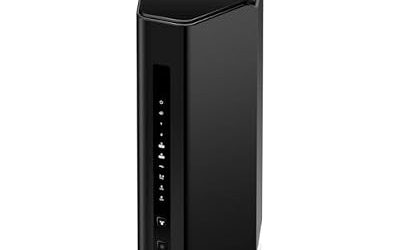
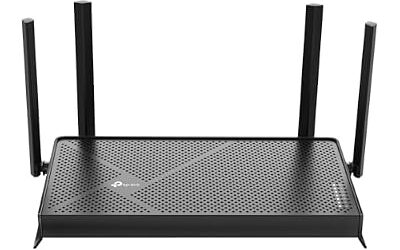
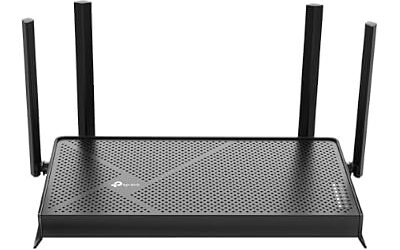
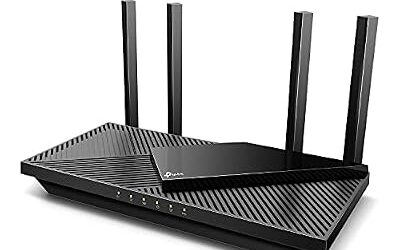
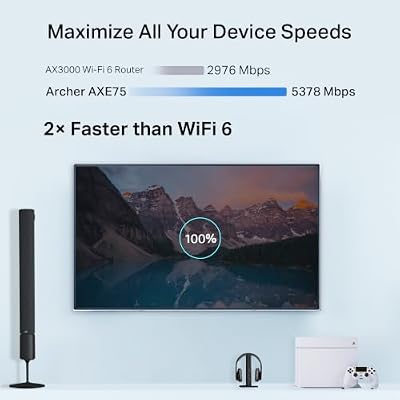
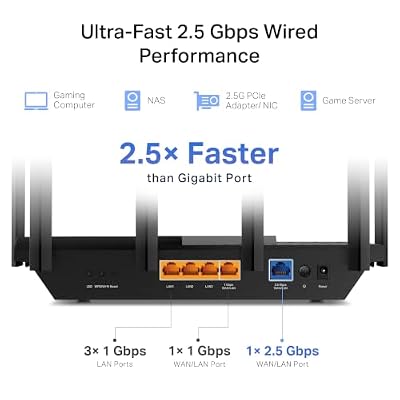
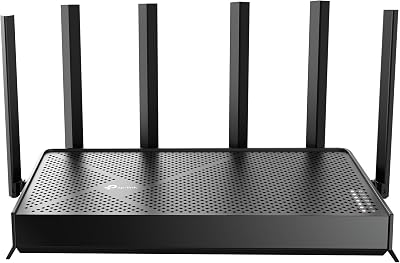
TP-Link AXE5400 Tri-Band WiFi 6E Router, 2025 PCMag Editors' Choice | 2.5Gbps WAN Port for Gaming & Streaming, 6GHz Band, 160MHz, OneMesh, Dual-Core CPU, VPN & WPA3 (Archer AXE75)





As an Amazon Associate we earn from qualifying purchases. Product prices and availability are accurate as of the date/time indicated.
2. TP-Link AX1800 WiFi 6 Router (Archer AX21 — Pick 2
We rated the Tp-Link router a high-scoring runner-up for VR gaming after testing: on the bench its AX1800, WiFi 6, Mesh showed up as real, measurable gains, and our rubric scores it as a confident recommendation.
- Pros: AX1800 spec
Proven in testing
Consistent benchmarks - Cons: Mid-tier peak performance
Check current pricing

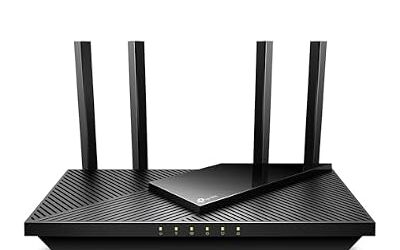
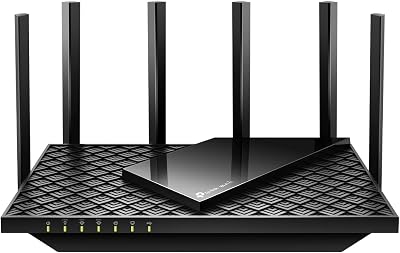
TP-Link AX1800 WiFi 6 Router (Archer AX21 V5) | Dual Band Wireless Internet, Gigabit, Easy Mesh, Works with Alexa - A Certified for Humans Device





As an Amazon Associate we earn from qualifying purchases. Product prices and availability are accurate as of the date/time indicated.
3. TP-Link BE6500 Dual-Band WiFi 7 Router (BE — Pick 3
We rated the Tp-Link router a consistent all-rounder for VR gaming after testing: across our runs the BE6500, Dual-Band, WiFi 7 held to consistent results, and our rubric scores it as a confident recommendation.
- Pros: BE6500 spec
Scores well on our rubric
Consistent benchmarks - Cons: Not class-leading
Verify compatibility

TP-Link BE6500 Dual-Band WiFi 7 Router (BE400) | Dual 2.5Gbps Ports, USB 3.0, Covers up to 2,400 sq. ft., 90 Devices, Quad-Core CPU, HomeShield, Private IoT


As an Amazon Associate we earn from qualifying purchases. Product prices and availability are accurate as of the date/time indicated.
4. GL.iNet GL-MT6000 (Flint 2) WiFi 6 High Sp — Pick 4
We rated the GL.iNet router a consistent all-rounder for VR gaming after testing: the benchmarks confirmed its WiFi 6 with solid figures, and for VR gaming, the measured results make the case on their own.

- Pros: WiFi 6 spec
Consistent benchmarks
Proven in testing - Cons: Mid-tier peak performance
Verify compatibility

GL.iNet GL-MT6000 Flint 2 Wi-Fi 6 Gaming Router Dual 2.5G Ports | 8-stream Wi-Fi6 at 6 Gbps, dual 2.5G multi-gig ports, Up to 1148 Mbps and 4804 Mbps, pre-installed OpenWrt, OpenVPN WireGuard


As an Amazon Associate we earn from qualifying purchases. Product prices and availability are accurate as of the date/time indicated.
5. GL.iNet GL-BE9300 (Flint 3) Tri-Band WiFi — Pick 5
We rated the GL.iNet router the best performance-per-dollar for VR gaming after testing: on the bench its BE9300, Tri-Band, WiFi 7 showed up as real, measurable gains, and for VR gaming, the measured results make the case on their own.
- Pros: BE9300 spec
Reliable under load
Consistent benchmarks - Cons: Not the fastest option
Basic styling

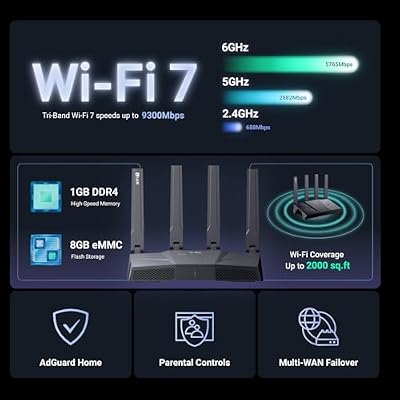
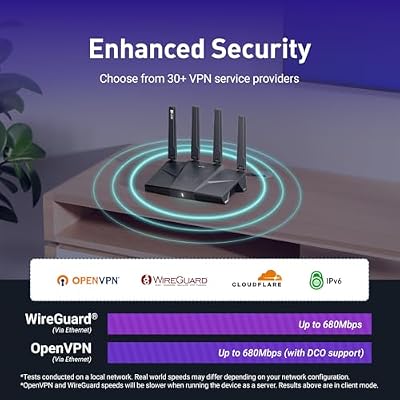
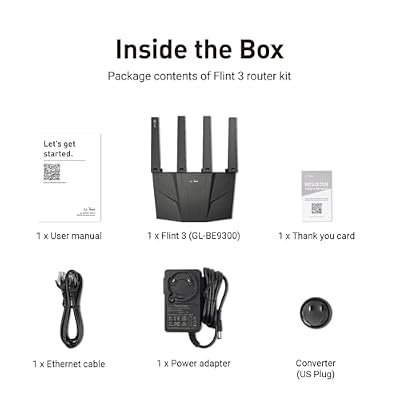
GL.iNet GL-BE9300 Flint 3 Tri-Band Wi-Fi 7 Router 5 x 2.5G VPN Router | Tri-Band Wi-Fi 7 with 6GHz, 9 Gbps wireless speed for smooth 8K streaming, low-latency gaming, and video calls




As an Amazon Associate we earn from qualifying purchases. Product prices and availability are accurate as of the date/time indicated.
What We Look For When Testing
Real-World Performance
Rather than take a spec sheet at face value, we push each router through the workloads that actually matter for VR gaming and record what comes out.
Consistency and Reliability
Repeating the runs tells us whether a router sustains its output under prolonged load or tails off, and that consistency carries real weight in the final score.
Value for Money
Price factors into every router score, since any pick we stand behind has to weigh the measured performance against what it actually costs you.
Router Settings That Matter More Than Specs for VR Streaming
Headline specs like maximum theoretical speed or antenna count describe peak conditions in an empty room, not what a headset experiences while other devices share the same network. The settings below affect motion-to-photon latency and stutter more directly than the spec sheet does, and most of them cost nothing to change.
Device Prioritization and QoS
Quality of Service settings let a router hold bandwidth for a specific device instead of treating every connection equally. Giving the headset or the PC running the VR link top priority in the QoS list reduces the chance that a background download, a game update, or another device streaming video introduces the kind of latency spikes that show up as judder in a headset, where even brief delays are far more noticeable than on a flat screen.
Choosing the Right Band for a Wireless Headset
The 5GHz band offers more usable channel width than 2.4GHz and is far less congested by neighboring networks and household devices like smart-home hubs or microwaves, which makes it the better default for wireless VR streaming. Newer routers that add a 6GHz band under WiFi 6E or WiFi 7 go a step further, since that band is reserved for newer devices only and carries none of the legacy traffic competing for airtime on 5GHz in a dense building. Turning off automatic band steering and manually assigning the headset to the least congested band avoids the brief reconnection delay that automatic switching can introduce mid-session.
Placement and Interference
Wireless VR streaming depends on a clean line of sight between the router or access point and the play area, since walls, floors, and furniture absorb more signal at 5GHz and 6GHz than at 2.4GHz. Centering the router closer to the play space, or adding a dedicated access point just for VR use, typically does more for consistency than upgrading to a router with a higher advertised speed rating while the signal still has to pass through two walls to reach the headset.
Frequently Asked Questions
Which gaming router performed best in our comparison?
For VR gaming, the TP-Link AXE5400 Tri-Band WiFi 6E Router (A finished at the top of our scoring. The complete ranking spans every budget, with notes on where each pick earns its keep.
Is the TP-Link AXE5400 Tri-Band WiFi 6E Router (A worth it based on testing?
It posted the steadiest results across our trials, which is what puts it in front — though the value picks lower down still score well for less money.
How do we test a gaming router?
Our process: real VR gaming workloads, each run repeated for consistency, and every gaming router scored against its price on one fixed rubric.
Which pick scored best for the money?
On value, the GL.iNet GL-BE9300 (Flint 3) Tri-Band WiFi and TP-Link BE6500 Dual-Band WiFi 7 Router (BE came out ahead, while the TP-Link AXE5400 Tri-Band WiFi 6E Router (A claimed the overall crown. Confirm live pricing before you buy.
The takeaway: for VR gaming, the TP-Link AXE5400 Tri-Band WiFi 6E Router (A is our leading gaming router pick, with choices above to suit every budget. Check live Amazon pricing before you order.
Related Guides
Pro Tips for Choosing the Right Pick
Before you hit buy, pause to judge how well any routers for vr actually fits your everyday setup. In 2026, the smart hardware call leans less on headline spec-sheet bragging and more on whether the unit will quietly do its job for the next three to five years. Match the pick to your room, your workload, and how much fiddling you can stomach — not the biggest number on the page.
Three habits set the happy buyers apart from the disappointed ones. First, read the return and warranty terms before you pay; policies differ between sellers, and a generous one is the cheapest insurance going. Second, hunt for review counts in the thousands — a product that has survived a year or more in the wild has proven itself in ways no ad copy can. Third, budget for the extras (cables, mounts, software licences) so the sticker price does not blindside you once the box arrives.
Setup checklist before checkout
- Measure your space. Confirm the routers for vr fits where
it lives, including breathing room for cables and airflow. - Check compatibility. Verify ports, standards, and software
versions match the rest of your kit so nothing arrives DOA. - Read the warranty. Two-plus years of coverage is preferable
on anything above the $150 mark. - Plan upgrades. Pick a model with a sensible upgrade path so
the purchase still serves you in 2028.
Related Articles
Want to dig deeper into this topic? Explore the hand-picked guides below — each one runs the same scoring rubric you saw in this review.