🛒 Best Price Today on Amazon
Prime members get fast, free shipping on everything above, plus member-only deals. New members get a 30-day free trial — cancel anytime.
- Quick Answer: Which Router for Which Buyer
- What “DD-WRT Ready” and “OpenWrt Compatible” Really Mean
- Best Firmware for Routers: DD-WRT vs OpenWrt and Alternatives
- Budget Tier: Cheap Routers That Take OpenWrt Well
- Mid-Range Tier: Best OpenWrt Routers for Power Users
- Premium Tier: Wi-Fi 7 and Homelab Hardware
- Best VPN Routers for DD-WRT and OpenWrt
- Best AC and N Routers for DD-WRT
- Pick X If … Decision Table
- Flashing Risks, Warranty and Safety Notes
- Alternatives If You Do Not Want to Flash
- Frequently Asked Questions
Updated November 2026 – The best DD-WRT and OpenWrt routers for most buyers are the GL.iNet Flint 2 (GL-MT6000) for a ready-to-use Wi-Fi 6 build, the Linksys E8450 or Belkin RT3200 for a low-cost Wi-Fi 6 project, the OpenWrt One for people who want the project’s own hardware, and the Linksys WRT3200ACM for anyone who wants a proven AC-class router with a long community history.
If you are searching for the best DD-WRT routers, start with one rule: the router matters less than the exact hardware revision, the firmware project’s supported-hardware list, and whether the chipset vendor’s drivers are open enough to be maintained. DD-WRT and OpenWrt are separate projects with separate device lists, and a router that is “supported” by one is not automatically supported by the other. This guide sorts current and previous-generation models by budget, mid-range and premium tier, explains the flashing risks, and answers the common long-tail questions about AC routers, VPN routers and the best firmware for routers.
Quick Answer: Which Router for Which Buyer
Pick a router with an official OpenWrt device page and a stable-release image if you want security updates from the community. Pick a router sold with OpenWrt-based firmware if you want less work and accept that the vendor decides when the base is refreshed. Pick an older AC-class model only if you already own it or find it used, because new stock of previous-generation routers is limited.
| Router | Wi-Fi class | Best for | Key stated specs | Limits |
|---|---|---|---|---|
| Linksys E8450 / Belkin RT3200 | Wi-Fi 6 (AX3200 class) | Budget OpenWrt first project | Dual-band, gigabit ports, MediaTek platform as listed by OpenWrt | No multi-gig ports; stock firmware is replaced |
| OpenWrt One | Wi-Fi 6 | Project-backed hardware | Designed by the OpenWrt community with a 2.5G port, per the project | Fewer ports and antennas than consumer flagships |
| GL.iNet Flint 2 (GL-MT6000) | Wi-Fi 6 (AX6000) | Ready-to-use mid-range | 1 GB RAM, 8 GB eMMC, two 2.5G ports, four gigabit LAN ports as the maker lists | Ships on a vendor OpenWrt base that reviewers note is not the latest upstream branch |
| Linksys WRT3200ACM | Wi-Fi 5 (AC3200) | Proven AC-class DD-WRT or OpenWrt build | Dual-core CPU, 512 MB RAM as commonly listed | Previous generation; mostly found used or in limited stock |
| GL.iNet Flint 3 (GL-BE9300) | Wi-Fi 7 (tri-band) | Premium Wi-Fi 7 with OpenWrt-based firmware | Tri-band BE9300 as the maker names it | Vendor-supplied firmware first; confirm upstream status before flashing |
| GL.iNet Slate 7 / Beryl 7 | Wi-Fi 7 travel | Portable VPN router | Compact travel format, OpenWrt-based GL.iNet firmware | Small, few ports, not a home-wide router |
| ASUS RT-AC68U | Wi-Fi 5 (AC1900) | Legacy DD-WRT and community firmware | Long-running model supported by several third-party firmwares | Previous generation; confirm your hardware revision |
| Netgear R7800 (Nighthawk X4S) | Wi-Fi 5 (AC2600) | Older high-end OpenWrt favourite | Qualcomm platform, listed on the OpenWrt device database | Previous generation; aging Wi-Fi |
What “DD-WRT Ready” and “OpenWrt Compatible” Really Mean
A DD-WRT ready router is one that appears in the DD-WRT router database with a build for its exact model and revision. An OpenWrt compatible router is one with a page in the OpenWrt Table of Hardware and a downloadable image, ideally in the current stable release. Always read the device page rather than the retailer listing, because the same product name can hide different chipsets across hardware revisions.
Three practical points separate a good choice from a risky one. First, check the revision printed on the label: v1, v2 and v3 of the same name can be different boards. Second, check whether Wi-Fi works in the community build, since some chipsets keep Wi-Fi support limited or in testing. Third, look at how much flash and RAM the device has, because small-flash models can run out of room for packages such as VPN clients or ad blockers, as the project’s own hardware pages note.
Best Firmware for Routers: DD-WRT vs OpenWrt and Alternatives
OpenWrt is the better fit for most buyers in 2026 because it is the more actively packaged project, with a package manager and a clear release policy. DD-WRT remains popular for a familiar web interface and a long list of older routers, which is why searches such as “best DD-WRT routers” still outnumber OpenWrt ones for AC-class hardware.
- OpenWrt: a Linux-based router distribution with package installs, VLANs, SQM traffic shaping and WireGuard or OpenVPN support, according to the project’s documentation.
- DD-WRT: a long-standing firmware with a single-page web interface and builds for many Broadcom and Atheros-era routers.
- Asuswrt-Merlin: a community-enhanced build of ASUS’s own firmware for supported ASUS models, which keeps the stock feel while adding options.
- FreshTomato: a Tomato-family firmware for selected Broadcom routers.
- Vendor builds on OpenWrt: GL.iNet ships its own interface on top of an OpenWrt base, so setup is simpler but the base release is controlled by the vendor.
Budget Tier: Cheap Routers That Take OpenWrt Well
Budget buyers should favour the Wi-Fi 6 boards that the OpenWrt community has adopted over older used AC routers, because they receive current kernels and security patches.
Linksys E8450 / Belkin RT3200 – Best for a Budget OpenWrt Project
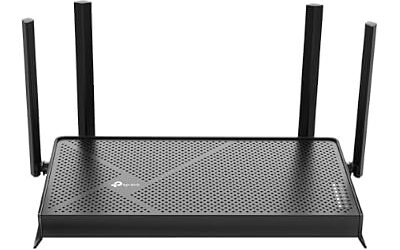
Reviewers repeatedly describe the Linksys E8450 and the Belkin RT3200, which are closely related designs, as a friendly starting point for OpenWrt with Wi-Fi 6 and solid project support. Spec line: Wi-Fi 6 AX3200 class · dual-band · gigabit Ethernet · MediaTek platform listed by OpenWrt · stock firmware replaced after flashing. Buy it if you want a low-cost, well-documented board; skip it if you need multi-gig ports or a wide antenna layout for a large home. Because the Belkin and Linksys units are sold under different names, confirm the exact model against the OpenWrt device page before purchase.

Linksys Arena Pro 6 E8450 / E8451 AX3200 WiFi 6 Dual-Band Router 1-Pack
Included for 'Best DD-WRT and OpenWrt Routers in 2026' as a representative home product in this roundup; selection reflects the product set returned for this topic.
View on AmazonOpenWrt One – Best for Project-Backed Hardware
The OpenWrt One is a router the OpenWrt community designed with a hardware partner so that the official firmware is the intended software. Spec line: Wi-Fi 6 · 2.5G Ethernet port as the project lists · designed for open-source firmware · developer-friendly recovery options. It suits buyers who care about firmware stewardship more than raw wireless speed. It is less suited to large homes that need many wired ports or strong long-range coverage.

youyeetoo Banana Pi OpenWrt One - WiFi 6 Official OpenWrt Router Mainline Support,MediaTek MT7981B SoC 1GB DDR4 RAM, RJ45 Port
Included for 'Best DD-WRT and OpenWrt Routers in 2026' as a representative home product in this roundup; selection reflects the product set returned for this topic.
View on AmazonMid-Range Tier: Best OpenWrt Routers for Power Users
The mid-range is where ready-made OpenWrt routers make the most sense, because you get faster wireless and 2.5G ports without hunting for supported revisions.
GL.iNet Flint 2 (GL-MT6000) – Best for Ready-to-Use OpenWrt
Most 2026 roundups, including a homelab-focused one, name the Flint 2 as the best OpenWrt router for most people. Spec line: Wi-Fi 6 AX6000 · MediaTek Filogic 830 · 1 GB RAM · 8 GB eMMC · two 2.5G ports · four gigabit LAN ports, all as the maker and reviewers list. A caution from reviewers is that the vendor firmware sits on an older OpenWrt base than the current upstream stable release, so buyers who want the latest upstream branch should read the community discussion for this device before flashing a clean image. Pick it for VPN clients, DNS filtering and SQM on a fast home connection; skip it if you insist on the newest upstream branch out of the box.

GL.iNet GL-MT6000 Flint 2 Wi-Fi 6 Gaming Router Dual 2.5G Ports | 8-stream Wi-Fi6 at 6 Gbps, dual 2.5G multi-gig ports, Up to 1148 Mbps and 4804 Mbps, pre-installed OpenWrt, OpenVPN WireGuard
Included for 'Best DD-WRT and OpenWrt Routers in 2026' as a representative home product in this roundup; selection reflects the product set returned for this topic.
View on AmazonLinksys WRT3200ACM – Best for a Proven AC-Class Build
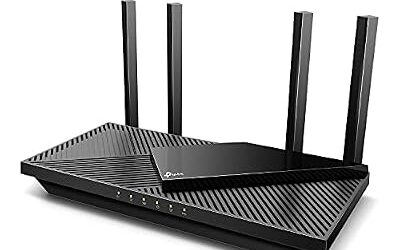
The WRT3200ACM is the best-known AC router in the open-source firmware community, and Linksys has stated support for open-source firmware on the WRT line, although warranty coverage for problems caused by third-party firmware is not guaranteed. Spec line: AC3200 · tri-stream dual-band · dual-core CPU · 512 MB RAM as commonly listed · four gigabit LAN ports. This is a previous-generation model, so new stock is limited and used units are common. Pick it if you want the “best AC DD-WRT router” experience with the widest guide library; skip it for fast fibre plans where its Wi-Fi 5 radios will be the bottleneck.

Linksys WRT3200ACM: AC3200 Dual-Band Gigabit Wi-Fi Router, Beamforming Tri-Stream Wireless Signal, Ethernet Ports, MU-MIMO (Black, Blue)
Included for 'Best DD-WRT and OpenWrt Routers in 2026' as a representative home product in this roundup; selection reflects the product set returned for this topic.
View on AmazonNetgear R7800 – Best for an Older High-End OpenWrt Router
The Nighthawk X4S R7800 appears in several OpenWrt roundups as a long-lived Qualcomm-based device. Spec line: AC2600 · dual-core Qualcomm platform · 512 MB RAM as commonly listed · gigabit ports · previous generation. It is worth considering if you find one used at a sensible tier, but treat it as an aging platform and avoid it if you want Wi-Fi 6.

NETGEAR Nighthawk X4S Smart WiFi Router (R7800) - AC2600 Wireless Speed (up to 2600 Mbps) | Up to 2500 sq ft Coverage & 45 Devices | 4 x 1G Ethernet, 2 x 3.0 USB, and 1 x eSATA Ports
Included for 'Best DD-WRT and OpenWrt Routers in 2026' as a representative home product in this roundup; selection reflects the product set returned for this topic.
View on AmazonASUS RT-AC68U – Best for Legacy DD-WRT and Community Firmware
The RT-AC68U is a classic ASUS AC1900 router that several third-party firmwares have supported for years. Spec line: AC1900 · dual-band · gigabit ports · multiple hardware revisions with different support levels. It is a previous-generation product, and the revision label (for example the B1 or C1 variants) decides which firmware images are valid. Use it if you own one and want to extend its life; for a new purchase, a Wi-Fi 6 OpenWrt board is the better choice.

ASUS AC1900 Wireless Dual Band (5GHz + 2.4GHz) Gigabit Wi-Fi Router [RT-AC68U] Ultra-Fast 802.11ac 1900 Mbps Speed, 5X Gigabit LAN Ports, Broadcam TurboQAM Wi-Fi Acceleration, AiProtection Security
Included for 'Best DD-WRT and OpenWrt Routers in 2026' as a representative home product in this roundup; selection reflects the product set returned for this topic.
View on AmazonPremium Tier: Wi-Fi 7 and Homelab Hardware
Premium OpenWrt hardware is still the least settled part of the market, because Wi-Fi 7 drivers mature more slowly than the router hardware itself.
GL.iNet Flint 3 (GL-BE9300) – Best for Wi-Fi 7 With OpenWrt-Based Firmware
The Flint 3 is the tri-band Wi-Fi 7 option in the GL.iNet line. Spec line: Wi-Fi 7 BE9300 · tri-band · multi-gig Ethernet as the maker lists · OpenWrt-based GL.iNet firmware. Buy it if you want a premium home router with a familiar OpenWrt toolset and accept vendor-managed software; confirm upstream OpenWrt status on the project’s device page before planning to flash a community image.

GL.iNet GL-BE9300 Flint 3 Tri-Band Wi-Fi 7 Router 5 x 2.5G VPN Router | Tri-Band Wi-Fi 7 with 6GHz, 9 Gbps wireless speed for smooth 8K streaming, low-latency gaming, and video calls
Included for 'Best DD-WRT and OpenWrt Routers in 2026' as a representative home product in this roundup; selection reflects the product set returned for this topic.
View on AmazonGL.iNet Slate 7 and Beryl 7 – Best for Travel and Portable VPN
These compact Wi-Fi 7 travel routers are the usual picks for hotel Wi-Fi bridging and portable VPN use. Spec line: Wi-Fi 7 · compact travel format · WireGuard and OpenVPN client support in the vendor interface · USB-C power. Reviewers note that the Beryl 7 ships on an older OpenWrt base, as the Flint 2 does. Choose one for travel; do not expect it to replace a whole-home router.

GL.iNet GL-BE3600 Slate 7 Wi-Fi 7 Travel Router Touchscreen 2.5G | Touchscreen toggles VPN or AdGuard, 1-inch mini size, ideal for hotel, cruise, RV, business trip, plane connectivity
Included for 'Best DD-WRT and OpenWrt Routers in 2026' as a representative home product in this roundup; selection reflects the product set returned for this topic.
View on AmazonBanana Pi BPI-R4 – Best for Homelab Tinkerers
The BPI-R4 is an enthusiast board rather than a finished consumer router, aimed at homelab builders who add their own enclosure and Wi-Fi card. Spec line: Wi-Fi 7-capable board with optional radio module · SFP+ style multi-gig ports as the maker lists · OpenWrt supported by the community. It is the right choice only if you are comfortable building and maintaining the system yourself.

Banana Pi BPI-R4 WiFi 7 Wireless Dual-Band WiFi Router Board OpenWRT, with MediaTek MT7988A (Filogic 880) SoC, Support 2X 10GbE SFP and 4X GbE Gigabit Ethernet for NAS Smart Home Gateway (Bundle2)
Included for 'Best DD-WRT and OpenWrt Routers in 2026' as a representative home product in this roundup; selection reflects the product set returned for this topic.
View on AmazonBest VPN Routers for DD-WRT and OpenWrt
The best VPN routers for DD-WRT and OpenWrt are the ones with the fastest CPU and hardware encryption support, because VPN throughput is limited by the processor, not the Wi-Fi rating. A mid-range board such as the GL.iNet Flint 2 is a common answer for WireGuard on a fast line, while a budget board is fine for slower connections.
- Use WireGuard where your VPN provider offers it; it is generally lighter on CPU than OpenVPN, according to the OpenWrt documentation.
- Expect lower speeds with OpenVPN on older AC routers, since encryption runs on the CPU.
- Choose a router with spare flash for VPN packages and route-based policies.
- For travel use, a GL.iNet travel router with a built-in VPN client is simpler than a clean OpenWrt install.
Best AC and N Routers for DD-WRT
For AC routers, the Linksys WRT3200ACM, the ASUS RT-AC68U and the Netgear R7800 are the models most often discussed, and all are previous-generation. The best N routers for DD-WRT are mostly legacy designs such as the long-running Linksys WRT54G family, which suit a spare-room access point, lab use or an old-hardware revival but are not sensible choices for a new home network. N routers cannot use 5 GHz or newer features, and their wireless is slow by current standards.
Pick X If … Decision Table
| Pick this | If you … |
|---|---|
| Linksys E8450 or Belkin RT3200 | want the cheapest sensible Wi-Fi 6 OpenWrt board with a large user community |
| OpenWrt One | want hardware the OpenWrt project itself stands behind |
| GL.iNet Flint 2 | want 2.5G ports, strong VPN options and little setup, and accept a vendor OpenWrt base |
| Linksys WRT3200ACM | want an AC-class router with the most guides and you are happy buying used or in limited stock |
| GL.iNet Flint 3 | need Wi-Fi 7 and prefer a ready-to-use interface |
| GL.iNet Slate 7 | travel and need a portable VPN router |
| Banana Pi BPI-R4 | enjoy building your own router and need multi-gig wired ports |
Flashing Risks, Warranty and Safety Notes
Flashing third-party firmware can void or complicate a warranty and can leave a router unusable if something goes wrong, so treat it as a project, not a casual setting change. Linksys has publicly supported open-source firmware on its WRT line, but that does not guarantee warranty coverage for a failed flash.
- Match the exact model and hardware revision to the project’s device page.
- Download the image only from the DD-WRT or OpenWrt project site, and confirm the file checksum the project publishes.
- Back up the stock configuration and note the vendor’s recovery method before flashing.
- Use a wired connection and do not interrupt power during the write.
- Follow the device-specific install notes; some models need an intermediate image or a specific first step.
- Keep the original firmware file so you can revert if the vendor allows it.
Also remember that your internet provider may require its own equipment for certain services such as voice or TV. Confirm against your provider’s approved device list before replacing a supplied gateway.
Alternatives If You Do Not Want to Flash
- Asuswrt-Merlin on supported ASUS routers: a gentler upgrade that stays close to stock firmware.
- GL.iNet routers with factory firmware: OpenWrt-based and ready to configure out of the box.
- A small x86 or single-board router build: maximum flexibility for homelab users, with your own Wi-Fi access point.
Frequently Asked Questions
What is the best router for OpenWrt in 2026?
The GL.iNet Flint 2 is the most common pick in 2026 roundups because it ships ready to use and has strong hardware. Buyers who prefer a community-led device often choose the Linksys E8450 or Belkin RT3200 for a lower entry cost.
Are DD-WRT routers still worth buying?
They are worth buying only if the exact model is in the DD-WRT database and you want its interface. For a new purchase, OpenWrt-supported Wi-Fi 6 hardware generally offers better long-term updates than older AC models.
What are the best AC DD-WRT routers?
The Linksys WRT3200ACM, ASUS RT-AC68U and Netgear R7800 are the AC routers most often mentioned. They are previous-generation, so confirm the hardware revision and the firmware list before you buy used.
Which routers are best for a VPN with DD-WRT or OpenWrt?
Choose a faster CPU and more RAM, since the router performs the encryption. Mid-range boards like the GL.iNet Flint 2 handle WireGuard well according to reviewers, while older routers are better for slower connections.
Will flashing DD-WRT or OpenWrt void my warranty?
It can. Some makers, such as Linksys on the WRT line, state they support open-source firmware, but coverage for damage caused by a bad flash is not guaranteed, so read the warranty terms first.
What is the best open source router if I do not want to flash anything?
The OpenWrt One is designed by the OpenWrt community for its own firmware, and GL.iNet models ship with OpenWrt-based firmware. Both avoid a manual flash, though the GL.iNet base may be older than the latest upstream release.