🛒 Best Price Today on Amazon
Prime members get fast, free shipping on everything above, plus member-only deals. New members get a 30-day free trial — cancel anytime.
- Quick Comparison of the Best Gigabit Routers
- What a Gigabit Router Needs
- Best 1Gbps Fiber Routers
- Best Routers by Plan Speed: 35 to 400 Mbps
- Best Gigabit Routers by Tier
- Gigabit Mesh Options
- Wired Throughput Claims: How to Read Them
- Pick X If… Decision Table
- Setup Tips for Gigabit Service
- Alternatives
- Frequently Asked Questions
Updated November 2026 – The best gigabit routers are the TP-Link Archer BE230 for budget Wi-Fi 7, the TP-Link Archer BE550 for 2.5G value, the ASUS RT-BE92U for a 10G WAN port at a mid-range tier, and the ASUS RT-BE96U or Netgear Nighthawk RS700S for premium multi-gig plans.
If you are looking for the best gigabit routers, the deciding factor is the WAN port: a 1 Gbps plan needs at least a gigabit WAN port, but a router with a 2.5G or 10G WAN port avoids a bottleneck if you later move to a faster plan. Wi-Fi 6E and Wi-Fi 7 both handle gigabit service, and what changes between models is ports, radios, settings depth and coverage. This guide covers current models by tier, explains what to buy for slower plans such as 35, 50, 150, 300 and 400 Mbps, and clarifies confusing labels like “AC1200”.
Quick Comparison of the Best Gigabit Routers
| Model | Tier | Best for | Key stated specs | Limits |
|---|---|---|---|---|
| TP-Link Archer BE230 | Budget | Gigabit plans on a small budget | Wi-Fi 7 · dual-band | Fewer radios than tri-band routers |
| TP-Link Archer BE550 | Mid-range | Value with 2.5G ports | Wi-Fi 7 · tri-band · 2.5G WAN and four 2.5G LAN ports | 2.5G WAN ceiling |
| ASUS RT-BE92U | Mid-range | 10G WAN at a mid-range tier | Wi-Fi 7 · four 2.5G ports and one 10G port per Dong Knows | Fewer settings than flagship ASUS models |
| ASUS RT-BE88U | Mid-range | Wired-heavy homes | Wi-Fi 7 · no 6 GHz band · eight 2.5G ports plus 10G and SFP+ per reviewers | No 6 GHz radio |
| Netgear Nighthawk RS700S | Premium | Compact 10G tower | Wi-Fi 7 · tri-band · 10G port | Single-unit coverage |
| ASUS RT-BE96U | Premium | Dual 10G and deep settings | Wi-Fi 7 · tri-band · two 10G ports reported · 320 MHz on 6 GHz | Large and feature-heavy |
| TP-Link Archer BE800 | Premium | Multi-gig fiber with a second 10G port | Wi-Fi 7 · tri-band · two 10G ports reported by reviewers | Premium tier |
| ASUS ROG Rapture GT-BE98 Pro | Premium | Gaming and the most ports | Wi-Fi 7 · dual 10G · deep gaming and QoS settings | Highest-end tier |
What a Gigabit Router Needs
A gigabit router in the strict sense has a WAN port that runs at 1 Gbps and LAN ports that do the same. That is the minimum for a gigabit plan, and wired devices can then reach the plan speed. Wireless speed is a separate story: a phone or laptop rarely reaches the router’s headline Wi-Fi number, because those numbers add up the maximum of all radios. Use the list below to judge a router.
- WAN port speed: 1G for gigabit plans, 2.5G or 10G for faster plans or headroom.
- LAN ports: gigabit is fine for most devices; 2.5G helps NAS drives, gaming PCs and Wi-Fi access points.
- Wi-Fi standard: Wi-Fi 6E and Wi-Fi 7 both suit gigabit service, as long as your devices support the same standard.
- Band count: tri-band models add an extra radio that reduces congestion in busy homes.
- Software: look for parental controls, guest networks, QoS and regular firmware updates.
- Maker figures: any speed claim is “up to” and describes best-case lab conditions, not real-world results.
Best 1Gbps Fiber Routers
Searches for “best 1gbps fiber routers” and “best fios gigabit routers” describe fiber plans delivered through an ONT. The ONT converts the fiber signal to Ethernet, so a router with a WAN port connects directly. A 2.5G WAN port is a practical sweet spot for a gigabit fiber plan, because it handles the plan with headroom, and a 10G WAN port suits plans that may move to multi-gig. Fiber providers differ in how they treat third-party routers, so check your provider’s guidance on using your own router, and for Verizon Fios households that keep TV boxes, see the related Fios router guide on this site for the coax and MoCA details.
Best Routers by Plan Speed: 35 to 400 Mbps
Many searchers want a router for a plan that is far slower than gigabit. In that case, the router rarely limits speed. Any current gigabit-WAN router handles plans of 35, 50, 150, 300 or 400 Mbps, so the buying decision becomes Wi-Fi coverage, device count and features rather than plan capacity.
| Plan speed | What matters | Suitable choice |
|---|---|---|
| 35 to 50 Mbps | Coverage and reliability, not WAN speed | TP-Link Archer BE230 or any Wi-Fi 6 router |
| 150 Mbps | Number of devices and streaming load | TP-Link Archer BE230 or a mid-range Wi-Fi 6E/7 model |
| 300 to 400 Mbps | Wi-Fi range and band count | TP-Link Archer BE550 or similar tri-band model |
| 1 Gbps | Gigabit or better WAN, tri-band for busy homes | TP-Link Archer BE550, ASUS RT-BE92U |
| 2 Gbps and above | 2.5G or 10G WAN port | ASUS RT-BE96U, Netgear Nighthawk RS700S, TP-Link Archer BE800 |
For the slower tiers, spending more on a flagship router rarely changes internet speed. A budget Wi-Fi 7 model can serve 150 Mbps comfortably, and many households on 35 or 50 Mbps are better off improving router placement than buying premium hardware. Households with a lot of simultaneous video calls and streams should look at tri-band hardware even on modest plans.
What Does AC1200 Mean on a Gigabit Router?
For “best 1200 gigabit routers”, note that AC1200 is an older Wi-Fi 5 label that adds the maximum rates of two bands into one number. It tells you nothing about the wired speed. Many AC1200 routers have gigabit LAN ports and can handle plans up to gigabit over Ethernet, but their Wi-Fi is older and slower than current Wi-Fi 6E and Wi-Fi 7 hardware. If you are buying new, a current budget Wi-Fi 7 model is usually a better long-term choice than an AC1200 design.
Best Gigabit Routers by Tier
Budget Picks
TP-Link Archer BE230 – Best Budget Wi-Fi 7 for Gigabit Plans
Specs: Wi-Fi 7 · dual-band · multi-gig WAN as the maker lists · app setup
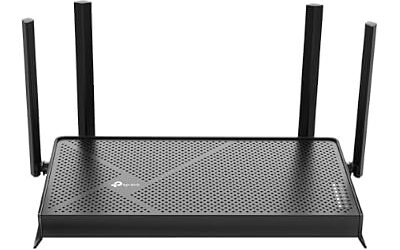
Roundups name the Archer BE230 as the budget pick for gigabit service. It suits apartments and small homes, and it can also serve slower plans of 35 to 400 Mbps without strain. Dual-band hardware shares airtime between all devices, so large households may eventually outgrow it.

TP-Link Dual-Band BE3600 Wi-Fi 7 Router, Archer BE230 | 4-Stream | 2×2.5G + 3×1G Ports, USB 3.0, 2.0 GHz Quad Core, 4 Antennas | VPN, EasyMesh, HomeShield, MLO, Private IOT
Included for 'Best Gigabit Routers in 2026 for 1Gbps and Multi-Gig Internet' as a representative home product in this roundup; selection reflects the product set returned for this topic.
View on AmazonMid-Range Picks
TP-Link Archer BE550 – Best Value With 2.5G Ports
Specs: Wi-Fi 7 · tri-band · one 2.5G WAN port · four 2.5G LAN ports
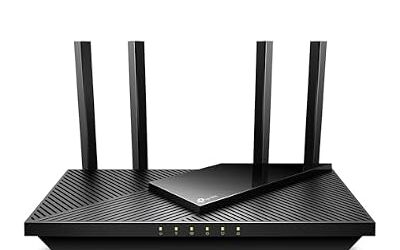
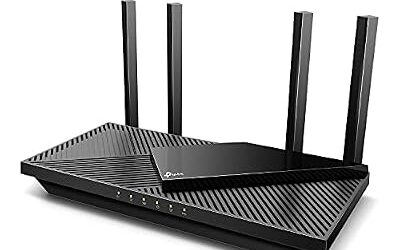
The Archer BE550 is named by reviewers as a value Wi-Fi 7 router, with 2.5G on all of its Ethernet ports according to roundups. It suits gigabit and 2 Gig plans, a wired PC, console and NAS, and homes that want a tri-band design without a flagship price. The 2.5G WAN port can be the limiting factor on the very fastest plans.

TP-Link Tri-Band BE9300 WiFi 7 Router (Archer BE550) | 6-Stream, Full 2.5G Ports, 6 Internal Antennas, Up to 2,000 sq. ft., EasyMesh Expansion, VPN
Included for 'Best Gigabit Routers in 2026 for 1Gbps and Multi-Gig Internet' as a representative home product in this roundup; selection reflects the product set returned for this topic.
View on AmazonASUS RT-BE92U – Best Mid-Range 10G WAN
Specs: Wi-Fi 7 · four 2.5G ports and one 10G port as Dong Knows lists · ASUS firmware
The RT-BE92U is included in Dong Knows’ 2.5G-focused picks and combines four 2.5G ports with a 10G port. It suits households that want multi-gig WAN capability without stepping up to flagship pricing. ASUS firmware offers a wide set of controls, including parental features and VPN options.
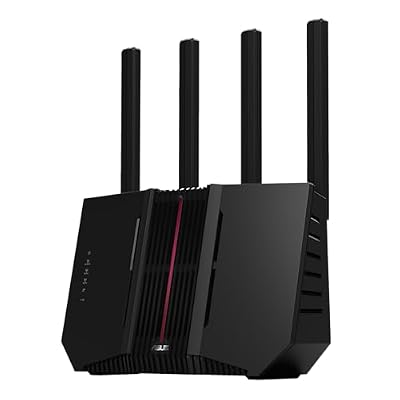
ASUS RT-BE92U WiFi 7 Router - Tri-Band (6GHz), 9.7 Gbps, x2 WAN, Mesh | Coverage up to 2,500 Sq. Ft., Subscription Free Network Security, Parental Controls Included, 2.5G Port x4, VPN support
Included for 'Best Gigabit Routers in 2026 for 1Gbps and Multi-Gig Internet' as a representative home product in this roundup; selection reflects the product set returned for this topic.
View on AmazonASUS RT-BE88U – Best for Wired-Heavy Homes
Specs: Wi-Fi 7 · no 6 GHz band · eight 2.5G ports plus 10G and SFP+ as reviewers report
The RT-BE88U is a niche choice because it lacks a 6 GHz radio but offers a large number of multi-gig wired ports. It suits home offices, labs and creators who connect many wired devices. Buyers who rely on Wi-Fi alone should consider a tri-band alternative with 6 GHz.

ASUS RT-BE88U WiFi 7 Router - x2 10G Ports, Up to 7.2 Gbps, Mesh Compatible | Subscription Free Network Security, Parental Controls Included, 10G SFP+ Port x1, 2.5G Port x4, 1G Port x4, VPN support
Included for 'Best Gigabit Routers in 2026 for 1Gbps and Multi-Gig Internet' as a representative home product in this roundup; selection reflects the product set returned for this topic.
View on AmazonPremium Picks
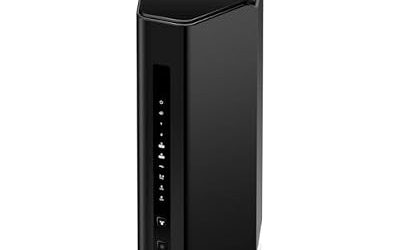
Netgear Nighthawk RS700S – Best Compact 10G Tower
Specs: Wi-Fi 7 · tri-band · 10 Gigabit Ethernet port · compact tower design
Roundups describe the RS700S as a premium tower with flagship radios, a 10G port and a quiet compact design. It suits buyers on multi-gig plans who want a refined single router. As with any single router, coverage in large homes may require a mesh or wired access point.

NETGEAR Nighthawk WiFi 7 Router RS700S, Up to 3,500 sq ft, 19 Gbps | Reliable Performance, Easy Set Up, 200 devices, 1× 10G + 3× Gigabit Ports, Tri Band, BE19000
Included for 'Best Gigabit Routers in 2026 for 1Gbps and Multi-Gig Internet' as a representative home product in this roundup; selection reflects the product set returned for this topic.
View on AmazonASUS RT-BE96U – Best for Dual 10G and Deep Settings
Specs: Wi-Fi 7 · tri-band · two 10G ports reported · 320 MHz channels on 6 GHz · QoS controls
Tom’s Guide has named the RT-BE96U its top overall pick, and another outlet calls it the best enthusiast router for its dual 10G ports and QoS controls. Newer Wi-Fi 7 models have since overtaken it on pure download speed in some roundups, so it remains a pick for ports and features rather than outright wireless speed.

ASUS RT-BE96U WiFi 7 Router - Tri-Band, 19 Gbps, x2 10G WAN, Mesh | Coverage up to 3,500 Sq. Ft., Subscription Free Network Security, Parental Controls Included, 10G Portx2, VPN support
Included for 'Best Gigabit Routers in 2026 for 1Gbps and Multi-Gig Internet' as a representative home product in this roundup; selection reflects the product set returned for this topic.
View on AmazonTP-Link Archer BE800 – Best for Multi-Gig Fiber With a Second 10G Port
Specs: Wi-Fi 7 · tri-band · two 10G ports reported by reviewers · display panel as the maker lists
The Archer BE800 is cited by reviewers as a premium TP-Link with a second 10G port. It suits multi-gig fiber plans and homes with a 10G NAS or workstation. Read the maker’s spec sheet for exact port types before planning your cabling.

TP-Link Tri-Band BE19000 WiFi 7 Router (Archer BE800) | 12-Stream 19 Gbps | 2×10G + 4×2.5G Ports | LED Screen, 8 High-Performance Antennas | VPN, Easy Mesh, HomeShield, Private IoT
Included for 'Best Gigabit Routers in 2026 for 1Gbps and Multi-Gig Internet' as a representative home product in this roundup; selection reflects the product set returned for this topic.
View on AmazonASUS ROG Rapture GT-BE98 Pro – Best for Gaming and Maximum Ports
Specs: Wi-Fi 7 · dual 10G ports · deep gaming and QoS settings
Technerdo names the GT-BE98 Pro as its top Wi-Fi 7 pick, citing dual 10 GbE, a stable 6 GHz radio and deep configuration. It is aimed at gamers and enthusiasts who want maximum control and can use the ports. For most gigabit homes, it is more router than is needed.

ASUS ROG Rapture GT-BE98 Pro WiFi 7 Gaming Router - Quad-Band, 30Gbps, Mesh | Coverage up to 3,500 Sq. Ft., 10G Port x2, 2.5G Port x4. Game Boost for Low Latency Gaming & Streaming. VPN support
Included for 'Best Gigabit Routers in 2026 for 1Gbps and Multi-Gig Internet' as a representative home product in this roundup; selection reflects the product set returned for this topic.
View on AmazonGigabit Mesh Options
A single router cannot always cover a large or multi-story home. Mesh systems solve that with additional nodes. The Netgear Orbi 970 series is described by reviewers as a large-home mesh with a multi-gig WAN port but no multi-gig LAN ports or USB ports, which means wired devices are limited to lower speeds. TP-Link Deco BE65 and eero Max 7 are other Wi-Fi 7 mesh options that appear in roundups. Wired backhaul between nodes, where Ethernet is available, generally gives better results than wireless backhaul.
Wired Throughput Claims: How to Read Them
Makers list wired throughput through port speeds: a gigabit port is rated at 1 Gbps, a 2.5G port at 2.5 Gbps and a 10G port at 10 Gbps. Actual results depend on cables, connected devices, firmware features and whether services like QoS, VPN or deep packet inspection are active. Routers with hardware acceleration usually maintain speeds with fewer slowdowns, but the maker’s wording is “up to,” and independent figures can differ. Use Cat5e or Cat6 cable for gigabit and Cat6 or better for 2.5G and 10G, and keep cable runs within the length limits in the cable’s specification.
Pick X If… Decision Table
| Pick this | If you… |
|---|---|
| TP-Link Archer BE230 | have a gigabit or slower plan and want low-cost Wi-Fi 7 |
| TP-Link Archer BE550 | want 2.5G ports across the board at a mid-range tier |
| ASUS RT-BE92U | want a 10G WAN port without flagship cost |
| ASUS RT-BE88U | wire many devices and do not need 6 GHz |
| Netgear Nighthawk RS700S | want a compact premium router with 10G |
| ASUS RT-BE96U | want dual 10G and extensive settings |
| TP-Link Archer BE800 | run multi-gig fiber with a second 10G device |
| ASUS ROG Rapture GT-BE98 Pro | game competitively and want the most controls |
| Netgear Orbi 970 series | need mesh for a large home |
Setup Tips for Gigabit Service
- Connect the WAN port to your modem or ONT with a good Ethernet cable rated for the speed.
- Update firmware before configuring other settings.
- Place the router centrally and away from metal and large appliances.
- Use wired connections for the devices that matter most, such as a desktop, console or NAS.
- Choose separate or combined band names as the maker describes, and test devices that struggle.
If you are on cable, you need a compatible modem and your provider’s approved device list; for DSL, check your provider’s modem requirements. This guide focuses on the router portion only.
Alternatives
- TP-Link Archer GE800: a gaming-focused router with dual 10G ports and four 2.5G LAN ports according to roundups.
- ASUS GS-BE18000: an entry-level multi-gig option with eight 2.5G ports according to Dong Knows.
- TP-Link Archer GE650: a router listed with two 5G ports and three 2.5G ports in a Dong Knows roundup.
Frequently Asked Questions
What is the best router for a 1Gbps internet plan?
Choose a router with a WAN port faster than 1G if you can, such as the TP-Link Archer BE550 or ASUS RT-BE92U. Any gigabit-WAN router handles a 1 Gbps plan over Ethernet. Wi-Fi 6E or Wi-Fi 7 is recommended for wireless devices that support it.
What is the best router for 150, 300 or 400 Mbps?
Any current gigabit-WAN router handles these plans, so buy for Wi-Fi coverage and features. A budget Wi-Fi 7 model like the TP-Link Archer BE230 is plenty. Tri-band hardware helps in busy households.
Is a router for 35 or 50 Mbps different from a gigabit router?
Not in a way that matters. Slow plans do not need special routers, and a gigabit router works fine. Router placement and device load matter more than the router’s headline speed on these plans.
What does AC1200 mean?
AC1200 is an older Wi-Fi 5 label that adds the speeds of two bands into one number. It does not describe wired speed. A current Wi-Fi 6E or Wi-Fi 7 router is a better choice for a new purchase.
Do I need a 10G WAN port for gigabit internet?
No. A gigabit or 2.5G WAN port is enough for a gigabit plan. A 10G port is for multi-gig plans or buyers who want to avoid upgrading later. Make sure your modem or ONT also provides a matching port.
Is Wi-Fi 7 necessary for gigabit internet?
No, Wi-Fi 6 and Wi-Fi 6E can serve gigabit plans. Wi-Fi 7 adds wider channels and multi-link features that only help devices that support it. It is a reasonable choice if the price is close and you want the router to last several years.