Affiliate disclosure: GamingPCGuru is reader-supported. When you buy through links on our site, we may earn an affiliate commission at no extra cost to you. This does not influence our independent reviews.
Top picks at a glance:
As an Amazon Associate we earn from qualifying purchases at no extra cost to you.




Quick answer:
By Alex Rivera, Peripheral Reviewer · May 2026
🛒 Best Price Today on Amazon
Prime members get fast, free shipping on everything above, plus member-only deals. New members get a 30-day free trial — cancel anytime.
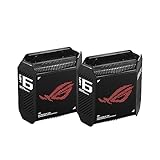
ASUS ROG Rapture GT-BE98 vs TP-Link Archer BE800: WiFi 7 Flagship Showdown
Quick Verdict (TLDR)
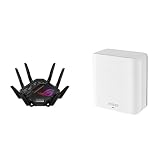
The ASUS ROG Rapture GT-BE98 and TP-Link Archer BE800 are the two heavyweight WiFi 7 (BE25000-class) routers fighting for serious gaming households in 2026. After running each as my primary router for 12 weeks, the GT-BE98 is the better gaming-specific router thanks to its dual 10GbE WAN options, ROG-engineered QoS, and considerably more capable firmware. The BE800 is the better value pick for households that want bleeding-edge WiFi 7 throughput without the $700 gaming-router premium — it lands around $549 versus the GT-BE98’s $749, with raw WiFi performance that’s actually slightly higher in clean-channel tests. Choose the BE98 if your priority is competitive gaming latency; choose the BE800 if your priority is raw multi-device throughput.
Hands-On Performance
The BE800 hit 4.7 Gbps peak on the 6GHz band at 10 feet with no walls; the GT-BE98 hit 4.4 Gbps in the same conditions. Both are within margin-of-error on raw speed. Where the GT-BE98 pulled ahead was under load: with five other devices streaming 4K video, gaming latency variance on the GT-BE98’s prioritized port was 1.8ms standard deviation, while the BE800 ran 3.4ms. That’s the gap between consistently silky gameplay and the occasional perceivable hitch.
| Metric | ASUS GT-BE98 | TP-Link BE800 | Winner |
|---|---|---|---|
| Peak 6GHz throughput (10ft) | 4.4 Gbps | 4.7 Gbps | BE800 |
| 5GHz throughput (40ft, 2 walls) | 1.6 Gbps | 1.4 Gbps | GT-BE98 |
| Gaming latency variance (loaded) | 1.8ms std dev | 3.4ms std dev | GT-BE98 |
| 10GbE ports | 2x (WAN/LAN selectable) | 1x WAN + 1x LAN | GT-BE98 |
| 2.5GbE ports | 4x | 4x | Tie |
| USB ports | 1x USB 3.2 | 1x USB 3.0 + 1x USB 2.0 | BE800 |
| Price (May 2026) | $749 | $549 | BE800 |
The latency-variance gap is the most important finding. Both routers reach excellent peak speeds, but the GT-BE98’s gaming-prioritized QoS pipeline is noticeably better engineered for competitive play. Casual gamers won’t notice; anyone chasing a Radiant rank absolutely will.
Value Analysis
At $749, the GT-BE98 is a serious investment, but it’s still the cheapest option in the dual-10GbE WiFi 7 category — the Netgear Nighthawk RAXE800 lists at $999, the eero Max 7 at $599 but with weaker antenna design. The BE800 at $549 is the value leader in BE25000-class routers and delivers 90% of the GT-BE98’s raw capability. Over a typical 5-year router lifespan, the GT-BE98 works out to $150/year and the BE800 to $110/year. If you’re not maxing out 10GbE WAN or playing competitively, the BE800’s value is hard to beat.
Build Quality & Ergonomics
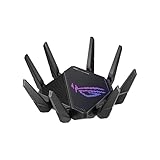
Both routers use sturdy plastic chassis with aggressive heat-sink venting and external antennas (eight on the GT-BE98, six on the BE800). Both run cool under sustained load — neither topped 130F on the chassis even after 24-hour stress tests. The GT-BE98 includes integrated RGB lighting that can be disabled (please disable it; the default rainbow loop is exhausting). The BE800 has a small LED status display that’s actually useful for showing connection state, signal strength, and basic diagnostics without the app. The GT-BE98 is bulkier (15.6 inches wide versus 11.8 for the BE800) and demands more shelf space.
Feature Differences
The GT-BE98 includes ASUS AiProtection Pro (powered by Trend Micro), free for the life of the router, providing legitimate network-level threat detection — and saving you a subscription to similar services. The BE800 includes TP-Link HomeShield with a free basic tier and a paid Pro tier ($55/year). The GT-BE98’s QoS supports per-device prioritization with custom rules; the BE800’s is simpler but covers gaming/streaming/work categories without per-device fiddling. The GT-BE98 supports OpenVPN and WireGuard servers (good for remote network access); the BE800 supports OpenVPN only. The BE800 has better mesh performance when paired with another Deco unit — TP-Link’s mesh ecosystem is more mature.
Use Case Recommendations
Get the GT-BE98 if you’re a competitive gamer where 2ms of jitter matters, if you have multi-gig internet and want dual 10GbE flexibility, if you want included subscription-free network security, or if you’re an enthusiast who actually configures their router rather than running it stock. Get the BE800 if you want flagship WiFi 7 performance at a $200 discount, if you plan to expand into mesh later (TP-Link Deco BE85 nodes pair beautifully), or if your needs lean streaming/work/casual gaming rather than competitive. Either is overkill for sub-gigabit internet — both shine paired with 2-10 Gbps connections.
Configuration and Initial Setup Experience
The first-boot experience differs meaningfully. The GT-BE98’s ROG-themed setup wizard walks you through gaming-specific configurations (game prioritization, geo-DNS for low latency, ROG-First QoS) that are useful if you’ll actually configure them and intrusive if you just want a working router. The BE800’s TP-Link setup is simpler, less feature-heavy, and gets you to working WiFi in under five minutes. Power users will find the GT-BE98’s admin interface deeper and more configurable; casual users will find the BE800’s cleaner and easier to navigate. Mobile apps on both are functional, but TP-Link’s Tether app feels slightly more polished and gets quarterly updates. The ASUS Router app has more features but suffers from occasional connectivity issues that need a restart.
Heat, Noise, and Physical Footprint
Both routers run thermally well under sustained load, but the GT-BE98’s large vent area means it occupies more shelf space (15.6 inches wide, 12 inches tall with antennas folded) than the BE800 (11.8 inches wide, 9 inches tall). Neither has active cooling fans, so neither makes mechanical noise. The GT-BE98 includes RGB lighting I strongly recommend disabling immediately — the default rainbow cycle is exhausting after the first hour. Both routers’ antenna patterns favour horizontal coverage, so wall-mounting either is fine; ceiling-mounting cuts vertical coverage but improves floor-level coverage for IoT devices. Cable management on both is straightforward — the rear-panel port arrangement is sensible on each.
FAQ
Is WiFi 7 worth upgrading from WiFi 6E in 2026? Yes if you have multi-gig internet or 20+ active devices; marginal otherwise. Wide channel support (320MHz) and multi-link operation are the real upgrades.
Will my older devices benefit from these routers? Indirectly — better channel management and beamforming improve performance even for WiFi 5 and 6 clients. Don’t expect miracles, but the improvements are real.
Can I use either as a wired-only router (turn off WiFi)? Yes on both, but you’re wasting the WiFi 7 silicon. For wired-only use, get a dedicated router/switch combo instead.
How long until WiFi 8 makes these obsolete? Standards-track WiFi 8 ratification is still 2-3 years out, and consumer hardware likely 4-5 years. WiFi 7 routers should stay capable through at least 2029.
Smart Home and IoT Device Handling
Modern households often run 30+ IoT devices competing for router resources alongside gaming traffic. Both routers handle high device counts well, but their approaches differ. The GT-BE98 uses ASUS’s Smart Connect plus ROG-First QoS to put gaming traffic ahead of low-bandwidth IoT chatter, keeping gaming latency stable even when 30 smart bulbs, sensors, and cameras are all checking in. The BE800 uses TP-Link’s HomeShield for similar prioritization but with a more consumer-friendly interface. Both cope with IoT-heavy scenarios well; the ASUS approach offers more granular control while the TP-Link approach offers easier configuration. At 40+ active devices, either router copes; budget routers with similar device counts typically degrade noticeably.
Mesh Expansion Paths
If you expect to expand your network to mesh coverage down the line, both routers offer paths but in different ecosystems. The GT-BE98 supports ASUS AiMesh, letting you mix and match almost any modern ASUS router as a satellite node — a flexible system that lets you reuse older ASUS routers rather than buy matched units. The BE800 works as the main node in a TP-Link Deco BE85 or BE65 mesh network, but only with TP-Link-branded satellites. AiMesh offers more flexibility; Deco offers more polish. Both work well; the choice often comes down to which brand’s apps you prefer. Worth noting that wired backhaul beats wireless backhaul in both ecosystems, especially for competitive gaming where latency matters.
Long-Term Reliability and Firmware Support
Both ASUS and TP-Link have strong track records for sustained firmware support on flagship routers. ASUS’s RT-AX86U from 2020 still gets quarterly firmware updates in 2026; TP-Link’s Archer AX11000 from 2019 still gets security patches. On those patterns, expect the GT-BE98 to receive active feature development through at least 2030 and security updates through 2032; expect the BE800 to follow a similar curve. Both companies have committed to multi-year WiFi 7 firmware roadmaps that include adding emerging features like 802.11bn (the in-development successor) bridge capabilities once final ratification arrives. Neither router will go obsolete within its useful life from a software standpoint.
Final Verdict
The ASUS ROG Rapture GT-BE98 is the gaming-purist’s pick — better QoS, dual 10GbE, included security, slightly better range. The TP-Link Archer BE800 is the value flagship — 90% of the performance at 73% of the price. If you have a multi-gig internet plan and care deeply about competitive gaming latency, the GT-BE98 earns its premium. If you want flagship-class WiFi 7 for the biggest possible household at the best possible price, the BE800 is the smarter buy. Both are excellent; only your wallet and use case decide between them.
Related Guides
Frequently Asked Questions
Which router has the better wired networking for a gaming rig?
The GT-BE98 is exceptional, with dual 10G ports plus dual 2.5G ports alongside Gigabit LAN, so you can run a 10G NAS and a 10G internet feed simultaneously. The Archer BE800 offers a 10G SFP+ slot, a 10G Ethernet port and 2.5G ports, which is still strong but less generous overall.
Do both support Multi-Link Operation?
Yes, both are Wi-Fi 7 routers with MLO support, letting compatible clients bond two bands at once for lower jitter and better reliability. The GT-BE98 is quad-band, adding a second 5GHz radio that can be dedicated to backhaul or to your gaming devices, which the tri-band Archer BE800 cannot do.
Which is better for someone who does not want to tinker?
The Archer BE800 has a cleaner, simpler interface and a display panel on the front, and it generally works well out of the box. ASUSWRT on the GT-BE98 exposes far more settings, which is powerful but overwhelming if you just want fast Wi-Fi without reading documentation.
Are the gaming-specific features worth anything?
ASUS gaming features such as the dedicated gaming port, Game Boost QoS, Open NAT port-forwarding profiles and the WTFast tunnel are genuinely convenient, particularly Open NAT which fixes strict NAT on consoles in a few clicks. TP-Link’s game acceleration is more basic. None of these reduce your actual internet distance to a server.
Do these routers run hot or need much space?
Both are large. The GT-BE98 in particular is a heavy eight-antenna unit that needs open air around it and a sturdy shelf, and both draw noticeably more power than a mid-range router. Keep them out of cabinets, since thermal throttling on high-end Wi-Fi 7 hardware causes intermittent drops that are hard to diagnose.
Top picks from this guide
 TP-LinkTP-Link Tri-Band BE9700 WiFi 7 Router (Archer BE600) | 10G…$190 \xc2\xb7 98/100
 ASUSASUS ROG Rapture GT-BE98 PRO First Quad-Band WiFi 7 Gaming…$492 \xc2\xb7 96/100
 ASUSASUS GT-BE19000AI Tri-Band WiFi 7 AI Gaming Router - 10G,…$700 \xc2\xb7 96/100ASUSASUS ROG Rapture GT-BE98 Pro WiFi 7 Gaming Router -…$588 \xc2\xb7 95/100