
🛒 Best Price Today on Amazon
Prime members get fast, free shipping on everything above, plus member-only deals. New members get a 30-day free trial — cancel anytime.
- Best Monitors for Flight Simulator at a Glance
- LG UltraGear 45GX950A-B — Best Overall for Flight Simulator
- Samsung Odyssey Neo G9 G95NC — Best for Maximum Cockpit Width
- Alienware AW3225QF — Best 4K OLED for Cockpit Detail
- ASUS ROG Swift OLED PG32UCDP — Best for Flight Sims and Fast Games
- LG 38WR85QC-W — Best Balanced Ultrawide
- How the Best Flight Simulator Monitors Compare
- How to Choose a Monitor for Flight Simulator
- FAQ
- Conclusion
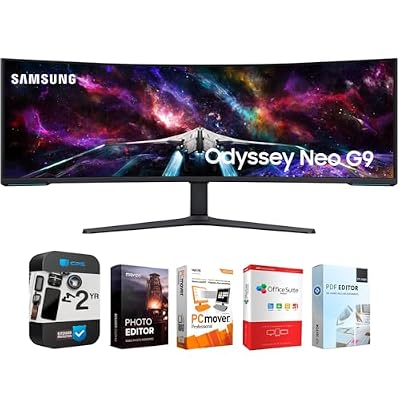
Samsung 57" Odyssey Neo G9 Dual 4K UHD Quantum Mini-LED Curved Gaming Monitor Bundle with Tech Smart USA Elite Suite 18 Standard Editing Software Bundle + 2 Year CPS Enhanced Protection Pack
Included for 'Best Monitor for Flight Simulator: 5 Top Displays in 2026' as a relevant option in this category; details come from the product listing.
View on Amazon
Samsung 49” Odyssey G9 Series DQHD 1000R Curved Gaming Monitor, 1ms(GtG), VESA DisplayHDR 1000, 240Hz, AMD FreeSync Premium Pro, Height Adjustable Stand, Ultrawide Screen, LS49CG954ENXZA, 2024
Included for 'Best Monitor for Flight Simulator: 5 Top Displays in 2026' because the listing specifies 1ms(GtG) and VESA DisplayHDR 1000, details this guide uses to compare options.
View on AmazonThe best monitor for flight simulator use should combine wide cockpit visibility, sharp instrument detail, smooth motion, and enough resolution for distant scenery. Our picks cover immersive ultrawides, high-density 4K OLEDs, and a practical 38-inch IPS option for Microsoft Flight Simulator, X-Plane, and DCS pilots.
Quick answer: For most people in 2026, the best monitor for flight simulator is the LG UltraGear 45GX950A-B — our #1 rated choice. See the full ranked comparison, alternatives and buying advice below.
Best Monitors for Flight Simulator at a Glance
| Monitor | Screen | Resolution | Refresh Rate | Best For |
|---|---|---|---|---|
| LG UltraGear 45GX950A-B | 45-inch OLED | 5120 x 2160 | 165Hz | Best overall immersive ultrawide |
| Samsung Odyssey Neo G9 G95NC | 57-inch Mini-LED VA | 7680 x 2160 | 240Hz | Maximum cockpit width |
| Alienware AW3225QF | 31.6-inch QD-OLED | 3840 x 2160 | 240Hz | Sharp 4K cockpit detail |
| ASUS ROG Swift OLED PG32UCDP | 31.5-inch WOLED | 3840 x 2160 | 240Hz | Flight sims plus fast gaming |
| LG 38WR85QC-W | 38-inch Nano IPS | 3840 x 1600 | 144Hz | Balanced ultrawide setup |
LG UltraGear 45GX950A-B — Best Overall for Flight Simulator
LG’s 45GX950A-B is built around immersion. Its 45-inch 21:9 OLED panel runs at 5120 x 2160 and 165Hz, giving flight sims more horizontal cockpit space without dropping the vertical detail needed for gauges, glass panels, and scenery. Its large curved format also places peripheral scenery around your central view.
Best For: High-end single-screen flight simulator rigs
Key Features
- 45-inch OLED panel
- 5120 x 2160 5K2K resolution
- 21:9 ultrawide format
- Up to 165Hz at native resolution
- 330Hz WFHD Dual Mode
- DisplayPort 2.1
- AMD FreeSync Premium Pro
- NVIDIA G-SYNC compatibility
- 0.03ms GtG response time
What Makes It Different
The combination of 5K2K resolution and a 45-inch ultrawide panel is the key advantage. You receive considerably more horizontal viewing area than a standard 4K screen while retaining 2160 vertical pixels. That balance suits detailed glass cockpits because instruments remain sharp while more of the aircraft interior stays visible.
Pros
- Wide cockpit field of view
- 2160-pixel vertical resolution
- OLED black levels suit night flying
- Native 165Hz provides ample simulation headroom
- DisplayPort 2.1 supports modern high-bandwidth GPUs
Cons
- 5120 x 2160 places heavy demand on the GPU
- Large screen needs substantial desk depth
- OLED requires sensible care with persistent static interfaces
Use Case: Microsoft Flight Simulator, X-Plane, DCS, and mixed racing simulation.
Who It’s For: Pilots wanting strong immersion without moving to an extreme 32:9 monitor.
Samsung Odyssey Neo G9 G95NC — Best for Maximum Cockpit Width
Samsung’s 57-inch Odyssey Neo G9 is the widest option here, pairing a 32:9 aspect ratio with 7680 x 2160 resolution. That layout can make side windows, peripheral scenery, and panoramic cockpits feel more natural. The trade-off is GPU load: dual-UHD resolution is demanding, especially with dense airports, traffic, and weather enabled.
Best For: Panoramic cockpit simulation
Key Features
- 57-inch curved VA panel
- 7680 x 2160 Dual UHD resolution
- 32:9 aspect ratio
- 1000R curvature
- Quantum Mini-LED backlighting
- Up to 240Hz
- DisplayPort 2.1
- FreeSync Premium Pro
- 2,392 local-dimming zones
What Makes It Different
A 32:9 screen effectively creates the horizontal workspace of two 16:9 displays without a center bezel. In a supported simulator, that width can show more cockpit structure and peripheral scenery at once. Its 7680 x 2160 resolution also preserves strong vertical detail, but pushing the full pixel count requires serious graphics hardware.
Pros
- Extremely wide 32:9 viewing area
- Dual-UHD resolution retains 2160 vertical pixels
- Mini-LED local dimming improves HDR contrast
- 240Hz ceiling supports other gaming genres
- No center bezel compared with dual-monitor setups
Cons
- Exceptionally demanding native resolution
- Requires a very wide desk
- 32:9 can be excessive for users sitting close to the screen
Use Case: Premium Boeing, Airbus, fighter-jet, and panoramic general-aviation setups.
Who It’s For: Enthusiasts building a large cockpit-style desk around one display.
Alienware AW3225QF — Best 4K OLED for Cockpit Detail
The Alienware AW3225QF favors image density over sheer width. Its 31.6-inch 4K QD-OLED panel runs at up to 240Hz, while the 1700R curve adds mild wraparound without taking over a desk. For pilots who value crisp avionics, dark-cockpit contrast, and a conventional 16:9 layout, it is an easier fit than a super-ultrawide.
Best For: Sharp instruments and compact premium rigs
Key Features
- 31.6-inch QD-OLED
- 3840 x 2160 resolution
- 240Hz maximum refresh rate
- 1700R curved panel
- 0.03ms GtG response time
- DisplayPort 1.4 with DSC
- Two HDMI 2.1 ports
- NVIDIA G-SYNC Compatible
- 140 PPI pixel density
What Makes It Different
At roughly 32 inches, 4K produces dense, clean cockpit imagery without demanding the desk width of larger ultrawides. Small avionics text, navigation displays, airport markings, and scenery receive plenty of pixels. The limitation is horizontal coverage: a 16:9 screen shows less peripheral cockpit area than 21:9 or 32:9 alternatives.
Pros
- High 140 PPI pixel density
- QD-OLED contrast suits night scenes
- 240Hz leaves substantial refresh headroom
- HDMI 2.1 and DisplayPort connectivity
- Easier to position than 45- or 57-inch displays
Cons
- Less peripheral view than ultrawide monitors
- 4K still requires capable graphics hardware
- OLED may not suit users displaying static cockpit panels all day
Use Case: Desktop flight simulation where image sharpness matters more than maximum field of view.
Who It’s For: Pilots using a normal-depth desk or combining the monitor with physical controls and secondary displays.
ASUS ROG Swift OLED PG32UCDP — Best for Flight Sims and Fast Games
ASUS ROG Swift OLED PG32UCDP combines a 31.5-inch 4K WOLED panel with a dual-mode design: 3840 x 2160 at up to 240Hz or 1920 x 1080 at up to 480Hz. Flight sim users will mainly care about the 4K mode, which keeps cockpit text sharp, while the faster mode adds flexibility for shooters and racing games.
Best For: Multi-genre gaming systems
Key Features
- 31.5-inch WOLED panel
- 3840 x 2160 resolution
- 4K at up to 240Hz
- 1080p at up to 480Hz
- HDMI 2.1
- DisplayPort 1.4 DSC
- USB-C with DisplayPort Alt Mode
- 90W USB-C Power Delivery
- Adaptive-Sync support
What Makes It Different
Dual Mode makes this ASUS useful when a PC serves several gaming styles. Native 4K provides the detail flight simulators need for instruments and scenery, while the optional 1080p 480Hz mode targets games where frame rate matters more than resolution. Flight simulation alone does not require 480Hz, so the feature mainly adds versatility.
Pros
- Detailed 4K OLED image
- 240Hz at native resolution
- Optional 480Hz mode for competitive games
- USB-C connectivity with 90W Power Delivery
- Conventional 32-inch footprint
Cons
- 480Hz mode drops resolution to 1080p
- 16:9 provides less lateral cockpit visibility
- Extra gaming features may be unnecessary for dedicated sim rigs
Use Case: Flight simulation combined with racing, shooters, and everyday PC gaming.
Who It’s For: Gamers who do not want to dedicate their monitor exclusively to simulators.
LG 38WR85QC-W — Best Balanced Ultrawide
LG’s 38WR85QC-W offers a useful middle ground between 16:9 and extreme 32:9 displays. The 38-inch Nano IPS panel uses a 3840 x 1600 resolution, 21:9 aspect ratio, 144Hz refresh rate, and curved design. It gives flight sims extra horizontal space while keeping GPU demand below the 5K2K and dual-UHD options above.
Best For: Practical ultrawide simulator setups
Key Features
- 38-inch Nano IPS panel
- 3840 x 1600 resolution
- 21:9 aspect ratio
- 144Hz refresh rate
- 1ms GtG specification
- VESA DisplayHDR 600
- FreeSync Premium Pro
- NVIDIA G-SYNC Compatible
- HDMI 2.1 and USB-C with 90W Power Delivery
What Makes It Different
The 3840 x 1600 format gives pilots more lateral viewing room than standard 16:9 while requiring substantially fewer pixels than 5120 x 2160 or 7680 x 2160. That makes it easier to balance scenery quality and frame rate. Its IPS panel also suits mixed office and simulation use where OLED is not required.
Pros
- Useful 21:9 cockpit width
- Less demanding than 5K2K or Dual UHD
- 144Hz is more than sufficient for most flight simulation
- Nano IPS panel suits mixed desktop workloads
- USB-C, HDMI 2.1, and built-in KVM add flexibility
Cons
- Lower pixel density than 32-inch 4K
- Black levels cannot match OLED
- Less panoramic than a 32:9 monitor
Use Case: Mid-to-high-end flight simulation PCs that need a wide screen without extreme resolution.
Who It’s For: Pilots looking for a sensible compromise among immersion, resolution, and GPU load.
How the Best Flight Simulator Monitors Compare
For flight simulation, screen shape often matters more than headline refresh rate. A 21:9 or 32:9 monitor can expose more cockpit and side scenery, while 4K 16:9 concentrates pixels into a smaller area for clearer instruments. Choose width for peripheral awareness, or higher pixel density when reading avionics is the priority.
| Priority | Better Direction | Main Trade-Off |
|---|---|---|
| Maximum immersion | 32:9 super-ultrawide | Highest GPU and desk demands |
| Balanced immersion | 21:9 ultrawide | Lower pixel density than compact 4K |
| Instrument clarity | 32-inch 4K | Narrower peripheral view |
| Night-flight contrast | OLED | Static-image considerations |
| Mixed productivity | IPS ultrawide | Weaker blacks than OLED |
| HDR without OLED | Mini-LED | Large models can be expensive and demanding |
How to Choose a Monitor for Flight Simulator
Resolution and Cockpit Clarity
Resolution determines how clearly you can read cockpit labels, GPS screens, and distant runway details. 4K is a strong target for 32-inch displays, while 3840 x 1600 and 5120 x 2160 suit wider panels. Higher pixel counts increase GPU demand, so match the monitor to the graphics card and frame rate you actually expect to run.
Aspect Ratio and Field of View
Aspect ratio changes how much of the cockpit fits on screen before you pan the camera. A 16:9 panel is straightforward and widely compatible, 21:9 adds useful peripheral room, and 32:9 creates the broadest single-screen view. The wider you go, the more desk space and rendering power the setup typically requires.
OLED, IPS, or Mini-LED
OLED panels deliver deep blacks and very fast pixel response, which helps night flights, dark cockpits, and moving scenery look clean. IPS remains attractive for bright rooms, mixed productivity, and users who prefer a traditional LCD workflow. Mini-LED VA, as used by the Neo G9, adds strong HDR capability without using OLED.
Refresh Rate
Flight simulators do not require 240Hz or 480Hz to feel convincing, because scenery detail and simulation load often limit frame rates before the monitor does. A stable 100–165Hz display already leaves useful headroom for camera movement. Higher refresh rates matter more if the same screen will also serve fast competitive games.
Match Resolution to Your GPU
GPU capability should be checked before buying an extreme-resolution display. Driving 7680 x 2160 or 5120 x 2160 demands far more rendering work than 2560 x 1440, especially with clouds, terrain, traffic, and high render scaling. Lowering settings can help, but buying a resolution your PC cannot sustain defeats the purpose.
FAQ
What monitor size is best for flight simulator?
For most single-screen flight sim setups, 32 to 45 inches is the practical range. A 32-inch 4K display emphasizes clarity, while 38- to 45-inch ultrawides add stronger peripheral immersion. A 57-inch 32:9 screen can feel more cockpit-like, but it needs a large desk, wider viewing distance, and a powerful graphics card.
Is a curved monitor better for flight simulator?
A curved monitor can help flight simulation because the edges of a wide panel sit closer to your eyes, making the image feel more consistent across your field of view. Curvature matters most on 21:9 and 32:9 screens. On a 32-inch 16:9 monitor, it is more of a preference than a major functional advantage.
Is ultrawide worth it for flight simulators?
Ultrawide is useful for flight simulators when you want more side scenery and cockpit coverage without adding multiple monitors. It can reduce camera panning and make approaches feel more spatial. The trade-offs are higher GPU load, more desk width, and occasional interface layouts that feel better optimized for 16:9.
Is 4K worth it for Microsoft Flight Simulator?
4K is worth considering for flight simulation if you care about readable avionics, sharp terrain, and clean runway detail at typical desktop viewing distances. It is especially effective around 32 inches. On very wide displays, 5K2K or dual-UHD resolutions provide similar vertical detail while expanding the horizontal view.
Conclusion
The best monitor for flight simulator setups depends on whether you prioritize cockpit width, pixel density, or hardware efficiency. LG’s 45GX950A-B balances immersion and detail, Samsung’s Neo G9 maximizes width, and 32-inch 4K OLEDs favor clarity. Match resolution and aspect ratio to your GPU, desk, and favorite sim.
Ready to decide? Our #1 pick for 2026 is the LG UltraGear 45GX950A-B.
Live price & availability on Amazon.









