Our Short List of 3
All 3 Picks at a Glance
| Product | Specs | Action |
|---|---|---|
 1. SteelSeries QcK XXL — The Proven Full-Desk Cloth Mat | Check price on Amazon | |
| 3. Corsair MM350 PRO Extended XL — Spill-Proof Coating and Plush Thickness | Check price on Amazon | |
 4. Glorious XXL Extended — Extra Depth for Forearm Support | Check price on Amazon |
🛒 Best Price Today on Amazon
Prime members get fast, free shipping on everything above, plus member-only deals. New members get a 30-day free trial — cancel anytime.
As an Amazon Associate we earn from qualifying purchases
A desk mat changes gaming in a way a small mouse pad cannot. Instead of a hard edge where your wrist drops off, a loose keyboard that creeps forward during a match, and a mouse that runs out of room at the worst moment, you get one continuous surface under everything. Your keyboard, mouse, and forearms share the same height and the same friction. That consistency matters most in the games where aim is built on large, repeatable movements, but it also helps in strategy games, shooters, and everyday play where you are constantly switching between keyboard commands and mouse work.
The best desk mat for gaming is not simply the biggest mat you can buy. It is the mat that fits your desk, matches your sensitivity, gives your wrist the right amount of cushion, and stays flat and still through long sessions. A mat that is too deep can push your monitor back or hang over the front edge. A mat that is too thin can feel harsh during long play. A surface that is too fast can make precise stops harder for some players, while a surface with more texture can feel better for control but slower for flicks. This guide works through those trade-offs and then looks closely at four full-size desk mats that genuinely cover a keyboard and mouse together.
Every pick below is an extended desk mat, not a standard small mouse pad presented as something larger. Sizes, thickness, and surface details are taken from the product listings, so you can measure your own desk and compare them directly.
What a Desk Mat Does Differently From a Mouse Pad
A conventional mouse pad covers only the mouse area. Your keyboard sits on the bare desk, often at a slightly different height, and the front edge of the pad can press into your wrist or forearm. A desk mat removes that step. The keyboard feet, the mouse, and your arms all rest on the same material, which makes the whole setup feel quieter and more settled. Keyboard movement is dampened because the mat absorbs some vibration, and the keyboard is far less likely to slide when you lean into a key cluster.
For low-sensitivity players, the extra width is the main event. If you aim with your whole arm in a tactical shooter, you need long horizontal travel without lifting and recentring every few seconds. An extended mat gives you that travel while still leaving the keyboard in place on the same surface. For higher-sensitivity players who aim mostly with the wrist and fingertips, the benefit is different: stability, comfort, and a clean, unified desk rather than raw travel distance.
A desk mat also protects the desk itself, putting a layer between the desktop and keyboard feet, mouse movement, and daily wear.
How to Choose the Right Size
Measure before you buy, and measure the space you actually use rather than the full desktop. Note the distance from the front edge of the desk to your monitor stand, and the width available between anything that lives permanently on the desk, such as speakers, a monitor arm base, or a headphone stand.
Most full desk mats fall into a few useful footprints. A mat around 900 to 940 mm wide and 400 to 410 mm deep suits a full-size or tenkeyless keyboard with generous mouse room to the side. That depth also leaves space in front of the keyboard for your wrists and behind it for the back edge of the keyboard. A wider and deeper mat, such as a 36 by 18 inch model, adds forearm support and suits larger desks and players who sit a little further back. A more compact extended mat can work on a narrow desk, but if it cannot hold both the keyboard and the full mouse travel area, it stops behaving like a desk mat and starts behaving like a large mouse pad.
Leave a small margin. A mat that exactly matches the desk width can curl or catch at the edges, and a mat that is deeper than the space in front of your monitor will ride up against the stand. If your measurements fall between sizes, the smaller mat usually feels tidier, unless your sensitivity is low enough that you know you will use every extra centimetre of width.
Surface, Thickness, and Base: The Three Specs That Matter
Surface texture and glide
Cloth desk mats use different weaves, and the weave shapes how the mouse feels. A smooth micro-woven cloth tends to glide evenly and is a safe match for optical and laser gaming sensors. A more textured micro-weave adds a sense of feedback under the mouse, which some players prefer for stopping precisely in shooters. Neither is automatically better. If you play fast, arena-style games and make constant micro-corrections, a smoother and more consistent glide may suit you. If you play tactical shooters and value a controlled stop after a flick, a little texture can help.
All four mats in this guide use cloth surfaces described in their listings as micro-woven or micro-weave, which is the mainstream choice for gaming because it balances glide, control, and sensor compatibility. Hard and hybrid surfaces exist, but they change wrist comfort and desk coverage, and they are not what these picks are trying to do.
Thickness and cushion
Thickness runs from thin mats that feel close to the desk to plush mats around 4 mm and beyond. A thicker mat cushions the wrist and the edge of the forearm, softens keyboard sound a little, and can smooth out minor unevenness in the desk surface. A thinner mat feels firmer and more direct, and its front edge is less noticeable if your chair arms or your own arms cross it often. If you play for long stretches in role-playing games, strategy games, or shooters, the extra cushion of a thicker mat is often worth having. If you prefer a firm, desk-like feel, look toward the thinner end.
Base and edges
The base should be non-slip rubber that grips the desk so the mat does not creep during arm aiming. Every pick here lists a non-slip or anti-slip rubber base. Edges matter for lifespan. Stitched edges resist fraying where your forearm rubs the front edge and where the mouse crosses the side. Not every mat uses the same edge treatment, so check the listing description for the specific model you choose, especially if you know you are hard on front edges.
Spill resistance is a useful extra rather than a core gaming feature. A spill-proof or spill-resistant coating, where the listing states it, helps liquid bead instead of soaking straight into the cloth, giving you time to lift a drink and wipe the surface. It does not make a mat waterproof for its whole life, and it should not change an otherwise poor size or surface choice.
The Picks
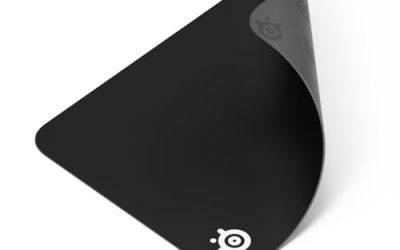
1. SteelSeries QcK XXL — The Proven Full-Desk Cloth Mat
View the SteelSeries QcK XXL on Amazon
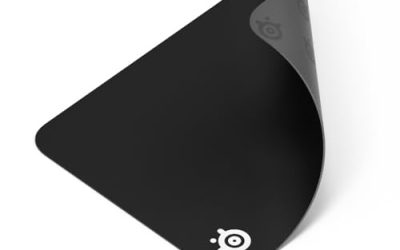
The SteelSeries QcK line is one of the most established names in gaming surfaces, and the XXL version extends that familiar cloth across the whole desk. The listing describes it as an XXL thick cloth pad sized to cover desks, for full desk surface use with keyboard and mouse together. Independent size references for this model put it at 900 by 400 mm, a footprint that handles a full-size keyboard and still leaves broad mouse travel on the right or left.
The surface is micro-woven cloth, presented in the listing for movement tracking and stability. In practical terms, that means a balanced cloth feel: not a specialist speed surface and not a heavy control surface, but the middle ground that most players can adapt to across genres. That versatility is why this mat suits mixed libraries, from shooters to strategy games to general desktop use between matches. If you do not yet know whether you prefer speed or control, a balanced weave like this is the lowest-risk starting point.
The listing also highlights a non-slip base for stability during play. On a desk mat, base grip matters more than on a small pad because your keyboard weight and your forearm pressure are constantly trying to shift the whole sheet. A mat that stays planted lets you trust your mouse travel all the way to the edge.
Choose the QcK XXL if you want a widely used, straightforward cloth desk mat with full coverage and no extra features competing for your attention. Skip it if you specifically want the thickest cushion available or a spill-resistant coating, because other picks in this guide lean harder into those areas.
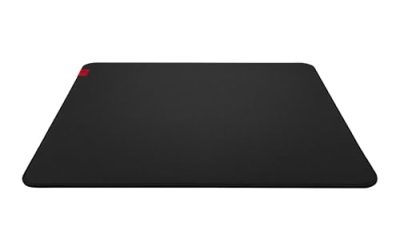
2. Razer Gigantus V2 XXL — Textured Micro-Weave With Thick Foam
View the Razer Gigantus V2 XXL on Amazon
Razer’s Gigantus V2 in XXL is built around a textured micro-weave cloth surface and thick, high-density rubber foam. The listing gives the model number RZ02-03330400-R3U1 for the classic black XXL version, and size references for the XXL put it at 940 by 410 mm and 4 mm thick. That makes it one of the largest and most cushioned options here, with a footprint that comfortably holds a keyboard and gives low-sensitivity players long, uninterrupted travel.
The textured surface is the distinguishing choice. Where a smoother cloth emphasises glide, the Gigantus V2 emphasises a surface you can feel, which many shooter players associate with more deliberate stopping and tracking. If you play tactical or competitive shooters and you like feedback under the mouse rather than an almost frictionless slide, this is the pick aimed at you. If you mostly play slower-paced games and prefer the lightest possible glide for long, relaxed sessions, the texture may be more than you need.
The anti-slip base listed for this model matters at this size. A 940 mm wide mat has a lot of area for a forearm to drag, and a base that grips keeps the front edge where you placed it. The thick foam also helps the mat feel settled on the desk and adds comfort under the wrist and the heel of the hand during long sessions.
Choose the Gigantus V2 XXL if you want maximum width, noticeable cushion, and a textured cloth surface for control-focused play. Measure carefully first, because its width and depth need a desk that can take them without crowding the monitor.
3. Corsair MM350 PRO Extended XL — Spill-Proof Coating and Plush Thickness
View the Corsair MM350 PRO Extended XL on Amazon
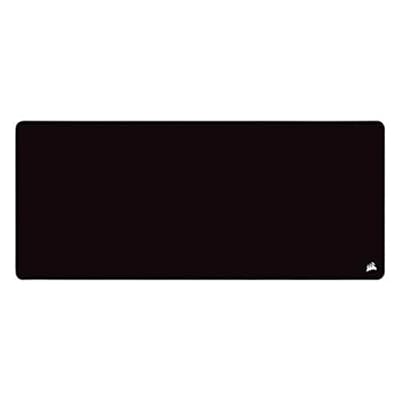
The Corsair MM350 PRO Extended XL is the pick for players who want desk coverage plus protection from the drinks and long sessions that share the same desk. The Amazon listing describes it as a premium spill-proof cloth gaming mouse pad in Extended XL, at 36.6 inches wide by 15.7 inches high. Corsair’s own product information gives the same footprint as 930 by 400 mm, with 4 mm thick plush rubber construction and a spill-resistant coating over a micro-weave surface.
That combination is distinctive. You get a large, cushioned mat like the other full-size picks, but the surface treatment is designed to resist spills and staining, which suits shared desks, streaming setups, and anyone who keeps coffee or water within reach while playing. The listing also describes durable anti-fray edges for this model, addressing the front-edge wear that desk mats face every day.
At 930 mm wide, mouse room is generous for arm aiming, and the 400 mm depth keeps the keyboard and wrist area on the mat rather than straddling its front edge. The 4 mm plush construction should appeal if thinner mats have left your wrist sore during long role-playing or strategy sessions.
Choose the MM350 PRO Extended XL if spill resistance, stitched-style durability at the edges, and plush cushioning are your priorities, and you have the width for an extended mat. If your desk is narrow or you prefer the absolute simplest cloth surface with no coating, one of the other picks may fit better.
4. Glorious XXL Extended — Extra Depth for Forearm Support
View the Glorious XXL Extended on Amazon
The Glorious XXL Extended, model G-XXL, takes a different shape from the other picks. Its Amazon listing describes a large, wide black cloth mousepad with stitched edges at 18 by 36 inches, with 3 mm thickness. The width is similar to the other mats here, but the extra depth changes how it feels. Instead of the mat ending just in front of your wrists, the deeper surface extends further under your forearms, which can feel more supportive if you sit back from the desk or use a larger keyboard with a separate wrist area in front of it.
Stitched edges are a headline feature in the listing, and on a mat this size they protect the perimeter you interact with most: the long front edge under your arms and the side edge your mouse hand crosses. The cloth surface and rubber base follow the familiar desk mat pattern of a smooth playing surface over a gripping underside, keeping the keyboard and mouse on one level plane.
The 3 mm thickness sits between a thin, firm mat and the plushest 4 mm options. That middle ground suits players who want some cushion without a tall front edge, and who value the extra depth more than extra thickness.
Choose the Glorious XXL Extended if your desk is deep enough and you want forearm coverage as well as keyboard and mouse coverage. If your desk is shallow from front to monitor, the extra depth could push against your monitor stand, so check that measurement twice before choosing it over a 400 mm deep mat.
Which Desk Mat Fits Your Play Style?
For competitive shooters played at low sensitivity, prioritise width and a surface you can stop on. The Razer Gigantus V2 XXL and the SteelSeries QcK XXL both give you the travel room, with the Razer leaning toward texture and cushion and the SteelSeries toward a balanced, familiar cloth feel.
For mixed gaming and long sessions across many genres, cushion and coverage matter more than a specialist surface. The Corsair MM350 PRO Extended XL adds spill protection to that comfort, while the Glorious XXL Extended adds depth for your forearms.
For smaller desks, do not force the largest mat. A mat that fits flat, with a margin at the edges and clearance from the monitor stand, will play better than a larger mat that bunches, hangs over the front, or rides up behind the keyboard. Measure width and depth, compare them with the listing sizes above, and let the desk decide the shortlist before surface preference decides the winner.
For sensor compatibility, cloth micro-weave surfaces like these are the standard pairing for modern gaming mice. Keep the surface clean, because dust and oils build up in the weave and gradually change glide.
Care, Setup, and Common Mistakes
Unroll a new mat and give it time to lie flat. Mats shipped rolled can keep a curl at first, and a raised edge changes glide and wrist angle, so let it settle under your keyboard before judging it.
Position the mat so the mouse area is centred on how you actually sit, not on the geometric centre of the desk. Many right-handed players need more width to the right of the keyboard than to the left, so sliding the whole mat slightly left can balance the setup. Left-handed mouse users should do the mirror image. Once positioned, check that your chair arms do not catch the front edge every time you move closer.
Clean cloth mats gently and according to the maker’s guidance. Regularly brush out dust, deal with spills promptly, and let a washed mat dry flat and completely before playing, because a damp surface tracks very differently.
The most common buying mistake is choosing by width alone and ignoring depth and thickness. The second is buying a small mouse pad and expecting desk mat benefits: if the keyboard is not on the mat, you do not get the unified height, the keyboard stability, or the wrist comfort that make a desk mat worthwhile. The third is ignoring your sensitivity. High-sensitivity players can be happy on a range of sizes, but low-sensitivity arm aimers should treat width as a requirement, not a preference.
Final Verdict
The best desk mat for gaming is the one that covers your keyboard and mouse completely, fits your desk flat with room to spare, and matches how you aim. The SteelSeries QcK XXL is the balanced, proven default. The Razer Gigantus V2 XXL is the choice for textured control and thick foam at a large footprint. The Corsair MM350 PRO Extended XL adds a spill-proof, stain-resistant approach and plush thickness for desks that see drinks as well as games. The Glorious XXL Extended stands out for extra depth and stitched edges when forearm support matters.
Measure your desk, decide whether you value texture, cushion, spill resistance, or depth most, and pick from that shortlist with confidence. A good desk mat is a quiet upgrade: it does not add buttons or software, but every movement you make in every game happens on it.