🛒 Best Price Today on Amazon
Prime members get fast, free shipping on everything above, plus member-only deals. New members get a 30-day free trial — cancel anytime.
- Top 3 Picks
- Quick Comparison
- How We Chose
- 1. JSAUX Anti-Glare Screen Protector (2-Pack) – Best for Bright Rooms
- 2. CoBak Hard Carrying Case 3-in-1 Bundle – Best for an All-in-One Starter Kit
- 3. JSAUX Carrying Case BG0136 – Best for Organized Storage
- 4. JSAUX 6-in-1 Docking Station – Best for Desktop and TV Play
- 5. JSAUX ModCase – Best for Everyday Protection on the Device
- 6. SyVend Carrying Case – Best for Travel With Extras
- 7. JSAUX 5-in-1 Docking Station HB0602 – Best for Simpler Dock Needs
- 8. amFilm Screen Protector – Best for Broad Model Coverage
- 9. ivoler HD Clear Screen Protector (3-Pack) – Best for a Clear Picture and Spares
- 10. Ergo Comfort Grips Case – Best for Original ROG Ally Owners
- Fit First: Which Handheld Do You Own?
- How to Choose the Right ROG Ally Accessories
- Installing a Screen Protector Without Bubbles
- Building a Sensible Starter Kit
- Frequently Asked Questions
- Our Recommendation by Situation
The best ROG Ally accessory to buy first is the JSAUX 6-in-1 docking station, because it turns a handheld into a desktop or living-room machine with one cable: HDMI up to 4K at 120Hz, Gigabit Ethernet, extra USB ports and pass-through charging. If your main concern is protecting the device, the CoBak hard case bundle is the best value pick, since it combines a case with two screen protectors and thumb grips, and the JSAUX ModCase is the choice for a close-fitting protective shell. The rest of this list covers screen protectors, other carrying cases, a cheaper five-port dock and a grip case for the original ROG Ally. A key warning applies to every purchase: the ROG Ally, ROG Ally X, ROG Xbox Ally and ROG Xbox Ally X are close relatives but not identical in shape, so match each accessory's listed compatibility to your exact model before ordering.
Quick answer: For most people in 2026, the best rog ally accessories is the JSAUX Anti-Glare Screen Protector — our #1 rated choice. See the full ranked comparison, alternatives and buying advice below.
Top 3 Picks
Best overall: JSAUX 6-in-1 Docking Station. The title lists compatibility with the ROG Xbox Ally X, ROG Ally X, ROG Ally, Steam Deck, Legion Go and Legion Go S, plus HDMI 4K@120Hz, Gigabit Ethernet, USB-A and USB-C 3.2 Gen 1 ports and 100W charging. It is the one accessory that changes how you use the handheld, and it works across several devices if you ever switch.

JSAUX Anti-Glare Screen Protector for ROG Xbox Ally X/ROG Ally X, 2-Pack
Included for 'Best ROG Ally Accessories in 2026' because the listing specifies 2-Pack, details this guide uses to compare options.
View on Amazon
CoBak Hard Carrying Case for ASUS ROG Xbox Ally & ROG Xbox Ally X 7" 2025 - 3 in 1 Accessories Bundle with 2 Screen Protectors, 4 Thumb Grip Caps, 22 SD Card Cartridges, Portable Travel Bag, Black
Included for 'Best ROG Ally Accessories in 2026' because the listing specifies 3 in 1 Accessories Bundle with 2 Screen Protectors and 4 Thumb Grip Caps, details this guide uses to compare options.
View on Amazon
JSAUX Carrying Case for ROG Xbox Ally/Ally X, Dual-Layer Storage, BG0136
Included for 'Best ROG Ally Accessories in 2026' because the listing specifies Dual-Layer Storage and BG0136, details this guide uses to compare options.
View on Amazon
JSAUX Docking Station for ROG Xbox Ally X (2025)/ROG Ally X/ROG Ally/Steam Deck/Legion Go/Legion Go S, 6-in-1 Dock with HDMI 4K@120Hz, Gigabit Ethernet, USB A & USB C 3.2 Gen 1, 100W Charging - HB0609
Included for 'Best ROG Ally Accessories in 2026' because the listing specifies 6-in-1 Dock with HDMI 4K@120Hz and Gigabit Ethernet, details this guide uses to compare options.
View on Amazon
JSAUX ModCase for ROG Xbox Ally/Xbox Ally X (2025), Protective Case
Included for 'Best ROG Ally Accessories in 2026' because the listing specifies Protective Case, details this guide uses to compare options.
View on Amazon
SyVend Carrying Case for ROG Xbox Ally/ Ally X 2025, All-in-One Accessories
Included for 'Best ROG Ally Accessories in 2026' because the listing specifies All-in-One Accessories, details this guide uses to compare options.
View on Amazon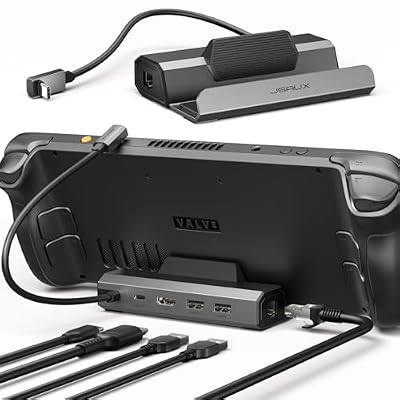
JSAUX 5-in-1 Docking Station for Steam Deck/ROG Ally X/Legion Go S-HB0602
Included for 'Best ROG Ally Accessories in 2026' as a relevant option in this category; details come from the product listing.
View on Amazon
amFilm Screen Protector for ASUS ROG Xbox Ally X & Ally/ROG Ally X & Ally
Included for 'Best ROG Ally Accessories in 2026' as a relevant option in this category; details come from the product listing.
View on Amazon
ivoler HD Clear Screen Protector for ASUS ROG Xbox Ally & Ally X 3-Pack
Included for 'Best ROG Ally Accessories in 2026' as a relevant option in this category; details come from the product listing.
View on Amazon
Ergo Comfort Grips Case for the ASUS ROG Ally Z1 & Z1 Extreme Protective Gripcase
Included for 'Best ROG Ally Accessories in 2026' as a relevant option in this category; details come from the product listing.
View on AmazonBest value: CoBak Hard Carrying Case 3-in-1 Bundle. You get a hard case, two screen protectors and four thumb grips in one package for the ROG Xbox Ally and Ally X. Buying those pieces separately usually costs more and leaves you matching brands.
Best for protection: JSAUX ModCase. A protective case that fits the handheld itself, so you can keep it on the device while you play, rather than only protecting it in a bag.
Quick Comparison
| Product | Best for | Key specs from the listing |
|---|---|---|
| JSAUX Anti-Glare Screen Protector | Bright rooms and travel | 2-pack, anti-glare, for ROG Xbox Ally X / ROG Ally X |
| CoBak Hard Carrying Case Bundle | All-in-one protection | Hard case, 2 screen protectors, 4 thumb grips, for ROG Xbox Ally and Ally X (7-inch, 2025) |
| JSAUX Carrying Case BG0136 | Organized storage | Dual-layer storage, for ROG Xbox Ally / Ally X |
| JSAUX 6-in-1 Docking Station | Desktop or TV setups | HDMI 4K@120Hz, Gigabit Ethernet, USB-A and USB-C 3.2 Gen 1, 100W charging, multi-device |
| JSAUX ModCase | Everyday protection on the device | Protective case for ROG Xbox Ally / Xbox Ally X (2025) |
| SyVend Carrying Case | Travel with extras | All-in-one accessories set for ROG Xbox Ally / Ally X (2025) |
| JSAUX 5-in-1 Docking Station HB0602 | Simpler dock needs | 5-in-1, listed for Steam Deck, ROG Ally X and Legion Go S |
| amFilm Screen Protector | Broad model coverage | For ROG Xbox Ally X and Ally, ROG Ally X and Ally |
| ivoler HD Clear Screen Protector | Clear picture, spare sheets | HD clear, 3-pack, for ROG Xbox Ally and Ally X |
| Ergo Comfort Grips Case | Original ROG Ally owners | Protective grip case for ROG Ally Z1 and Z1 Extreme |
How We Chose
We built this guide from research rather than from handling the products. We began with the ten accessories in the shortlist and read what each manufacturer states in its listing name: which handheld models it is made for, what is included and which ports or features it advertises. We then compared those statements with well-established facts about the ROG Ally family, such as the shared seven-inch screen, the differences between the original ROG Ally, ROG Ally X and the ROG Xbox Ally models, how USB-C power delivery works and what a dock actually needs to function. We favored accessories that clearly name the models they fit, that solve a specific problem and that do not require extra purchases to be useful. Where a listing leaves out a detail, such as material thickness or a dock's exact port count, we say so and recommend checking the product page. We do not rank by brand loyalty, and we avoid assuming that an accessory for one model fits another.
1. JSAUX Anti-Glare Screen Protector (2-Pack) – Best for Bright Rooms
As an Amazon Associate we earn from qualifying purchases at no extra cost to you.
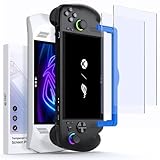
The JSAUX anti-glare screen protector comes as a two-pack and is listed for the ROG Xbox Ally X and the ROG Ally X. Anti-glare protectors use a matte surface that scatters reflected light, so windows, lamps and overhead lighting create fewer harsh mirror-like patches on the display. That is helpful for a handheld that is often used on trains, in cafes or by a sunny window.
Who it suits. Players who use their handheld in bright places or who dislike fingerprints and reflections. The second sheet in the pack is an advantage for people who struggle to apply films without dust or bubbles on the first attempt.
Key specs
- Quantity: 2 protectors
- Finish: anti-glare (matte)
- Fit: ROG Xbox Ally X and ROG Ally X, per the listing
- Material and thickness: confirm on the product page
The trade-off with matte. A matte surface reduces reflections, but it also adds a slight grain that can soften fine text and make bright colors look a little less punchy. On a 1080p, seven-inch display, most people find the effect acceptable, but if you want the cleanest possible picture, a glossy protector is better.
Installation tips. Turn off the device, clean the screen with the supplied wipe, dust with the sticker and use a well-lit, dust-free room such as a bathroom after a hot shower. Align the sheet to the top edge, lower it slowly and push bubbles outward with a card.
Strengths. Reduced glare, a spare in the pack and a model-specific fit. Matte finishes also feel smoother for touch and are less prone to showing fingerprints.
Weak points. The listing names the Ally X versions; owners of the base ROG Xbox Ally should check whether it is also listed for their model. The slight texture can affect sharpness.
Fitting notes. Because the listing names the Xbox Ally X and the ROG Ally X, owners of the standard ROG Xbox Ally should read the compatibility line before buying. Screen protectors that are cut slightly too large can lift at the corners, so check the alignment frame, if one is supplied, and compare its dimensions with your screen. If you keep the handheld in a case that presses on the glass, a matte film is also less likely to show pressure marks than a glossy one.
Pros
- Cuts reflections in bright rooms
- Two sheets in the pack
- Resists fingerprints better than glossy film
Cons
- Matte surface slightly softens fine detail
- Listing names the X models, so confirm your device
- Application needs patience to avoid dust
Compared with the nearest alternative. The ivoler HD Clear three-pack aims for the opposite result: maximum clarity with a glossy surface. Choose the JSAUX if glare is your enemy and the ivoler if picture sharpness matters more.
2. CoBak Hard Carrying Case 3-in-1 Bundle – Best for an All-in-One Starter Kit

The CoBak kit is built for the ASUS ROG Xbox Ally and ROG Xbox Ally X with a seven-inch screen, and the listing calls it a 3-in-1 accessories bundle: a hard carrying case, two screen protectors and four thumb grips. That is a complete starter pack in one purchase, which is why it is the best value in this list.
Who it suits. New owners who want protection for the screen, the sticks and the whole device without shopping for each piece. It is also a good gift choice because it covers several needs and works for either Xbox Ally model.
Key specs
- Case: hard carrying case
- Screen protectors: 2
- Thumb grips: 4
- Fit: ROG Xbox Ally and ROG Xbox Ally X, 7-inch, 2025
Why thumb grips help. Thumb grips are small caps that fit over the analog sticks. They increase the surface area and add friction, which helps when your thumbs are sweaty or when you want better precision. Some players choose taller grips to gain leverage in shooters, while others prefer low-profile ones to keep the sticks from catching in a case. Check the height before you buy if you plan to keep them on while the device is inside the case.
Hard case benefits. A hard shell resists crushing in a backpack. Look for an internal lining that does not scratch the display and a snug fit so the device does not rattle. Most hard cases of this type include a zipper and a small area for a cable or charger, but check the listing photos for the interior layout.
Strengths. Broad coverage for one purchase and fit for both Xbox Ally models. The case protects while traveling, and the extra screen protector gives you a backup.
Weak points. Because it is a bundle, individual parts may be less refined than stand-alone products from specialist brands. A case that only holds the handheld may not fit a dock or a large charger.
Extra tip. Fit the screen protector before you first zip the handheld into the case, and check whether the thumb grips still allow the lid to close.
Bottom line. A sensible first purchase for new owners.
Pros
- Case, two protectors and four thumb grips in one kit
- Listed for both ROG Xbox Ally and Ally X
- Good starter set or gift
Cons
- Bundle quality can vary from part to part
- Hard case alone does not protect the device during play
- Limited room for large chargers, so check the interior
Compared with the nearest alternative. The SyVend all-in-one kit is similar in spirit, while the JSAUX BG0136 case emphasizes dual-layer storage. Pick the CoBak bundle when you also want screen protectors and grips in the box.
3. JSAUX Carrying Case BG0136 – Best for Organized Storage

The JSAUX BG0136 is a carrying case for the ROG Xbox Ally and Ally X, and its listing highlights dual-layer storage. That wording suggests one compartment for the handheld and a separate layer for cables, a charger or small accessories, which keeps loose items from scratching the screen.
Who it suits. Commuters and travelers who carry the handheld together with a charger, a power bank or a pair of earbuds. A case with two layers is simpler to pack and unpack than a single large pocket.
Key specs
- Type: carrying case
- Layout: dual-layer storage
- Fit: ROG Xbox Ally and ROG Xbox Ally X
- Model reference: BG0136
What to look for in the second layer. A mesh pocket or an elastic strap is useful for cables. A rigid divider keeps pressure off the screen. Check the product images for how deep each layer is and whether a travel charger and a small dock would fit.
Care. Always power the handheld off, or put it into sleep mode, before closing the case. Gaming handhelds can generate heat during long sessions, and sealing a warm device into a zipped case traps that heat. Let it cool before packing, and do not store it next to a charger that is still plugged in and warm.
Strengths. Smart organization and a brand that also makes docks and cases for the same handhelds, which helps with consistent sizing.
Weak points. A case is protection for travel only; it does not guard the device while you hold it. The capacity of the second layer is not stated in the title.
What to check on the page. Look for the interior dimensions, the lining material and whether the second layer is a mesh pocket, a foam divider or a flat panel. Think about what you actually carry: a charger brick, a short USB-C cable, earbuds and perhaps a wireless controller dongle. If the case cannot take a docking station, that is fine for commuting, but it means the dock will live at home. Finally, check the zipper style and the carry handle, since a case that is awkward to open tends to end up unused.
Bottom line. Pick it for neat packing, not for protection during play.
Pros
- Dual-layer storage separates the device from cables
- Made for the ROG Xbox Ally and Ally X
- Same brand as popular docks and cases
Cons
- Does not protect the device while playing
- Second-layer size is not in the title
- No screen protectors or grips included
Compared with the nearest alternative. The CoBak bundle includes protectors and grips; this case is purely about storage and organization. Choose this one if you already have protectors and just need a better way to carry everything.
4. JSAUX 6-in-1 Docking Station – Best for Desktop and TV Play

This is the accessory that changes your setup. The JSAUX 6-in-1 dock is listed for the ROG Xbox Ally X (2025), ROG Ally X, ROG Ally, Steam Deck, Legion Go and Legion Go S, and it advertises HDMI at 4K@120Hz, Gigabit Ethernet, USB-A and USB-C 3.2 Gen 1 ports and 100W charging. In plain terms, you can set the handheld on a stand, connect a monitor or TV, plug in a keyboard or controller and keep the battery topped up.
Who it suits. Anyone who wants to game at a desk or on a television, use a wired network for stable online play, or charge while playing. The multi-device listing also means it keeps its value if you switch to another handheld later.
Key specs
| Feature | Listing wording |
|---|---|
| Ports | 6-in-1 with HDMI, Gigabit Ethernet, USB-A and USB-C 3.2 Gen 1 |
| Video | HDMI 4K@120Hz |
| Charging | 100W |
| Compatibility | ROG Xbox Ally X, ROG Ally X, ROG Ally, Steam Deck, Legion Go, Legion Go S |
What you need besides the dock. A dock does not make its own power. Connect a suitable USB-C power adapter to the dock and use a cable rated for video and power. For 4K at 120Hz you also need a display and an HDMI cable that support it; otherwise the connection will fall back to a lower mode. Confirm the details on the product page, because the video features available depend on the handheld as well as the dock.
Safety. Use a certified power adapter, keep the dock in a ventilated spot and avoid covering it while charging. If the dock becomes hot to the touch or a cable gets damaged, unplug it.
Strengths. Wide port selection, high-refresh video output and multi-device support. The wired network connection alone can improve latency over WiFi.
Weak points. It is a desk accessory, so it adds weight and bulk if you want to travel with it. A separate power adapter is needed.
Cable tip. Use a certified video-capable USB-C cable between the dock and the handheld, and keep the HDMI cable short and rated for the resolution you want.
Bottom line. Buy it if you want a bigger screen, a wired network and tidy charging in one box, and confirm that your exact model is named on the page.
Pros
- HDMI 4K@120Hz output for monitors and TVs
- Gigabit Ethernet and extra USB ports
- 100W charging listed
- Works with several handhelds
Cons
- Needs a separate power adapter
- Bulkier than a case or protector
- Top video modes depend on your display and cable
Compared with the nearest alternative. The 5-in-1 HB0602 dock is simpler and its title names fewer handhelds. Choose the 6-in-1 when you want the fullest set of ports and the explicit ROG Xbox Ally X compatibility.
5. JSAUX ModCase – Best for Everyday Protection on the Device

The JSAUX ModCase is described as a protective case for the ROG Xbox Ally and Xbox Ally X (2025). Unlike a carrying case, which only protects the handheld while it is stored, a protective case attaches to the device itself, so it guards the shell against scratches, scuffs and knocks during everyday use. The name "ModCase" suggests a modular design, but the listing title does not say what can be swapped or added, so check the product page for details.
Who it suits. Owners who play with the handheld on a couch, in bed or on the move and want a layer of protection that stays on. It is particularly useful for households with children, pets or a habit of putting devices on hard surfaces.
Key specs
- Type: protective case that fits the handheld
- Fit: ROG Xbox Ally and ROG Xbox Ally X (2025)
- Material, grip texture and port access: confirm on the product page
Fit questions to ask. A good protective case should leave full access to the USB ports, the headphone jack, the speaker grilles and the vents. Blocking vents can raise operating temperatures, which can reduce performance. Make sure the case does not press against the exhaust area. Check that the shoulder buttons and triggers have clean cutouts, because poorly shaped edges can interfere with the controls.
Cases and docks. Some cases are too thick to slot into a dock or stand. If you plan to use a dock regularly, check whether the case needs to come off or whether the dock's connector reaches the port with the case on.
Strengths. Protection that does not require you to remove anything during play, and a name tied to a brand that also offers a dock and a carrying case for the same handheld, which makes mixing and matching simpler.
Weak points. Cases add some thickness and can make the device slightly warmer if heat has nowhere to go. The title does not describe the materials.
Dock note. If you dock often, check whether the connector clearance works with the case on.
Bottom line. A good choice for anyone who plays on the sofa or in transit and wants the shell protected all the time, as long as vents and ports stay clear.
Pros
- Protects the handheld during play and storage
- Listed for both ROG Xbox Ally models
- Pairs with other JSAUX accessories
Cons
- Adds bulk and may affect dock fit
- Material details are not in the title
- Vent and port clearance should be verified
Compared with the nearest alternative. The CoBak bundle gives you a hard carrying case but not a shell that stays on the device. If your main fear is drops and scratches during use, the ModCase is closer to what you need.
6. SyVend Carrying Case – Best for Travel With Extras

The SyVend carrying case is made for the ROG Xbox Ally and Ally X (2025) and is described as an all-in-one accessories set. The wording points to a case that comes with more than just a shell, though the title does not list every component. In this category, such sets often add cable pockets, a strap or small accessories, so use the product page to see exactly what is in the box.
Who it suits. Frequent travelers and students who want a single case to hold the handheld, a charger and cables. If you do not already own any accessories and do not need a branded dock, this type of kit gives you a simple path to a protected, organized setup.
Key specs
- Type: carrying case with accessories
- Fit: ROG Xbox Ally and ROG Xbox Ally X (2025)
- Included extras: described as all-in-one, so confirm the list on the page
Why the contents matter. With bundles, the headline count can hide small differences. A set that includes two screen protectors is more useful than one that includes a single generic cloth. Compare the item lists of the SyVend and CoBak kits side by side if you are choosing between them.
Packing advice. Place the handheld screen-up in the main compartment, route the charging cable in a mesh pocket and keep power adapters separate from the device to avoid pressure marks. Avoid carrying loose coins or keys in the same pocket.
Strengths. A single purchase can handle protection and organization. Model-specific fit means the handheld is less likely to slide around.
Weak points. The brand is less established than JSAUX in this niche, and the title is not specific about what is included. Plan to check the photos carefully.
Questions for the product page. Check the size of the case, the number of pockets and whether the extras include screen protectors, a cleaning cloth or cable ties. Ask yourself whether you will use each piece, because accessories you never use add weight to a bag.
Bottom line. Reasonable for travelers who want a single case and who confirm the included items first, so nothing in the bag goes unused.
Pros
- All-in-one approach for travel
- Made for the ROG Xbox Ally and Ally X
- Room for cables and small accessories
Cons
- Exact contents are not listed in the title
- Does not protect the device during play
- Smaller brand footprint in this accessory category
Compared with the nearest alternative. The CoBak bundle spells out its contents: two protectors and four thumb grips. The SyVend leaves you to read the page. If clarity matters, the CoBak is the safer choice; if you like the case design, the SyVend is a solid alternative.
7. JSAUX 5-in-1 Docking Station HB0602 – Best for Simpler Dock Needs

The JSAUX 5-in-1 dock, labeled HB0602, is listed for the Steam Deck, ROG Ally X and Legion Go S. It is a step simpler than the 6-in-1 model, with five ports instead of six. Importantly, its title does not mention the ROG Xbox Ally models, so owners of those handhelds should check the product page for explicit compatibility before choosing it.
Who it suits. Someone with an original ROG Ally X or a Steam Deck who wants the basic dock functions, such as HDMI output, a USB connection or two and pass-through charging, without paying for the biggest feature set. It is also useful for people who like compact desk gear.
Key specs
- Type: 5-in-1 docking station
- Named devices: Steam Deck, ROG Ally X, Legion Go S
- Port details: see the product page for the exact list
Dock basics. Every dock of this kind has an upstream port that connects to the handheld and downstream ports for display, network and accessories. The charging port takes power from a wall adapter and forwards it to the handheld. If you use a weak adapter, the handheld may charge slowly or not at all while it is running a demanding game. Use a power adapter that meets or exceeds the handheld's own charger.
Which video output to expect. Different docks support different resolutions and refresh rates. A 4K signal at 60Hz is common on mid-range docks, while 4K at 120Hz requires newer HDMI hardware and a compatible display. Check the product page and your display's manual.
Strengths. A leaner, smaller dock that covers the essentials and comes from the same brand as the 6-in-1.
Weak points. The title does not name the ROG Xbox Ally models, and it has fewer ports than the 6-in-1.
Compatibility check. The title names the ROG Ally X but not the ROG Xbox Ally models, so read the compatibility section carefully and confirm with the seller if your handheld is the Xbox edition. A dock that does not fit your port or power profile is a common source of returns.
Bottom line. A lean dock for named devices; confirm compatibility with your own handheld first, and use a suitable power adapter.
Pros
- Compact dock for basic needs
- Listed for ROG Ally X, Steam Deck and Legion Go S
- Same brand as the larger dock
Cons
- ROG Xbox Ally compatibility is not stated in the title
- Fewer ports than the 6-in-1
- Needs its own power adapter
Compared with the nearest alternative. The 6-in-1 dock lists the ROG Xbox Ally X and more ports, so it is the better pick for new owners. The 5-in-1 suits existing ROG Ally X or Steam Deck users who want something simple.
8. amFilm Screen Protector – Best for Broad Model Coverage

The amFilm screen protector is listed for the ASUS ROG Xbox Ally X and Ally as well as the ROG Ally X and Ally. That is the widest compatibility in the group of protectors, and it makes sense because these handhelds share a seven-inch screen size. The listing name does not state the material, the pack size or the finish, so check the page for those details.
Who it suits. Owners of any of these four devices who want a single protector family that fits their model, or households that own more than one of them.
Key specs
- Type: screen protector
- Fit: ROG Xbox Ally X, ROG Xbox Ally, ROG Ally X, ROG Ally
- Material, hardness and pack size: confirm on the page
Tempered glass versus film. Glass protectors feel closest to a bare screen and resist scratches best, but they can chip at the edges. Plastic films are thinner and more flexible but scratch more easily. The title here does not say which type this is, so verify before assuming. Look for cutouts or alignment trays that make installation easier.
Touch and edges. A protector should not interfere with touch response or the feel of swiping. Check that it sits slightly inside the screen edge so it does not lift, and that it does not cause rainbow patterns or bubbles that persist.
Strengths. One protector family that is listed for four related devices. Because the screens are the same size across the lineup, you can reuse the same product line if you upgrade.
Weak points. The listing is brief. Because it covers multiple models, double-check that the cutouts match your exact device.
Value of a multi-model listing. A protector listed for four related models is easy to restock later, but the cutouts for the front sensors and edges may differ slightly between models. Compare the product photos with your device, look for any mention of an installation tray and keep the packaging until the film is applied, in case you need to return it.
Bottom line. A practical choice for households with more than one handheld in the family, or for owners who might upgrade later and want to stay with a familiar protector brand.
Pros
- Listed for four ROG Ally family models
- Useful for households with more than one handheld
- Protects the display from scratches
Cons
- Material and pack size not stated in the title
- Generic multi-model fit needs confirmation
- Installation requires care
Compared with the nearest alternative. The ivoler pack is aimed at the ROG Xbox Ally and Ally X and includes three sheets. The amFilm covers older models too. Choose the amFilm if you have an original ROG Ally or Ally X.
9. ivoler HD Clear Screen Protector (3-Pack) – Best for a Clear Picture and Spares
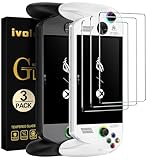
The ivoler screen protector is an HD clear film for the ASUS ROG Xbox Ally and Ally X, sold as a three-pack. A clear, glossy protector keeps the screen's original sharpness and color, which matters on a 1080p display where text and fine details are already small.
Who it suits. Anyone who wants the cleanest picture and expects to apply or replace a protector more than once. Three sheets give you room for mistakes and for future replacement when the first protector gets scratched.
Key specs
- Quantity: 3 protectors
- Finish: HD clear
- Fit: ROG Xbox Ally and ROG Xbox Ally X
Gloss versus matte. Gloss gives crisp text and vivid color but shows more reflections and fingerprints. Matte reduces reflections but softens the image slightly. If you mostly play indoors with controlled lighting, a clear protector is usually the better choice. If you often play near windows, consider the JSAUX anti-glare option.
A clean installation. Wash your hands, wipe the screen with the alcohol wipe and use the dust sticker to remove particles. Apply the film in a still room, press from the center outward and give it a few hours before using the touchscreen heavily. Small bubbles can often be pushed out or disappear on their own.
Strengths. A larger pack, a clear finish and fit for both Xbox Ally models. The spares make it economical over the life of the device.
Weak points. Glossy films reflect light, and the material (film or glass) is not stated in the title.
Using the extra sheets wisely. Keep the spare protectors flat in their sleeves, away from dust and heat, and do not peel the backing until you are ready to apply them. If the first attempt traps a speck of dust, lift the film with tape and use the cleaning sticker, instead of pushing down and hoping it vanishes. Having two spares means you can afford to take your time and get a clean result on the first sheet.
Bottom line. Choose it for sharpness and for the comfort of having spares, and accept that bright windows will cause more reflections than a matte film would. Apply it in a calm, dust-free room, and keep the spare sheets flat and clean for later.
Pros
- Three sheets in the pack
- HD clear finish preserves sharpness
- Made for ROG Xbox Ally and Ally X
Cons
- Glossy surface shows glare and fingerprints
- Material not named in the title
- Not listed for the original ROG Ally X or Ally
Compared with the nearest alternative. The JSAUX anti-glare pack has only two sheets but a matte surface. Choose by environment: glossy for controlled lighting, matte for bright rooms.
10. Ergo Comfort Grips Case – Best for Original ROG Ally Owners

The Ergo Comfort Grips Case is a protective gripcase for the ASUS ROG Ally Z1 and Z1 Extreme, which are the original ROG Ally models. This is the only product in the group aimed squarely at that older device. That distinction matters: it is not listed for the ROG Ally X or either ROG Xbox Ally model, whose bodies and grips differ, so do not buy it for those.
Who it suits. Owners of the original ROG Ally who find the standard body slim and want larger, more comfortable handles for longer sessions. Ergonomic grips can reduce hand fatigue by giving the palms more to hold onto.
Key specs
- Type: protective gripcase with ergonomic grips
- Fit: ROG Ally Z1 and Z1 Extreme (original models)
- Material and weight: confirm on the product page
Do grips help? Many handhelds are held with a thin edge pressing into the palm. A grip case adds depth and a curved shape that spreads that pressure. The benefit is highly personal, but many players with larger hands find it more comfortable. The trade-off is added bulk, which can make the device harder to slip into a small bag or compatible dock.
Heat and vents. Always make sure the case does not cover the intake or exhaust vents. Handheld PCs generate heat, and blocking airflow can cause throttling. If the device feels unusually hot during play, remove the case and check the clearance.
Strengths. A fit for an older model that newer cases often ignore, with comfort as the key goal.
Weak points. Not for newer models, and the added thickness might not fit some docks or cases.
Make sure the model matches. The listing names the Z1 and Z1 Extreme versions of the original ROG Ally. Check the model name on the back of your device, because the later ROG Ally X and ROG Xbox Ally have different shapes. Confirm that the case leaves the vents, buttons and ports free.
Bottom line. Worth a look only for the original ROG Ally, where comfort over long sessions is the goal. Owners of newer models should skip it and choose a case listed for their device.
Pros
- Made for the original ROG Ally Z1 and Z1 Extreme
- Larger grips can ease long sessions
- Adds scratch and bump protection
Cons
- Does not fit the ROG Ally X or ROG Xbox Ally models
- Adds bulk that can affect docks and bags
- Vent clearance should be checked
Compared with the nearest alternative. The JSAUX ModCase offers protection for the newer ROG Xbox Ally models. If you own the original Ally, this gripcase is the relevant option, because most other products here are not designed for it.
Fit First: Which Handheld Do You Own?
Before comparing features, identify your exact model, because the ROG Ally family has several variants with different bodies. The original ROG Ally (Z1 and Z1 Extreme versions) is the oldest. The ROG Ally X followed with a larger battery and a redesigned body. The ROG Xbox Ally and ROG Xbox Ally X arrived in 2025 with new grips, a slightly different shape and, in the X version, a larger battery. All of them use a seven-inch, 1080p, 120Hz-class display, which is why many screen protectors can be listed across models, but cases, grips and shells are shaped for specific bodies.
| If you own | Safe choices from this list | Check before buying |
|---|---|---|
| Original ROG Ally (Z1 or Z1 Extreme) | amFilm protector, Ergo Comfort Grips Case, JSAUX 6-in-1 dock | Cases for the Ally X or Xbox Ally are not designed for this body |
| ROG Ally X | JSAUX anti-glare protector, amFilm protector, both JSAUX docks | Cases listed only for the Xbox Ally models |
| ROG Xbox Ally | CoBak bundle, JSAUX cases, ivoler protector, amFilm protector, SyVend case, 6-in-1 dock | The 5-in-1 dock and the anti-glare pack, whose titles do not name this model |
| ROG Xbox Ally X | Everything except the original-Ally grip case | Dock listings that do not name the Xbox Ally models |
How to Choose the Right ROG Ally Accessories
Start with a simple question: where will the handheld spend most of its time? The answer separates protection accessories from connectivity accessories and tells you what to buy first.
A worked power calculation for docks
A dock is only useful if the handheld stays powered while you play. Here is an illustrative calculation using round numbers, so substitute the figures from your own device's manual. Suppose your handheld has an 80Wh battery and your game draws about 25W from the whole system at the settings you prefer. Running on battery alone, 80 divided by 25 gives about 3.2 hours before the battery is empty, and real-world numbers are usually a little lower because efficiency is not perfect. Now connect the handheld to a dock fed by a 65W adapter. The handheld uses 25W for play, which leaves up to about 40W (65 minus 25) available to charge the battery, although the device may limit that rate. That is why a docked handheld can play for hours and still gain charge, while a weaker 30W adapter would leave only about 5W of margin and might fail to keep up in demanding games. If you plan to play demanding games docked, use an adapter at least as strong as the one that came with the handheld.
Screen protectors
Choose by environment. In bright rooms, a matte protector reduces glare. In controlled lighting, a clear protector preserves sharpness. A pack of three or two sheets gives a spare. Material matters too: tempered glass resists scratches and feels more like a bare screen, while film is thinner and more flexible. Do not guess the material; read the product page.
Cases
There are two kinds. Carrying cases protect the device in a bag, and protective or grip cases stay on the device. If you play mostly at home, a protective case may matter more than a carrying case. If you commute, a carrying case with a storage layer is probably worth more. A bundle such as the CoBak kit covers both screen and storage needs, but you should still pick up a separate on-device case if you worry about drops.
Docks
Count the ports you really need. For a monitor, you need HDMI. For wired online play, you need Ethernet. For a keyboard, a mouse or a controller, you need at least two USB ports. For a high-refresh display, look for a stated HDMI 4K@120Hz and make sure your cable and screen support it. Ensure the dock names your exact handheld and confirm the power input requirement.
Prioritize by risk, not by novelty
A useful rule is to rank purchases by how much they reduce the chance of an expensive accident. The screen is the part most exposed to damage, so a protector comes first. The second-biggest risk is the bag: a hard or semi-rigid case protects against pressure, drops and spills. Third comes ergonomics, because uncomfortable hands end sessions early. Docks and extra ports come last, not because they are unimportant, but because they add convenience instead of preventing damage. If you can only buy two things this month, a protector and a case will cover most of the real-world hazards, and the dock can follow when you start playing at a desk or on a TV.
Decision matrix
| Situation | Best pick | Why |
|---|---|---|
| Want to play on a TV or monitor | JSAUX 6-in-1 Docking Station | HDMI 4K@120Hz and Ethernet |
| Need a basic dock for a Steam Deck or ROG Ally X | JSAUX 5-in-1 HB0602 | Simpler and listed for those devices |
| New owner who needs everything | CoBak 3-in-1 bundle | Case, protectors and grips together |
| Drop worries during play | JSAUX ModCase | Stays on the device |
| Commuter with cables and a charger | JSAUX BG0136 or SyVend case | Storage for extras |
| Play near windows | JSAUX anti-glare protector | Matte surface |
| Want the clearest picture and spares | ivoler three-pack | HD clear, 3 sheets |
| Own the original ROG Ally | Ergo Comfort Grips Case or amFilm protector | Designed for that body |
Safety with chargers and docks
Handheld PCs charge over USB-C power delivery at relatively high wattage. Use the supplied charger or a reputable adapter that matches the voltage and wattage, and avoid cheap unbranded cables for charging at high power. Do not cover the handheld or dock while charging, and do not leave a hot device sealed in a case. If a cable, port or dock feels unusually hot, smells odd or shows damage, unplug it and stop using it.
Installing a Screen Protector Without Bubbles
Most protector failures come from rushed installation. Power the handheld off, clean the glass with the supplied wipe and lift stray dust with the sticker. Peel the backing without touching the adhesive, align one edge with the bezel and lower the film slowly from one side to the other. Press from the center outward with a soft card, and if a speck is trapped, lift that corner with tape and try again. Small bubbles often fade within a day, and a spare sheet is useful insurance.
Building a Sensible Starter Kit
Many owners buy accessories one at a time and end up with overlaps. A better approach is to build your kit in layers, starting with what prevents damage and ending with what adds convenience. The order below follows how most problems actually occur with handheld PCs.
- Protect the screen first. The display is the most expensive part to replace and the easiest to scratch. Apply a protector before the first long session, and keep a spare in the drawer.
- Add a carrying case. Most damage happens in transit, when a device is pressed against keys, chargers or water bottles. A hard or semi-rigid case solves that.
- Choose an on-device case only if you play in risky places. If the handheld lives on a desk, an extra shell may be unnecessary. If you play on the sofa, in bed or on public transport, it earns its bulk.
- Add a dock when you start wanting a bigger screen. Many owners discover after a month that they want to play on a TV or monitor. Buy the dock then, and pick the one that names your model.
- Finish with comfort extras. Thumb grips and ergonomic shells are personal, so try one at a time and keep what you actually notice.
Accessories that work across the whole lineup
Some items are less model-specific than others. A good power adapter, a short high-quality USB-C cable and a microSD card (if your model has a slot) are all useful regardless of the exact device. A small microfiber cloth belongs in every case, and a spare screen protector costs little compared with a damaged display. Treat cases, grips and shells as model-specific and double-check them against the exact device name every time.
Caring for what you buy
Wipe docks and cases with a slightly damp cloth, never a wet one, and let them dry before use. Keep dock ports free of lint, which tends to collect in USB and HDMI sockets. Do not pull cables by the cord; hold the connector. Store spare protectors flat in their original sleeve so the adhesive does not pick up dust. When you travel, put the charger and dock in the second layer of the case, away from the screen. If you notice a loose USB-C connector, a flickering display on the dock or a charger that gets very hot, stop using it and check with the manufacturer, because power problems can damage a handheld.
Frequently Asked Questions
Do ROG Ally accessories fit all ROG Ally models?
No. Screen protectors can be shared more easily because the displays have the same size, but cases and grips are shaped for specific bodies. Always match the accessory's listed models to your device, especially for the original ROG Ally versus the ROG Ally X and ROG Xbox Ally models.
Do I need a screen protector for the ROG Ally?
It is not required, but a protector shields the display from scratches caused by dust, keys or abrasive cloths in a bag. Because the display is also a touchscreen that you tap and swipe, a replaceable layer saves the original panel from wear.
Does a dock improve performance?
A dock does not make the processor faster by itself. What it can do is supply steady power while you play, connect to a bigger screen and add wired networking, which can give a smoother experience. Performance modes still depend on the handheld's settings and thermal limits.
Why does my dock need its own power adapter?
The dock passes power from the adapter to your handheld while it also runs the HDMI and USB ports. Without an external adapter, there is nothing to supply that power. Use an adapter that meets the handheld's charging requirement and a cable rated for the wattage.
Can I use a case while the handheld is docked?
It depends on the case and dock. Some thick protective cases prevent the dock connector from seating fully. Check the dock and case product pages, and be ready to remove the case before docking if they do not fit together.
Are thumb grips worth using?
Many players like them because they add friction and a different height to the sticks. They are a matter of preference, and they can interfere with closing some hard cases. If a case is tight, choose low-profile grips or remove them for travel.
Is a hard case or a soft case better?
A hard case protects against crushing and drops in a bag, while a soft case is lighter and more flexible. Choose a hard case for backpacks and frequent travel, and a soft case if you carry the device in a small bag where bulk matters.
Will an anti-glare protector hurt picture quality?
It can slightly soften fine detail and reduce the pop of bright colors, because the surface is textured to scatter light. Most people accept the trade for the reduction in reflections. If maximum clarity matters more, pick a clear protector.
Our Recommendation by Situation
If you want one accessory that changes how you use the handheld, get the JSAUX 6-in-1 dock and a suitable power adapter. If you are starting from zero, the CoBak 3-in-1 bundle covers the basics, and the JSAUX ModCase adds protection that stays on the device during play. Commuters will appreciate the dual-layer JSAUX BG0136 or the SyVend all-in-one case, and anyone who plays in bright light should look at the JSAUX anti-glare film, while those who value sharpness can choose the ivoler three-pack. Original ROG Ally owners should look at the Ergo Comfort Grips Case and the amFilm protector, and Steam Deck or ROG Ally X users with simple needs can consider the 5-in-1 dock. Whatever you choose, confirm your exact model on the product page before ordering and keep charging equipment ventilated and undamaged.
Ready to decide? Our #1 pick for 2026 is the JSAUX Anti-Glare Screen Protector.
Live price & availability on Amazon.