🛒 Best Price Today on Amazon
Prime members get fast, free shipping on everything above, plus member-only deals. New members get a 30-day free trial — cancel anytime.
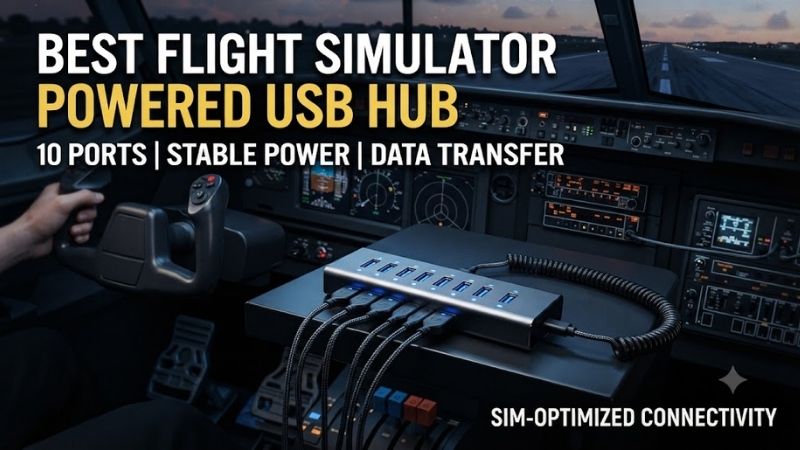
The best flight simulator powered USB hub keeps joysticks, throttles, rudder pedals, and instrument panels connected without overloading a computer’s USB ports. A reliable powered hub is especially useful for complex Microsoft Flight Simulator, DCS World, and X-Plane setups. This guide compares six real USB hubs based on port count, external power, connection stability, and cockpit mounting requirements.
Quick Verdict: Best Powered USB Hubs for Flight Simulators
The Plugable USBC-HUB7BC is our best overall recommendation for home flight cockpits. Its seven USB-A data ports, external 60W power adapter, and USB-A/USB-C host connectivity make it suitable for a wide range of desktop and laptop arrangements.
The Sabrent HB-BUP7 is particularly useful when individual port switches matter, while the StarTech HB30A10AME is better suited to large fixed cockpits with many separate USB peripherals.
For users building a smaller HOTAS setup, the Plugable USB3-HUB7C offers a practical alternative without requiring a ten-port industrial-style hub.
Quick Comparison Table
| Product | Data Ports | External Power | Best For |
|---|---|---|---|
| Plugable USBC-HUB7BC | 7 USB-A | 60W adapter | Best overall |
| Sabrent HB-BUP7 | 7 USB-A | 36W adapter | Individual switches |
| Plugable USB3-HUB7C | 7 USB-A | 36W adapter | Value |
| StarTech ST7300U3M | 7 USB-A | 36W adapter | Fixed cockpit mounting |
| Sabrent HB-BU10 | 10 USB-A | 60W adapter | Large control collections |
| StarTech HB30A10AME | 10 USB-A | Included AC adapter | Advanced cockpits |
The advertised adapter wattage is not a guarantee that every downstream USB port can supply the entire amount simultaneously. Port limits, shared power budgets, and USB controller behavior still matter.
How We Selected These Powered USB Hubs
Flight simulation equipment creates different requirements from ordinary computer accessories. A complete cockpit may use separate USB connections for the flight stick, throttle, rudder pedals, radio panel, autopilot module, instrument displays, and button boxes.
Most flight-control devices transmit relatively little data, but the combined number of peripherals can create power-management and connection challenges.
We prioritized hubs with external power adapters, clearly identified USB data ports, sufficient capacity for multiple peripherals, and practical mounting or switching features.
The selections are based on documented hardware specifications and intended use, not claims of detailed research with every flight controller.
Detailed Product Recommendations
1. Plugable USBC-HUB7BC — Best Overall
Best For: Home cockpit builders using several USB-A flight controls with a desktop or USB-C laptop.
Why We Picked It: The USBC-HUB7BC provides seven USB-A data ports, a substantial external adapter, and flexible host connectivity.
Key Specifications
-
Model: USBC-HUB7BC
-
Downstream ports: Seven USB-A
-
USB data standard: USB 3.0, up to 5Gbps
-
Power adapter: 60W
-
Host connectivity: USB-A or USB-C
-
Operating systems: Compatible Windows, macOS, and Linux configurations
Features and Benefits
The most practical advantage is connecting many conventional flight peripherals to one location.
Most established HOTAS systems, yokes, pedals, and simulator panels use USB-A connections, making a bank of USB-A data ports particularly useful.
The supplied external adapter provides power independently of the computer’s upstream USB port, reducing reliance on the host for peripheral power.
Its USB-A and USB-C host options also accommodate different computer generations.
Performance and Practical Use
For a typical setup, the hub could connect a yoke, throttle quadrant, rudder pedals, radio panel, switch panel, and two additional peripherals.
However, all seven ports still share one upstream USB connection.
The hub cannot resolve every USB controller limitation or guarantee that unusually power-sensitive devices will operate correctly.
Pros
-
Seven usable USB data ports.
-
External 60W power adapter.
-
Flexible computer connection.
-
Suitable for many flight-control configurations.
Cons
-
No independent power switch for each port.
-
All devices share one upstream connection.
Buy If: You want a reliable central connection point for a growing flight simulator setup.
Skip If: You need more than seven data ports or individual port switching.
2. Sabrent HB-BUP7 — Best for Individual Port Control
Best For: Flight simulator users who frequently disconnect or restart individual peripherals.
Why We Picked It: The HB-BUP7 provides seven USB 3.0 data ports with separate power switches and status indicators.
Key Specifications
-
Model: HB-BUP7
-
USB ports: Seven USB 3.0
-
Maximum signaling speed: 5Gbps
-
External adapter: 12V, 3A
-
Total adapter rating: 36W
-
Switching: Individual port switches
-
Indicators: Port power lights
Features and Benefits
Individual port switches can be useful in a complex simulator.
For example, a USB instrument panel may stop responding after a software restart. A dedicated port switch allows the user to power-cycle that peripheral without disconnecting every device.
This can be more convenient than physically unplugging a connector mounted beneath the cockpit.
The switches also help organize equipment that is not required for every flight.
Performance and Practical Use
The seven-port arrangement is sufficient for many home flight simulator setups.
However, using a switch to disconnect a peripheral may require the simulator to recognize the device again.
Some games or control profiles may need restarting or reinitialization after a USB device disappears.
The external adapter improves power availability but does not eliminate software-level USB problems.
Pros
-
Seven data ports.
-
Individual power switches.
-
External 36W adapter.
-
Convenient troubleshooting.
Cons
-
Switching can affect simulator device detection.
-
No additional host-controller bandwidth.
Buy If: You want convenient individual control of connected flight devices.
Skip If: You prefer a hub without physical switches.
3. Plugable USB3-HUB7C — Best Value for Basic Cockpits
Best For: Flight simulator setups using several standard USB-A controllers.
Why We Picked It: The USB3-HUB7C offers seven data ports and a separate power adapter in a straightforward configuration.
Key Specifications
-
Model: USB3-HUB7C
-
Downstream connections: Seven USB-A data ports
-
Interface: USB 3.0
-
Adapter: 36W
-
Supported charging feature: BC 1.2 on selected ports
-
General power control: Hub-level switch
Features and Benefits
This hub is appropriate for a conventional HOTAS setup with a separate stick, throttle, rudder pedals, and additional controls.
Its seven data ports provide useful expansion without requiring a larger industrial enclosure.
The 36W power adapter is also more practical than relying entirely on a computer’s USB output when multiple illuminated peripherals are connected.
Performance and Practical Use
The USB3-HUB7C is most attractive when users need additional ports rather than extensive control features.
It does not offer the same independent port switching as the Sabrent HB-BUP7.
For many users, this is not a significant limitation.
A stable connection and correctly configured simulator controls matter more than advanced switching functionality.
Pros
-
Seven real USB data ports.
-
External adapter.
-
Straightforward installation.
-
Suitable for conventional flight controls.
Cons
-
No independent port switching.
-
Less flexible host connectivity than the USBC-HUB7BC.
Buy If: You want a practical powered hub for a moderate number of flight controls.
Skip If: You need individual peripheral power control.
4. StarTech ST7300U3M — Best for Permanent Cockpit Mounting
Best For: Fixed home cockpits where the USB hub will be attached to a desk or simulator frame.
Why We Picked It: The ST7300U3M provides a metal enclosure and mounting-oriented construction.
Key Specifications
-
Model: ST7300U3M
-
Ports: Seven USB-A
-
Standard: USB 3.0, up to 5Gbps
-
External adapter: 12V, 3A
-
Enclosure: Metal
-
Mounting: Suitable for supported desk or wall installation
Features and Benefits
A lightweight plastic hub can shift when several thick USB cables pull against it.
The StarTech metal enclosure is more suitable for installations where the hub remains fixed to the cockpit frame.
Mounting the hub in a stable location can reduce unnecessary strain on connectors and improve cable organization.
This is particularly valuable when the cockpit includes moving pedals, adjustable seats, or large flight-control assemblies.
Performance and Practical Use
The seven-port design supports multiple simulator controls.
However, the metal enclosure does not inherently improve USB latency or guarantee better software compatibility.
Its main advantage is mechanical durability and predictable placement.
Pros
-
Metal enclosure.
-
Fixed mounting options.
-
Seven USB data connections.
-
Included external adapter.
Cons
-
Less portable than small desktop hubs.
-
No individual port switches.
Buy If: You are building a permanent simulator cockpit.
Skip If: You frequently move your setup between locations.
5. Sabrent HB-BU10 — Best for Ten Switched Ports
Best For: Large flight simulators with multiple yokes, throttles, instrument panels, and button boxes.
Why We Picked It: The HB-BU10 provides ten USB data ports with individual switches and a more substantial external power adapter.
Key Specifications
-
Model: HB-BU10
-
Ports: Ten USB 3.0
-
Interface speed: Up to 5Gbps
-
External adapter: 12V, 5A
-
Total adapter rating: 60W
-
Switching: Individual port controls
Features and Benefits
Ten ports are useful when a cockpit expands beyond a basic joystick and throttle.
A commercial aviation setup may include separate USB connections for the yoke, throttle quadrant, rudder pedals, autopilot controller, radio panel, switch panel, and several instrument devices.
The HB-BU10 allows these devices to be organized around one hub.
Individual switches also make it easier to isolate individual peripherals during troubleshooting.
Performance and Practical Use
More USB ports do not automatically increase the number of devices a host controller can support reliably.
The hub still depends on one upstream connection.
If a particular device is sensitive to hub operation, connecting it directly to the PC may remain the best approach.
Pros
-
Ten data ports.
-
Individual switches.
-
External 60W adapter.
-
Suitable for larger cockpit configurations.
Cons
-
Larger physical footprint.
-
One shared upstream connection.
Buy If: You have many flight-control devices and want individual switching.
Skip If: A seven-port hub already meets your needs.
6. StarTech HB30A10AME — Best for Advanced Fixed Cockpits
Best For: Dedicated home cockpit installations with numerous USB peripherals.
Why We Picked It: The HB30A10AME combines ten USB-A ports with a metal enclosure and mounting-friendly construction.
Key Specifications
-
Model: HB30A10AME
-
Downstream ports: Ten USB-A
-
Standard: USB 3.2 Gen 1, up to 5Gbps
-
Construction: Metal enclosure
-
Power: External AC adapter included
-
Installation: Suitable for fixed mounting configurations
Features and Benefits
The HB30A10AME is designed for environments where numerous USB peripherals need to remain connected.
Its metal construction makes it particularly relevant to permanent cockpit installations.
The ten-port capacity provides more expansion room than a conventional seven-port hub.
For users building a detailed instrument panel, this additional capacity can reduce reliance on multiple smaller hubs.
Performance and Practical Use
The larger design is unnecessary for a simple gaming desk with three flight controls.
It also does not guarantee that all ten devices will function without software or host-controller limitations.
Its value is strongest when physical mounting, port capacity, and cable organization are priorities.
Pros
-
Ten data ports.
-
Metal construction.
-
Included power adapter.
-
Suitable for permanent cockpit wiring.
Cons
-
Larger than ordinary desktop hubs.
-
More expensive class of hardware.
-
Shared upstream connection.
Buy If: You are building a permanently mounted, panel-heavy flight simulator.
Skip If: You only use a joystick, throttle, and pedals.
Buying Guide: Choosing a Powered USB Hub for Flight Simulation
Count Your USB Devices Before Buying
Start by listing every device that requires a computer USB connection.
A joystick, throttle, and rudder pedals may use three separate ports.
Additional instrument panels, button boxes, and radio controls can quickly increase the total.
For most moderate setups, seven data ports provide a reasonable starting point.
Larger cockpits may benefit from ten ports or multiple powered hubs.
Understand External Power
An externally powered hub uses a separate adapter to supply downstream devices.
This can help prevent problems caused by insufficient USB bus power.
However, the adapter’s total wattage is shared across the hub.
A 60W adapter does not mean every connected device can individually draw 60W.
USB 2.0 Versus USB 3.0
Many flight controls use relatively low-bandwidth USB connections.
USB 3.0 offers more data capacity, but higher bandwidth does not automatically improve joystick responsiveness.
The main reasons to select a USB 3.x hub are convenience, compatibility, and flexibility with additional peripherals.
High-bandwidth devices such as capture cards may benefit from direct connections to the computer.
Check USB Host-Controller Limitations
A powered hub adds physical ports but does not create an independent USB host controller.
Multiple hubs connected through the same controller may still share resources.
If the system reports insufficient USB controller resources, adding a larger power adapter will not necessarily solve the problem.
Consider Individual Port Switches
Port switches are useful for isolating or resetting devices.
However, switching off a controller while a simulator is running can affect input recognition.
Use this feature carefully and test how your simulator handles device reconnection.
Organize and Label Your Cables
Label each USB connection according to its device.
This makes troubleshooting easier when a control stops responding.
Position the hub where connectors remain accessible, but away from moving seat rails and rudder pedals.
Avoid placing unnecessary tension on USB sockets.
Frequently Asked Questions
Do I need a powered USB hub for a flight simulator?
A powered hub is particularly useful when several flight controls or instrument panels share one computer connection.
Can a USB hub cause joystick input lag?
A properly functioning hub should not introduce meaningful latency for ordinary flight-control data, but unstable connections or USB resource problems can affect performance.
Should a VR headset use the same USB hub?
High-bandwidth or power-sensitive VR equipment is often better connected directly to a compatible computer port.
Is seven USB ports enough for a flight cockpit?
For many home setups, yes. A panel-heavy cockpit may require ten or more.
Can a powered hub fix USB disconnects?
It may help when insufficient bus power is the cause, but cable damage, drivers, power management, and controller limitations can also produce disconnects.
Conclusion
The Plugable USBC-HUB7BC is the most balanced recommendation among the best flight simulator powered USB hub options for home cockpits, offering seven data ports, external power, and flexible host connections. Choose the Sabrent HB-BUP7 for individual switching, the HB-BU10 for ten switched ports, or the StarTech HB30A10AME for a larger fixed installation. Count your actual peripherals, verify power requirements, and plan cable routing before choosing a hub.