🛒 Best Price Today on Amazon
Prime members get fast, free shipping on everything above, plus member-only deals. New members get a 30-day free trial — cancel anytime.
A control pad is the surface that decides whether a flick stops dead on the target or glides a few millimetres past it. In fast shooters, that difference shows up as missed shots, overcorrected sprays, and aim that feels loose even when the mouse is good. A control surface adds friction on purpose: the cloth weave resists the mouse just enough to make small corrections predictable and to let the hand stop the mouse exactly where it means to. The real decision is not which pad looks best on the desk, but how much resistance suits the games and the sensitivity the player actually uses.


This guide is for competitive shooter players who want steadier aim, low-sensitivity players who sweep the mouse across a wide arc, and anyone whose current pad feels too slick for precise stops. The four pads below were chosen from the names and specifications on their Amazon listings, covering heavy-control cloth, a thick cushioned classic, a desk-wide hybrid, and a moderate-friction standard.
Quick Picks
As an Amazon Associate, we earn from qualifying purchases.
| Product | Best for | Key spec from title |
|---|---|---|
| BenQ Zowie G-SR III Large Esports Gaming Mouse Pad | Heavy control for competitive FPS | Humidity-resistant cloth with consistent, controlling glide |
| SteelSeries QcK Heavy XXL Gaming Mouse Pad | Thick cushioning and full-desk coverage | XXL thick cloth with non-slip silicone rubber base |
| Razer Gigantus V2 XXL Cloth Gaming Mouse Pad | Desk-wide control-leaning surface | Textured micro-weave cloth with high-density foam base |
| Logitech G640 Large Cloth Gaming Mouse Pad | Moderate friction for sudden stops | Moderate surface friction with consistent surface texture |
How to Choose
Start with friction, not size
A control pad is defined by friction, so read the listing language before looking at dimensions. Phrases like consistent and controlling glide, moderate surface friction, and maximum control all point to a surface that resists the mouse and helps it stop. A pad described as smooth, fast, or low friction is built for glide instead, and it will feel slippery to a player who needs stopping power. The weave matters too: a tighter, rougher cloth grabs the mouse feet more than a loose, soft weave. If the listing says nothing about friction at all, treat the pad as an unknown and look for a listing that states the glide character plainly.
Match the pad to your sensitivity
Sensitivity decides how much pad the mouse actually travels across in a match. Low-sensitivity players move the mouse in long arcs to turn, so they need a large or extra-large surface with room to reset without lifting the mouse. High-sensitivity players move in short wrist flicks and can work on a smaller pad, though extra space rarely hurts when the desk allows it. Measure the sweep: play a round, note how far the mouse travels in the widest turns, then add a margin for the keyboard and for repositioning. A pad that ends mid-sweep forces the player to lift and reset at the worst moment.
Check the base and the edges
A control surface is useless if the pad itself slides across the desk during a hard swipe. Look for a rubber base that the listing describes as non-slip, anti-slip, or high-density, and check the thickness, because a thicker base levels out small bumps in the desk and cushions the wrist. Stitched edges keep the cloth from fraying where the wrist rubs, which matters on a pad that sees daily use. Roll the pad flat when it arrives and leave it overnight if the corners curl, since a lifted corner catches the mouse feet and ruins tracking in exactly the area where aim corrections happen.
Think about humidity and wear
Hands warm up during long sessions, and a cloth pad that absorbs moisture can turn sticky or uneven as the night goes on. Listings that mention humidity resistance or a sweat-resistant surface are worth attention for players in warm rooms or with warm hands. Cloth also wears: the weave loosens where the mouse travels most, so the glide in the centre of a well-used pad eventually differs from the glide at the edges. A pad with a tighter weave holds its character longer, while a softer cloth may feel better at first and change faster. Plan on replacing a daily-use pad when the centre stops matching the edges.
The 4 Best Options
BenQ Zowie G-SR III Large Esports Gaming Mouse Pad
The G-SR III is the heavy-control pick in this guide, built for players who want the mouse to stop the instant the hand stops. Its cloth top carries a consistent and controlling glide with a subtle locked-in feel, so flicks land and stay landed instead of drifting past the target. The humidity-resistant cloth keeps the glide dry when hands get warm, which matters in long competitive sessions where a sticky surface would change the aim. At 470 by 390 millimetres it covers the mouse area without swallowing the whole desk, and the stitched edges keep the cloth from fraying under daily use.
Specs
- Humidity-resistant cloth with a consistent, controlling glide
- Uniform high-density rubber base with medium softness
- Stitched edges and anti-slip base
- Size: 470 x 390 mm (18.5 x 15.3 in)
- Thickness: 3.5 mm
- Model: G-SR III
- Weight: 11.6 ounces
Best for: Competitive FPS players who want maximum stopping power and steady aim.
Watch out for: The controlling glide is genuinely slow, so tracking-heavy players who move the mouse constantly may find it tiring over long sessions.
SteelSeries QcK Heavy XXL Gaming Mouse Pad
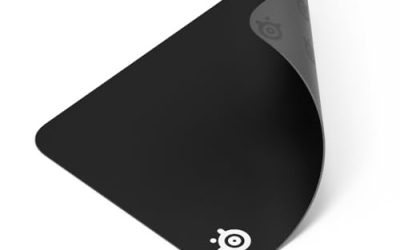
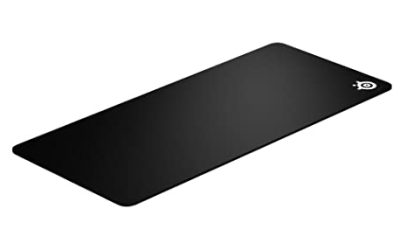
The QcK Heavy XXL takes the classic QcK micro-woven cloth and stretches it across a full desk, with a thick rubber base that cushions the wrist and levels out uneven desk surfaces. The surface is tuned for maximum control, so the mouse stops cleanly after flicks and small aim corrections feel predictable rather than floaty. At 900 by 400 millimetres it holds the keyboard and the mouse on one surface, which suits players who want a single mat under the whole setup. The extra thickness also damps vibration and keeps the pad planted during hard swipes.
Specs
- Micro-woven cloth surface for maximum control
- Non-slip silicone rubber base
- XXL size: 900 x 400 mm
- Thickness: 4 mm
- Model: 67500
- Optimized for gaming sensors
Best for: Players who want a thick, cushioned control pad that covers the keyboard and mouse together.
Watch out for: The XXL size needs a wide desk, so measure the desk before ordering and check that the keyboard and monitor stand still fit.
Razer Gigantus V2 XXL Cloth Gaming Mouse Pad
The Gigantus V2 XXL is the desk-wide hybrid in this group, with a textured micro-weave cloth that leans toward control while still letting the mouse move freely. Razer describes the surface as designed for control, and the weave gives flicks a planted finish without the heavy drag of a pure control cloth. The thick high-density foam underneath cushions the wrist and holds the mat flat on imperfect desks, while the non-slip base keeps it in place during frantic swipes. At 37 by 16 inches it covers a full keyboard and mouse area, so low-sensitivity players get a long runway for wide turns.
Specs
- Textured micro-weave cloth surface
- Thick, high-density foam base
- Non-slip base
- Classic Black color
- Size: 37.04 x 16.15 x 0.16 inches
- Model: RZ02-03330400-R3U1
- Optimized for all mouse sensors
Best for: Players who want a desk-wide pad with a control-leaning glide and a soft, cushioned feel.
Watch out for: The glide is balanced rather than heavy control, so players who want the strongest possible stopping power should look at a heavier control cloth instead.
Logitech G640 Large Cloth Gaming Mouse Pad

The G640 is the straightforward control standard in this guide, with a moderate surface friction that Logitech tunes for sudden mouse movements and consistent sensor tracking. The cloth surface keeps the glide predictable across the whole pad, and the no-slip rubber base stops the mat from bunching up under the wrist during fast play. At 400 by 460 millimetres it gives low-sensitivity players room to sweep without taking over the desk, and the soft material stays comfortable when the hand rests on it for hours. It is the plain, reliable choice for a player who wants control without a specialist surface.
Specs
- Moderate surface friction
- Consistent surface texture
- Non-slip rubber base
- Size: 400 x 460 mm
- Thickness: 3 mm
- Model: 943-000088
- Optimized for gaming sensors
Best for: Players who want a proven moderate-friction control pad for everyday competitive play.
Watch out for: The edges are not stitched on this listing, so the cloth edge may fray sooner than on a stitched pad with heavy daily use.
Which One Fits Your Situation
You play competitive FPS at low sensitivity
Pick the BenQ Zowie G-SR III. The heavy-control glide and the humidity-resistant cloth keep flicks planted and aim consistent through long matches, and the large size gives the mouse room for wide sweeps. Just remember that the slow glide asks more from the arm, so players who track constantly may prefer a lighter surface.
You want one pad for the keyboard and mouse
Pick the SteelSeries QcK Heavy XXL or the Razer Gigantus V2 XXL. Both cover a full desk setup, with the QcK Heavy giving thicker cushioning and stronger stopping power, while the Gigantus V2 feels softer and glides a touch faster. Measure the desk first, since either one needs real width.
Your hands sweat or your room runs warm
Pick the BenQ Zowie G-SR III. Its humidity-resistant cloth is made to stay dry and keep the glide consistent when hands get warm, while ordinary cloth can turn sticky mid-session. Wipe the surface down with a damp cloth between sessions and the glide stays closer to how it felt on day one.
You want a plain control pad without fuss
Pick the Logitech G640. The moderate friction, consistent texture, and no-slip base cover the basics well, and the large size suits most desks and sensitivities. It is the safe pick when the goal is steady aim rather than a specialist surface. It also pairs well with any mouse, since the moderate friction suits both light and heavier mice.
Common Mistakes
- Buying a speed pad when the aim actually needs stopping power, then blaming the mouse for overshooting.
- Picking a pad too small for low-sensitivity sweeps, so the mouse runs off the edge mid-turn.
- Ignoring the rubber base on a slick or uneven desk, so the pad slides during hard swipes.
- Assuming every cloth pad feels the same, when weave and friction vary widely between makers.
- Ordering without checking the exact size variant, and ending up with a small pad when the desk needed an XXL.
Frequently Asked Questions
What is the difference between a control pad and a speed pad?
A control pad uses a rougher, tighter cloth weave that adds friction, so the mouse stops quickly and small corrections feel predictable. A speed pad uses a smoother surface with less friction, so the mouse glides fast with little resistance. Control suits players who flick and stop, especially in tactical shooters, while speed suits players who track moving targets constantly and want the mouse to flow.
Do control pads wear out mouse feet faster?
A rougher control weave can wear PTFE mouse feet slightly faster than a smooth speed surface, because the feet drag across more texture with every movement. The difference is small for most players, and fresh feet are a normal consumable. Keeping the pad clean matters more: dust and grit trapped in the weave act like sandpaper, so a quick wipe-down protects both the feet and the glide.
What size control pad do I need for low sensitivity?
Low-sensitivity players should choose a large or extra-large pad, because a full turn can move the mouse across most of the desk. A pad around 450 by 400 millimetres is a good starting point, and an XXL desk mat around 900 by 400 millimetres gives the most room for wide arcs and repositioning. Measure the widest sweep in a normal match, then pick a pad with room to spare.
Can I wash a cloth control pad?
Yes, most cloth control pads can be washed by hand with mild soap and cool water, then left to air dry flat. Avoid hot water and machine drying, which can warp the rubber base or loosen the weave. Let the pad dry fully before use, since a damp surface changes the glide. Check the listing first, since some pads carry specific cleaning guidance from the maker.