🛒 Best Price Today on Amazon
Prime members get fast, free shipping on everything above, plus member-only deals. New members get a 30-day free trial — cancel anytime.
As an Amazon Associate we earn from qualifying purchases.


A cloth gaming mouse pad looks like the simplest accessory on a desk, yet it quietly decides how every aim movement starts, travels, and stops. The mouse sensor reads the weave, the mouse feet glide across it, and your hand feels the difference between a surface that helps you brake on a target and one that lets the crosshair drift past it. Hard, glass, and metal pads have their place for players who want the lowest possible friction, but cloth remains the default choice for most gamers because it balances glide with control, feels comfortable under the wrist, rolls up for transport, and works with virtually every optical and laser sensor.
This guide focuses only on genuine cloth pads: fabric surfaces over a rubber base, with no hard tops, no glass, and no metal presented as cloth. Four pads cover the main ways players actually use cloth, from a compact medium pad for high-sensitivity play to an extra-wide mat that lets low-sensitivity players sweep across a whole desk. Along the way, the guide explains how weave, thickness, size, and edges change the feel, so you can match a pad to your games and your sensitivity instead of buying whichever rectangle happens to be on sale.
What Makes Cloth Different From Other Surfaces
Cloth pads use a woven textile surface bonded to a rubber base. The weave creates a small amount of texture that the sensor can track reliably, and that same texture produces friction. Friction is not a flaw here; it is the mechanism that gives cloth its control. When you flick toward a target, the pad helps the mouse decelerate as you ease off, which makes stopping on a small hitbox more repeatable than on a slick hard surface.
That trade-off defines the cloth category. A cloth pad will rarely feel as fast as a hard pad in the first few millimetres of movement, and it can feel slower still in humid rooms or after months of dust and skin oil build up in the weave. In exchange, cloth is forgiving. Small hand tremors are damped rather than amplified, tracking movements in shooters feel steadier, and the soft surface is far kinder to wrists during long sessions than a rigid plate. Cloth is also quiet, inexpensive to replace, and easy to carry, which is why it remains the surface most competitive players learn on.
Within cloth itself there is a spectrum. Tightly woven, smoother cloth leans toward speed, with a lighter initial resistance and a longer glide. Looser or more textured weaves lean toward control, gripping the mouse feet a little more so movements feel planted. Thickness matters too: a thin pad gives a firmer, more direct connection to the desk, while a thicker foam or rubber layer adds cushioning and can mask small imperfections in the desk surface underneath.
The Best Cloth Gaming Mouse Pads
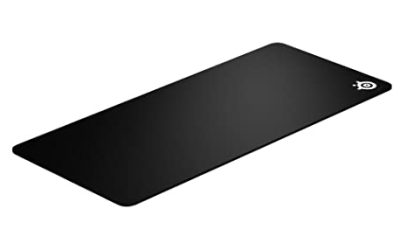
SteelSeries QcK Medium — the classic compact control pad
The SteelSeries QcK Medium is the pad that defined the modern cloth category, and its formula has stayed deliberately simple: a micro-woven cloth surface over a non-slip rubber base. The listing gives its dimensions as 320 by 270 millimetres with a 2 millimetre thickness, which makes it a true mouse-only pad rather than a desk mat. Your keyboard stays on the desk, and the pad serves players who aim mostly with the wrist or with a compact arm movement.
That small footprint is a feature for the right player. High and medium sensitivity settings need surprisingly little travel, and a medium pad keeps the whole playing surface within easy reach without pushing the keyboard aside. The thin 2 millimetre profile keeps the mouse low and the feel firm, so stops feel crisp and deliberate. The micro-woven surface is optimised for gaming sensors, covering both low and high DPI tracking, and SteelSeries describes the cloth as durable and washable, which matters because a pad this size sees concentrated wear in the centre.
There are honest limits. Low-sensitivity players who make long arm sweeps will run off the edge, and the standard QcK design does not use stitched edges, so heavy use over a long period can eventually separate the surface at the border. Treat it as the focused, affordable-feeling classic it is: a compact control surface for players whose sensitivity and desk layout suit a medium pad, and a sensible first cloth pad for anyone replacing a worn office mat.
Logitech G640 Large Cloth Gaming Mouse Pad — balanced friction for low-DPI aim
The Logitech G640 Large Cloth Gaming Mouse Pad steps up to 460 by 400 millimetres at 3 millimetres thick, and that near-square shape is its main argument. Tactical shooter players who lower their sensitivity for precision often pull the mouse downward as much as sideways when controlling recoil or tracking a falling target, and the G640 gives vertical room that wide-but-shallow mats do not. The listing describes a cloth surface with moderate surface friction, a consistent surface texture, and a stable rubber base, and that moderation is the point.
Moderate friction sits in the middle of the cloth spectrum. The G640 is not a speed pad that sends the mouse skating, and it is not a heavy control pad that makes tracking feel like work. It aims for predictable starts and stops, which suits low-DPI play where the player makes large, deliberate movements and then needs the mouse to settle exactly where the movement ends. Logitech states that the surface is matched to Logitech G sensors, but the consistent texture is a benefit for any modern optical sensor that needs a uniform pattern to read.
The pad is rollable for transport while keeping a stable, comfortable base at the desk. Two practical notes from the listing details: the dimensions are generous, so measure a small desk before assuming it fits beside a full keyboard, and the edge design is an edge-to-edge style rather than a heavily cushioned border. For players who want one balanced cloth pad for competitive shooters and everyday use, without committing to full desk coverage, the G640 is the natural centre of this list.
Razer Gigantus V2 XXL — thick foam and room for everything
The Razer Gigantus V2 Cloth Gaming Mouse Pad (XXL) is the desk-coverage option. In XXL form it spans roughly 940 by 410 millimetres, enough for a keyboard and a mouse to share one continuous cloth surface, and the listing highlights a textured micro-weave cloth surface over thick, high-density rubber foam with a non-slip base. That thickness, around 4 millimetres in this size, changes the feel in a way players notice immediately: the pad cushions the wrist and the heel of the hand, and it levels out minor bumps or seams in the desk below.
A textured micro-weave surface gives the Gigantus V2 a slightly more pronounced feel under the mouse than the smoothest cloth pads. That texture supports both speed and control styles: fast swipes still move freely across the huge area, while the weave gives enough feedback to stop without the floaty sensation a very slick surface can produce. The XXL footprint is built for low-sensitivity arm aiming, where a single turn can consume most of a smaller pad, and for players who like the keyboard planted on the same surface so nothing shifts mid-match.
The trade-offs are size and upkeep. A mat this large dominates a desk, collects dust across a wide area, and needs a bigger sink or tub when wash day comes. It also changes keyboard feel, softening the sound and landing of key presses, which most players enjoy but typists with a strong preference for a hard desk feel should consider. If your play style needs maximum room and you like a cushioned base, this is the cloth pad that turns the whole work surface into the mouse pad.
Corsair MM300 PRO Medium — spill-proof cloth with stitched edges

The Corsair MM300 PRO Premium Spill-Proof Cloth Gaming Mouse Pad – Medium addresses the two ways cloth pads usually die: frayed edges and drink spills. Corsair builds it around a spill-proof micro-weave cloth surface, listed at 360 by 300 millimetres and 3 millimetres thick, with stitched edges and a non-slip base. The medium footprint sits between the compact QcK and the large G640, giving wrist and hybrid aimers a little more breathing room without taking over the desk.
The spill-proof coating is the headline feature, and it changes daily life with a cloth pad. Cloth normally absorbs liquid straight into the weave, where it dries slowly and leaves the glide uneven; a spill-resistant surface gives you time to wipe a splash away before it soaks in. That same coating can make the initial touch feel very slightly different from uncoated cloth, a little smoother at first contact, which some control-focused players should be aware of. For anyone who keeps a drink at the desk through long sessions, the protection is worth more than that subtle difference.
Stitched edges solve the other common failure. On unstitched pads the surface layer can peel where the hand or the mouse cable drags across the border; stitching locks the layers together and gives the edge a finished, low ridge. Combined with the rubber base that keeps the pad planted, the MM300 PRO is the durability-first pick in this group, aimed at players who would rather buy one well-finished medium pad than replace a basic one whenever the edges give up.
How to Choose the Right Cloth Pad
Start with size, because size follows sensitivity. Measure how far your mouse actually travels in your main games. Wrist aimers on higher sensitivity can thrive on a medium pad around 320 to 360 millimetres wide. Hybrid players usually want a large pad in the 450 millimetre class. Full arm aimers on low sensitivity should look at extended and XXL mats, where the keyboard shares the surface and the mouse never finds an edge during a wide turn. Also measure your desk, including where your monitor stand and keyboard already sit; a pad that overlaps a stand leg will never lie flat.
Next, decide where you sit on the speed-to-control spectrum. Tracking-heavy games, where the crosshair follows a moving target for long stretches, reward a slightly faster, smoother weave. Flick-heavy tactical shooters, where each movement ends in a hard stop, reward more friction and stopping power. Most players should start in the balanced middle, as the G640 represents, and only move toward an extreme once they know which quality is limiting their aim.
Thickness is a comfort and feel choice. Thin pads around 2 millimetres feel firm and direct, and they pack flat for travel. Pads around 3 millimetres are the common middle ground. Thicker foam around 4 millimetres cushions the wrist, hides desk imperfections, and slightly softens the sense of the desk beneath the mouse, which some players love and others find vague. There is no correct answer, only the feel you want under your hand for hours at a time.
Edges and base decide how long the pad stays good. Stitched edges resist fraying and peeling, and a proper rubber base should grip the desk so the pad does not creep during play. Check how the pad ships and unroll it flat before judging it; cloth pads can take a little time to settle after being rolled in packaging, and a pad that lifts at the corners will annoy you in every session until it relaxes.
Finally, think about maintenance honestly. Cloth absorbs sweat, dust, and skin oil, and its glide changes as it gets dirty. A pad you can wash, and a routine of washing it, keeps the surface consistent. If you know you will never wash a pad, a spill-resistant surface like the MM300 PRO uses is a practical hedge, and a darker colour hides the inevitable centre wear patch for longer.
Cloth Pad Care: Keeping the Glide Consistent
Wash a cloth pad with lukewarm water and a small amount of mild soap, working the surface gently with a soft cloth or your hands rather than a stiff brush that could damage the weave. Rinse thoroughly, because soap residue left in the fibres makes the glide feel sticky, then air-dry the pad flat and fully before playing on it. Never rush a damp pad back into service; moisture changes friction dramatically and uneven drying leaves the surface feeling patchy.
Between washes, a quick brush or shake removes the dust that otherwise grinds into the weave under the mouse feet. Keep drinks behind the pad rather than beside the mouse area when you can, and wipe spills immediately even on spill-resistant surfaces. Store a spare pad rolled loosely rather than folded, since a hard crease can take a long time to leave the cloth. With basic care, a good cloth pad keeps its intended glide far longer, and consistent glide is the entire reason for choosing one.
Frequently Asked Questions
Is cloth or hard better for gaming? Neither is universally better. Cloth offers more friction, more stopping control, softer wrist comfort, and lower cost, which suits most players and most shooters. Hard pads offer a faster, slicker glide and wipe clean instantly, but they are less forgiving on stops and can wear mouse feet faster. This guide covers cloth only, because cloth is what the keyword asks for and what most desks still use.
What size cloth pad do low-sensitivity players need? The lower the sensitivity, the more travel each turn needs. Large pads around 460 millimetres wide are a workable minimum for many low-sensitivity players, while extended and XXL mats remove the edge problem entirely by covering the keyboard area too.
Do cloth pads work with all gaming mice? Yes, in practice. A consistent woven texture is exactly what optical sensors are designed to track, and the listings for these pads describe surfaces optimised for gaming sensors. A very worn or dirty pad can track poorly, which is a maintenance issue rather than a compatibility one.
How often should a cloth pad be replaced? Replace it when washing no longer restores an even glide, when the surface frays or peels beyond the edges, or when the base stops gripping the desk. A pad with stitched edges and a spill-resistant surface is built to push that day further away.
Verdict
For most players, the best gaming mouse pad cloth choice is a balanced large pad: the Logitech G640 pairs moderate friction with a generous, near-square area that suits low-DPI aim and everyday play alike. Choose the SteelSeries QcK Medium if your desk or sensitivity suits a compact, classic control pad. Choose the Razer Gigantus V2 XXL if you aim with your whole arm and want keyboard and mouse on one thick, cushioned cloth surface. Choose the Corsair MM300 PRO Medium if spills and frayed edges are your pad history and you want stitched, spill-proof durability in a medium size. Match the pad to your sensitivity, your desk, and your tolerance for washing it, and cloth will quietly make every other part of your setup feel more precise.